
Crashes, No Sound, or Screen Glitches?
Random freezes, missing sound and display glitches usually trace back to one bad driver. Find and replace yours safely.Free scan · under a minutePC Slower Than It Used to Be?
A free scan shows the junk files, broken settings and background clutter dragging Windows down - then fixes them in one click.Free scan · Windows 10 & 11iTechGuides is reader-supported. When you buy through links on our site, we may earn an affiliate commission. As an Amazon Associate I earn from qualifying purchases. Learn more
You do not need to pay for a bootcamp to start programming. The best free coding websites combine structured lessons, immediate practice, documentation, and projects you can show other people.
This list separates those purposes instead of treating every tutorial, challenge site, and online compiler as the same thing. “Free” means the site offers meaningful learning material or practice without requiring payment; some platforms also sell certificates, hosting, mentoring, advanced exercises, or complete career programs.
Best free coding websites at a glance
| Best for | Start here | Why it stands out |
|---|---|---|
| Complete beginners | freeCodeCamp | Structured, project-based lessons and free certifications |
| Web development from scratch | The Odin Project | Practical curriculum built around real projects |
| Computer-science foundations | CS50x | Algorithms, memory, C, Python, SQL, web development, and a final project |
| Python | CS50P | Clear introduction to programming with Python |
| Front-end reference and curriculum | MDN Learn Web Development | Reliable HTML, CSS, JavaScript, accessibility, and browser guidance |
| Full-stack JavaScript | Full Stack Open | React, Node, databases, testing, TypeScript, and deployment |
| Short interactive lessons | Khan Academy Computing | Free browser-based explanations and exercises |
| Practice after learning fundamentals | Exercism | Free exercises, automated analysis, and optional mentoring |
| Data science | Kaggle Learn | Short courses with notebooks and practical datasets |
| Git and developer tools | The Missing Semester | Shell, Git, editors, debugging, automation, and security |
Structured curricula and beginner courses
- freeCodeCamp — Project-based tracks for responsive web design, JavaScript, front-end libraries, Python, data analysis, databases, and more. Its certifications are free, but completing them requires substantial project work.
- The Odin Project — A hands-on web-development curriculum with Foundations, Full Stack JavaScript, and Full Stack Ruby on Rails paths. Expect to use a code editor, Git, the command line, and external documentation.
- CS50x — Harvard’s broad introduction to computer science, progressing from Scratch to C, algorithms, memory, Python, SQL, HTML, CSS, JavaScript, Flask, and a final project.
- CS50P — A dedicated introduction to Python covering functions, conditionals, loops, exceptions, libraries, file handling, regular expressions, and object-oriented programming.
- CS50W — Web programming with Python, JavaScript, SQL, Django, React, and Bootstrap. It is more suitable after basic programming experience.
- CS50SQL — An introduction to relational database design and SQL using SQLite, PostgreSQL, and MySQL concepts.
- Full Stack Open — A demanding University of Helsinki course on React, Node.js, REST, GraphQL, TypeScript, testing, databases, and deployment. It is not an absolute-beginner course: learn programming, basic web development, databases, and Git first.
- App Academy Open — A free full-stack web-development curriculum with JavaScript, Ruby, SQL, and project work.
- Codecademy — Interactive browser lessons with a free Basic plan. The catalog is mixed: courses marked free are available without payment, while many career paths, projects, quizzes, and advanced lessons require a subscription.
- Khan Academy Computing — Free lessons in JavaScript, HTML/CSS, SQL, animation, and computer science with a gentle learning curve.
- W3Schools — Quick tutorials and browser exercises for HTML, CSS, JavaScript, Python, SQL, PHP, Java, C, C++, C#, React, and other technologies. Use it for a fast explanation or syntax check, not as your only curriculum.
- MIT OpenCourseWare — Free lecture notes, assignments, exams, and course materials from MIT. Course quality is high, but some classes assume mathematics or prior programming knowledge.
- OpenLearn — Free self-paced computing and programming courses from The Open University.
- Saylor Academy — Free computer-science and programming courses with self-paced study and assessments.
- edX — Many programming courses can be audited free. Graded assignments, certificates, and some features may cost money.
- Coursera — Some courses provide free auditing or individual lessons, but certificates, graded work, and many complete programs are paid.
- Udacity Free Courses — A collection of free individual lessons and courses; Udacity Nanodegree programs are paid.
- Nand2Tetris — Build a computer system from logic gates through a virtual machine, operating system, and software hierarchy.
- OSSU Computer Science — A community-maintained computer-science curriculum assembled from free online courses and books.
- Teach Yourself Computer Science — A concise study plan for programming, algorithms, data structures, operating systems, networking, databases, and theory.
- roadmap.sh — Community learning roadmaps for front-end, back-end, DevOps, data science, cybersecurity, and programming languages. Use a roadmap to choose topics, then study each topic from a proper course or document.
Python and general-purpose programming
- Python Beginner’s Guide — Officially maintained links and advice for people starting Python.
- Python Official Tutorial — Authoritative Python instruction, best after you understand basic programming concepts.
- Real Python — Detailed Python articles and videos. Some material is free, while membership content is paid.
- LearnPython.org — Interactive Python lessons that run in the browser.
- PyBites — Python exercises, challenges, and practical learning resources.
- CodingBat — Short Python and Java problems with immediate feedback; particularly useful for loops, strings, lists, and logic.
- Runestone Academy — Free interactive textbooks covering introductory programming, data structures, and computer science.
- Think Python — Allen Downey’s free online book, moving from basic syntax to functions, data structures, and object-oriented ideas.
- Automate the Boring Stuff with Python — Practical Python for files, spreadsheets, web scraping, PDFs, email, and repetitive desktop tasks.
- Invent with Python — Free books and tutorials for beginner programming, games, and automation.
- Python Tutor — Step through Python, Java, C, C++, JavaScript, and other programs visually to see variables, loops, and function calls.
- Google’s Python Class — Free lessons and exercises from Google, aimed at learners with some programming exposure.
- Learn X in Y Minutes — Fast syntax overviews for many languages. Treat it as a reference, not a beginner course.
- Rosetta Code — Solutions to common programming tasks in many languages, useful for comparing approaches and syntax.
- Programiz — Free tutorials and online compilers for Python, C, C++, Java, JavaScript, SQL, R, Go, Rust, Kotlin, Swift, and more.
HTML, CSS, JavaScript, and front-end development
- MDN Learn Web Development — A reliable front-end curriculum. Start with Environment setup, Your first website, Web standards, and Soft skills, then move to Core and Extension modules. It does not attempt to cover every back-end, database, cloud, or Kubernetes topic.
- JavaScript.info — A comprehensive modern JavaScript tutorial from fundamentals through advanced language features and browser APIs.
- Eloquent JavaScript — Free online book covering programming basics, JavaScript, browser programming, and Node.js.
- JavaScript30 — Build 30 small projects using plain JavaScript, HTML, and CSS without a framework.
- web.dev Learn — Google courses for HTML, CSS, JavaScript, accessibility, performance, and modern web capabilities.
- CSS-Tricks — A useful archive of CSS and front-end guides. Check dates because older articles may recommend outdated techniques.
- Flexbox Froggy — A game that teaches CSS Flexbox through visual positioning challenges.
- Grid Garden — A game-based introduction to CSS Grid.
- Flexbox Defense — Practice Flexbox while placing defenses in a tower-defense game.
- Frontend Mentor — Realistic front-end challenges based on design files. Many challenges are free; some assets and features are paid.
- Frontend Practice — Free prompts for rebuilding real-world-style websites and improving layout skills.
- React Learn — Official React lessons and interactive examples.
- Vue Guide — Official Vue introduction, tutorial, and guide.
- Angular Tutorial — Official interactive Angular tutorial.
- Svelte Tutorial — Interactive official tutorial for Svelte fundamentals and components.
- Node.js Learn — Official Node.js concepts, setup instructions, and examples.
- Express Guide — Official Express installation and starter documentation.
- Django Tutorial — Build a poll application while learning the Django workflow.
- Flask Tutorial — Build a small blog application with Flask.
- FastAPI Tutorial — Learn Python API development through a step-by-step official tutorial.
- Rails Guides — Official Ruby on Rails guides, including the getting-started tutorial.
- Laravel Learn — Official learning resources for Laravel and PHP web development.
SQL, databases, data, and machine learning
- SQLBolt — Short interactive SQL lessons with in-browser exercises.
- SQLZoo — SQL tutorials, quizzes, and progressively harder query exercises.
- Mode SQL Tutorial — SQL taught through data-analysis examples.
- PGExercises — PostgreSQL exercises ranging from basic SELECT statements to advanced queries.
- SQLite Tutorial — SQL and SQLite examples for small applications and learning projects.
- PostgreSQL Tutorial — The official introduction to PostgreSQL.
- R for Data Science — Free book covering R, data import, transformation, visualization, and analysis.
- The Carpentries — Open lessons for shell, Git, Python, R, and research data skills.
- swirl — Interactive R lessons that run inside the R environment.
- Julia Academy — Free Julia and data-science courses.
- Kaggle Learn — Short interactive courses in Python, pandas, SQL, data visualization, machine learning, and AI, usually paired with hosted notebooks.
- fast.ai — Practical deep learning for learners who already know Python and have some technical background.
- Google Machine Learning Crash Course — Free lessons, exercises, and interactive visualizations for core machine-learning concepts.
- NumPy Learn — Official NumPy learning materials.
- pandas Getting Started — Official tutorials for data frames, reading data, selection, plotting, and basic analysis.
- scikit-learn Tutorials — Official machine-learning tutorials and examples.
- TensorFlow Tutorials — Runnable tutorials and examples for TensorFlow.
- PyTorch Tutorials — Official recipes and tutorials for deep learning with PyTorch.
Coding practice and algorithm challenges
Practice websites work best after you have learned the relevant language. They are not replacements for a curriculum.
- Exercism — Free exercises, automated analysis, and optional mentoring across dozens of languages.
- Codewars — Community-created kata with tests, rankings, and more than 50 supported languages.
- HackerRank — Practice domains for Python, SQL, Java, C++, algorithms, data structures, and interview preparation.
- LeetCode — Algorithm and data-structure problems, contests, and interview preparation. Free and paid problem sets coexist.
- CodeSignal Learn — Interactive lessons and coding practice with a mixture of free and paid content.
- Coderbyte — Coding challenges and interview-preparation material with free and paid sections.
- Project Euler — Mathematical programming problems for developing algorithmic thinking.
- Codeforces — Competitive-programming contests and an extensive problem archive.
- AtCoder — Regular programming contests and practice tasks.
- Kattis — Automatically judged algorithmic problems.
- DMOJ — Online judge, contests, and problem archives.
- SPOJ — Large collection of algorithm and data-structure problems.
- CodeChef — Practice problems and competitive-programming contests.
- Topcoder — Competitive programming and software-development challenges.
- CodinGame — Learn through programming puzzles and games.
- CheckiO — Game-like Python and TypeScript challenges.
- CodeAbbey — Automated programming problems arranged from beginner to advanced.
- beecrowd — A broad archive of automatically judged programming problems.
- Robocode — Learn Java or .NET by programming virtual battle robots.
Browser coding environments and developer tools
- CodePen — Experiment with HTML, CSS, and JavaScript in the browser and share the result.
- JSFiddle — Lightweight HTML, CSS, and JavaScript playground.
- Replit — Browser development environment for many languages. Free and paid plans coexist.
- StackBlitz — Browser-based environment particularly useful for JavaScript frameworks.
- CodeSandbox — Online editor and sandbox for web applications, with free and paid capabilities.
- OneCompiler — Online editor and compiler supporting many languages.
- JDoodle — Browser compiler and coding playground with usage limits and paid options.
- Programiz Online Compiler — Run Python and other code without installing a local development environment.
- Google Colab — Hosted notebooks for Python, data analysis, and machine learning.
- Jupyter Try — Run notebook examples in a browser.
- GitHub Skills — Repository-based interactive courses for GitHub, Actions, Pages, and collaboration.
- GitHub Docs — Official Git and GitHub guidance.
- Microsoft Learn — Free paths for C#, .NET, Azure, SQL, PowerShell, GitHub, and related technologies.
- Docker Get Started — Official Docker installation, image, container, and introductory tutorial material.
- Kubernetes Basics — Interactive official tutorial for Kubernetes fundamentals.
- Linux Journey — Beginner-friendly Linux command-line and system-administration lessons.
- OverTheWire Bandit — A command-line wargame that introduces security concepts and Linux tools.
- Bash Hackers Wiki — Practical Bash reference covering shell behavior and common pitfalls.
Free programming resources for children and absolute beginners
- Scratch — Block programming for games, animations, stories, and interactive projects.
- Blockly Games — Browser games that teach loops, logic, functions, and algorithms with blocks.
- Code.org — Free computer-science courses and Hour of Code activities.
- Microsoft MakeCode — Block and text programming for micro:bit, Minecraft, Arcade, and other platforms.
- MIT App Inventor — Build Android apps with a block-based interface.
- Alice — Create 3D stories, games, and animations while learning programming concepts.
- CodeCombat — Game-based programming lessons with free and paid content.
- Raspberry Pi Foundation Learn — Coding, computing, electronics, and physical-computing projects.
- Google CS First — Project-based introductory computer-science materials; availability can vary by region.
- Kodable — Introductory programming activities for children with free and paid offerings.
Specialist programming, mobile, game development, and security
- The Rust Book — Official free Rust book.
- Rustlings — Small exercises for learning Rust through compiler feedback.
- A Tour of Go — Official interactive Go tutorial.
- Go by Example — Concise Go examples organized by language feature.
- Elixir School — Free Elixir and Phoenix lessons.
- Haskell MOOC — University of Helsinki functional-programming course.
- Kotlin Tour — Official interactive Kotlin introduction.
- Android Developers Codelabs — Free guided Android and Kotlin labs.
- The Swift Programming Language — Official free Swift reference and book.
- Develop in Swift — Apple’s free Swift and app-development tutorials.
- C# Documentation — Official C# tutorials, examples, and language reference.
- PHP Manual — Official PHP getting-started material and reference.
- Dart Language Tour — Official Dart language guide.
- Flutter Codelabs — Guided labs for building Flutter applications.
- Unity Learn — Free and paid Unity game-development learning content.
- Godot Docs — Official tutorial for creating a first 2D game and learning the engine.
- Unreal Engine Learning — Free Unreal Engine courses, tutorials, and community material.
- Solidity by Example — Smart-contract examples arranged by Solidity feature.
- Ethereum Developer Documentation — Free Ethereum development documentation.
- OWASP Web Security Testing Guide — A detailed free reference for web-security testing.
- PortSwigger Web Security Academy — Free interactive web-security lessons and labs.
- TryHackMe — Cybersecurity learning paths with both free and paid rooms.
- Hack The Box Academy — Security training with some free modules and paid content.
- The Missing Semester of Your CS Education — MIT lessons on the shell, editors, Git, debugging, security, and automation.
- Linux Kernel Newbies — Introductory information for people interested in Linux-kernel development.
- MIT xv6 — Educational operating-system source code and course materials.
- Computer Networking resources — Free companion lectures and materials for learning networking fundamentals.
How to choose the right free coding website
- Choose an outcome first. For a first website, use The Odin Project, freeCodeCamp, or MDN. For Python automation, use CS50P or Automate the Boring Stuff. For data analysis, combine Kaggle Learn with pandas and NumPy documentation.
- Use one main curriculum. Do not open ten beginner courses and complete none. Pick one structured course and use documentation or practice sites only when the main lesson requires them.
- Match the difficulty to your experience. Scratch and Code.org suit children and absolute beginners. CS50x suits learners who want computer-science depth. Full Stack Open, fast.ai, and MIT’s advanced courses expect previous knowledge.
- Build while studying. After HTML and CSS, publish a personal page. After Python, automate a useful task. After SQL, create tables and answer questions from a sample database. A project exposes gaps that passive video watching hides.
- Check the access model before committing. Codecademy, Coursera, edX, Scrimba, Replit, LeetCode, TryHackMe, and similar services mix free and paid features. Look for labels such as “free course,” “audit,” or “free room” rather than assuming the entire site is free.
- Keep your work locally and on GitHub. Browser editors are convenient, but export your code. Learn basic Git commands such as
git init,git add .,git commit -m "first project", andgit pushso your progress is not locked to one platform.
Practical free learning paths
Path 1: Front-end developer
- Complete the MDN “Your first website” and HTML/CSS modules.
- Use Flexbox Froggy and Grid Garden to reinforce layout.
- Work through JavaScript.info or freeCodeCamp’s JavaScript curriculum.
- Build three projects: a responsive landing page, a form with validation, and a JavaScript application.
- Use Frontend Mentor or Frontend Practice for realistic design challenges.
- Study React from the official React Learn pages only after you are comfortable with JavaScript.
Path 2: Python beginner
- Start with CS50P, LearnPython.org, or Think Python.
- Use Python Tutor when loops, references, or function calls are confusing.
- Build small command-line programs before learning a framework.
- Read Automate the Boring Stuff and create a file, spreadsheet, or data-cleaning automation.
- Practice with Exercism or CodingBat rather than jumping immediately to difficult interview problems.
Path 3: Data and machine learning
- Learn Python basics first.
- Complete Kaggle Learn courses for Python, pandas, visualization, and introductory machine learning.
- Use the NumPy and pandas official guides as references while working in Google Colab.
- Study statistics and model evaluation before relying on a machine-learning library.
- Move to fast.ai, Google’s Machine Learning Crash Course, TensorFlow, or PyTorch when the fundamentals are secure.
Path 4: Computer-science foundations
- Take CS50x for a broad introduction.
- Use Nand2Tetris to understand how hardware, operating systems, and software layers fit together.
- Follow Teach Yourself Computer Science or OSSU for algorithms, databases, networking, operating systems, and theory.
- Use MIT OpenCourseWare for deeper university-level courses.
Are free coding certificates worth anything?
Sometimes, but the word “certificate” covers several different things. A freeCodeCamp certification demonstrates that you completed specified projects. A course certificate may only confirm that you watched lessons. A verified edX or Coursera certificate can require payment. University credit is a separate matter again.
Popular on Amazon

- Brilliant Color Illumination- With 11 unique backlights, choose the perfect ambiance for any mood. Adjust light speed and brightness among 5 levels for a comfortable environment, day or night. The double injection ABS keycaps ensure clear backlight and precise typing. From late-night tasks to immersive gaming, our mechanical keyboard enhances every experience
- Support Macro Editing: The K671 Mechanical Gaming Keyboard can be macro editing, you can remap the keys function, set shortcuts, or combine multiple key functions in one key to get more efficient work and gaming. The LED Backlit Effects also can be adjusted by the software(note: the color can not be changed)
- Hot-swappable Linear Red Switch- Our K671 gaming keyboard features red switch, which requires less force to press down and the keys feel smoother and easier to use. It's best for rpgs and mmo, imo games. You will get 4 spare switches and two red keycaps to exchange the key switch when it does not work.
- Full keys Anti-ghosting- All keys can work simultaneously, easily complete any combining functions without conflicting keys. 12 multimedia key shortcuts allow you to quickly access to calculator/media/volume control/email
- Professional After-Sales Service- We provide every Redragon customer with 24-Month Warranty , Please feel free to contact us when you meet any problem. We will spare no effort to provide the best service to every customer
Employers usually care more about demonstrable ability: a working project, readable code, tests, documentation, and the ability to explain your decisions. Use certificates to show a learning trail, but do not substitute them for a portfolio and practical experience.
Common mistakes when learning coding for free
- Collecting courses: Switching between platforms feels productive but prevents completion.
- Starting with challenges: LeetCode and Codewars are frustrating if you have not learned functions, data structures, and debugging.
- Copying without testing: Type examples, change inputs, and deliberately break the code to understand the error.
- Ignoring setup: Learn how to use a terminal, editor, package manager, Git, and browser developer tools.
- Following old tutorials blindly: Framework APIs, deployment services, and recommended tooling change. Prefer current official documentation for React, Node, Python, and cloud services.
- Expecting free hosting to last forever: Free tiers change. For example, Heroku’s free tier ended on November 27, 2022; check the current deployment instructions rather than copying old advice.
FAQ
What is the best free website to learn coding for complete beginners?
freeCodeCamp is the strongest general starting point because it combines explanations, browser exercises, and projects. Khan Academy, Code.org, Scratch, and Blockly Games are gentler choices for children or people who have never programmed. The Odin Project is excellent for web development but expects more independent setup and troubleshooting.
Also popular on Amazon

- 1.RGB Side Lighting & Rainbow Effects Designed to impress, this backlit mechanical keyboard features 13 preset LED rainbow mixed lighting effects and stunning RGB side-edge illumination.(RGB only available for side lighting) Whether you're gaming in low light or showing off your setup, the immersive lighting transforms any desktop into a glowing command center. It's a visual upgrade to your mechanical gaming keyboard experience.
- 2.Premium Build with Full Size Metal Panel Crafted with a rugged metal top plate, this wired keyboard offers outstanding durability and a refined, tactile feel. Its solid construction ensures long-lasting reliability, even during intense gaming marathons. Ideal for serious gamers, this 104keys mechanical keyboard combines aesthetics and strength in a sleek full size computer keyboard design.
- 3. Flexible and Portable: Detachable USB Cable This wired mechanical keyboard comes equipped with a 1.8-meter detachable USB cable, offering easy portability and convenient cable management. Whether at home, at a LAN party, or traveling, this gaming keyboard ensures a stable and efficient keyboard setup every time. A must-have full size keyboard for gamers who value flexibility and performance in one package.
- 4. Smooth Red Switches & Full-Key Rollover Equipped with smooth, linear red switches, this mechanical gaming keyboard delivers ultra-responsive typing and fast actuation, perfect for both competitive gaming and everyday use. Full-key rollover ensures every keystroke is registered, even during rapid-fire actions. Enjoy seamless accuracy and quiet performance with this advanced mechanical keyboard.
- 5. Smart Shortcuts and Software Customization Access media controls, calculator, and other functions with FN+F1–F11 shortcuts. Take it further with customization software that lets you remap keys, record macros, and personalize lighting. Whether you’re playing or working, this 104 keys gaming mechanical keyboard adapts to your needs—offering unmatched versatility in a keyboard gaming environment.
Can I learn coding completely for free?
Yes. You can learn fundamentals, build projects, use official documentation, practice problems, and publish code without paying. You may still choose to pay later for a certificate, mentoring, premium exercises, cloud usage, or formal academic credit, but payment is not required to begin or become competent.
Is Full Stack Open suitable for someone who has never coded?
Usually not. Full Stack Open expects good programming skills, basic web and database knowledge, Git fundamentals, and the ability to solve problems independently. Start with freeCodeCamp, CS50x, The Odin Project Foundations, or a Python beginner course first.
Also popular on Amazon
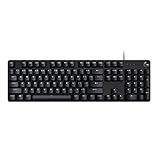
- Take your gaming skills to the next level: The G413 SE is a full size mechanical keyboard with gaming-first features and the durability and performance necessary to compete
- Tenkeyless option: Compact, TKL layout PC gaming keyboards are also available (G413 TKL SE)
- 6-Key rollover anti-ghosting performance: Experience reliable key input with this anti-ghosting keyboard versus non-gaming full-size mechanical keyboards
- Premium color, material and finish: Elevate your gaming setup with this light up keyboard featuring a sleek, black-brushed aluminum top case and white LED lighting
- PBT keycaps: Heat- and wear-resistant, this computer gaming keyboard features the most durable material used in keycap design
Are free coding websites enough to get a programming job?
They can provide the knowledge and practice, but a job also requires finished projects, debugging ability, collaboration, Git, communication, and often interview preparation. Choose one curriculum, build several deployable projects, document them on GitHub, and use challenge sites only after learning the underlying concepts.
Independent reader supportYour contribution helps us test, update, and keep practical guides available for everyone.The Bottom Line
The most reliable free combination is one structured curriculum plus official documentation and deliberate project practice. Start with freeCodeCamp, The Odin Project, CS50x, or MDN Learn depending on your goal. Add Exercism, Kaggle, Frontend Mentor, GitHub Skills, or a specialist resource when you have a specific skill to reinforce.
Quick Recap
Also popular on Amazon

- 【Dreamy Rainbow Gaming Keyboard】K521 Gaming Keyboard Adopts a Different LED Backlight Design, Upgraded on the Traditional LED Backlight Effect, Making the Light More Penetrating, Giving You a More Dazzling Visual Effect, Making Your Gaming Process More Enjoyable
- 【One Touch Opens & Visual Feast】The K521 Red Dragon Keyboard has a One-Touch on/off Lighting Button for Added Convenience. It also has a Three-Position Adjustable Breathing Mode and a Four-Position Adjustable Brightness Lighting Mode
- 【Mechanical Feeling & Fast Tapping】The PC Keyboard Keys are Designed for Mechanical Feeling, Giving You a Better Feel During Use and the Ability to Trigger Keys Quickly, Allowing You to Win All Your Games
- 【19 Keys Anti-Ghosting Keyboard】Anti-Ghosting Ensures Every Button Can Be Triggered. This Allows You to Trigger Key Combinations In The Game Accurately, And Each Skill Can Be Accurately Released to Increase Your Winning Rate. Redragon K521 Will Be Your Perfect Partner
- 【12 Multimedia Combination Keys】The K521 Wired Gaming Keyboard is Equipped with 12 Multimedia Keys That Can Greatly Enhance Your Gaming/Office Efficiency and Make It More Convenient to Use
Also popular on Amazon

- [75% Mechanical Keyboard with Rainbow Led Backlight] The 75% keyboard can save desk space. The detachable USB C cable and small mini size make it easy to portable for home/office/game use or business trips. The rainbow led backlit gaming mechanical keyboard provides you with cool visual effects. It offers 6 backlighting color and 20 backlighting modes to personalize your compact mechanical keyboards' appearance.
- [Hot Swappable Linear Mechanical Keyboard] This hotswap function can let you customize your gaming keyboard mechanical with different combination layout on keycaps and 3-pin switch. The red switches characterized for being linear and smoother, slight key sound with minimal resistance, but fast action without a tactile feel, and easy to tap the teclado mecanico.
- [Multi-Function Knob and Indicators] A multi-function knob in the upper right corner of the 75% percent keyboard enables you to adjust the sound level for fast, seamless and easy-to-use operation. Three indicator lights on the 75 percent keyboard give you a quicker overview of the tkl mechanical keyboard's status. The indicators from top to bottom refer to: Caps lock, Win lock, and Windows/Mac switch.
- [Full Key Anti-Ghosting Mechanical Keybaord] All keys non-conflict, the 75 percent keyboard allow multiple keys to work simultaneously, suitable for gamer, writer, programmer, typist etc. And this 75 percent mechanical keyboard is wide compatibilty, it adapt to pc, laptop, computer, compatibilty Win7/Win8/Win10/Win11, Mac OS10.10 or above.
- [Comfortable Ergonomic Keyboard] The wired mechanical keyboard adopts ABS keycap has better lightening effects while ergonomic stepped keycaps and two-stage support leg to black mechanical keyboard provide comfortable typing experience.Two-stage Adjustable Tilt Legs:Anti-slip and two-stage adjustable tilt outriggers,available in two different heights according to different needs.

