
There is no verified, current top-100 ranking of Sketch plugins in the available sources. The safest place to discover candidates is Sketch’s official Plugins & Integrations directory, then check each tool’s documentation, compatibility, maintenance and cost before installing it. This guide shows how to make that shortlist useful without treating directory listings or an older roundup as endorsements.
What “best” means for Sketch plugins
A useful plugin is one that solves a recurring task in your own Sketch workflow, works with your version of the app, and comes from a source you can assess. A plugin that helps with prototyping may be irrelevant to a designer focused on asset creation; a handoff integration may matter more to a team collaborating with developers.
Sketch’s directory is automatically generated from developer submissions. It is a discovery starting point, not a quality ranking or guarantee of safety, support, compatibility or continued availability. Sketch does not publish a current, independently verified top-100 list in the sources available here.
Check these things before choosing a plugin
- Task: Identify the job it performs, such as prototyping, managing content or data, preparing handoff, checking accessibility, creating assets or cleaning up a document.
- Compatibility: Look for an explicit statement of supported Sketch versions and check that it covers the version you use.
- Maintenance: Check the developer’s own page or repository for release and support evidence. A listing alone does not establish that a plugin is maintained.
- Setup and workflow fit: Confirm how it installs, what it connects to, and whether its output fits your team’s tools and process.
- Cost: Verify whether it is free, paid or tied to a service plan on the developer’s current page; do not assume terms from an old roundup remain accurate.
- Built-in alternatives: Check whether Sketch already handles the task well enough for your needs before adding another tool.
Use the developer’s own documentation for these checks. Older catalogues can help uncover names to investigate, but they cannot establish a plugin’s present status or suitability.
What’s actually slowing this PC down?
Pick the symptom - the matching free tool is one click away.
#1 Best Overall

- Working Area Configuration - HUION art tablet equips with a 10 x 6.25 inches working area, providing the user with the most comfortable size to work; the 10mm slim structure and minimalist design of appearance make the drawing tablet more attractive.
- Tilt Function Battery-free Stylus: This computer graphics tablet come with a battery-free stylus PW100, no need to charge, allowing for constant uninterrupted drawing. ±60° tilt support enables imitation of lines input with diverse drawing gestures, with accuracy ensured.
- Press Keys:12 programmable press keys plus 16 programmable soft keys, you can set shortcut keys on drawing tablet's driver based on your preferences, such as erase, zoom in/out, scroll up and down, and so on.
- Compatibility: HUION graphics tablet supports Windows 7 or later/ macOS 10.12 or later/ Android 6.0 or later/ Linux (Ubuntu). A USB adapter is required to connect to a Mac computer. H1060P supports various mainstream design and drawing software, including PS, SAI, AI, CDR, etc. (Please note: The H1060P is compatible with Ubuntu, but it requires the use of the Xorg display server. Wayland is not supported.)
- NOTE: You can easily connect your phone to the art tablet via the OTG connector; while iPhone and iPad are NOT at the moment. The cursor will not show up in the SAMSUNG Galaxy S series at present. If you are not sure whether the product is compatible with your Phone or any help, please contact us.
Where to find candidates
Start with Sketch’s official directory
Browse Sketch Plugins & Integrations by the task you need to solve. Sketch’s plugin management documentation also points users to that directory. Because submissions are developer-provided, open the individual plugin’s documentation or developer link and verify its current status before relying on it.
Use older roundups as lead lists, not rankings
CSS Author’s “100+ Best Sketch Plugins for Designers & Developers” was last updated March 25, 2025. Its examples include Anima, Craft by InVision, Sketch Icons, SketchCleaner, Sketchpacks for macOS, Zeplin Sketch Plugin, Magic Mirror, Sketch Measure, Color Contrast Analyser for Sketch, Rename It and Unsplash It. These are possible research leads—not verified current recommendations. The roundup does not establish that each remains available, works with current Sketch, is secure or is among the best.
Rank #2

- Customize Your Workflow: The 6 customizable press keys on Huion H640P drawing tablet for pc let you assign your most-used commands—like undo, zoom, brush switch, or save—so you can keep your hands on the tablet and your mind on the art. Whether you're a digital painter switching brushes, or a comic artist zooming in and out, these keys keep your workflow smooth and uninterrupted. Plus, the Huion driver lets you save different shortcut profiles for different apps, so you never have to reconfigure when switching software.
- Professional Pen Performance: Huion H640P drawing pad for computer comes with the battery-free PW100 stylus that's always ready when inspiration strikes. With 8192 levels of pressure sensitivity, every light sketch, or bold stroke responds naturally to your hand—just like a real pen. The 5080 LPI resolution and 233 PPS report rate deliver lag-free, precise strokes, so you can draw confidently without second-guessing your cursor. The pen side buttons help you switch between pen and eraser instantly.
- Compact and Portable: Huion H640P computer graphics tablet features a compact, ultra-portable design at just 0.3 inches thin and 0.61 lbs light, so it slides easily into your backpack—perfect for sketching in coffee shops, taking notes in class, or editing on the go between home and studio. The 6x4 inch active area offers enough room for natural pen movements while fitting comfortably on crowded desks, or lecture hall seats.
- Stable Compatibility: Huion H640P graphic drawing tablet works seamlessly with Mac, Windows, Linux PCs, and Android smartphones/tablets (OS version 6.0 or later). Left-handed friendly, and you just need to flip the tablet and adjust the settings in the driver. Please note: H640P does NOT support iPhone/iPad.
- Move Beyond the Mouse: Huion Inspiroy H640P is a pen tablet that replaces your mouse for more natural, precise control. Freehand draw, take notes, or even play OSU—everything you do with a mouse, you can do better with a pen. The precise tip makes it ideal for detailed photo editing, graphic design, or signing PDF. Meanwhile, the ergonomic pen grip helps you avoid the strain that comes from hours of using a mouse.
Confirm a candidate on its own page
For each shortlisted name, follow the developer link from the official directory or locate the developer’s own documentation. Confirm the plugin’s purpose, supported Sketch version, recent maintenance evidence, installation method and current pricing before deciding whether it belongs in your workflow.
Sketch plugin installation: an important limitation first
If you downloaded Sketch from the Mac App Store, you cannot install, enable or use plugins. Sketch says this restriction is due to Mac App Store security requirements. Its plugin-management page was last updated April 20, 2026. Check the current official instructions for your edition before downloading or installing a plugin.
Rank #3

- Premium Hardcover Sketchbook: acid free drawing paper can withstand the repeated reworking and erasing, thick cover and heavy backboard help you to make your art paper lay flat even if you're sketching on the go
- 100 Sheets Sketch Paper: measures 9 x 12 inches, each sketchpad contains 100 finely-textured sheets; the sheets, which have a thickness of 68lb/100gsm, are perfect for sketching due to their smooth yet slightly grainy surface
- Sketchpad with Top Spiral Bound: easily flip the pages with double-spiral binding, the spiral is at the top which makes drawing easy with left or right hand comfortably; perfect sketchbook for amateurs and professionals
- Remove the Sheets Easily: art sketchbook with micro-perforated paper, allows you to remove true-to-size sheets easily without accidently tearing your finished artwork; it's a great choice for sketching, writing & drawing
- Good for Dry Media: sketch paper has fine texture which grabs dry media very well, suitable for pencils, pens, charcoals, pastels, crayons and more, not suitable for wet media such as markers, watercolor or acrylic paints
Sketch’s developer documentation describes plugins as .sketchplugin bundles and says that double-clicking a bundle copies it into the Plugins folder. Installation details can change, so follow the current Sketch developer plugin documentation and the plugin maker’s instructions rather than relying on an old guide.
Examples to investigate by workflow
The following names appear in the cited directory or historical catalogue. Their inclusion here means only that they are candidates to verify; it is not a claim that they currently work, are maintained, are secure, or are recommended for every user.
Rank #4
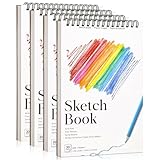
- 【Premium Small Sketchbook Set】4 small sketchbooks (5.5" x 8.5"), 30 sheets of 100gsm acid-free paper. Tear-resistant pages resist warping and bleeding, protecting pencil, charcoal & ink artwork
- 【Dry Media Mastery】Made for dry media: pencils, crayons, charcoal and more. The micro-textured 68lb sketch pad improves line accuracy for detailed drawing, illustration & kids doodle journals
- 【Hardcover Durability】The reinforced backing replaces a separate drawing board. The matte cover resists scratches and spills - ideal for park sketching, travel journals & art class assignments
- 【Top Spiral Design】Top spiral binding lays 180 degrees flat for full-page drawing and tears pages cleanly along reinforced edges. Ergonomic spacing reduces wrist strain during long sketching sessions
- 【Creative Gift for All Ages】From a child's first drawing to professional storyboards, this kids sketch book suits every skill level. The 4-pack covers birthdays, Halloween & Christmas gifts
- Prototyping and interactive work: Proto.io and 6Spiral appear in the current official directory search results. Check each individual listing and its developer information for present availability and compatibility.
- Creative coding: A p5.js plugin appears in the official directory search results. Verify its current listing and documentation before use.
- Design-to-development handoff: Zeplin Sketch Plugin is named in the older CSS Author roundup. Confirm current plugin and service support directly with the developer.
- Content, imagery and assets: Unsplash It, Sketch Icons and Anima appear as examples in the older roundup. Check the developer pages for the current product, installation and terms.
- Document maintenance and naming: SketchCleaner and Rename It appear in the roundup. Verify that the versions you find are current and suitable for your Sketch release.
- Measurement and accessibility: Sketch Measure and Color Contrast Analyser for Sketch are also named there. Confirm current availability and accessibility-related behavior with their developers before incorporating them into a review process.
Sketch’s directory search results also include integrations and tools, not just conventional plugins. Check whether a listing is an installable Sketch plugin, an integration or another kind of offering before assuming it follows the same setup process.
Independent reader supportYour contribution helps us test, update, and keep practical guides available for everyone.How to build a reliable shortlist
- Write down the task. Define the repeated step you want to improve—for example, preparing a handoff, generating assets or checking contrast—rather than starting with a popularity claim.
- Search the official directory. Use Sketch’s Plugins & Integrations page to find candidates, then open the individual listing.
- Verify the developer’s evidence. Check current documentation, supported Sketch version, release or maintenance information, setup requirements and cost model.
- Check your Sketch edition. If your copy came from the Mac App Store, plugins cannot be installed, enabled or used under Sketch’s documented security restriction.
- Install only from a source you trust. Follow current Sketch and developer instructions; Sketch documents double-clicking a
.sketchpluginbundle as a way to copy it into the Plugins folder. - Test it on a copy of a document. Confirm that it performs the intended task and produces results your workflow can use before making it part of a team process.
Why this is not a verified list of 100 recommendations
A page containing 100 names is not automatically a reliable top-100 guide. The available catalogue was last updated March 25, 2025, and the official directory is submission-based. Neither establishes current compatibility, maintenance, safety or relative quality for each item. No usage, adoption or productivity statistics are established by these sources, either.
The Tool Desk
Outbyte PC Repair FREEClear out junk files and repair common Windows errorsFree Scan →Outbyte Driver Updater FREEFix the driver behind crashes, sound loss and screen glitchesFind Drivers →Best Value

- Wacom Intuos Small Graphics Drawing Tablet: Enjoy industry leading tablet performance in superior control and precision with Wacom's EMR, battery free technology that feels like pen on paper
- Works With All Software: Wacom Intuos tablet can be used in any software program to explore new facets of digital creativity; draw, paint, edit photos/videos, create designs, and mark up documents
- What the Professionals Use: Wacom's industry leading pen technology and pen to paper feeling makes it the preferred drawing tablet of professional graphic designers
- Software and Training Included: Only Wacom gives you software with every purchase. Register your Intuos tablet and gain access to some of the best creative software and Wacom's online training
- Wacom is the Global Leader in Drawing Tablet and Displays: For over 40 years in pen display and tablet market, you can trust that Wacom to help you bring your vision, ideas and creativity to life
Sketch’s developer documentation notes, “We do our best to document everything, but if you’re of the adventurous type, you’ll probably want to play with this.” Treat that as a reason to consult the current official guidance and assess a plugin in your own workflow—not as a substitute for checking its developer, version support and behavior.
Quick Recap
Product prices and availability are accurate as of the date/time indicated and are subject to change. Any price and availability information displayed on Amazon at the time of purchase will apply.

