
Free tools Windows power users keep installed
One-click scans. No signup required.
iTechGuides is reader-supported. When you buy through links on our site, we may earn an affiliate commission. As an Amazon Associate I earn from qualifying purchases. Learn more
The best automotive diagnostic apps for Android depend on the job: Car Scanner ELM OBD2 is the strongest general-purpose choice, Torque Pro is a low-cost dashboard option, and BlueDriver, Carista, or OBDeleven are better for supported vehicle-specific functions. Every app normally needs a compatible OBD-II adapter, and generic OBD2 does not equal full-vehicle diagnostics.
An Android phone can read and clear many check-engine codes, display live engine data, check emissions readiness, record trips, and sometimes access ABS, airbag, transmission, body, or manufacturer-specific systems. The app, adapter, vehicle, model year, region, and subscription plan determine what actually works.
Key takeaways
- Car Scanner ELM OBD2 is the best overall generic Android OBD2 app for live data, dashboards, fault codes, and readiness checks when paired with a quality adapter.
- Torque Pro is a budget one-time-purchase option focused on customizable gauges, performance data, fault codes, and logging.
- BlueDriver combines proprietary hardware with vehicle-specific code information and repair reports, while its product page states that the core product has no subscription fees or add-ons.
- Generic OBD-II usually covers emissions-related powertrain data; ABS, SRS, transmission, body modules, coding, and service functions often require a brand-specific ecosystem.
- Clearing a check-engine code does not repair the fault and can erase freeze-frame information or reset emissions-readiness monitors.
- Carista, OBDeleven, and Carly can provide coding or service functions on supported vehicles, but compatibility, hardware, credits, and subscription requirements vary by vehicle.
Quick comparison: which Android automotive diagnostic app is best?
| App or ecosystem | Best for | Hardware | Diagnostic level | Payment model | Main drawback |
|---|---|---|---|---|---|
| Car Scanner ELM OBD2 | Best overall generic scanner | Compatible ELM327 adapter | Standard OBD2, live data, dashboards, readiness | Free use with optional Pro purchase | Does not automatically provide full-module or dealer-level access |
| Torque Pro | Budget dashboards and data logging | Bluetooth OBD-II adapter | Generic powertrain OBD2 | Paid app; displayed Google Play price was $4.95 when checked | Advanced vehicle coverage and update status require checking |
| BlueDriver | Turnkey code explanations and repair reports | Proprietary BlueDriver adapter | Vehicle-specific support on supported vehicles | Hardware purchase; manufacturer says no subscription for the core product | Not a universal coding or module-programming tool |
| OBDLink app | Premium adapter ecosystem | OBDLink hardware | Standard and enhanced parameters; multiple modules where supported | App included with compatible hardware | Enhanced coverage varies by adapter and vehicle |
| OBD Auto Doctor | Simple cross-platform scanning | Bluetooth or Wi-Fi OBD-II hardware | Codes, live parameters, readiness | Free and paid features vary | Not a universal dealer-level scanner |
| Carista | Coding, customization, and service functions | Compatible Carista hardware recommended or required for advanced functions | Generic basics plus supported brand-specific features | Basic functions without subscription; advanced functions require paid plan | Vehicle and subscription dependent |
| OBDeleven | Volkswagen Group diagnostics and coding | Proprietary OBDeleven device | Brand-specific diagnostics, adaptations, and service functions | Plans and/or credits may apply | Primarily a supported-brand ecosystem |
| Carly | Supported-brand diagnostics and coding | Carly-compatible hardware | Brand-specific features where supported | Hardware and subscription requirements vary | Exact support differs by make, model, year, and control unit |
| FIXD | Plain-language vehicle health and maintenance reminders | FIXD hardware | Consumer-oriented monitoring | Hardware; premium features may require subscription | Not a replacement for full-module professional diagnostics |
| EOBD Facile | Additional generic OBD2 alternative | Compatible OBD-II adapter | Code reading and live-data monitoring | Current Android pricing and features should be checked | Advanced module coverage is not guaranteed |
Prices, plan names, sale offers, Android requirements, and availability can change. The Torque Pro and hardware price figures below are dated signals from the supplied research, not permanent prices.
Recommended Free Tools
What do Android automotive diagnostic apps actually do?
Android automotive diagnostic apps communicate with electronic control units through the vehicle’s OBD-II port and an adapter. The most basic apps read standard powertrain information; more advanced ecosystems use proprietary hardware, vehicle profiles, or paid software access to reach additional modules.
Popular on Amazon
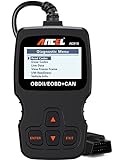
- CEL Doctor: The ANCEL AD310 is one of the best-selling OBD II scanners on the market and is recommended by Scotty Kilmer, a YouTuber and auto mechanic. It can easily determine the cause of the check engine light coming on. After repairing the vehicle's problems, it can quickly read and clear diagnostic trouble codes of emission system, read live data & hard memory data, view freeze frame, I/M monitor readiness and collect vehicle information
- Sturdy and Compact: Equipped with a 2.5 foot cable made of very thick, flexible insulation. It is important to have a sturdy scanner as it can easily fall to the ground when working in a car. The AD310 OBD2 scanner is a well-constructed mechanic tool with a sleek design. It weighs 12 ounces and measures 8.9 x 6.9 x 1.4 inches. Thanks to its compact design and light weight, transporting the device is not a problem. The buttons are clearly labelled and the screen is large and displays results clearly
- Accurate Fast and Easy to Use: The AD310 scanner can help you or your mechanic understand if your car is in good condition, provides exceptionally accurate and fast results, reads and clears engine trouble emission codes in seconds after you fixed the problem. This device will let you know immediately and fix the problem right away without any car knowledge. No need for batteries or a charger, get power directly from the OBDII Data Link Connector in your vehicle
- OBDII Protocols and Car Compatibility: Many cheap scan tools do not really support all OBD2 protocols. AD310 scanner as it can support all OBDII protocols such as KWP2000, J1850 VPW, ISO9141, J1850 PWM and CAN. This device also has extensive vehicle compatibility with 1996 US-based, 2000 EU-based and Asian cars, light trucks, SUVs, as well as newer OBD2 and CAN vehicles both domestic and foreign. Pls confirm with our customer service whether it is compatible with your vehicle before purchasing
- Home Necessity and Worthy to Own: This is an excellent code reader to travel or home with as it weighs less and it is compact in design. You can easily slide it in your backpack as you head to the garage, or put it on the dashboard, this will be a great fit for you. The AD310 is not only portable, but also accurate and fast in performance. Moreover, it covers various car brands and is suitable for people who just need a code reader to check their car
| Function | What it means | What it does not prove |
|---|---|---|
| Read diagnostic trouble codes | Retrieves stored or pending fault codes from accessible systems | It does not identify the exact failed part |
| Clear codes | Deletes stored codes and may switch off a warning temporarily | It does not repair the underlying problem |
| Live data | Displays values such as RPM, coolant temperature, speed, fuel trims, and oxygen-sensor data when the vehicle exposes them | One implausible value alone does not prove a component failure |
| Freeze-frame data | Shows operating conditions captured when a fault was recorded | It may be lost when codes are cleared |
| Readiness monitors | Shows whether emissions self-tests have completed | “Ready” does not mean the vehicle has no mechanical problems |
| Data logging and graphs | Records values for later analysis or comparison | Recorded data still needs correct interpretation |
| Enhanced diagnostics | Provides manufacturer-specific parameters or codes | Support is not universal across every model or module |
| Service functions | May reset oil service, register a battery, or perform an electronic parking-brake procedure | The app may not support the exact control unit or procedure |
| Coding and adaptations | Changes configurable vehicle behavior or control-unit settings | It is not the same as module programming or flashing |
| Programming or flashing | Rewrites control-unit firmware or configuration | This is a higher-risk operation and is outside ordinary generic OBD2 scanning |
A basic app can be excellent for a check-engine light and still be useless for an airbag warning. Standard OBD-II should therefore be treated as a communications standard for a defined set of emissions-related data, not as a promise of complete access to every vehicle computer.
What hardware does an Android diagnostic app need?
Most Android diagnostic apps need a separate OBD-II adapter. Common connection types include Bluetooth Classic, Bluetooth Low Energy, Wi-Fi, USB, and proprietary Bluetooth devices supplied with a particular app.
Car Scanner’s compatibility and troubleshooting documentation specifically warns that the phone’s built-in infotainment Bluetooth is not the diagnostic connection. The phone must connect to an OBD-II ELM327-compatible adapter. A vehicle’s wireless Android Auto or factory Bluetooth connection does not replace the diagnostic dongle.
Android generally permits more adapter choices than iPhone and iPad, but compatibility still depends on the app, adapter chipset, Android version, connection type, and vehicle protocol. A Wi-Fi adapter may require the phone to join the adapter’s Wi-Fi network, while a Bluetooth adapter normally has to be paired and then selected inside the app.
Quality matters. Car Scanner warns that a defective adapter can cause connection failures or incorrect readings. Anonymous ELM327 clones may misidentify their capabilities, drop connections, fail to support a required protocol, or be unsafe to leave plugged in. A reputable adapter is usually a better purchase than the cheapest visible listing.
OBDLink says its LX Bluetooth adapter supports Android and legislated OBD-II protocols, and the company lists compatibility with third-party apps including Torque and OBD Auto Doctor. That makes OBDLink hardware a sensible choice for readers who want to use more than one generic app.
Which Android automotive diagnostic app should you choose?
1. Car Scanner ELM OBD2 — best overall for most Android users
Car Scanner ELM OBD2 is the best overall generic Android OBD2 app for owners who want live data, fault-code functions, custom dashboards, readiness checks, and flexibility over their adapter choice.
Car Scanner supports OBD-II/EOBD-compliant vehicles and offers vehicle-specific connection profiles, live parameters, graphs, dashboards, and code functions. The app has free use with an optional Pro purchase, making it attractive to a DIY owner who wants to start with basic scanning rather than immediately buy a proprietary ecosystem.
The vehicle ECU determines which sensors are available. Car Scanner’s FAQ explains that the available sensor list varies from vehicle to vehicle; a missing transmission-temperature, fuel-pressure, or battery PID does not automatically mean that the app is defective.
Hardware: A compatible ELM327 adapter is normally required. Use a reliable adapter rather than an unbranded clone.
Best for: Generic check-engine diagnostics, live-data monitoring, custom dashboards, data logging, and emissions-readiness checks.
The Tool Desk
Outbyte Driver Updater FREEScan for outdated or missing drivers - takes under a minuteDriver Scan →Outbyte PC Repair FREERepair Windows errors before they cause bigger problemsFix Now →Skip it if: You need guaranteed ABS, SRS, transmission, body-module, coding, or service access on a particular vehicle.
Important Android and purchase detail: Car Scanner’s FAQ says a Pro purchase is store-specific. A purchase through Google Play applies to the Google Play version and does not automatically transfer to Apple’s App Store or Huawei AppGallery. The official Car Scanner site provides the product description and current platform information.
2. Torque Pro — best low-cost dashboard and data-logging app
Torque Pro is a budget Android app for customizable gauges, generic fault-code reading and clearing, GPS-linked logging, performance calculations, and real-time vehicle data.
The Torque Pro Google Play listing displayed a $4.95 purchase price and more than 1 million downloads when the supplied research was checked. Google Play prices, ratings, compatibility, and update status can change, so readers should confirm the current listing before buying.
Torque Pro is especially useful when the goal is a dashboard on a phone or tablet, a performance monitor, or a record of vehicle data during a trip. It supports Bluetooth OBD-II adapters, but some readings depend on vehicle support and custom PIDs.
Hardware: A compatible Bluetooth OBD-II adapter.
Best for: Low-cost gauges, performance monitoring, trip logging, and generic powertrain data.
Skip it if: You need a guided repair report, comprehensive module scanning, or guaranteed manufacturer-specific coding.
Also popular on Amazon

- Multi-Functions - Practical Multi-Functions OBD2 code reader features built-in OBD2 DTC lookup library, which help you to determine the cause of the engine light, read code, erase code, view freeze frame, I/M ready, vehicle information, data flow, real-time curve, get vehicle speed information, calculate load value, engine coolant temperature, get engine speed.
- Wide Capability - Supports 9 protocols compatible with most 1996 US-Based, 2000 EU-Based and Asian cars, and newer OBD II & CAN domestic or import vehicles. Supports 6 languages - English,German, Dutch, Spanish, French, Italian.
- 2.8" LCD Display - Designed with a clear display 2.8" Large LCD screen - white backlight and contrast adjustment. No need any battery or charger, OBD reader gets the power directly from your vehicle through the OBDII Data Link Connector.
- Compact Design - Car diagnostic scanner is equipped with a 2.5 feet long cable and made of a very thick flexible insulator.There are 6 buttons on OBD2 Scanner:scroll up/down,enter/exit and buttons that quick query VIN vehicle number& the DTC fault code.
- ABS / Airbag codes NOT Supported - It is able to read and clear check engine information which is part of OBDII system, but it cannot work with non-OBDII systems, including ABS / Airbag / Oil Service Light, etc.
The app’s long history does not by itself guarantee frequent updates or current support for every Android version. Check the recent Google Play listing before relying on Torque Pro for a new phone or vehicle.
What’s actually slowing this PC down?
Pick the symptom - the matching free tool is one click away.
3. BlueDriver — best turnkey app-plus-adapter package
BlueDriver is a good choice for owners who want one proprietary Bluetooth adapter and an app that explains supported vehicle codes in more consumer-friendly terms.
BlueDriver highlights vehicle-specific code interpretation, repair reports based on its repair database, code reading and clearing, and advanced test results such as misfire counts. The manufacturer also advertises Android availability and states on the product page that the core product has no subscription fees or add-ons.
The BlueDriver Pro Next-Gen product page displayed a $94.95 sale price against a $119.95 regular price in the supplied research. That is a dated price signal, not a permanent U.S. price; sale status, tax, stock, and regional availability can change.
Hardware: The proprietary BlueDriver adapter is mandatory for the BlueDriver experience.
Best for: Beginners who want vehicle-specific explanations and repair context without assembling an adapter-and-app combination.
Skip it if: You want custom dashboards, broad generic adapter compatibility, coding, module programming, or deep coverage for a vehicle outside the supported market.
BlueDriver’s North American compatibility claims cover 1996-and-newer vehicles in the stated market, but that does not mean every feature works on every vehicle. BlueDriver’s compatibility information should be checked for the exact make, model, year, and requested module.
4. OBDLink app — best first-party app for OBDLink hardware
The OBDLink app is the best fit for readers who prioritize dependable adapter hardware, a first-party app, and the possibility of enhanced parameters or additional vehicle modules on supported vehicles.
Quick wins for a faster PC:
Clear out junk files and repair common Windows errorsFree Scan →Fix the driver behind crashes, sound loss and screen glitchesFind Drivers →Repair Windows errors before they cause bigger problemsFix Now →The app supports DTC reading and clearing, real-time data, trip mapping, and selected OEM maintenance procedures. OBDLink also promotes enhanced parameters and multiple-module access beyond standard OBD-II, but exact coverage depends on the adapter and vehicle.
OBDLink advertises compatibility with 1996-and-newer cars and light trucks sold in the United States. That is a market and model-year claim, not a guarantee of complete diagnostic access. A compatible vehicle may still expose only generic powertrain information for a particular task.
Hardware: OBDLink hardware is required for the first-party OBDLink app experience.
Best for: Owners who want reliable protocol handling, a stronger adapter than a bargain ELM327 clone, and compatibility with several third-party apps.
Crashes, No Sound, or Screen Glitches?
Random freezes, missing sound and display glitches usually trace back to one bad driver. Find and replace yours safely.Free scan · under a minutePC Slower Than It Used to Be?
A free scan shows the junk files, broken settings and background clutter dragging Windows down - then fixes them in one click.Free scan · Windows 10 & 11Skip it if: You need the cheapest possible one-time generic code scan.
The OBDLink product range includes adapters aimed at different connection and vehicle needs. Select the model only after checking Android support, app compatibility, and the functions needed for the vehicle.
5. OBD Auto Doctor — best straightforward cross-platform scanner
OBD Auto Doctor is a conventional choice for standard OBD-II diagnostics, live engine parameters, trouble-code reading and clearing, and emissions-readiness checks on Android and other platforms.
Its Android quick-start documentation covers finding the port, plugging in an adapter, switching the ignition on, and selecting the connection method. The Android Bluetooth quick-start guide is useful when a reader wants a simple setup sequence rather than a highly customizable dashboard.
Hardware: Compatible Bluetooth or Wi-Fi OBD-II hardware.
Also popular on Amazon
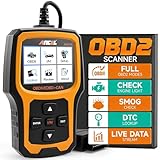
- Understand Your Check Engine Light – The ANCEL AD410 OBD2 scanner helps everyday drivers quickly read and clear engine-related fault codes, view code definitions, and understand why the check engine light is on before visiting a repair shop. With 42,000+ built-in DTC lookups, this car code reader helps reduce guesswork and makes basic vehicle diagnostics easier for beginners and DIY users
- Full OBD2 Diagnostics Made Simple – More than a basic engine code reader, this OBD2 scanner diagnostic tool supports key OBDII functions including reading/clearing codes, live data, freeze frame, I/M readiness, O2 sensor test, EVAP test, vehicle information, and MIL status. It helps you check your car’s condition, verify repairs after the issue is fixed, and communicate with mechanics more confidently
- Live Date & Real-time Vehicle Insights – View real-time engine data such as RPM, coolant temperature, fuel trim, oxygen sensor readings, and other available OBD2 parameters directly on the screen. These live data readings help you better understand how your vehicle is running, spot abnormal patterns, and make more informed repair decisions instead of relying only on a warning light
- Smog Check Readiness At A Glance – Use the I/M readiness function before a smog check or emissions inspection to see whether your vehicle’s monitors are ready. This OBD2 code scanner helps you confirm if recent repairs have brought the system back to a ready state, reducing the chance of failed inspections, retests, wasted trips, and unnecessary inspection fees
- Works With Most OBD2 Vehicles – Compatible with most 1996 and newer U.S.-based OBD2 cars, SUVs, and light trucks, as well as many 2000 and newer EU/Asian OBD2 vehicles. Supports major OBDII protocols including CAN, ISO9141, KWP2000, J1850 VPW, and J1850 PWM. This automotive diagnostic scanner is designed for wide vehicle coverage; please check compatibility with your vehicle before purchase
Best for: Readers who prefer a straightforward scanner interface and need generic codes, live data, or readiness information.
Skip it if: You need guaranteed brand-specific service functions, coding, or full-module access.
Enhanced diagnostics, paid features, adapter compatibility, and exact vehicle support should be checked against the official OBD Auto Doctor product information before purchase.
Do these 3 things before closing this tab:
1Scan for outdated or missing drivers - takes under a minute2Clear out junk files and repair common Windows errors3Fix the driver behind crashes, sound loss and screen glitches6. Carista — best for coding, customization, and service functions
Carista is the strongest choice in this list for supported vehicles where the owner needs customization, coding, or service procedures rather than only a generic check-engine scan.
Carista separates basic standard OBD2 functions from advanced features. Basic functions include standard fault codes, live OBD2 data, readiness tests, and ECU information. Advanced diagnostics, customization, and service tools require a paid plan and compatible hardware.
Carista’s U.S. product page listed Pro at $14.99 per month or $59.99 per year when the supplied research was checked. The same page showed promotional pricing, including a one-month figure of $19.99 and a 12-month figure of $59.99 during a sale period. Prices and promotions are not universal, so confirm the current plan, currency, taxes, and cancellation terms.
The Carista EVO scanner was listed at $41.99 on sale versus $59.99 regular price in the supplied research. Carista says EVO is designed for safe permanent connection, while the older OBD Reader should be unplugged when not in use.
What’s actually slowing this PC down?
Pick the symptom - the matching free tool is one click away.
Hardware: Compatible Carista hardware is required or recommended for advanced functions.
Best for: Supported Volkswagen, Audi, BMW, Toyota, Lexus, and other vehicles needing service resets or customization.
Skip it if: You only need to read one generic code and do not want a subscription.
Check support for the exact make, model, year, engine, and control unit. A vehicle brand appearing in Carista’s compatibility material does not mean every function works on every variant.
Recommended Free Tools
7. OBDeleven — best for Volkswagen Group vehicles
OBDeleven is a vehicle-specific Android ecosystem for Volkswagen, Audi, Škoda, and SEAT owners who need more than generic OBD-II data, including coding, adaptations, diagnostics, and service functions.
The system uses a proprietary device and mobile app. Plans, credits, device generation, and vehicle support can affect the final cost and available features. Coding and adaptations should be approached carefully because an incorrect change can create faults or alter vehicle behavior.
The OBDeleven manual confirms Android availability and directs users to the supported-vehicles area inside the mobile app. The OBDeleven 3 manual provides device-specific guidance.
Hardware: A proprietary OBDeleven device.
Best for: Volkswagen Group owners who need brand-specific coding, adaptations, and service procedures.
Free tools Windows power users keep installed
One-click scans. No signup required.
Skip it if: You want a neutral multi-brand generic scanner or do not need advanced functions.
Use a stable power supply when appropriate, save original settings, change one setting at a time, and verify that the function applies to the exact control unit before writing changes.
8. Carly — best for supported brand-specific diagnostics and coding
Carly suits owners of supported brands who want guided diagnostics, vehicle health information, coding, customization, and service-related functions through a dedicated hardware-and-app ecosystem.
Also popular on Amazon
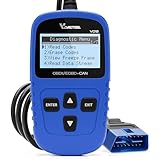
- 【A MUST-HAVE SCANNER TOOL FOR DIYERS】 - VDIAGTOOL VD10 car code reader is an incredibly useful, handheld obd2 scanner for each car owner or hobbyist, even for those with little to no experience when it comes to vehicle mechanics! Similar to a fixd car diagnostic tool, using this car diagnostic scanner is extremely easy. All you have to do is attach it to your car OBDII port and you can diagnose car problems in seconds! Read Codes (DTCs); Clear Codes; Live Data; View Freeze Frame; I/M Readiness; Vehicle Information.
- 【KEEP ENGINE IN GOOD STATUS】 - VDIAGTOOL check engine code reader brings a fast access to scan, read the car fault code, show its definition on the screen instantly, troubleshooting to find the root causes of problems, erase the engine fault code and turn off the MIL (Malfunction Indicator Light). Similar to a fixd car diagnostic tool, this car code reader helps ensure your engine stays in top condition.
- 【READ/CLEAR CODES & DTC LOOKUP】- No search online & saving your time, this vehicle car code reader retrieves generic (P0, P2, P3, and U0), manufacturer specific (P1, P3, and U1) codes, pending codes and displays DTC definitions based on the built-in database(more than 3000 codes) on the TFT screen, find out the root causes and clear the codes after fixed.
- 【ENHANCED OBD2 SCANNER WITH LIVE DATA & RETRIEVE FREEZE FRAME】 - This diagnostic scan tool for accurate diagnosis enables you to retrieve data from vehicle sensors, such as Engine RPM, Intake air temperature, Short/Long term fuel, Misfire data and etc. The freeze frame is stored in the PCM together with the diagnostic trouble code (DTC) related to the fault. Comparable to a fixd car diagnostic tool, the VD10 car code reader car scanner can be a valuable & practical diagnostic aid and also greatly help when diagnosing intermittent problems.
- 【I/M READINESS for THE S-nn-0-g CHECK】- OBDII vehicle may not pass the annual inspection unless the required monitors since reset are complete. So you should at least read the readiness monitors and make sure they are ready. This car obd2 scanner diagnostic tool is equipped with I/M readiness function to check the operations of the e-m-issi0n system on OBD2 compliant vehicles, run I/M monitor readiness test, checking if the pass vehicle s-m-0-g inspection.
Carly is not a universal generic scanner. Exact capability varies substantially by make, model, model year, engine, control unit, region, hardware, and subscription. A brand appearing in Carly’s coverage does not prove that a requested function is available for a particular vehicle.
Hardware: Carly-compatible hardware.
Best for: Owners of supported BMW/MINI, Toyota, Volkswagen Group, Mercedes-Benz, and other vehicles who have confirmed the exact feature in Carly’s compatibility checker.
Skip it if: You want a one-time generic powertrain scan without subscription costs.
Check the current Android listing, supported-vehicle database, hardware bundle, subscription terms, and U.S. pricing before purchase. Those commercial details are especially likely to change.
9. FIXD — best for plain-language vehicle health monitoring
FIXD is aimed at ordinary drivers who want easy-to-understand fault information, maintenance reminders, and vehicle-health monitoring rather than deep PID analysis or professional-level module scanning.
Outdated Drivers Are Slowing You Down
One free scan finds every outdated or missing driver and matches the right update for your exact hardware.Free scan · exact hardware matchPC Slower Than It Used to Be?
A free scan shows the junk files, broken settings and background clutter dragging Windows down - then fixes them in one click.Free scan · Windows 10 & 11The app requires FIXD hardware, and premium features may require a subscription. FIXD can be a convenient ownership and maintenance companion, but readers should not treat it as a replacement for a full-module scan tool, service manual, electrical testing, or mechanical inspection.
Hardware: FIXD adapter.
Best for: Drivers who want maintenance reminders and simplified explanations.
Skip it if: You need ABS, SRS, transmission, body-module, coding, or high-voltage EV diagnostics.
Verify the current Android app, supported vehicle years, hardware bundle, regional availability, and premium-plan terms before buying.
10. EOBD Facile — an additional generic OBD-II alternative
EOBD Facile is a further generic OBD-II option for code reading, live-data monitoring, trip information, and basic vehicle observation when paired with compatible hardware.
Its usefulness depends on the vehicle’s exposed standard PIDs, adapter quality, current Android availability, and the features included in the current app version. It should be considered an alternative to Car Scanner, Torque Pro, and OBD Auto Doctor rather than a guaranteed full-vehicle scanner.
Hardware: Compatible OBD-II adapter.
Best for: Readers who want another standard OBD2 app for codes and live data.
Skip it if: You need confirmed manufacturer-specific module access, coding, or service functions.
Before publication or purchase, check the current Google Play listing for update history, minimum Android version, privacy disclosures, advertising, pricing, and supported connection types. The supplied research identifies EOBD Facile as an alternative but does not provide a verified current Android product page or price.
What is the difference between generic OBD2 and full-vehicle diagnostics?
Generic OBD2 normally covers emissions-related powertrain information, while full-vehicle diagnostics can include ABS, SRS or airbag, transmission, body-control, electronic parking-brake, steering, battery, and other modules.
| Need | Generic OBD2 app and adapter | Vehicle-specific ecosystem |
|---|---|---|
| Check-engine codes | Usually appropriate for standard emissions-related codes | Usually available, often with more explanation |
| Standard live data | RPM, speed, coolant temperature, fuel trims, oxygen-sensor data, and other available PIDs | May add enhanced manufacturer parameters |
| Readiness monitors | Usually supported | Usually supported where standard data is available |
| ABS or airbag codes | Often unavailable | Available only where the app, hardware, and vehicle support the module |
| Transmission or body modules | Often unavailable | May be supported by brand, model, year, and control unit |
| Oil reset or battery registration | Usually unavailable | May be available as a service function |
| Coding and adaptations | Generally unavailable | Available in selected brand ecosystems and plans |
| Programming or firmware flashing | Not provided by ordinary generic apps | Still highly restricted and higher risk |
Carista explicitly separates basic standard functions from subscription-required advanced diagnostics and service tools. OBDLink similarly promotes enhanced parameters and multiple modules, but the exact functions vary by vehicle. The safe rule is to verify the requested function—not merely the app’s general brand or OBD2 compatibility.
How do you use an Android diagnostic app safely?
- Confirm compatibility. Check the vehicle’s model year, market, fuel type, hybrid or EV status, and the exact function required. Generic engine diagnostics and manufacturer-specific airbag scanning are different requirements.
- Locate the OBD-II port. The port is often under the dashboard near the steering column, although the exact position varies.
- Plug in a reputable adapter. Do not assume that every ELM327-labelled adapter supports every app, protocol, or vehicle.
- Switch the ignition on. Use key-on, engine-off mode when requested. Start the engine when the app needs running live data.
- Grant Android permissions. Nearby-device or Bluetooth permission is commonly required. Some Android Bluetooth implementations also require location permission. Battery-optimization exemptions can help prevent background disconnections.
- Connect inside the app. Select the correct adapter type and connection method. Choose the correct vehicle profile if the app offers one.
- Save codes before clearing them. Record the full code, freeze-frame data, mileage, warning lights, and symptoms. A DTC identifies a monitored fault area; it does not automatically identify the part to replace.
- Check live data and readiness. Compare values with plausible behavior and known vehicle specifications. Do not condemn a component from one unexplained PID.
- Clear codes only when appropriate. Understand that clearing codes may erase diagnostic context and reset emissions monitors.
- Disconnect safely. Remove the adapter when finished unless the manufacturer explicitly says it has low-power sleep protection. Carista says EVO is designed for safe permanent connection, while its older OBD Reader should be unplugged when not in use.
Can an Android app turn off a check-engine light?
An Android diagnostic app can often clear stored generic trouble codes and switch off a check-engine light temporarily, but clearing a code does not fix the cause. The warning may return immediately or after the vehicle completes another drive cycle.
Quick wins for a faster PC:
Clear out junk files and repair common Windows errorsFree Scan →Scan for outdated or missing drivers - takes under a minuteDriver Scan →Repair Windows errors before they cause bigger problemsFix Now →Save freeze-frame information and the code before clearing it. Clearing codes can remove useful evidence and set emissions monitors to “not ready,” which can prevent an immediate emissions inspection pass even if the warning light is off.
Also popular on Amazon

- 【Diagnose Check Engine Light in Seconds – No Mechanic Needed】The FOXWELL NT301 OBD2 scanner instantly reads & clears engine fault codes (DTCs) with one click. Simply plug into the 16-pin DLC port, turn ignition on, and get accurate results within seconds—No prior car knowledge required. Save hundreds on dealership fees by knowing exactly what’s wrong before you visit a shop. The #1 choice car scanner for DIYers and car owners who want to take control of their vehicle’s health
- 【Clear & Reset CEL with Confidence】Unlike cheap code readers that just erase codes temporarily, NT301 works like all professional vehicle code readers: It clears the check engine light only after you’ve fixed the underlying issue. If the problem isn’t fully repaired, the fault code will reappear. So you’ll never get a false pass. Use the foxwell scanner to verify your repair work and drive with peace of mind
- 【Sm-og Check Helper – Know Your Pass/Fail Status Before the Test】With dedicated one-click I/M readiness hotkeys and a simple Red-Yellow-Green LED indicator, you’ll instantly know if your vehicle is ready for annual testing. Built-in speaker provides clear audio feedback. No guesswork—just confidence before you head to the test center. One less thing to worry about when inspection day comes
- 【Advanced OBDII Modes – O- 2 Sensor & EVAP Testing】NT301 go beyond basic code reading with enhanced OBD2 modes. Run an EVAP system check to assess fuel tank condition, and use the O- 2 sensor test to optimize air-fuel ratio, boosting fuel economy, cutting em- issions, and saving you money at the pump. The code reader for cars and trucks is like having a mini em-issions lab in your glove box
- 【Live Data Graphing – Spot Engine Issues in Real Time】View and log live sensor data in easy-to-read graphs with this OBD2 scanner diagnostic tool. Monitor ox- ygen sensors, fuel trims, coolant temperature, RPM, and more to spot suspicious values instantly. This obd scanner gives you professional-grade insight without the pro price tag—a feature you won’t find on basic $20 car code readers
A flashing check-engine light, severe misfire, overheating, loss of oil pressure, or another major warning is a mechanical or safety concern. Do not treat the warning as merely an app task.
For example, a catalytic-efficiency code can involve the catalytic converter, oxygen sensors, an exhaust leak, wiring, fuel-control problems, or other causes. Replacing the first part suggested by a generic code description is not the same as diagnosing the vehicle.
Why does an app read engine codes but not ABS or airbag codes?
Standard OBD-II access is primarily designed around emissions-related powertrain diagnostics, so an app that reads engine codes but cannot scan ABS, SRS, transmission, or body modules may be working normally.
The Tool Desk
Outbyte PC Repair FREEClear out junk files and repair common Windows errorsFree Scan →Outbyte Driver Updater FREEScan for outdated or missing drivers - takes under a minuteDriver Scan →Non-engine access usually requires a supported vehicle-specific app, proprietary adapter, enhanced diagnostic licensing, or professional scan tool. Even a brand-specific app may support only selected models, years, control units, and procedures.
Do not interpret “all codes” as “all modules on all vehicles.” The accurate question is: which modules does this app-and-adapter combination support on this exact vehicle?
How do you troubleshoot an Android OBD connection?
| Symptom | Likely cause | What to try |
|---|---|---|
| Phone sees the adapter but app cannot connect | Wrong adapter mode or another app is using it | Close other scanner apps, select the correct Bluetooth Classic, BLE, or Wi-Fi mode, and reconnect inside the app |
| No adapter response | Ignition off, poor port power, or incompatible adapter | Switch the ignition on, check whether the adapter powers up, and test a reputable compatible adapter |
| Bluetooth pairing fails | Missing Android permissions or adapter paired elsewhere | Grant nearby-device permissions, check location permission where required, and disconnect the other phone |
| Wi-Fi adapter appears offline | Phone remains on mobile data or another Wi-Fi network | Join the adapter’s Wi-Fi network and select Wi-Fi in the app |
| Connection drops while driving | Low-quality adapter, battery optimization, or loose port | Disable battery optimization for the app, secure the adapter, and replace an unreliable dongle |
| Only engine codes appear | Standard OBD2 limitation | Confirm whether the app, hardware, and vehicle support the required ABS, SRS, transmission, or body module |
| Expected sensor is missing | The ECU does not expose that standard PID | Check the vehicle profile and documentation; missing data is not automatically an app fault |
What about older cars, hybrids, and EVs?
Older vehicles may have an OBD connector but expose fewer standard live parameters, and regional implementation differs. A 1996-and-newer compatibility statement in the United States does not guarantee identical support for an older vehicle sold in another market.
Hybrid and electric vehicles may expose selected generic data while withholding high-voltage battery, inverter, charging, thermal-management, or battery-management information. Do not interpret generic OBD2 support as high-voltage-system diagnostic coverage.
Do these 3 things before closing this tab:
1Repair Windows errors before they cause bigger problems2Fix the driver behind crashes, sound loss and screen glitches3Clear out junk files and repair common Windows errorsFor any vehicle, verify the market, model year, drivetrain, and exact module before purchasing an app or adapter. Manufacturer-specific support lists are more meaningful than a broad “works with Android” label.
How much should you spend?
| Setup | Typical use | Cost considerations | Best value for |
|---|---|---|---|
| App only | Apps with limited software-only functions or existing compatible hardware | May still require an adapter for the car connection | Readers who already own compatible hardware |
| Generic app plus adapter | Codes, live data, gauges, and readiness | Lowest total cost, but adapter quality determines reliability | One-time or occasional generic diagnostics |
| Premium adapter plus app | More reliable connection and possible enhanced parameters | Higher hardware price; OBDLink app is tied to OBDLink hardware | Enthusiasts and users of multiple apps |
| Proprietary hardware bundle | Guided, vehicle-specific diagnostics | Higher initial cost; coverage remains vehicle-dependent | BlueDriver users who want repair reports |
| Hardware plus subscription | Coding, adaptations, and service functions | Recurring cost or credits; poor value for one-off jobs | Owners who will repeatedly use Carista, OBDeleven, or Carly features |
For one warning light, a reputable generic adapter and a free or low-cost standard OBD2 app may be enough. For repeated coding, battery registration, electronic parking-brake service, or brand-specific diagnostics, a proprietary ecosystem can justify its higher cost—provided the exact function is confirmed first.
How should privacy and security affect the choice?
Check whether the app requires an account, uploads trip or vehicle-identification data, uses advertising and analytics, stores repair reports in the cloud, and provides data-deletion controls.
Car Scanner’s privacy policy says the app uses Google AdMob and may collect anonymous usage statistics, while stating that its website does not collect or store personal data. Other apps may have different policies, so readers should inspect the current policy before granting unnecessary permissions.
An academic study of Android OBD companion apps found a large ecosystem of such applications. That makes developer identity, permissions, update history, and privacy disclosures important selection criteria rather than assuming that every app using the OBD2 label is interchangeable.
Security also includes the adapter itself. Do not leave an unknown adapter permanently connected in an unattended vehicle. A poorly designed device can drain the battery, expose an insecure wireless connection, or disconnect at an inconvenient time.
Which app is the right choice for you?
- Choose Car Scanner if you already own a quality generic Bluetooth adapter and want flexible live data, dashboards, graphs, and readiness checks.
- Choose Torque Pro if inexpensive custom gauges and logging matter more than deep manufacturer-specific coverage.
- Choose BlueDriver if you want a simple app-plus-adapter package with vehicle-specific code explanations and repair reports.
- Choose OBDLink if adapter reliability, protocol handling, and use with several apps are priorities.
- Choose Carista if your supported vehicle needs coding, customization, or service resets and the subscription cost is acceptable.
- Choose OBDeleven if you own a Volkswagen Group vehicle and need brand-specific coding or adaptations.
- Choose Carly only after confirming that the exact vehicle and desired function are supported and that the subscription is worthwhile.
- Choose FIXD if plain-language maintenance reminders are more important than deep diagnostics.
- Choose OBD Auto Doctor or EOBD Facile if you want a conventional generic scanner for codes, live data, and readiness information.
The practical default for many Android owners is Car Scanner paired with a reputable adapter. Choose BlueDriver for a more guided hardware-and-app experience, OBDLink for premium adapter flexibility, or a brand-specific ecosystem when the task involves modules, coding, or service procedures beyond generic OBD2.
What these apps cannot replace
An app reports information from the modules it can access. An app does not replace a service manual, wiring diagram, multimeter, battery charger, mechanical inspection, smoke test, oscilloscope, or qualified technician. A diagnostic trouble code is a starting point for testing, not an automatic parts recommendation.
Frequently Asked Questions
Do I need an OBD-II adapter to use an Android automotive diagnostic app?
Yes, most Android automotive diagnostic apps need a separate OBD-II adapter that plugs into the vehicle’s diagnostic port. The phone’s factory Bluetooth, Android Auto, or infotainment connection does not normally provide diagnostic access. The adapter must match the app’s Bluetooth, BLE, Wi-Fi, USB, or proprietary hardware requirements.
Can a cheap ELM327 adapter scan ABS and airbag codes?
Usually not. A generic ELM327 adapter and standard OBD2 app generally provide emissions-related powertrain data, while ABS and airbag access requires support for the exact vehicle module, app, adapter, and sometimes a paid brand-specific plan. A cheap adapter may also drop connections or return unreliable data.
Does clearing a check-engine code fix the car?
No. Clearing a code deletes stored diagnostic information and may turn off the warning temporarily, but the underlying fault can remain and the light may return. Clearing codes can also erase freeze-frame data and reset emissions-readiness monitors.
Which Android app is best for Volkswagen Group coding?
OBDeleven is the most directly targeted choice in this list for Volkswagen, Audi, Škoda, and SEAT coding, adaptations, diagnostics, and service functions. Availability depends on the exact vehicle, control unit, device generation, plan, and any required credits.
The Tool Desk
Outbyte PC Repair FREERepair Windows errors before they cause bigger problemsFix Now →Outbyte Driver Updater FREEFix the driver behind crashes, sound loss and screen glitchesFind Drivers →The Bottom Line
Bottom line: Car Scanner ELM OBD2 is the best general Android choice for standard OBD2, live data, dashboards, and readiness checks. Torque Pro is the budget dashboard alternative; BlueDriver is the easiest guided app-plus-adapter package; OBDLink is the stronger premium adapter ecosystem; and Carista, OBDeleven, or Carly are better when the vehicle-specific task involves modules, coding, or service functions. Verify the exact vehicle and function before buying, and never confuse clearing a code with repairing the fault.

