
The Tool Desk
Outbyte Driver Updater FREEFix the driver behind crashes, sound loss and screen glitchesFind Drivers →Outbyte PC Repair FREEClear out junk files and repair common Windows errorsFree Scan →iTechGuides is reader-supported. When you buy through links on our site, we may earn an affiliate commission. As an Amazon Associate I earn from qualifying purchases. Learn more
Wireless keyboard battery life can range from days to years, depending on the model, its power source and how you use it. Logitech’s published examples include up to 10 days for an illuminated rechargeable keyboard under predefined settings, up to five months with its backlight off, and up to 24–36 months for certain keyboards using replaceable batteries. These are model-specific manufacturer estimates—not a universal average or a guarantee for every setup.
How long should a wireless keyboard battery last?
There is no single expected lifespan for all wireless keyboards. A rechargeable keyboard with its backlight on may need charging in days, while a model using AA or AAA cells may be rated for months or years. Manufacturers’ “up to” figures describe particular models and conditions, and the cited product pages do not establish a standard test for comparing runtimes across keyboards.
For example, Logitech lists up to 24 months for the K480 with two AAA batteries, and up to 36 months for the K350 and MK365 with two AA alkaline batteries. Its rechargeable MX Keys examples have much shorter listed runtimes with illumination enabled. Those figures are manufacturer specifications, not independent test results.
Recommended Free Tools
What changes the battery-life estimate?
Backlighting and brightness
Illumination can make a substantial difference on rechargeable keyboards. Logitech says the MX Keys Business can last up to 10 days with predefined settings or up to five months with backlighting off; its page also cautions that battery life varies with user and computing conditions (Logitech MX Keys Business specifications).
Popular on Amazon

- Reliable Plug and Play: The USB receiver provides a reliable wireless connection up to 33 ft (1), so you can forget about drop-outs and delays and you can take it wherever you use your computer
- Type in Comfort: The design of this keyboard creates a comfortable typing experience thanks to the low-profile, quiet keys and standard layout with full-size F-keys, number pad, and arrow keys
- Durable and Resilient: This full-size wireless keyboard features a spill-resistant design (2), durable keys and sturdy tilt legs with adjustable height
- Long Battery Life: MK270 combo features a 36-month keyboard and 12-month mouse battery life (3), along with on/off switches allowing you to go months without the hassle of changing batteries
- Easy to Use: This wireless keyboard and mouse combo features 8 multimedia hotkeys for instant access to the Internet, email, play/pause, and volume so you can easily check out your favorite sites
For the MX Keys, Logitech Support lists 146 hours at backlight level 10 in a bright room and 242 hours at level 8 in a darker room, as well as five months with the backlight off. It also says that the remaining 10% of battery can add 364 hours without backlighting. These are specific scenarios for that model, not general keyboard runtimes (Logitech MX Keys battery-life guidance).
Rechargeable versus replaceable batteries
A rechargeable keyboard and a keyboard powered by disposable cells have different power designs and manufacturer assumptions. The cited examples include the rechargeable MX Keys, the K480 with two AAA cells, and the K350 and MK365 with two AA alkaline cells. Their stated runtimes should not be treated as the result of a shared comparison test.
Also popular on Amazon
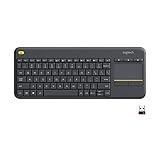
- Media-Friendly: The K400 Plus wireless touch TV keyboard gives you integrated, comfortable control of your PC-to-TV entertainment, eliminating the clutter of a separate keyboard and mouse
- Plug-and-Play: Simply plug the Unifying receiver into a USB port and the wireless touchpad keyboard is ready to go; adjust controls using the Logitech Options Software to save preferred settings
- Power-Packed: Built with laid-back control in mind, this wireless TV keyboard has a reliable and long battery life of up to 18 months (2), including an on/off button to help it go even longer
- Wireless Freedom: Designed for seamless comfort and control, this HTPC keyboard boasts a range of up to 33 ft (1) wireless connectivity, with quiet keys and a large touchpad for easy navigation
- Broad Compatibility: Designed for use with Windows 7, Windows 8, Windows 10 and later, Android 7 or later, and Chrome OS
Usage and computing conditions
Logitech explicitly notes that K480 and MX Keys battery life can vary with user and computing conditions. Typing habits, illumination settings and other use conditions can therefore affect how closely an individual experience matches a published maximum (Logitech K480 product details; Logitech MX Keys battery-life guidance).
Free tools Windows power users keep installed
One-click scans. No signup required.
Examples of manufacturer-published runtimes
| Keyboard | Power source | Published battery-life figure and condition |
|---|---|---|
| Logitech K350 | Two AA alkaline batteries | Up to 36 months; Logitech recommends alkaline cells (Logitech K350 specifications). |
| Logitech K480 | Two AAA batteries | Up to 24 months; life may vary by user and computing conditions (Logitech K480 product details). |
| Logitech MK365 | Two AA alkaline batteries | Up to 36 months (Logitech MK365 specifications). |
| Logitech MX Keys Business | Rechargeable | Up to 10 days with predefined settings, or up to five months with backlighting off; varies by user and computing conditions (Logitech MX Keys Business specifications). |
| Logitech K830 | Rechargeable | Up to 10 days with backlight on at about two hours of typing per day, or about one year without backlight, after a three-hour charge (Logitech K830 recharge guidance). |
| Logitech Signature Slim Solar+ K980 | Solar-powered | Up to four months when fully charged in complete darkness or without ambient light; actual life may vary by usage conditions (Logitech Signature Slim Solar+ product details). |
The cited pages do not state publication dates for these specifications. Treat them as manufacturer-published model claims, not newly measured or standardized results.
Also popular on Amazon

- All-day Comfort: This USB keyboard creates a comfortable and familiar typing experience thanks to the deep-profile keys and standard full-size layout with all F-keys, number pad and arrow keys
- Built to Last: The spill-proof (2) design and durable print characters keep you on track for years to come despite any on-the-job mishaps; it’s a reliable partner for your desk at home, or at work
- Long-lasting Battery Life: A 24-month battery life (4) means you can go for 2 years without the hassle of changing batteries of your wireless full-size keyboard
- Simply plug the USB receiver into a USB port on your desktop, laptop or netbook computer and start using the keyboard right away without any software installation
- Simply Wireless: Forget about drop-outs and delays thanks to a strong, reliable wireless connection with up to 33 ft range (5); K270 is compatible with Windows 7, 8, 10 or later
How to make a wireless keyboard battery last longer
- Reduce or turn off backlighting. Logitech’s MX Keys figures show a longer listed runtime with the backlight off than with illumination enabled. If your model offers brightness controls, lowering the level may also reduce power use, though the sources do not quantify a runtime for every setting.
- Use the specified battery type and size. Check the model’s support or specification page before buying replacements. The K350 and MK365 specify two AA alkaline batteries; the K480 specifies two AAA batteries. Logitech warns that non-alkaline cells may negatively affect K350 battery life.
- Follow battery-handling guidance. Logitech’s MK365 guidance advises against mixing old and new cells or batteries from different brands (Logitech MK365 specifications).
- Use standby features. Logitech says the K350 uses standby mode. Check your own model’s instructions for its sleep or power-saving behavior rather than assuming every keyboard works the same way.
- For rechargeable models, follow the maker’s charging guidance. The K830 instructions, for example, give a three-hour charge as the basis for their stated backlight-on and backlight-off runtimes.
Why does my wireless keyboard battery die so fast?
A short runtime alone does not establish that a keyboard is defective. First check whether the manufacturer’s estimate assumes the backlight is off or limited use, whether your model uses the correct battery chemistry and size, and whether a rechargeable model has been charged according to its instructions. Manufacturer estimates can vary with usage and computing conditions, and the cited sources do not define a universal battery-failure threshold.
Quick Recap
Also popular on Amazon

- Connect in seconds: Fast, easy Bluetooth wireless technology simply connects without the need for a dongle or USB port
- Durable and reliable: Built for quality, K250 offers long-lasting keys, a spill-resistant design (2)
- Comfort is key: Deep-profile keys and an adjustable tilt-leg design make typing feel great
- Space-saving: with a compact layout that still includes number pad, arrow keys, and handy F-key shortcuts
- Made responsibly: Designed to last, K250 plastic parts are durably made with minimum 64% recycled plastic (3) to withstand everyday use
Also popular on Amazon

- 【Ergonomic Wireless Keyboard Mouse 】: Wireless ergonomic keyboard is equipped with adjustable height tilt legs to increase comfort and prevent your wrists injury when typing for a long time. The full size wireless keyboard with numeric keypad and 12 multimedia shortcut keys, such as play/ pause, volume increase and decrease, and email, to help you improve work efficiency
- 【Stable & Reliable Wireless Connection】: This wireless keyboard and mouse combo share the same USB receiver(stored in the mouse), and they can also be used separately. Plug & play, no need to download any software, 2.4 GHz wireless provides a powerful and reliable connection up to 33 feet(10m) without any delays.You can enjoy the convenience and freedom of wireless connection at home or at work
- 【Comfortable Optical Mouse】: This compact lightweight wireless mouse features a hand-friendly contoured shape for all-day comfort, and smooth, precise tracking.1600 DPI to meet your daily needs. Perfect for home & office work and entertainment
- 【Long Battery Life】: Up to 365 Days of battery life for keyboard and mouse wireless, say goodbye to the hassle of charging cables and replacing batteries. After 10 minutes of inactivity, the wireless keyboard mouse combo will automatically go into sleep mode to save energy. The wireless keyboard requires one AAA battery, and the wireless mouse requires one AA battery.
- 【Less Noise, More Quiet Keys】: Soft membrane keys provide a quiet and comfortable typing experience, So you can type with confidence on a wireless keyboard crafted for comfort, precision and fluidity. The wireless mouse adopts silent micro-motion technology, which is almost completely silent when clicked. No more concerns about disturbing others.
- Identify the exact model. Find its model name or number on the keyboard or in its documentation, then consult that model’s manufacturer support page.
- Compare like with like. Check whether the published estimate is for the backlight on or off, what battery type it assumes, and whether it specifies a usage pattern.
- Verify cells or charging. Confirm the cell size and chemistry for replaceable-battery models. For rechargeable models, check the manufacturer’s charging instructions.
- Adjust settings and observe. Reduce illumination if available, then see whether runtime changes. If the problem continues, use the model’s manufacturer support guidance; there is no cross-model cutoff that proves a battery has failed.
What to check when comparing keyboards
- Whether it uses a rechargeable battery, replaceable cells or another power design.
- The exact size and chemistry of replaceable batteries, if applicable.
- Whether a runtime estimate assumes backlighting is on, off or set to a particular level.
- Any stated usage assumptions, such as daily typing time or a required charging period.
- The caveats attached to the estimate, especially wording such as “up to” and notes about variable use conditions.

