
For more screen-on time without missing important alerts, start by checking what is using power, then adjust the display before applying broad background restrictions. Lower brightness, try 60 Hz if your phone is set to a higher refresh rate, and limit Always-on Display or Sunlight mode when you do not need them. Xiaomi does not publish a universal screen-time gain for these changes, and menu names vary by model and software version.
Check what is draining the battery first
Open Settings > Battery and inspect the usage chart and app power percentages. The chart can help distinguish display-heavy use from an app consuming an unusual share of power. Xiaomi’s instructions for viewing power use are here.
If the phone is new or recently updated, give setup and system work time to settle before making many restrictions: Xiaomi notes that cloud sync and compilation on a new phone, as well as compilation after an update, can temporarily increase drain. Its troubleshooting guidance is available here.
Make display changes that preserve normal app behavior
The display is active throughout screen-on use, so these are sensible first changes. Xiaomi identifies brightness and refresh rate as battery factors and cautions that “A high screen refresh rate can cause rapid battery drain.” See Xiaomi’s display and battery guidance.
#1 Best Overall

- Strong Magnetic Attachment & Auto-Charging: Features 10N magnetic force to securely attach to MagSafe-compatible iPhones (12 series and later). Automatically starts wireless charging upon contact—no buttons needed. Works through most magnetic cases for hassle-free use.
- Dual-Mode Charging & 18W Fast Output: Deliver 7.5W wireless charging and 18W wired fast charging via USB-C. Supports simultaneous charging for two devices (total 10W output), ideal for pairing with earbuds or a second phone.
- Slim & Travel-Ready Design: Ultra-portable 12mm thickness and 182.9g weight fits effortlessly in pockets. Includes a built-in kickstand for hands-free viewing while charging—perfect for travel or daily commutes.
- Reliable 5000mAh Capacity & Safety: Fully charges a smart phone like iPhone 15 once. Equipped with dual NTC sensors and 9 safety protections (over-current, short-circuit, temperature control, etc.) to ensure safe operation during use.
- Self-Charging & Device Sync: Recharges itself in ~2.2 hours with 20W input. Unique "charge-through" function allows the power bank to charge itself while wirelessly powering your phone—no more downtime.
- Reduce brightness: Set it to the lowest comfortable level or try auto brightness if it suits your environment. Lower brightness may make the screen harder to read outdoors.
- Try 60 Hz: If a higher refresh rate is enabled, switch to 60 Hz and compare battery behavior and scrolling smoothness. Available refresh-rate options differ by phone.
- Turn off Sunlight mode when it is unnecessary: Keep it available for situations where you need its display behavior in bright light.
- Limit Always-on Display: If it is always active, use a schedule or turn it off when glanceable time and notifications are not worth the extra display use. If only its notifications are unnecessary, disable that part instead, if your model allows it.
- Consider haptic feedback: Xiaomi lists it as another possible drain. Turn it off only if you are comfortable losing vibration feedback.
- Try Dark mode if you like its appearance: Xiaomi says it can help in low-light environments, but the benefit is device-dependent and not quantified as a fixed amount of extra screen time.
Xiaomi also describes an auto-adjust refresh-rate feature that can lower refresh rate while the screen is idle. That statement does not mean every Xiaomi phone exposes the same control; the feature description appears in its 2022 ESG report.
Use Battery saver without unnecessarily silencing apps
Battery saver can extend use by limiting background activity and some functions, but the restrictions are not identical on every model. For example, Xiaomi’s Redmi 13C 5G instructions describe freezing background apps and reducing brightness. These changes can delay notifications or background tasks, so check your phone’s own description and avoid restricting apps that need timely activity, such as messaging, security, or navigation apps.
Rank #2
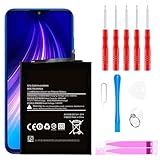
- ☆【Compatible Device】:This Replacement battery for Xiaomi Redmi Note 8 .
- ☆【Attention】:Please carefully check whether this battery model matches your mobile phone before buying.
- ☆【High Quality】: Upgraded battery ultra high capacity [4500mAh]using high-quality lithium ion battery cell, the use of advanced high quality A+ battery, to ensure longer battery life, (1000+ cycle), high-speed, efficient charging.
- ☆【For Best Performance】:Using up all the power of Battery the first three times before charging, and then take a full charge, thus the battery can be reached the optimum effect of using. Please remember that its full performance and longevity is only achieved after 3 to 5 complete charge and discharge cycles.
- ☆【Satisfaction】:Hope this product battery can obtain your satisfaction and approval.
If the battery chart points to one app, review that app’s own background settings before enabling a system-wide saver. Xiaomi’s model-specific instructions show Battery saver under Settings > Battery > Current mode on the Xiaomi 14T Pro; a Control Center shortcut is also documented for that model. Other phones may use different paths or labels. See the Xiaomi 14T Pro guide and the Redmi 13C 5G guide.
Reserve Ultra battery saver for low-power situations
Ultra battery saver is a stronger compromise, not the best everyday choice when retaining useful features is the priority. Xiaomi says the Xiaomi 14T’s mode limits background processes, reduces performance, disables non-essential features, and switches to Dark mode automatically. Use it when preserving basic phone availability matters more than normal performance and access. The Xiaomi 14T instructions describe that model; do not assume the same behavior or availability on other devices.
What’s actually slowing this PC down?
Pick the symptom - the matching free tool is one click away.
Rank #3

- Ultra-Slim & Feather-Light Design: At only 10mm thick and 3oz weight—lighter than most smartphones—this power bank adopts a credit-card-sized profile (90.5×60×10mm) with NCVM-coated metal finish, slipping seamlessly into pockets or slim bags. Ideal for travel and daily carry without bulk.
- 20W MAX Fast Charging & Bidirectional USB-C: Delivers 20W MAX wired output to rapidly charge devices (e.g., charges Xiaomi 14 to 39% in 30 mins*). Features 18W USB-C input for self-recharging in just 1.75 hours—50% faster than conventional power banks.
- Smart Auto-Adaptive Charging: Built-in intelligent chip detects connected devices (phones, tablets, low-current earbuds) and auto-adjusts output current for optimized, safe charging. Supports simultaneous charging for multiple gadgets via single USB-C port.
- Premium Safety & Durability: Utilizes high-quality polymer battery cells with 12-layer protection (overcharge/over-discharge/short-circuit/high-temperature resistance). Complies with international aviation safety standards (FAA-friendly for carry-on).
- Travel-Ready & Eco-Efficient: 5000mAh capacity provides 1-1.5 full charges for most smartphones. Minimalist LED indicators display real-time power status. The compact design reduces material waste, aligning with sustainable lifestyles.
How the main settings compare
| Setting | When it is worth trying | Trade-off |
|---|---|---|
| Lower brightness or auto brightness | As a first display adjustment; Xiaomi identifies brightness as a drain factor. | Reduced visibility at high brightness or changing brightness behavior. |
| 60 Hz instead of a higher refresh rate | If the phone is currently set above 60 Hz; Xiaomi recommends trying 60 Hz when power use is high. | Less motion smoothness. |
| Sunlight mode off | When its display behavior is not needed. | Less assistance in strong sunlight. |
| Always-on Display scheduled or off | If it is continuously active and you rarely need glanceable information. | Less at-a-glance time and notification information. |
| Dark mode | If you prefer it, especially in low-light use. | Appearance changes; Xiaomi does not quantify a universal battery gain. |
| Battery saver | When you need additional runtime and can accept some limits. | Background activity and functions may be restricted; effects depend on the model. |
| Ultra battery saver | When power is low and preserving basic availability takes priority. | On the Xiaomi 14T, Xiaomi documents reduced performance, limited background processes, and disabled non-essential features. |
Find settings on your specific Xiaomi phone
Support pages cover particular models and do not establish identical paths across all HyperOS or MIUI versions, regions, and devices. If a path above does not match, search Settings for Battery, refresh rate, or Always-on display, then check the support page for your exact model and software build.
Some models have additional options. Xiaomi documents a 5G battery saver at Settings > Battery > Additional features for the Xiaomi 14T; this is not a universal Xiaomi setting. Consult the Xiaomi 14T instructions before looking for it on another phone.
Rank #4

- COMPATIBILITY: This battery BP42 only fits for Xiaomi Mi 11 Lite 4G 5G, Please carefully confirm your phone model before purchase.
- NEW 0 CYCLE Battery: This battery supports up to 800+ charging cycles, built with original high quality battery cell. It has the same size as original battery, perfect fit for your Xiaomi Mi 11 Lite.
- Included Toolkit: This BP42 battery for Mi 11 Lite comes with all the tools you need for repairing, helps you to complete the repair process effortlessly.
- Step-by-step Instruction: we provide a vivid instruction manual to show you how to disassemble your device and replace the battery by yourself, you'll find it would be an easy task for you with this guide manual.
- Friendly Support: You can reach out to us whenever you have any questions or need any help, our specialists will be glad to assit you anytime.
Smart charging is a separate feature: on supported phones it manages charging, including pausing at 80% in applicable situations, to help battery lifespan. It does not provide more screen-on time from the current charge. Xiaomi’s Smart charging guidance explains its purpose.
Quick Recap
Product prices and availability are accurate as of the date/time indicated and are subject to change. Any price and availability information displayed on Amazon at the time of purchase will apply.

