
What’s actually slowing this PC down?
Pick the symptom - the matching free tool is one click away.
On the OPPO F35 Pro 5G (model CPH2829), start with standard Photo mode, choose a video resolution and frame rate that suit the scene, and use battery-usage details before limiting apps. OPPO lists ColorOS 16.5 for this phone, but menu names and optional controls can vary with software updates; its general camera and battery guidance does not confirm that every described setting appears on this model.
Which camera settings are worth changing first?
Keep Photo mode as your everyday starting point
For ordinary stills, begin in standard Photo mode. Look for a photo-ratio control: OPPO’s general camera guide describes 4:3, 1:1, full-screen, and high-resolution options, but does not establish that every one is available on the F35 Pro 5G. Try 4:3 for the camera’s default framing if offered; choose 1:1 or full-screen when that composition suits the image. High-resolution mode is another option to look for when you specifically want it.
Turn on the grid for alignment
If you want help keeping horizons level or lining up a subject, enable the camera grid if your Camera app offers it. It is an aid to composition, not an image-quality upgrade.
Use HDR selectively in high-contrast scenes
When a scene has bright highlights and dark areas, try HDR if it is available. It is a scene-dependent choice rather than a setting to assume is best for every photo; compare the result with a normal shot when the lighting is straightforward or the subject is moving.
#1 Best Overall

- Our OPPO F35 Pro 5G phone cases use business-style colors and PU leather, which can be suitable for business scenarios.
- [Magnetic buckle protection] When the phone is dropped, the long magnetic buckle can well protect the phone from falling out of the OPPO F35 Pro 5G case, providing you with a very trustworthy sense of security.
- [Wallet Design] When you open the OPPO F35 Pro 5G cover, you can see 3 card slots and a money pocket. ID cards and credit cards and cash can be put inside.
- [Exact size] We use a soft TPU inner shell, which can be easily installed after aligning the phone with the case OPPO F35 Pro 5G. It is convenient when you need to disassemble it.
Which camera should you use for the shot?
The rear camera system has a 50MP main wide camera with f/1.8 aperture, autofocus, and 2-axis optical image stabilization (OIS), plus an 8MP f/2.2 ultra-wide with a 116-degree field of view. The front camera is 50MP f/2.0 with a 100-degree field of view. OPPO says tapping 0.6× accesses the front ultra-wide view for group selfies.
| Situation | Setting or camera to try | What to keep in mind |
|---|---|---|
| Everyday rear-camera photos | Photo mode with the main wide camera | The main camera has autofocus and 2-axis OIS. |
| Wide landscapes or a tight space | Rear ultra-wide camera | Its listed field of view is 116 degrees; the sensor is 8MP. |
| Group selfie | Front camera’s 0.6× view, if shown | OPPO describes this as the front ultra-wide view; it is not the rear 8MP camera. |
| Person-focused still | Portrait mode, if available | Check the framing before shooting; the mode list does not establish that every effect or control is present. |
| Low light | Night mode, if available | Keep the phone steady and check the preview; do not assume the mode removes blur from movement. |
OPPO lists these rear modes: Photo, Video, Portrait, Night, Panorama, SLO-MO, Time-lapse, Hi-Res, Pro, and document scanning. Its listed front modes are Photo, Video, Portrait, Night, Panorama, Dual-view, Time-lapse, Retouch, Screen Fill Light, and Hi-Res. Look for the mode that fits the task, but treat the list as model specifications rather than a guarantee that every control is exposed in every software build.
Rank #2

- Our OPPO F35 Pro 5G phone cases use business-style colors and PU leather, which can be suitable for business scenarios.
- [Magnetic buckle protection] When the phone is dropped, the long magnetic buckle can well protect the phone from falling out of the OPPO F35 Pro 5G case, providing you with a very trustworthy sense of security.
- [Wallet Design] When you open the OPPO F35 Pro 5G cover, you can see 3 card slots and a money pocket. ID cards and credit cards and cash can be put inside.
- [Exact size] We use a soft TPU inner shell, which can be easily installed after aligning the phone with the case OPPO F35 Pro 5G. It is convenient when you need to disassemble it.
What video resolution and frame rate should you choose?
OPPO lists rear recording at 4K/30 fps and 1080p/60 fps or 30 fps, as well as 4K EIS/OIS at 30 fps. The front camera supports 4K/30 fps and 1080p/30 fps, including 4K EIS at 30 fps.
| Choice | Useful when | Trade-off to consider |
|---|---|---|
| 4K at 30 fps | You want more recorded detail or room to crop in editing. | Higher resolution can mean larger files than lower-resolution recording, but OPPO does not publish file sizes or a measured battery cost for these modes. |
| 1080p at 60 fps (rear) | You want a higher frame rate for movement. | This rear option is listed at 60 fps; the front-camera list does not include 1080p/60 fps. |
| 1080p at 30 fps | You want a lower-resolution option for routine clips. | It records less detail than 4K; OPPO does not quantify resulting storage or runtime differences. |
| 4K with stabilization (rear) at 30 fps | You want the listed 4K EIS/OIS combination. | Availability of stabilization depends on the selected camera and mode; check the recording screen rather than assuming it applies to every setting. |
| 4K with EIS (front) at 30 fps | You want stabilized 4K from the selfie camera. | OPPO lists EIS for this front-camera mode, not OIS. |
Choose based on detail, motion, and whether stabilization is offered for the combination you select. The published specifications do not provide measured file sizes or power consumption by resolution, so there is no evidence-based promise that a particular setting will save a specific amount of storage or battery.
Quick wins for a faster PC:
Scan for outdated or missing drivers - takes under a minuteDriver Scan →Repair Windows errors before they cause bigger problemsFix Now →Fix the driver behind crashes, sound loss and screen glitchesFind Drivers →Rank #3
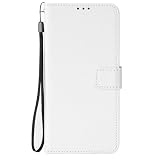
- [SPECIAL TEXTURE] We have made a special cutting process on the PU leather (similar to the texture of diamonds). When you slide your fingers across the OPPO F35 Pro 5G case, you will feel a strong touch, and you will have a unique feeling in your hand.
- [WALLET DESIGN] When you open the OPPO F35 Pro 5G wallet case, you can see that the phone case is covered with special textures. There are also 3 card slots and a money bag. When you go out, you can put your ID and credit card inside when you go out. You don't need to bring a wallet in your jeans pocket.
- [CONVENIENT MAGNETIC BUCKLE] The long magnetic buckle design is very convenient to open and close the OPPO F35 Pro 5G cover. The magnetic buckle can be easily released with one hand and adsorbed on the back of the phone case. When the phone falls, the phone can be placed out of the phone case OPPO F35 Pro 5G, to provide you with a very trustworthy sense of security.
- [PRECISE SIZE] We strictly control the quality and size of the TPU lining. When you align the phone with the OPPO F35 Pro 5G shockproof case, you can easily complete the installation, and the soft TPU makes it easy for you to disassemble.
- Please don't feel troublesome, please contact us, if there are any problems with the OPPO F35 Pro 5G mobile phone case, please contact us
How do you find what is draining the battery?
OPPO specifies an 8000mAh/31.36Wh typical battery and a 7780mAh/30.50Wh rated battery for the F35 Pro 5G. Its listed charging support is up to 80W SUPERVOOC and 44W UFCS. These are specifications, not a guarantee of runtime or charging speed in every situation.
- Open Settings > Battery.
- Scroll to Battery usage and inspect the app-level breakdown. OPPO’s general instructions give this route for ColorOS 14 and above; labels may differ on the phone’s current build.
- Check whether high usage is associated with an app you actively used or with background activity before changing its permissions or restrictions.
- If an app is using more than expected, review its own sync, location, or notification settings first. Restricting background activity can delay timely notifications.
Which battery-saving controls should you use?
Power Saving mode: use it when extra endurance matters
OPPO’s general support guidance says Power Saving can restrict some background apps and auto-sync, reduce brightness, and disable vibration. Enable it when you accept those trade-offs in return for lower activity; the precise controls and route can vary, so search Settings for “Power Saving” or follow the labels on your build.
Rank #4

- NOTE: China Version. No *. This device is globally unlocked and ready to be used with your preferred GSM Carrier. THIS DEVICE IS NOT COMPATIBLE with CDMA carriers such as Cricket, Verizon, Sprint, Boost Mobile, US Cellular, etc. SIM CARD NOT INCLUDED. Please confirm device compatibility with your service provider before placing your order.
- Supported Network Bands: 5G/4G/3G/2G. Please note that 5G requires the support of local telecom operator services and may not be available in all regions. Please check with your service provider to see if 5G is offered in your area
- Camera: 2 x 50MP Sony IMX766 rear camera, f/1.8, 10-bit Color Depth Shooting, 13-Channel Spectral Sensor, 32MP Sony IMX709 front camera
- Camera Highlight: 4K rear camera with Ultra Night Video Powered by MariSilicon X Imaging NPU, 1080P front camera with Super RAW and Cinematic Mode
- Battery: 5000mAh, 80W Supervooc & 50W Airvooc
Smart Power Saver and app restrictions: check availability first
OPPO also describes Smart Power Saver and custom app restrictions in its general guidance. These are not confirmed as available on the F35 Pro 5G. If the options appear, apply restrictions selectively to apps that do not need continuous background syncing or immediate alerts. Avoid broadly limiting messaging, security, or other apps whose notifications you rely on.
High Performance Mode: leave it off for battery priority
OPPO warns that High Performance Mode can increase power consumption and temperature, and says it is available only on selected devices. The available information does not confirm that the F35 Pro 5G has this toggle. If you find it in Settings, leave it off when endurance is the priority.
Do these 3 things before closing this tab:
1Scan for outdated or missing drivers - takes under a minute2Repair Windows errors before they cause bigger problems3Fix the driver behind crashes, sound loss and screen glitchesQuick Recap
Best Value

- Applicable models: Designed specifically for OPPO F35 Pro 5G, please confirm your phone model before purchasing. The precise cutouts on the OPPO F35 Pro 5G case provide access to all buttons, cameras, speakers and microphones. You can buy with confidence.
- We insist on using environmentally friendly synthetic leather materials and TPU inner shells, which feel soft and comfortable, and the texture gives the PU leather of the phone case a layered feel. Make the OPPO F35 Pro 5G cover look more retro.
- Protection function: The inner shell is made of soft TPU, which has strong impact resistance to prevent collisions and scratches. The reliable hidden double-sided magnetic closure provides protection when your smartphone accidentally falls.
- Wallet function: This OPPO F35 Pro 5G wallet case is a combination of a phone case and a wallet, with card slots for ID cards, credit cards, business cards and 1 side pocket for cash. You can go out comfortably without carrying a bulky wallet.
- Bracket function: This OPPO F35 Pro 5G phone case can be turned into a horizontal phone stand with a tilt function. You can watch videos or movies at the best angle for a comfortable visual experience.
Product prices and availability are accurate as of the date/time indicated and are subject to change. Any price and availability information displayed on Amazon at the time of purchase will apply.

