
Do these 3 things before closing this tab:
1Repair Windows errors before they cause bigger problems2Scan for outdated or missing drivers - takes under a minute3Clear out junk files and repair common Windows errorsVirtual desktop infrastructure (VDI) hosts desktop environments in virtual machines on centralized infrastructure and delivers them over a network to users’ endpoint devices. The operating system and applications run in the hosted environment; the endpoint is used to connect to and interact with that desktop. The term is listed in the NIST glossary, which points to further context in NIST publications.
How does VDI work?
In a typical VDI setup, desktop workloads run in virtual machines on centralized hosts. Connection software assigns a desktop to a user or connects the user to an available desktop. The user sees and controls that desktop from a client device over a network; the desktop’s operating system and applications run in the hosted environment.
| # | Preview | Product | Price | |
|---|---|---|---|---|
| 1 |
|
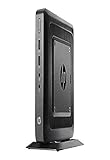
HP Flexible Thin Client G9F04AT#ABA Desktop (Black) | $89.89 | Buy on Amazon |
| 2 |

|
NComputing L300 Ethernet Virtual Desktop with vSpace | $99.99 | Buy on Amazon |
| 3 |

|
Virtualisation and Thin Client - a Survey of Virtual Desktop (VDI) | $63.00 | Buy on Amazon |
A cloud-hosted design may also use identity services, host pools and session hosts, profile storage, network connectivity, monitoring, and a provider management plane. The exact components depend on the design. For example, Microsoft’s Azure Virtual Desktop architecture guide describes one cloud approach, not a universal blueprint for VDI.
What are the main VDI deployment choices?
Persistent or nonpersistent desktops
A persistent desktop retains a user’s changes and personalization between sessions. A nonpersistent desktop is standardized and may be reset or reassigned, which can make it more suited to environments where users need a consistent, limited set of applications rather than a customized workspace. The distinction affects how user profiles and changes are managed.
#1 Best Overall
- AMD G-Series Dual-Core GX-212JC Processor 1.2 GHz( cache)
- 4GB SDRAM DDR3
- 0 GB 1 rpm 8 GB Solid State Drive
- Integrated
- Max Memory: 8 GB
Pooled or multisession access versus a dedicated desktop
Some services let users access pooled resources or share a host through multisession desktops. Microsoft describes Azure Virtual Desktop as supporting multisession Windows desktops and published applications. By contrast, Windows 365 assigns an individual user a dedicated Cloud PC. These are examples of service approaches, not a complete taxonomy of all VDI products.
On-premises, cloud, or hybrid infrastructure
VDI can use infrastructure managed on premises, cloud-hosted resources, or a hybrid arrangement. The right fit depends on requirements such as control, available IT staff, capacity, connectivity, resilience, data location, and operational responsibilities. Neither cloud nor on-premises deployment is inherently cheaper or safer in every organization.
Who uses VDI, and why?
VDI can give remote and hybrid workers, contractors, kiosk and task workers, field technicians, medical professionals, and teachers access to a consistent desktop through compatible endpoint devices. Centralized administration can also make it easier for IT teams to apply desktop images, configuration, and policies across a fleet. These are capabilities; how much they help depends on the organization’s applications, users, and operating model.
What are VDI’s benefits and limitations?
Potential benefits
- Remote access: Users can connect to hosted desktops from compatible locations and devices, subject to network and access requirements.
- Consistent environments: Centrally managed desktops can provide users with standardized operating systems, applications, and configurations.
- Centralized administration: IT teams can manage desktop images and policies in the hosted environment rather than configuring every desktop independently.
- Data control options: Work data may remain in the hosted environment instead of being stored on the endpoint, depending on configuration and enabled features.
Planning requirements and limitations
- Network dependence: Users need a working connection to reach their desktops, so connectivity and the experience during interruptions matter.
- Capacity and storage: Hosts, sessions, and profile storage must be planned for the users and workloads they serve.
- Application and peripheral fit: Applications, printers, USB devices, and other peripherals may require compatibility checks and configuration.
- Ongoing operations: VDI requires people and processes to manage images, access, monitoring, updates, and support.
There is no general savings or performance figure established for VDI as a whole. Results depend on the workload, architecture, capacity, licensing, and operational requirements.
Free tools Windows power users keep installed
One-click scans. No signup required.
Rank #2
- Whether playing DVD-quality full-screen video or connecting specialized USB 2.0 devices
Is VDI secure?
VDI is not automatically secure. Central hosting can support particular data-control and management goals, but the outcome depends on how identity, endpoints, applications, networks, session hosts, storage, and access are configured.
For Azure Virtual Desktop, Microsoft documents features including reverse connect, multifactor authentication (MFA), and Conditional Access, alongside a shared-responsibility model. Microsoft manages some underlying service components, including physical hosts and datacenters; the customer or partner remains responsible for areas such as identity, user devices, applications, session-host operating systems, deployment configuration, and network controls. Responsibilities differ across services, so check the model for the product being deployed. See Microsoft’s Azure Virtual Desktop architecture guidance and its security guidance.
Microsoft’s guidance identifies controls to consider, including:
- Strong authentication, Conditional Access, audit logging, and monitoring.
- Disk encryption, endpoint protection, and endpoint detection and response (EDR) on session hosts.
- Network segmentation and filtering, plus restricted access to user profiles.
- Deliberate rules for drive, clipboard, printer, and USB redirection.
Choose controls according to the organization’s threat model and user needs; restricting a feature may reduce risk but can also affect how people work.
What services and devices can be used with VDI?
Microsoft’s architecture guide names Azure Virtual Desktop, Windows 365, Omnissa Horizon Cloud on Microsoft Azure, and Citrix Virtual Apps and Desktops for Azure as examples. This is not an endorsement or an exhaustive market list. When comparing a shortlist, consider workload fit, dedicated versus multisession needs, application and peripheral compatibility, identity and security controls, geographic and data requirements, capacity and performance, management effort, resilience, and total cost.
A thin client is one possible endpoint for connecting to a hosted desktop, but it is not required. Regular PCs, tablets, and other compatible client devices can also serve as endpoints. Whether existing devices are suitable depends on client compatibility and the organization’s security and support requirements.
How is VDI different from a regular desktop?
With a conventional desktop, the operating system and applications generally run on the user’s local computer. With VDI, they run in a virtual desktop environment hosted centrally and are accessed over a network. The user still interacts with a desktop interface, but the computing environment is delivered from the host rather than being tied to the endpoint in the same way.
Quick Recap
Product prices and availability are accurate as of the date/time indicated and are subject to change. Any price and availability information displayed on Amazon at the time of purchase will apply.

