
Windows Errors? Fix Them Before They Spread
Repair common Windows errors and clear accumulated junk for a smoother, more stable PC - no reinstall needed.Free scan · no reinstallCrashes, No Sound, or Screen Glitches?
Random freezes, missing sound and display glitches usually trace back to one bad driver. Find and replace yours safely.Free scan · under a minuteA LUN is a logical block-storage unit that a storage system presents to a server over a SAN. The server discovers it as a disk-like device, while administrators control its access by mapping it to the intended host and, for Fibre Channel, configuring the fabric. Provisioning also means choosing how capacity is allocated and monitoring the storage behind the LUN.
What is a LUN in storage?
LUN stands for “logical unit number.” In everyday SAN administration, it usually means the logical storage unit presented to a host, not merely a number identifying that unit. The unit is backed by storage managed by an array or appliance; it is not necessarily a physical disk. Its usable capacity, performance, and protection depend on the underlying system and its configuration.

NetApp describes the host-facing result plainly: “LUNs appear to your host as disk devices.” A server uses the presented LUN as block storage after discovering it through a supported protocol. Synology likewise documents LUNs as a way for external systems to access its storage over iSCSI or Fibre Channel. NetApp’s ONTAP provisioning procedure and Synology SAN Manager documentation describe product-specific implementations.
What does a LUN look like to a server?
To the host, a LUN is a block device that can be discovered and then initialized or formatted for the operating system and workload. The storage administrator creates and presents the unit; host tools then detect it as available storage. Exactly how it is named, initialized, and managed depends on the host operating system, storage platform, protocol, and configuration.
#1 Best Overall
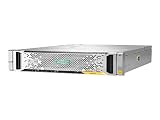
- High Storage Capacity: The HP StoreVirtual 3200 SAN Array provides a total digital storage capacity of 3200 GB, allowing you to store large amounts of data.
- Flexible Storage Options: This SAN Array supports both hard disk drives (HDD) and solid state drives (SSD), giving you the flexibility to customize your storage needs.
- Easy Installation: The HP StoreVirtual 3200 SAN Array is designed for internal hard drive installation, making it simple to set up and integrate into your existing IT infrastructure.
- Reliable Performance: With a solid state drive form factor, this SAN Array delivers high performance and reliability for your data storage needs.
- Secure Data Protection: The HP StoreVirtual 3200 SAN Array includes Internet Security software to protect your data from potential threats and unauthorized access.
How does a LUN fit into SAN management?
A LUN is the storage object administrators allocate for block access. Making it usable requires coordinating the storage system, the network path, and the host. A general workflow is:
- Configure the storage platform for the chosen SAN protocol and confirm that the host supports the configuration.
- Create the LUN with an appropriate capacity and allocation policy.
- Map or mask the LUN to the intended initiator identity or host group.
- For Fibre Channel, configure fabric zones according to the array and switch vendors’ design guidance.
- Rescan or discover storage on the host, then initialize or format the device as appropriate.
- Verify paths and read/write access before placing production data on the LUN.
- Monitor capacity, path state, and performance with the array and host tools.
This is a conceptual sequence, not a universal command recipe. For example, NetApp’s ONTAP procedure covers FC and iSCSI storage virtual machines and includes LUN creation, initiator-group mapping, host discovery, initialization, and read/write verification. That procedure, dated September 18, 2026, recommends single-initiator zoning for FC and notes that ALUA is enabled during LUN creation. The exact steps depend on ONTAP version and platform, host utilities, and licensing; consult the documentation for the specific array, switch, and host. NetApp: Provision storage for SAN hosts
Rank #2

- Versatile, Scalable Storage - Seagate Exos X 2U12 SAN Array with Dual 10Gb/s iSCSI Controllers, and 192TB 7.2K SAS HDDs is purpose built for versatile, easily expandable storage. Made for hassle free scalability, up to 3 expansion units can be added to ensure the system can grow with your company’s data storage needs.
- High Performance - Exos X 2U12 storage arrays enable even small businesses to get data to applications quickly with up to 3.5GB/s throughput and 16GB cache per system. Nearline SAS hard drives deliver reliable Seagate enterprise grade storage while still maintaining high capacity. Plus, dual controllers provide four 10Gb/s iSCSI ports for lightning fast data transfer speeds.
- Eliminate System Downtime - Virtually eliminate system down time and provide up to 99.999% data availability through features such as parallel architecture, data replication, fast streaming, and ADAPT for data protection.
- Feature Rich Software - Base Array Software Features: Virtual pools, thin provisioning, ADAPT, read cache, and encryption; Advanced Software Features: Auto-tiering, snapshots, and asynchronous replication; High-Availability Features: Hot-swappable controllers, drives, fans, and power as well as automatic failover and multi-path support
- Built In Security - Seagate ADAPT provides an added layer of security beyond RAID by employing smart learning technology to respond to potential or active failures and self healing to decrease drive rebuild time. Additionally Seagate Secure provides built in security measures for safe file access, transfer, and management.
What is the difference between LUN masking and zoning?
Zoning and masking control access at different points. Fibre Channel zoning limits which initiators can communicate with which target ports across the fabric. Storage-side LUN mapping or masking determines which logical units the storage presents to a host or initiator. A correctly zoned path does not by itself authorize a host to see every LUN, and storage masking does not replace sound fabric design.
HPE’s SAN design guidance describes storage-based masking: during SCSI initialization, the storage system uses the requesting HBA’s WWN and its configured assignments to determine which LUNs to return. Other LUNs are unavailable to that server. HPE SAN design guide
Recommended Free Tools
Some switches also offer LUN-level zoning, but support is platform-specific. Cisco’s cited MDS guide explains that a device port in a zone may expose multiple LUNs behind it, while its MDS LUN-zoning feature can further restrict access to specific units. Do not assume another vendor’s fabric has the same feature. Cisco warns that errors in the configuration scenario covered by its guide can result in data loss. Cisco MDS storage configuration guide
What is the difference between thin and thick provisioning?
Thin and thick provisioning describe when backing capacity is consumed or reserved. The trade-off is between using shared capacity efficiently and reserving space earlier. Behavior, performance, snapshots, and reclamation depend on the implementation.
Rank #4

- External HD SAS SFF-8644 Cable Assembly, 2-meter(6.6ft), 2 Packs
- AWG30 Twinaxial 8-pair high-bandwidth low-skew wire
- Impedance = 100 Ohms
- External cabling solution for connecting Mini-SAS HD devices
- Up to 12Gbps data rates per channel
| Policy | Capacity behavior | Operational consideration |
|---|---|---|
| Thin provisioning | Logical capacity is presented without reserving all backing space at the outset; physical capacity is consumed as data is written. | Monitor the backing pool and set alerts. If it runs out of space, workloads can be disrupted; Synology warns of possible file-system corruption in its documented scenario. |
| Thick provisioning | Capacity is pre-allocated. | Synology describes more stable performance for its thick-provisioned LUNs, but says some snapshots and reclamation features are unavailable. These are Synology-specific characteristics, not universal performance rules. |
Synology’s SAN Manager documentation recommends low-capacity notifications for thin-provisioned storage. Windows storage also documents identification of thin-provisioned LUNs, threshold notification, resource-exhaustion handling, and space reclamation. Windows Server adopted T10 SBC-3 identification for thin-provisioning LUNs starting with Windows Server 2012; that historical compatibility detail should not be read as a complete description of current Windows storage behavior. Microsoft: Thin provisioning
Independent reader supportYour contribution helps us test, update, and keep practical guides available for everyone.Do NVMe/FC systems use LUNs?
Not all SAN protocols use the same storage object. The cited FC and iSCSI administration workflows use LUNs, while Lenovo’s NVMe/FC guide describes namespaces and subsystems. Treat these as protocol-specific concepts rather than interchangeable names for a LUN. Lenovo ThinkSystem storage documentation
Quick wins for a faster PC:
Fix the driver behind crashes, sound loss and screen glitchesFind Drivers →Repair Windows errors before they cause bigger problemsFix Now →Which SAN choices should administrators compare?
When planning a deployment, compare the choices that affect the path, access control, and capacity operations. Avoid assuming one protocol or provisioning policy is universally faster or cheaper: those conclusions require workload- and implementation-specific evidence.
Quick Recap
- Transport and host support: Compare Fibre Channel and iSCSI against the infrastructure available and the host’s supported configurations.
- Access controls: Confirm the fabric’s zoning capabilities and the array’s mapping or masking model. Use both as appropriate rather than treating either as a substitute for the other.
- Capacity policy: Check alerting, pool monitoring, reclamation, snapshot support, and the consequences of backing-capacity exhaustion.
- Protocol object: Confirm whether the design uses SCSI LUNs or, for NVMe/FC as described by Lenovo, namespaces and subsystems.
What should be verified before presenting a LUN?
- The array, switch, protocol, host OS, and firmware versions support the intended configuration.
- The LUN is mapped to the correct initiator or host group, and FC zoning is configured for the intended paths.
- The host discovers the device and can read and write before production data is placed on it.
- Thin-provisioned backing capacity has monitoring and low-capacity alerts configured.
Product prices and availability are accurate as of the date/time indicated and are subject to change. Any price and availability information displayed on Amazon at the time of purchase will apply.

