
A cutout is something separated from its surroundings, but the term means different things in different contexts. In photo editing, it usually means isolating a subject from its background. On an iPhone, it can refer to Apple’s built-in subject-isolation feature. In art, it can mean shapes cut from painted paper; in Revit, a cutouts map controls transparency in a material. These are related ideas, not interchangeable workflows.
What is a cutout in photo editing?
A photo cutout is an image subject isolated from its background. The result can be placed over a different background or used on its own. In Photoshop, Adobe describes selecting the subject and applying a layer mask. A mask hides parts of the image without permanently deleting the original content, so you can revise the selection later.
Choose a selection approach for the edges
Simple shapes may need only a quick selection. Complex outlines often require more controlled selection and refinement. Hair, jewellery, and intricate clothing are especially challenging because their edges contain fine detail. Adobe’s guide explains the process and edge-refinement considerations: How to cut out an image in Photoshop.
The amount of manual refinement depends on the subject and its edges; the available guidance does not establish a performance ranking between editing products.
Recommended Free Tools
#1 Best Overall
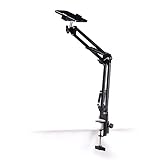
- Adjustable Clamp: The phone holder has an adjustable clamp that can be tightened or loosened to securely hold your phone.
- Flexible Design: The phone holder has a flexible and sturdy design that allows it to be used on various surfaces.
- Versatile Use: The phone holder can be used on a desk, table, office, kitchen, or any other flat surface.
- Compatible Phones: The phone holder is compatible with most smartphones, including iPhones and Android devices.
- Easy to Use: The phone holder is easy to use and can be adjusted to fit your phone's size and shape.
How do you make a cutout on an iPhone?
Apple documents a built-in way to isolate a subject: touch and hold the subject in Photos or a supported app, then copy or share it. The support page lists availability on iPhone XS, iPhone XR, and later with iOS 16 or later. The page is for Ireland, and interface behavior or availability may vary by software version, so check Apple’s current support information for your device and region: Create and share photo cutouts on your iPhone.
What are Matisse’s paper cut-outs?
Henri Matisse’s cut-outs were compositions made by cutting shapes from paper painted with gouache. Studio assistants painted the sheets; Matisse used scissors to cut shapes and arrange them. Small pieces could be arranged on a board with pins, while assistants arranged larger works on studio walls under his direction. The works were later mounted permanently.
Rank #2

- [Universal 3-in-1 Connectivity] Equipped with Lightning, USB-C, and USB-A connectors, this memory card reader ensures seamless compatibility with iPhone, iPad, Android smartphones, MacBooks, Windows PCs, and other OTG-enabled devices. No need to carry separate adapters—this all-in-one solution simplifies your workflow across platforms.
- [4 Card Slots Support] Supports SD, TF (MicroSD), MS (Memory Stick), and XD-Picture Cards, including SDXC/SDHC/SD, MicroSDXC/MicroSDHC/MicroSD, Memory Stic/Memory Stic Pro/Memory Stic Pro-HG/Memory Stic Duo/ Memory Stick Pro Duo, and XD formats (up to 2TB). Ideal for cameras, drones, action cams, dash cams, and more. It simplifies multi-card data management by allowing direct access to various media without additional equipment.
- [480Mbps Fast Transmission] Transfer large files, high-resolution images, and HD videos with blazing-fast 480Mbps speed. Ideal for photographers, videographers, and anyone needing efficient data management, this 4-in-1 memory stick duo pro reader supports standard photo and video formats including JPEG, RAW, H.264, and MPEG-4(Support exFAT,NOT support NTF)). It also supports bidirectional data transfer (memory card ↔ device), easily expanding storage for phones and tablets, and significantly boosting efficiency in photography, video editing, and similar scenarios.
- [Plug-and-Play] The multi 4 in 1 xd card reader offers multiple interfaces and no extra driver needed, supporting OTG function, directly plugging the card reader into your Type C / USB A / Lightning device and it is immediately ready for use, easily transfer photo video and file information. Compatible with most systems--Mac OS, iOS, Android, Linux, Chrome OS, Windows XP/Vista/7/8/8.1/10,11,etc.
- [Slim and Compact Design] Compact & lightweight (3.15 x 1.97 inches -L*W) for on-the-go use. Its lightweight design facilitates portability, making it ideal for outdoor photography, travel recording, and office emergencies. It provides a reliable solution for device storage expansion and data backup.remotely.
MoMA notes that Matisse first used cut paper for practical purposes, including design work and making large compositions easier to revise, before considering a cut-out an autonomous work of art in 1946. He described the approach as “cutting directly into color” and “drawing with scissors”; MoMA connects it to his longer effort to unite color and line. Read the museum’s account in Henri Matisse: The Cut-Outs.
Independent reader supportYour contribution helps us test, update, and keep practical guides available for everyone.What does “cutouts map” mean in Revit?
In Autodesk Revit, a cutouts map is an image map used to make parts of a material partially transparent. Autodesk’s Revit LT help explains that transparent areas become fully transparent, allowing a material to take on a particular shape or pattern. This is a rendering setting—not a paper-cutting method or a photo-background removal workflow. See Autodesk’s Cutouts Map documentation.
Quick Recap
Rank #4

- 【High Capacity & Effortless Backup】This Compatibility iPhone USB storage flash drive easily handles today’s larger 4K videos, high-resolution photos, and contacts. Easy backup frees up space instantly, so you’ll never miss capturing important moments. Perfect for iPhone, iPad, Android and PC users. (Note: For iPhone/iPad No App Required; For Android only Needs OTG Enabled, No Extra App.)
- 【Universal Compatibility with Dual Interfaces】Featuring USB, USB-L, Micro USB and USB-C independent ports, this iPhone photo storage stick connects seamlessly with iPhone/iPad, Android OTG phones, laptops and tablets. No iCloud fees, no internet required—just plug in and transfer files freely between your phone, computer and other devices.
- 【Blazing Fast Transfers Anywhere】Featuring upgraded high-speed chips, this portable phone external storage drive enables instant mass file transfers—up to 30 MB/s read speed and 15 MB/s write speed—no WiFi or data cables required. Save time sharing photos, moving large video projects, whether you’re traveling, working, or creating content on the go.
- 【Easy Backup, Enjoy Anytime Anyplace】Plug-and-play & simple to operate—quickly back up videos, photos, contacts and documents without tedious copying or pasting. No third-party apps required; just plug the drive into your iPhone, iPad or Android device and operate via the "Files" app. You can also share files directly from the iPhone photo stick to social media, instantly sharing wonderful moments with friends and family.
- 【How to Transfer in iPhone iPad】Requires iOS 13 and Higher: Simply insert the flash drive into your iPhone iPad, then go to the "Files" app, Click back to “Browse” and find the flash drive named “Untitled”, Move photos videos and files to your iPad or iPhone as needed.
Rank #3

- 【Plug and Play】The CF/SD card reader is designed with a built-in USBC Cord that does not block your other ports. Plug and play, no drivers required for iPad/Macbook/iMac/Windows. No additional power is required.
- 【3 IN 1 CF/SD/Micro SD Card Reader】Compatible with Compact Flash(CF) SD and MicroSD cards, this USB C SD card reader lets you easily view photos and videos from a variety of camera memory cards and upload your files anytime, anywhere.
- 【Compatible with USB-C iPad】This USB C SD card adapter is compatible with iPad(USB Type C connector).Easily transfer photos and videos to your USB-C iPad Pro/Air/Mini.
- 【USB C SD Card Reader】 This CF SD card adapter is a photographer's assistant, compatible with almost all popular CF/SD/MicroSD memory cards, and allows you to instantly view the best moments of your shots.
- 【Wide Compatibility】Compatible with iPhone 15/15 Plus/15 Pro/15 Pro Max, iPad Pro 12.9-inch 5th Gen/4th Gen/3th Gen, iPad Pro 11-inch 3th Gen/2th Gen/1th Gen, iPad Air 11-inch 5th Gen/4th Gen, iPad Mini 6th Gen, MacBook Pro, MacBook Air, MacBook,Laptop,Mac, iMac,Samsung Galaxy Tab Pro, S21, S20, S20 Plus, S20 Ultra and most other USB-C devices.
Product prices and availability are accurate as of the date/time indicated and are subject to change. Any price and availability information displayed on Amazon at the time of purchase will apply.

