
iTechGuides is reader-supported. When you buy through links on our site, we may earn an affiliate commission. As an Amazon Associate I earn from qualifying purchases. Learn more
The “upcoming” Verizon Cloud downtime in this headline was a planned maintenance event reported in January 2015—not a current outage notice. A later retrospective described the window as lasting 40 hours, but the available historical record does not establish exact start and end times, every affected product, or how individual customers were impacted. Its lasting lesson is practical: a cloud service can be unavailable during planned work, so keep critical files and workflows usable when it is.
What was the Verizon Cloud downtime?
Data Center Knowledge published “Upcoming Verizon Cloud Downtime May Be Wakeup Call for Some” on January 6, 2015. Its January archive framed the planned downtime as a resilience test for some customers and a warning for others. The word “upcoming” referred to the weekend ahead of that 2015 publication; it does not describe an event scheduled for 2026. Data Center Knowledge’s January 2015 archive preserves the article’s summary.
A 2015 retrospective by Availability Digest describes the maintenance as a planned 40-hour outage during an infrastructure upgrade. That duration is the retrospective’s account, not an independently verified Verizon measurement. The available sources do not establish the precise schedule, which products were affected, how many customers were involved, or the realized impact. Availability Digest’s retrospective provides the secondary account.
Crashes, No Sound, or Screen Glitches?
Random freezes, missing sound and display glitches usually trace back to one bad driver. Find and replace yours safely.Free scan · under a minutePC Slower Than It Used to Be?
A free scan shows the junk files, broken settings and background clutter dragging Windows down - then fixes them in one click.Free scan · Windows 10 & 11Why planned cloud downtime can still matter
Planned maintenance is not the same as an unexpected failure, but either can interrupt access. The relevant question for a customer is what stops working if the service or files cannot be reached: a personal photo library, documents needed for work, or a process that depends on synchronized data. Verizon Cloud is a file backup and synchronization service, not a complete disaster-recovery system.
#1 Best Overall

- Display size -2.4 inches
- Wireless communication technology - Cellular
- Compatible devices -Tablet
- Included components -Adapter
What Verizon Cloud backs up—and what it does not
Verizon currently describes Verizon Cloud as an app for backing up and synchronizing files across compatible phones, tablets and computers. Its FAQ lists photos, videos, documents, music and contacts; some message and call-log functions depend on the platform. Verizon says the service does not back up operating systems, device settings, apps, app data, servers, email platforms or external storage drives. See Verizon’s Cloud FAQ and Verizon’s support overview for current scope and device-specific guidance.
The FAQ also lists a maximum individual file size of 10 GB and a 50 GB daily upload limit per user after the initial backup. It describes a reduced daily limit after more than 500 GB is uploaded in a month. These are published product terms, not guarantees that every file or device will behave alike; check Verizon’s current FAQ before relying on a limit.
Rank #2
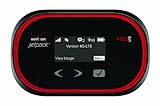
- Weight: 3.3 ounces
- Battery Life: 8 hours
- Speed: 5-12Mbps Download; 2-5 Upload
- Connect up to 10 devices
How to keep files accessible if you cancel
Verizon says cancellation ends access to Verizon Cloud and the files stored there. It recommends downloading files to a computer or portable storage device before cancellation. Verizon’s cancellation guidance explains the consequence and the download precaution.
The Tool Desk
Outbyte PC Repair FREEClear out junk files and repair common Windows errorsFree Scan →Outbyte Driver Updater FREEScan for outdated or missing drivers - takes under a minuteDriver Scan →- Identify what you need to retain. Check which files or records exist only in Verizon Cloud and prioritize those that would be difficult to replace.
- Download a separate copy before cancellation. Save the files to a computer or portable storage device, following Verizon’s current download instructions.
- Verify the copy. Open representative files and confirm that the downloaded material is readable and complete. This is a useful resilience check, not a Verizon requirement.
- Cancel only after the copy is usable. Once cancellation is processed, Verizon says access to the service and its stored files ends.
Verizon’s support overview links to setup, backup, restore, bulk-download and account-management instructions. The exact controls can vary by device and app version. For example, Verizon’s Apple-device support article, dated September 21, 2026, covers Wi-Fi or mobile-data backup settings and background photo and video uploads; use current device-specific instructions rather than assuming one menu path applies to everyone.
Rank #3

- Feature: Connect up to 15 Wi-Fi Enabled Devices
- Feature: Universal Charging to Charge other Devices
- Feature: Up to 20 hours of continuous use
- Feature: Touch Navigation Keys
What to do about a possible outage now
A decade-old story is not evidence of a present-day service interruption. Verizon’s network status page is a live, changeable source; a general status result does not by itself confirm the health of a dedicated Verizon Cloud component. For a current problem, check service-specific notices and support information rather than inferring today’s status from the 2015 event.
For continuity, match safeguards to what must remain available: identify essential files and workflows, keep a separate copy of critical files where appropriate, and verify that you can open or restore that copy. A backup that cannot be accessed when needed does not provide much protection.
Quick Recap
Best Value

- 4G LTE Worldwide unlocked any gsm carrier
- LTE Category: 18 (DL) / 13 (UL) LTE Bands: B2/B3/B4/B5/B7/B13/B14 x /B20/B28/B46/B48 x /B66 UMTS Bands: B1/B2/B5/B8
- A user-friendly experience. A 2.4-inch color touchscreen provides you with an intuitive interface and more features at your fingertips. User-friendly menus and on-screen help prompts make it easier than ever to get connected. Charge compatible devices or share files across your Mifi 8800L’s network using a multi-functional USB port.
- Share more. The MiFi 8800L lets you connect with up to 15 trusted devices at a time. You can even share files over your local Wi-Fi connection by using a storage device with a USB-C connector.
- Go unplugged. Stay productive throughout your entire day with a long-last 4400 mAh battery. The MiFi 8800L can go unplugged for up to 24 hours x and fuels up faster thanks to built-in QuickCharge technology
Rank #4

- Unlocked (Original carrier is Verizon)
- A full day of power and then some. With up to 12 hours of continuous use, you can power through a long workday or stream the latest binge-worthy show from Netflix. This long-lasting, rechargeable battery won't quit before you do.
- Lightning-fast speeds. Outfitted with dual-band 802.11 ac Wi-Fi, you get ultra-fast data speeds and greater range. And it's not just faster, it's energy-efficient too.
- Simple, secure, shareable. The Orbic Speed lets you securely connect up to 10 Wi-Fi enabled devices. Stream from your tablet, answer emails from your laptop and share your internet connection with others all at the same time.
- Compact design for small spaces or travel cases. Take the Orbic Speed with you wherever you need a secure, reliable Wi-Fi connection. The compact design is perfect for tucking it away discreetly on a desk or tossing in your bag the next time you travel. And an easy-to-read LCD display keeps you informed of the mobile hotspot's status.
Product prices and availability are accurate as of the date/time indicated and are subject to change. Any price and availability information displayed on Amazon at the time of purchase will apply.
Free tools Windows power users keep installed
One-click scans. No signup required.

