
What’s actually slowing this PC down?
Pick the symptom - the matching free tool is one click away.
iTechGuides is reader-supported. When you buy through links on our site, we may earn an affiliate commission. As an Amazon Associate I earn from qualifying purchases. Learn more
If you mean the Microsoft account connected to Minecraft on PlayStation, unlink it from inside Minecraft—not in standard PlayStation account settings. On the linked PSN profile, open Minecraft > Settings > Account > Unlink Microsoft Account, confirm, then choose Unlink.
Unlink the accounts in Minecraft
- On the PlayStation profile linked to the Microsoft account, open Minecraft.
- From the game’s home screen, select Settings.
- Open the Account tab.
- Select Unlink Microsoft Account.
- Confirm that you want to unlink the accounts, then select Unlink.
These are Minecraft’s official instructions for removing the link between a Microsoft account and a PlayStation Network account. The control is in Minecraft; uninstalling the game or removing a PlayStation authorized app is not a substitute. Minecraft’s unlink instructions
What changes after unlinking
Unlinking does not delete purchases. Minecraft says purchases remain with the account that made them. However, Minecraft titles on that PSN account—including Minecraft Dungeons and Minecraft Legends—are also unlinked from it.
The Tool Desk
Outbyte PC Repair FREEClear out junk files and repair common Windows errorsFree Scan →Outbyte Driver Updater FREEFix the driver behind crashes, sound loss and screen glitchesFind Drivers →While you are not signed in with a Microsoft account, you lose access to linked features such as cross-platform play, Realms, and eligible Marketplace purchases made through that Microsoft account on other platforms. Linking a Microsoft account supports access to eligible non-exclusive Marketplace content on PlayStation; new Marketplace purchases made in the PlayStation version use Minecraft Tokens. Minecraft’s PlayStation account FAQ
#1 Best Overall
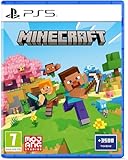
- Regional Compatibility: UK PSN account may be required for any online features
- Creative Mode: Build anything you can imagine with unlimited resources and express your creativity without limitations
- Survival Mode: Go on grand expeditions journeying across mysterious lands and into the depths of your own infinite worlds
- Platform Compatibility: Compatible for PlayStation 5 console with UK PAL region format
- Bonus Content Included: Minecraft Game plus 3,500 tokens of in-game currency to enhance your gaming experience
Choose the right option for your situation
| What you want to do | What to use |
|---|---|
| End the current Microsoft-account session | Sign out in Minecraft: Settings > Profile > Sign out of your Microsoft Account. Signing out is not necessarily the same as removing the account link. |
| Remove the Minecraft association with the PSN account | Use Settings > Account > Unlink Microsoft Account. |
| Keep using the existing linked Microsoft account but cannot access it | Try Microsoft account recovery first, then use the in-game unlink steps if you still need to remove the association. |
Minecraft documents the sign-out path separately from its unlink instructions. Minecraft’s account guide
If you cannot access the linked Microsoft account
First try to recover access to the Microsoft account. If you cannot sign in and want to use a different account, Minecraft says an error shown during the alternate sign-in attempt may offer an option to unlink without signing in to the currently linked account. Follow the prompt and consult Minecraft’s error-resolution guidance for the applicable instructions. The prompt’s wording and availability can vary, so this route is not guaranteed to appear.
Rank #2
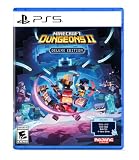
- Pre-order Minecraft Dungeons II today and get 2 hero skins, the Twisted cape, and the Twisted chicken pet! Minecraft Dungeons II Deluxe Edition includes the base game and the Soul Pack, featuring 4 hero skins, the Soul cape cosmetic item, the Blub pet companion, and DLC 1 & 2.*
- Fight against a new, challenging threat that puts your combat skills to the test like never before.
- Experience an all-new chapter in the Minecraft Dungeons saga that takes you across the Overworld... and beyond.
- Craft the perfect hero with legendary gear, including a wide range of weapons, armor, and artifacts.
- Team up with new and old friends in a party of up to four players and smash your foes with the power of teamwork.
Why PlayStation Authorized Apps is different
PlayStation’s Authorized Apps settings control third-party apps and services approved to access some PSN account data. They do not perform Minecraft’s Microsoft-account unlink. To manage those authorizations, use PlayStation’s Authorized Apps instructions; to remove the Minecraft link, use the in-game Account menu.
Quick Recap
Best Value

- Brand video game Just For Games
- Color: Multicolor
- Dimensions: 13.5 x 17 x 1.5 cm
- Reference: S71010428
- If what you want is quality at the best price do not keep looking!
Rank #4

- Jouez jusqu’à 10 en cross-plateforme, quand vous voulez, où vous voulez avec les Royaumes, votre serveur privé que nous hébergeons pour vous. Essai de 30 jours disponible en jeu.
- Découvrez les toutes dernières créations de la communauté dans le magasin ! Récupérez des maps, skins et packs de textures de vos créateurs favoris.
- Rejoignez gratuitement des grands serveurs multijoueurs et jouez avec des milliers d’autres joueurs ! Découvrez des mondes gigantesques gérés par la communauté et affrontez-vous via des mini-jeux !
- Customisez votre expérience encore plus avec les Add-ons gratuits ! Vous pouvez même modifiez les comportements en jeu pour créer de nouveaux packs de ressource.
Rank #3

- Play and share with friends on console, mobile and Windows 10
- discover community creations in the new in-game store
- access new mini games and game modes through servers
Product prices and availability are accurate as of the date/time indicated and are subject to change. Any price and availability information displayed on Amazon at the time of purchase will apply.

