
What’s actually slowing this PC down?
Pick the symptom - the matching free tool is one click away.
iTechGuides is reader-supported. When you buy through links on our site, we may earn an affiliate commission. As an Amazon Associate I earn from qualifying purchases. Learn more
A router rebooter automatically cuts power to a modem, router, gateway, or similar network device and restores power when configured connectivity checks fail. It can recover a locally frozen router, but it cannot repair an ISP outage, bad cabling, failed hardware, or slow Wi-Fi. The best choice depends on monitoring, recovery controls, topology, and subscription needs.
For most U.S. buyers, Grid Connect Rebooter Pro is the strongest documented advanced option; PumpFuse Internet Watchdog is the clearest local, subscription-free choice; and Keep Connect is the most attractive compact option for optional cloud fleet management. A current TP-Link Kasa smart plug costs less, but scheduled or manual power cycling is not the same as internet-aware recovery.
Key takeaways
- Grid Connect Rebooter Pro is the best documented advanced U.S. option, with up to five monitoring targets, selectable any-fail or all-fail logic, schedules, alerts, an API, and no subscription listed on its product page.
- PumpFuse Internet Watchdog operates locally without an account or cloud service and documents defaults of three failed checks, a two-minute grace period, 30 seconds without power, and up to three retries.
- Keep Connect provides dedicated automatic recovery and optional cloud management, but its listed cloud plans add recurring costs of $24.99 per year, $2.99 per device per month, or $4.99 per device per month depending on tier.
- RouterRebooter can monitor up to four URLs and four pingable devices, but its Australia-based support, U.S. socket availability by request, and return-to-base warranty require extra diligence for U.S. buyers.
- A TP-Link Kasa smart plug is suitable for scheduled or manually triggered restarts, not automatically equivalent to a watchdog that tests whether the internet is actually working.
Top 5 Router Rebooter: Essential Buying Guide—quick verdict
The five options below are an evidence-based editorial shortlist, not the result of laboratory testing. No independent failure-rate study, controlled uptime comparison, or hands-on reliability test was found in the supplied research, so “best” means best fit for the documented features and use case—not a measured guarantee of uptime.
The Tool Desk
Outbyte PC Repair FREEClear out junk files and repair common Windows errorsFree Scan →Outbyte Driver Updater FREEScan for outdated or missing drivers - takes under a minuteDriver Scan →| Product | Monitoring and recovery | Local/cloud model | Electrical or regional information | Price or status recorded in research | Best for |
|---|---|---|---|---|---|
| Grid Connect Rebooter Pro | Up to five IP addresses or hostnames; any-fail or all-fail logic; schedules; power-restoration recovery | App, local HTTPS API, webhooks, push alerts; no subscription listed | 90–135VAC input, 120VAC output, 15A maximum; 2.4GHz Wi-Fi; ETL and FCC claims | $55.95; listed in stock when checked | Advanced U.S. users, rentals, small businesses, automation |
| PumpFuse Internet Watchdog | Configurable targets, thresholds, grace periods, off-time, boot delay, retry count, cooldown | Local operation; MQTT and Home Assistant support; no cloud account or subscription | 120V AC, 60Hz, 10A/1200W maximum; 2.4GHz Wi-Fi; Bluetooth 5.0 pairing | Price not visible in the inspected manual | One home router, privacy-conscious users, local automation |
| Keep Connect Automatic Router Rebooter | Internet-health monitoring, automatic rebooting, periodic resets, optional notifications | Optional cloud platform for multiple locations, email, and SMS | Technical electrical details should be confirmed from the current listing | $49.99 hardware listing; MAX model listed at $74.99 | Vacation rentals and multi-site users |
| RouterRebooter | Up to four URLs and four pingable devices; repeated-failure rules; optional email alerts | Centralized monitoring for multiple installations | U.S. sockets available by request; Australia-based business; 12-month return-to-base warranty | Price not visible in inspected material | Managed properties and installations needing target-specific checks |
| TP-Link Kasa smart plug | Manual remote switching and scheduling; exact automation depends on the model | Smart-home app ecosystem; exact cloud and recovery behavior varies | Exact model, rating, region, firmware, and availability must be verified | Current model and price must be rechecked | Budget scheduled or manual cycling |
Product pages, prices, stock, warranties, app features, and regional versions can change. Confirm the exact model and current listing before purchase.
Popular on Amazon
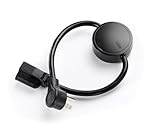
- NEVER MANUALLY REBOOT YOUR ROUTER AGAIN – The ConnectSense Rebooter Pro plugs between your modem or router and the wall outlet, automatically detecting lost internet connectivity across up to 5 network targets and power cycling your equipment instantly — keeping your home, office, or remote location always online 24/7.
- SCHEDULED & AUTOMATIC REBOOTS – Set up to 10 custom reboot schedules to proactively clear memory leaks, prevent slowdowns, and keep your connection fresh — even before problems occur. Perfect for smart homes, security cameras, smart locks, thermostats, and any device that depends on a stable internet connection.
- REMOTE CONTROL FROM ANYWHERE – Trigger a manual reboot anytime from the free ConnectSense app (iOS & Android) or directly from your home network. Whether you're traveling, at work, or managing a vacation rental or remote office, you stay in control of your network without needing to be on-site.
- AUTOMATIC POWER OUTAGE RECOVERY – When the power goes out, the Rebooter Pro automatically restores and reboots your networking equipment once power returns, eliminating downtime and the need for manual intervention. Ideal for unattended locations, rental properties, and small business networks.
- INTEGRATOR & PRO-GRADE FEATURES – The only router rebooter with a built-in local HTTPS API, giving IT professionals, smart home integrators, and power users advanced automation, monitoring, and remote management capabilities — no cloud subscription required for local control.
What is a router rebooter?
A router rebooter is a power-control device that turns connected equipment off and back on when a configured connectivity test indicates a problem. The rebooter does not repair the router’s software, change its configuration, or contact the ISP on your behalf; it performs a controlled electrical restart.
The category contains three different product types:
- Dedicated connectivity watchdogs test internet or network targets and power-cycle equipment only after one or more failure conditions are met.
- Cloud-managed rebooters add remote dashboards, multiple-site management, notifications, and sometimes recurring service fees.
- Ordinary smart plugs provide remote on/off control and schedules but may not know whether the internet is available.
What is the difference between rebooting, resetting, and restarting Wi-Fi?
Rebooting means temporarily removing power and starting the equipment again. Factory resetting erases configuration such as Wi-Fi names, passwords, ISP settings, port forwards, and parental controls; a properly designed power rebooter should never perform a factory reset. Restarting Wi-Fi may affect only wireless radios or an access point, while a full power cycle can restart the router, processor, WAN connection, and attached services.
A rebooter may help after a router freezes, loses its WAN session, stops routing traffic, or fails to recover from a transient power event. A rebooter cannot fix a provider outage, damaged Ethernet or coaxial cable, a failed power adapter, account suspension, incorrect DNS settings, congestion, overheating, or defective hardware.
How does automatic router recovery work?
An internet-aware rebooter normally follows a guarded recovery loop rather than switching power after one missed response:
- It checks one or more URLs, IP addresses, DNS services, or devices.
- It counts consecutive failures.
- It waits through a grace period to avoid reacting to a brief interruption.
- It turns the connected equipment off for a defined period.
- It restores power.
- It waits for the modem or router to boot and reconnect.
- It checks the targets again.
- It stops after a maximum retry count or applies a cooldown if connectivity does not return.
PumpFuse’s documented Watchdog sequence checks every 60 seconds, requires three consecutive failed checks, waits two minutes, removes power for 30 seconds, allows up to five minutes for boot, and retries up to three times with a 30-minute cooldown. Those are PumpFuse defaults, not universal industry standards.
Recovery logic matters because frequent forced restarts can interrupt a firmware update, break a VPN session, disconnect cameras, or corrupt storage on a network-attached device. A rebooter should have a failure threshold, grace period, maximum retry count, and cooldown rather than an unrestricted reboot loop.
Do these 3 things before closing this tab:
1Repair Windows errors before they cause bigger problems2Scan for outdated or missing drivers - takes under a minute3Clear out junk files and repair common Windows errorsDoes a router rebooter need Wi-Fi or cloud access?
The answer depends on how the device monitors connectivity and how it handles the monitoring-loop problem. A rebooter connected to the same router that it controls may lose its communication path at the moment the router fails.
A cloud-managed device can offer off-site visibility, email or SMS notifications, and fleet management, but cloud operation introduces account, vendor-service, internet, and possibly subscription dependencies. A local watchdog reduces dependence on a vendor cloud, but a local app may be unreachable from outside the property while the home network is down.
Also popular on Amazon

- Automatic Router Rebooter / Reset - Stop manually restarting your router! Automate the process to ensure highly reliable internet connection uptime
- Constantly Monitors Router and/or Modem Internet Health. Keep Connect provides 24/7/365 protection to ensure that your smart home and connected devices are always online and available.
- Notifications - Free Texts or Emails from Keep Connect notifying you of detected eventsif you choose to enter your phone number/email. You may also choose No Notifications.
- Perfect for Smart Home Reliability - Schedule Periodic Resets to keep your connection fresh and fast.
- Premium Cloud Services App Available (iOS App Store and Google Play Store) - Our Premium Keep Connect Cloud Services platform allows using our Online/Mobile App to monitor many locations in one place as well. Cloud Services allows remote management of devices at all locations as well as heartbeat monitoring of your Keep Connects to notify you in the event of an ISP internet outage at one of your sites.
PumpFuse documents local operation without an account, cloud service, or subscription. The PumpFuse app communicates over the same local network, so local control is not the same as off-site monitoring during a complete home-network outage.
Keep Connect takes the opposite approach for customers who want centralized visibility. The manufacturer lists cloud plans at $24.99 per year, $2.99 per device per month, and $4.99 per device per month for different tiers. The hardware’s automatic reboot function and optional cloud management should be treated as separate parts of the ownership decision.
Free tools Windows power users keep installed
One-click scans. No signup required.
Should the rebooter control the modem, router, or both?
The correct target depends on your network topology. Power-cycling only the router is usually less disruptive when the modem remains synchronized and reachable. Power-cycling both modem and router is more aggressive and creates a longer outage, but it may be appropriate for an ISP gateway or a failure involving the modem’s WAN connection.
| Topology | Typical approach | Main trade-off |
|---|---|---|
| Separate modem and router | Leave the modem powered and place the router on the rebooter first | Less disruption, but it will not recover a modem synchronization failure |
| Modem or router is frozen | Place the affected device on the rebooter, if its boot process is understood | Can recover the local failure without unnecessarily restarting other equipment |
| ISP modem/router gateway | Power-cycle the gateway when the provider’s equipment is the suspected failure point | Longer boot and WAN resynchronization time may be required |
| Separate modem, router, switch, access point, or PoE gear | Use separate power channels where independent recovery is important | More equipment and configuration complexity |
PumpFuse specifically advises plugging a separate modem directly into the wall and placing only the router on the Watchdog when independent modem/router control is desired.
Will a router rebooter work with mesh Wi-Fi?
A rebooter can work with a mesh system, but rebooting the main gateway does not necessarily power-cycle every satellite node. Many mesh systems recover when the primary router restarts, while some satellites, wired backhaul devices, switches, or PoE access points may need separate power recovery.
Before installation, identify the mesh controller, satellite power supplies, Ethernet backhaul, switch, and any ISP gateway. Test whether the satellites return automatically after the main gateway is restarted. Do not assume that one outlet-mounted rebooter restarts the entire mesh system.
Which router rebooter is best for each buyer?
1. Grid Connect Rebooter Pro: best advanced U.S. option
Grid Connect Rebooter Pro has the strongest documented feature set in this shortlist for advanced U.S. installations. The product page lists monitoring for up to five IP addresses or hostnames, “any-fail” or “all-fail” reboot logic, up to ten daily or weekly schedules, power-restoration recovery, app-based remote management, push alerts, a local HTTPS API, and webhooks.
The official listing records a price of $55.95 and in-stock status when checked in the supplied research. The same listing specifies 90–135VAC input, 120VAC output, a 15A maximum current, 2.4GHz Wi-Fi, ETL certification to a UL standard, and FCC certification. Verify current price and stock because retail listings change.
Rebooter Pro fits vacation rentals, remote homes, small businesses, camera systems, NAS equipment, and Home Assistant or custom-automation projects. “Any-fail” logic can react too quickly if one target is unreliable; “all-fail” logic can delay recovery if the target list is poorly chosen. These are configuration trade-offs, not measured reliability advantages.
Also popular on Amazon

- Automatic Router Rebooter - Stop manually rebooting your router and let Keep Connect automate the process. Keep Connect will constantly monitor your internet health and automatically reboots your router or modem when disconnected. You can also choose to receive notifications through email or SMS if you enter your phone number.
- Ensures a Reliable Internet Connection 24/7/365 - Keep Connect will make sure your connected devices are always online and available. You can also Schedule Periodic Resets to keep your connection fresh and fast.
- Compact Size - Keep Connect’s smaller size makes it a perfect fit for your receptacle space, making it an ideal choice for apartments, small homes, or any space where you need reliable internet connectivity without taking up too much space. Perfect use for your Smart Home, Office, Business, or Remote Locations.
- Premium Cloud Services App Available (iOS App Store and Google Play Store) - Our Premium Keep Connect Cloud Services platform allows using our Online/Mobile App to monitor many locations in one place as well. Cloud Services allows remote management of devices at all locations as well as heartbeat monitoring of your Keep Connects to notify you in the event of an ISP internet outage at one of your sites.
- Industry-leading Customer Service - Our team is dedicated to providing you with top-notch customer service and technical support. Whether you have questions, need assistance, or require troubleshooting, our support team is available to help you every step of the way.
The original Grid Connect Rebooter should not be treated as the current recommendation: Grid Connect’s older product page identifies the original model as discontinued and directs buyers to Rebooter Pro.
Quick wins for a faster PC:
Fix the driver behind crashes, sound loss and screen glitchesFind Drivers →Repair Windows errors before they cause bigger problemsFix Now →2. PumpFuse Internet Watchdog: best local, subscription-free option
PumpFuse Internet Watchdog is the clearest fit for a single home router when local operation, privacy, and no recurring fee matter more than built-in off-site alerts. The manual documents 120V AC, 60Hz operation, a 10A/1200W maximum load, 2.4GHz 802.11 b/g/n Wi-Fi, Bluetooth 5.0 for initial pairing, built-in power monitoring, and iOS and Android apps.
PumpFuse checks Google DNS, Cloudflare DNS, and OpenDNS by default and allows adjustment of the check interval, failure threshold, grace period, power-off duration, post-reboot grace, retry count, and cooldown. MQTT and Home Assistant support allow technical users to create their own notifications and automations.
PumpFuse is not a universal fix for an ISP outage. The Watchdog may perform one or more cycles while an upstream service is unavailable, then stop according to its retry and cooldown settings. The manual does not document built-in text, email, or push notifications; users needing those alerts should plan to use Home Assistant or MQTT.
The inspected manual did not show a clearly visible current purchase price, so a price should be checked on the current product page before publication or purchase.
3. Keep Connect Automatic Router Rebooter: best compact cloud-capable option
Keep Connect Automatic Router Rebooter is designed for buyers who want dedicated automatic internet-health monitoring, periodic resets, and optional notifications without assembling a smart-home automation. The manufacturer lists automatic modem/router rebooting, email and SMS notifications, and an optional premium cloud platform for multiple locations.
The official product listing was recorded at $49.99, while the manufacturer’s home page lists a MAX model at $74.99 and cloud services beginning at $24.99 per year. Confirm the current hardware version, plan features, and total cost before ordering.
Keep Connect is a sensible fit for vacation rentals and several unattended sites, especially when a property manager needs centralized status. The trade-off is recurring cloud cost and less publicly visible technical detail than the PumpFuse or Rebooter Pro documentation. A displayed 5/5 rating is based on one visible customer review and is not a reliability study.
4. RouterRebooter: best multi-target monitoring concept
RouterRebooter is aimed at managed installations that need target-specific monitoring. Its site describes monitoring up to four user-defined URLs using HTTPS and/or ping, repeated failures before cycling power, monitoring up to four pingable devices, optional email notifications, and centralized monitoring for multiple installations.
Recommended Free Tools
Also popular on Amazon

- 【Automatic Maintenance】 seamless connectivity with our smart router rebooter This device automates the power cycling process, regularly clearing your router ' s cache to congestion and maximize bandwidth efficiency It ’ s the essential for maintaining a stable, high-speed internet connection without manual intervention
- 【Three Adjustable Timing Intervals】 Tailor your maintenance to your specific needs with our 12H, 24H, and 72H adjustable cycles Whether you require a daily or a bi-weekly reset, the simple toggle allows you to choose the frequency that maintains your device ' s performance while freezes
- 【Prevent Overheating & Hardware Fatigue】 Constant can lead to router overheating and hardware degradation Our automatic restarter provides a scheduled " rest " for your equipment, effectively reducing thermal buildup and extending the of your modem or router, ensuring consistent reliability for
- 【Ideal for Heavy Users & Remote Work】 Specifically designed for remote workers, professional gamers, and smart homes with multiple connected devices This rebooter ensures that your critical online activities, such as video conferences or competitive gaming, are never interrupted by preventable lag or hardware crashes
- 【Simple Plug-and-Play Setup】 No complex software or configuration required Simply connect the 12cm cord between your power adapter and the router The integrated light provides real-time updates, allowing you to enjoy automated power cycling and a smoother within seconds of installation
RouterRebooter is potentially useful for hotels, resorts, short-term rentals, and IT support businesses because a user can monitor more than a single generic internet endpoint. Multiple targets can reduce false triggers caused by one unreliable DNS provider or website, although they cannot eliminate false positives.
U.S. buyers need to verify shipping, socket version, electrical details, support, and returns. The business is Australia-based, lists U.S. sockets as available by request, and provides a 12-month return-to-base warranty. The product page says the device is built on Sonoff S26 technology; that statement should not be interpreted as proof that the product has identical electrical or firmware behavior to a retail Sonoff plug.
5. TP-Link Kasa smart plug: best budget alternative
A current TP-Link Kasa smart plug is the low-cost choice when the reader needs manual remote power control or a scheduled nightly or weekly restart. Kasa can make sense for someone already using the ecosystem and who does not need internet-aware outage detection.
A Kasa plug should not be presented as equivalent to a dedicated watchdog. A scheduled reboot happens at a scheduled time, whether the internet is healthy or not. An app-controlled reboot also depends on the control path and may not be available when the controlled router is offline. Exact Kasa and Tapo capabilities vary by model and region; TP-Link’s support documentation directs buyers to the specific model manual and firmware information.
Before buying, verify the exact U.S. model, electrical rating, schedule and automation features, behavior after the router reconnects, and whether a second control path is necessary. Do not assume that any Kasa plug independently detects internet failure.
Dedicated watchdog or smart plug: which should you buy?
Choose a dedicated watchdog when the device must detect connectivity failure and reboot only after multiple failed tests. Choose a smart plug when a predictable schedule or manual remote switch is enough.
| Need | Better choice | Why |
|---|---|---|
| Nightly restart at a quiet time | Smart plug or dedicated rebooter | Scheduling is the primary requirement |
| Restart only after internet failure | Dedicated watchdog | Failure thresholds and connectivity tests reduce unnecessary cycles |
| One local router with no subscription | PumpFuse or another local watchdog | Core operation does not depend on a vendor cloud account |
| Several remote properties | Keep Connect cloud platform, RouterRebooter, or Rebooter Pro | Centralized monitoring and notifications matter more than minimum hardware cost |
| Manual recovery while at home | Smart plug | Low complexity and remote on/off control may be sufficient |
| Full power protection during outages | UPS plus an appropriate rebooter | A rebooter switches power but does not replace battery backup |
How should you install and configure a router rebooter?
- Check electrical compatibility. Confirm U.S. 120V/60Hz compatibility, plug shape, maximum current, continuous-use suitability, indoor-use limits, and certification claims. Do not infer surge protection from a current rating.
- Map the network. Identify the modem, router or gateway, mesh controller, satellites, switch, access point, PoE equipment, cameras, and NAS devices.
- Choose the power target. Start with the router alone if the modem is stable. Put both modem and router on the rebooter only when the topology and boot process justify a more disruptive restart.
- Join the required wireless network. Many IoT rebooters require 2.4GHz Wi-Fi. PumpFuse uses Bluetooth 5.0 for initial pairing and 2.4GHz Wi-Fi for operation.
- Use more than one monitoring target. Where supported, combine independent DNS, IP, URL, or device targets instead of trusting one endpoint.
- Set conservative failure logic. Begin with multiple consecutive failures and a grace period. Do not reboot after one missed ping unless the situation specifically warrants it.
- Allow a realistic boot period. ISP gateways and fiber, cable, or DSL modems may need time to resynchronize. Increase the post-reboot delay if the router is healthy but slow to return.
- Limit retries. Set a maximum retry count and cooldown so a provider outage does not create an endless power cycle.
- Test the complete system. Confirm that internet access, mesh satellites, cameras, VPNs, smart-home devices, port forwards, and remote-management tools return normally.
What is a reasonable starting configuration?
For a typical home, a reasonable starting point is a 60-second check interval, three consecutive failures, a two-minute grace period, 30 seconds without power, a five-minute post-reboot wait, three maximum retries, and a 30-minute cooldown. These values mirror PumpFuse’s documented defaults and should be treated as starting points rather than a universal standard.
Test recovery by disconnecting the WAN connection or temporarily blocking the monitoring target when the product supports that approach. Avoid repeatedly cutting power during a firmware update or while a NAS, camera recorder, or other storage device is writing data.
What problems will a router rebooter not solve?
A rebooter is a recovery tactic, not a network diagnostic system. It cannot restore an upstream ISP outage, repair a damaged cable, replace a dead power adapter, correct an account suspension, resolve congestion, or fix a router that is overheating or failing permanently.
Also popular on Amazon

- Frequent WiFi or monitor disconnections are often caused by router network blockage, which can be fixed by rebooting the device. Rebooting timely frees router memory, optimizes bandwidth efficiency and prevents related network issues. Our timed power-off reboot cable automates this process, eliminating the need for manual intervention to schedule router reboots.
- SANHOOII rebooter cable can connect DC plug to your router adapter, it will power on and start timing automatically, you can press "H" to set the timming time 24/48/72 hour and press "M" to set the power outage duration 10sec/1min/3min. The usual suggestion is to power-off for 1 minute.
- LED Display: Shows current settings so you always know the schedule.
- Plug and play, one step in place, can greatly improve the efficiency of network bandwidth use. You can free your hands now!
- Rebooter cable suitfor CCTV Camera Monitor WiFi Ethernet Switch Network Webcam Moderm and etc.
- ISP outage: Stop increasing reboot frequency. Wait for the provider or verify the service through another channel.
- Power interruption: A rebooter is not a UPS. Use a UPS for the modem, router, and rebooter when short power failures are the underlying problem.
- Slow boot: Increase the post-reboot grace period. PumpFuse documents a configurable range up to 15 minutes.
- Bad adapter or cable: Test the adapter, Ethernet cable, coaxial or fiber connection, and wall outlet.
- Persistent hardware failure: Replace or service the router rather than repeatedly restarting it.
- Configuration problem: Check DNS, WAN authentication, firmware, VLANs, VPNs, and port forwarding separately.
What are the main router rebooter failure modes?
The monitoring loop problem
If a rebooter depends on the controlled router’s Wi-Fi or LAN to decide whether the router is healthy, the monitoring path may fail at the same time as the router. Before buying, determine whether the product uses cloud checks, an independent local watchdog process, WAN tests, or a target-specific rule that remains useful when the local network is impaired.
False positives from one target
A DNS provider, ping target, or website can fail independently of the customer’s internet connection. Multiple targets reduce—but do not eliminate—false triggers. RouterRebooter documents up to four URLs and repeated-failure settings, while Rebooter Pro documents up to five targets and any-fail or all-fail logic.
Excessive cycling
Repeated power cuts can interrupt firmware updates, break active VPN sessions, disconnect security cameras and alarms, and corrupt storage on connected appliances. Retry limits, cooldowns, and low-impact schedules are essential safeguards.
Crashes, No Sound, or Screen Glitches?
Random freezes, missing sound and display glitches usually trace back to one bad driver. Find and replace yours safely.Free scan · under a minuteWindows Errors? Fix Them Before They Spread
Repair common Windows errors and clear accumulated junk for a smoother, more stable PC - no reinstall needed.Free scan · no reinstallISP gateway complications
An ISP gateway may need a longer coax, fiber, or DSL resynchronization period, account-side authorization, or a provider-specific reset process. A rebooter should not be advertised as restoring service after every modem failure.
Security and privacy
A network-controlled power device is part of the home’s attack surface. Use a strong, unique Wi-Fi password; update firmware; secure the vendor account and enable two-factor authentication where available; limit unnecessary cloud access; review privacy and data-retention policies; and place the device where unauthorized people cannot press its controls.
Router rebooter buying checklist
- Does the product test internet connectivity, or does it only provide a timer and on/off switch?
- Can the product require several consecutive failures before cycling?
- Can it monitor multiple independent targets?
- Does it support any-fail, all-fail, or target-specific logic?
- How long does it remove power, and how long does it wait for the router to boot?
- Is there a maximum retry count and cooldown?
- Does the device operate locally, through the cloud, or through both?
- Will the device remain useful if the controlled router loses Wi-Fi?
- Does the hardware require a recurring fee for alerts or multi-site management?
- Can it control the modem and router separately?
- Will it work with a mesh gateway, satellite, switch, access point, or PoE system?
- Does the product require 2.4GHz Wi-Fi?
- Do voltage, current, plug shape, indoor-use requirements, and certifications match the installation?
- Are price, stock, warranty, shipping, and regional support suitable for a U.S. purchase?
- Does the product provide email, SMS, push alerts, MQTT, an API, or webhooks if those features matter?
Frequently Asked Questions
Will a router rebooter fix an ISP outage?
No. A router rebooter can recover a locally frozen router or failed WAN session by power-cycling equipment, but it cannot repair an outage, damaged cable, provider account problem, or upstream network failure. A device with retry limits and a cooldown should stop rather than reboot indefinitely during an ISP outage.
Can a router rebooter restart both a modem and a router?
Some router rebooters can power both devices if their combined electrical load is within the rebooter’s rating, but restarting both causes a longer outage and may not be necessary. With separate modem and router equipment, leaving the modem powered and rebooting only the router is usually the less disruptive starting configuration.
Recommended Free Tools
Does a router rebooter work with mesh Wi-Fi?
A router rebooter can restart a mesh gateway, but rebooting the gateway does not guarantee that every satellite, switch, wired backhaul component, or PoE access point will restart. Test the complete mesh system and provide separate power control where individual nodes require it.
Is a smart plug enough to reboot a router?
A smart plug is enough for manual or scheduled power cycling, but it is not automatically equivalent to an internet watchdog. A smart plug may not detect whether the internet is down, require multiple failed checks, limit retries, or provide recovery diagnostics. Verify the exact model’s documented behavior.
Does a router rebooter replace a UPS?
No. A router rebooter controls power but does not provide battery backup during an outage. If short power interruptions cause the network failure, use a properly sized UPS for the modem, router, rebooter, and any essential network equipment.
The Bottom Line
Choose a dedicated watchdog when the goal is automatic recovery after a genuine connectivity failure. Choose Grid Connect Rebooter Pro for the broadest documented advanced feature set in this U.S.-focused comparison, PumpFuse Internet Watchdog for local no-subscription operation, Keep Connect for optional cloud fleet management, and RouterRebooter for multi-target managed installations. Choose a current TP-Link Kasa smart plug only when scheduled or manual cycling is sufficient. In every case, confirm the modem/router topology, electrical rating, recovery loop, regional compatibility, current price, and recurring fees before buying.
The Tool Desk
Outbyte PC Repair FREEClear out junk files and repair common Windows errorsFree Scan →Outbyte Driver Updater FREEScan for outdated or missing drivers - takes under a minuteDriver Scan →
