
iTechGuides is reader-supported. When you buy through links on our site, we may earn an affiliate commission. As an Amazon Associate I earn from qualifying purchases. Learn more
A Bluetooth mouse without dongle connects directly to a computer, tablet, or phone through built-in Bluetooth, so no USB receiver is required. The Logitech MX Master 3S is the best overall choice, the MX Anywhere 3S is the best premium travel model, and the Logitech Pebble Mouse 2 M350s is the best budget option.
“Without dongle” does not always mean Bluetooth-only. Several recommended mice can connect directly through Bluetooth but also support an optional proprietary receiver. That flexibility is useful, but buyers should check whether a receiver is included, optional, or unnecessary before purchasing.
Key takeaways
- The Logitech MX Master 3S is the strongest overall pick for desktop productivity, large hands, extensive controls, and a supportive right-handed shape.
- The Logitech MX Anywhere 3S combines Bluetooth, USB-C charging, three-device switching, six buttons, and 8,000-DPI tracking in a compact body weighing approximately 99 grams.
- The Logitech Pebble Mouse 2 M350s is the budget and travel choice, using Bluetooth Low Energy and one replaceable AA battery; its Logi Bolt receiver is optional and not included.
- The Microsoft Surface Arc Mouse folds flat, connects through Bluetooth, and supports horizontal and vertical scrolling, but Windows is its safest platform recommendation.
- Bluetooth is convenient for laptops and tablets, but a USB receiver or wired mouse remains safer for BIOS, recovery environments, locked-down computers, and some competitive gaming situations.
Top 5 Bluetooth Mouse Without Dongle: quick comparison
Each mouse below can operate over Bluetooth without requiring a USB receiver, although the first three also support optional receiver-based connections. Prices are U.S. signals from the research period where available, not guaranteed current sale prices. Check the linked manufacturer page for current price, stock, package contents, and regional availability.
Free tools Windows power users keep installed
One-click scans. No signup required.
| Mouse | Best for | Bluetooth without receiver | Receiver situation | Battery | Multi-device use | Approximate U.S. price signal | Main drawback |
|---|---|---|---|---|---|---|---|
| Logitech MX Master 3S | Desktop productivity and large hands | Yes; Bluetooth Low Energy | Bluetooth works independently; Logi Bolt support is available | Rechargeable | Yes | $99.99 on the Logitech U.S. page observed during research | Large, right-handed, and expensive |
| Logitech MX Anywhere 3S | Premium travel and hybrid work | Yes | Bluetooth and Logi Bolt | USB-C rechargeable, 500 mAh | Three Bluetooth channels | $99.99 MSRP/list signal in Logitech price data; verify live price | Compact shape may feel cramped for large hands |
| Logitech Pebble Mouse 2 M350s | Budget buyers, students, and travel | Yes; Bluetooth Low Energy | Optional Logi Bolt receiver; not included | One AA alkaline battery | Can pair with multiple devices; verify active switching behavior for the current revision | $29.99 listed price signal and $39.99 MSRP signal | Flat shape and limited controls |
| Microsoft Surface Arc Mouse | Ultra-flat Windows travel | Yes | No USB receiver is needed for Bluetooth operation | Up to six months according to Microsoft | Not positioned as a multi-device productivity mouse | Verify current Microsoft Store price | Minimal controls and less long-session support |
| Razer Pro Click Mini | Compact productivity/gaming crossover | Reportedly Bluetooth-capable; verify current package | Verify whether the current package includes a receiver and which standard it uses | Verify current model specification | Verify current model specification | Not responsibly verified from a current first-party page | Current availability, specifications, and software support need a final check |
What does “Bluetooth mouse without dongle” mean?
A Bluetooth mouse without dongle pairs directly with the Bluetooth radio inside the computer or mobile device. The mouse does not need a USB receiver occupying a port. The computer must still have working Bluetooth hardware and compatible operating-system support.
Popular on Amazon
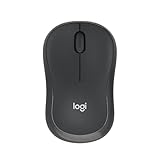
- Pair and Play: With fast, easy Bluetooth wireless technology, you’re connected in seconds to this quiet cordless mouse —no dongle or port required
- Less Noise, More Focus: Silent mouse with 90% reduced click sound and the same click feel, eliminating noise and distractions for you and others around you (1)
- Long-Lasting Battery Life: Up to 18-month battery life with an energy-efficient auto sleep feature, so you can go longer between battery changes (2)
- Comfortable, Travel-Friendly Design: Small enough to toss in a bag; this slim and ambidextrous portable compact mouse guides either your right or left hand into a natural position
- Long-Range: Reliable, long-range Bluetooth wireless mouse works up to 10m/33 feet away from your computer (3)
“Wireless” alone is not enough to establish that a mouse works without a dongle. Wireless mice generally fall into three categories:
| Category | How the mouse connects | Can it work without a USB receiver? | Typical reason to choose it |
|---|---|---|---|
| Bluetooth-only | Directly to the computer or tablet through Bluetooth | Yes | Fewest accessories and no receiver to lose |
| Bluetooth plus optional receiver | Bluetooth or a proprietary 2.4-GHz receiver | Yes | Bluetooth convenience with a receiver fallback |
| Receiver-only wireless | Only through the supplied or replacement USB receiver | No | Potentially simpler behavior on systems where Bluetooth is unavailable or restricted |
The Logitech Pebble Mouse 2 M350s specifications illustrate the second category: the mouse supports Bluetooth Low Energy, while an optional Logi Bolt receiver is available separately and is not included. The MX Master 3S and MX Anywhere 3S also support Bluetooth without a receiver while retaining receiver-based options.
Which Bluetooth mouse without dongle is best overall?
The Logitech MX Master 3S is the best overall Bluetooth mouse without dongle for office work, programming, spreadsheets, editing, and other demanding daily tasks. The MX Master 3S makes the most sense when comfort, scrolling, and shortcut controls matter more than size or price.
PC Slower Than It Used to Be?
A free scan shows the junk files, broken settings and background clutter dragging Windows down - then fixes them in one click.Free scan · Windows 10 & 11Crashes, No Sound, or Screen Glitches?
Random freezes, missing sound and display glitches usually trace back to one bad driver. Find and replace yours safely.Free scan · under a minuteThe MX Master 3S has a large, contoured, right-handed shape and an eight-button-class control layout. Its controls include back and forward buttons, a thumbwheel, gesture functionality, app-switching options, and a scroll wheel that can change between ratcheted and free-spinning modes. The shape is more supportive than a flat travel mouse, but “ergonomic” should be understood as a design preference rather than a medical guarantee.
Logitech lists Bluetooth Low Energy support, an 8,000-DPI Darkfield sensor, a rechargeable battery, and compatibility with Windows 10 or later, macOS 10.15 or later, iPadOS 13.4 or later, ChromeOS, and Linux in its MX Master 3S support information. Basic pointing may work on more platforms than Logitech Options+ customization, button remapping, gesture setup, or firmware management.
Logitech markets the MX Master 3S Darkfield sensor as capable of tracking on glass. That is a manufacturer claim rather than an independently measured guarantee for every glass surface, so a mouse pad remains the safer choice when tracking is inconsistent.
The Logitech U.S. product page showed a price of $99.99 during the research period. Because retail prices change, treat the Logitech MX Master 3S product page as the source for the current U.S. price and available editions.
Who should skip the MX Master 3S?
- Travelers: The large body takes more bag space than the MX Anywhere 3S or Pebble 2.
- Left-handed users: The sculpted shape is designed for the right hand.
- Small-handed users: The height and palm support may feel oversized.
- Budget buyers: A basic Bluetooth mouse costs substantially less.
- Software-averse users: The mouse works as a pointer without Logitech software, but its best productivity features depend on supported customization software.
Is the Logitech MX Anywhere 3S better for travel?
The Logitech MX Anywhere 3S is the best premium portable Bluetooth mouse without dongle for frequent travelers, hybrid workers, and users who move between home, office, school, and a laptop bag.
The MX Anywhere 3S retains several premium features from the Master line in a smaller body. Logitech’s datasheet lists six buttons, a thumbwheel, MagSpeed scrolling, an 8,000-DPI Darkfield sensor, Bluetooth and Logi Bolt connectivity, three Bluetooth channels, and a USB-C-rechargeable 500-mAh battery. The same datasheet lists a weight of approximately 99 grams and compatibility across Windows, macOS, Linux, ChromeOS, iPadOS, and Android, subject to platform and version limitations.
The MX Anywhere 3S datasheet supports the important distinction for buyers: the mouse can connect through Bluetooth directly, but it is not Bluetooth-only because Logi Bolt connectivity is also supported.
Also popular on Amazon

- Convenient Portable Mouse for Laptops and Tablets: The Logitech M196 Bluetooth Wireless Mouse connects in seconds with a reliable pair-and-play Bluetooth connection, no dongle or port required, and works with MacBook Neo laptops and other Apple, Windows, and Chromebook devices
- Comfortable, Travel-Ready Design: This Bluetooth travel mouse is lightweight and fits in any bag; its contoured, ambidextrous shape is comfortable for both left and right hands
- Works on a Variety of Surfaces: With precise line-by-line scrolling and optical tracking; the M196 Wireless Bluetooth Mouse provides smooth and accurate cursor control on nearly any surface
- Made to Last With Recycled Plastic: The plastic parts in the M196 contain certified post-consumer recycled plastic (67% for Graphite and 66% for Off-White and Rose (2))
- 12-Month Battery Life: Enjoy a reliable 12-month battery life (1) and auto sleep feature for longer use between battery changes; 1 AA battery included
The MX Anywhere 3S is easier to carry than the MX Master 3S and offers more control than the Pebble 2. The trade-off is palm support. Large-handed users who prefer a full grip may find the smaller body less comfortable during long sessions, while travelers often value the reduced size.
| Criterion | MX Master 3S | MX Anywhere 3S |
|---|---|---|
| Primary use | Long desktop productivity sessions | Travel, hybrid work, and compact desks |
| Shape | Large, contoured, right-handed | Compact, right-handed productivity shape |
| Tracking | 8,000-DPI Darkfield; glass tracking is a Logitech claim | 8,000-DPI Darkfield; glass tracking is a Logitech claim |
| Charging | Rechargeable | USB-C rechargeable, 500 mAh |
| Device switching | Multi-device workflow | Three Bluetooth channels listed by Logitech |
| Best reason to choose it | Comfort and extensive controls | Premium features in a smaller package |
What is the best budget Bluetooth mouse without dongle?
The Logitech Pebble Mouse 2 M350s is the best budget Bluetooth mouse without dongle for basic laptop work, students, tablets, compact desks, and travel. The Pebble 2 prioritizes low weight, quiet clicks, and simple Bluetooth connectivity over ergonomic support and advanced controls.
According to Logitech’s Pebble 2 specifications, the M350s uses Bluetooth Low Energy, one AA alkaline battery, three primary physical controls plus a customizable button, and compatibility with Windows, macOS, ChromeOS, iPadOS, and Android. Logitech’s Silent Touch technology is described as reducing click noise by more than 90 percent compared with the M185; “quieter” is more accurate than “silent.”
Logitech’s published U.S./Canada price list showed a $39.99 MSRP signal and a $29.99 listed price signal for the Pebble Mouse 2 M350s in the research data. Those figures are dated price signals, not a promise of the current retail price.
The flat body is easy to pack and the replaceable AA battery is convenient when traveling without a charging cable. The same flat shape provides little palm support, however. The Pebble 2 is a sensible everyday pointing device, not the best choice for long high-intensity work sessions, demanding creative work, or gaming.
Do these 3 things before closing this tab:
1Scan for outdated or missing drivers - takes under a minute2Repair Windows errors before they cause bigger problems3Fix the driver behind crashes, sound loss and screen glitchesWhy choose the Pebble 2 over a rechargeable mouse?
Choose the Pebble 2 when replaceable-battery convenience and low purchase cost matter more than USB-C charging. Choose the MX Anywhere 3S when rechargeable power, premium scrolling, more controls, and multi-device work justify the higher price.
Is the Microsoft Surface Arc Mouse good for travel?
The Microsoft Surface Arc Mouse is the best ultra-flat travel Bluetooth mouse without dongle, particularly for Surface owners and Windows users who want a mouse that folds flat for storage.
The Arc Mouse bends into its working shape and flattens for transport. Microsoft says the mouse connects through Bluetooth, supports vertical and horizontal scrolling, uses BlueTrack tracking, has two physical click buttons, and offers up to six months of battery life. Microsoft lists Windows 10 with the latest updates and Windows 11 compatibility on the Surface Arc Mouse product page.
The Arc’s strongest feature is its storage profile, not its control count. The touch-scroll surface can be useful for horizontal documents and wide timelines, but users who prefer the tactile feedback of a conventional wheel may find it less predictable. The flat design is also less supportive for long work sessions than the MX Master 3S.
Windows is the safest recommendation because Microsoft’s documented compatibility is Windows-focused. Do not assume that the Arc Mouse is equally suitable for every Mac, Linux computer, Android tablet, or iPad without checking the specific operating system and feature support.
Also popular on Amazon

- Ultra-fast LIGHTSPEED wireless technology in this wireless mouse gives you a lag-free gaming experience, delivering incredible responsiveness and reliability with 1 ms report rate for competition-level performance
- G305 wireless computer mouse boasts an incredible 250 hours of continuous gameplay on just 1 AA battery; switch to Endurance mode via Logitech G HUB software and extend battery life up to 9 months
- The durable, compact design with built-in nano receiver storage makes G305 not just a great portable desktop mouse, but also a great laptop travel companion and gaming wireless mouse. Use with a gaming laptop and play anywhere
- The next-generation optical HERO sensor in this gaming mouse delivers incredible performance and up to 10x the power efficiency over previous generations, with 400 IPS precision and up to 12,000 DPI sensitivity
- Wireless does not have to mean heavy. This gaming mouse provides high maneuverability, coming in at only 3.4 oz, thanks to an efficient, lightweight mechanical design and ultra-efficient battery usage
Should you buy the Razer Pro Click Mini?
The Razer Pro Click Mini is a compact productivity/gaming crossover to consider when a small Bluetooth mouse with more performance-oriented branding appeals to you. The model should not be treated as a definitive competitive-gaming recommendation, and current U.S. availability, price, package contents, battery details, operating-system support, and first-party specifications need verification before purchase.
Secondary coverage from Tom’s Hardware places the Pro Click Mini among compact wireless mice and describes it as a 78-gram Bluetooth model. RTINGS’ wireless-mouse coverage compares the Pro Click Mini with the MX Anywhere 3S as compact productivity options. The available research did not expose a current first-party Razer product page with enough information to confirm the current retail package and price.
That uncertainty matters. A buyer should confirm whether the current package includes a receiver, which receiver standard it uses, whether the mouse uses replaceable batteries or a rechargeable battery, and which Razer software features work on the buyer’s operating system. The compact shape may also be uncomfortable for large hands.
Recommended Free Tools
Buy the Pro Click Mini only after checking a current Razer or authorized-retailer listing. Choose the MX Anywhere 3S if you want better-documented premium productivity features, or choose the Pebble 2 if low cost and travel simplicity are more important than performance-oriented positioning.
Bluetooth versus a USB dongle: which connection is better?
Bluetooth is usually the more convenient connection for laptops, tablets, USB-C-only computers, and travel, while a USB receiver can be more dependable on locked-down or Bluetooth-limited systems. Neither connection method is universally superior.
| Decision factor | Bluetooth | USB receiver |
|---|---|---|
| USB-port use | Uses no USB port | Uses a USB port; an adapter may be needed for USB-C-only computers |
| Tablets and thin laptops | Usually more convenient when Bluetooth is built in | May require an adapter or may not be supported |
| Corporate or locked-down computers | May be blocked by policy | May be easier if USB accessories are permitted |
| Startup, BIOS, and recovery | Firmware support varies; do not assume it will work | Generally the safer fallback |
| Competitive gaming | May be adequate for casual play, but latency varies | Often preferred when consistent low-latency behavior matters |
| Travel | No receiver to carry or lose | Requires carrying and protecting the receiver |
| Receiver loss | Not relevant if Bluetooth pairing remains available | Replacement may be difficult; same-brand receivers are not automatically interchangeable |
Bluetooth Low Energy mice are generally adequate for ordinary office work, but connection quality depends on the computer’s Bluetooth hardware, drivers, power management, interference, and operating system. A Bluetooth mouse may also take a moment to reconnect after sleep on some computers. That behavior is possible rather than an unavoidable defect.
Does a computer need Bluetooth for a mouse without a dongle?
Yes. A Bluetooth mouse requires a functioning Bluetooth radio and compatible operating-system support. A desktop without Bluetooth needs a Bluetooth adapter, or the buyer must choose a wired or receiver-based mouse instead.
A USB Bluetooth adapter can add Bluetooth to a desktop, but the adapter itself occupies a port. Buyers who are trying to avoid every USB accessory should confirm that the computer already includes Bluetooth rather than assuming that a wireless mouse supplies it.
Can these mice connect to an iPad or Android tablet?
Many Bluetooth mice can pair with tablets, but compatibility is model- and operating-system-dependent. Logitech lists iPadOS and Android compatibility for the MX Anywhere 3S, and Logitech lists iPadOS and Android among the Pebble 2’s compatible Bluetooth platforms.
The MX Anywhere 3S datasheet and Pebble 2 specifications document those platform ranges, but basic pointer movement is not the same as full feature support. Button remapping, gesture controls, firmware updates, and device management may require Windows or macOS software.
Also popular on Amazon

- Pair and Play: With fast, easy Bluetooth wireless technology, you’re connected in seconds to this quiet cordless mouse —no dongle or port required
- Less Noise, More Focus: Silent mouse with 90% reduced click sound and the same click feel, eliminating noise and distractions for you and others around you (1)
- Long-Lasting Battery Life: Up to 18-month battery life with an energy-efficient auto sleep feature, so you can go longer between battery changes (2)
- Comfortable, Travel-Friendly Design: Small enough to toss in a bag; this slim and ambidextrous portable compact mouse guides either your right or left hand into a natural position
- Long-Range: Reliable, long-range Bluetooth wireless mouse works up to 10m/33 feet away from your computer (3)
How do you pair a Bluetooth mouse without a receiver?
Pairing requires putting the mouse into Bluetooth discovery mode and selecting the mouse from the computer or tablet’s Bluetooth menu. Menu labels can change between Windows, macOS, and iPadOS releases.
What’s actually slowing this PC down?
Pick the symptom - the matching free tool is one click away.
Windows
- Turn on the mouse.
- Hold the pairing or Easy-Switch button until the status light flashes.
- Open Settings → Bluetooth & devices.
- Turn Bluetooth on.
- Select Add device → Bluetooth.
- Select the mouse’s name and confirm pairing.
macOS
- Put the mouse into pairing mode.
- Open Apple menu → System Settings → Bluetooth.
- Turn Bluetooth on.
- Select the mouse and choose Connect.
iPadOS
- Put the mouse into pairing mode.
- Open Settings → Bluetooth.
- Select the mouse under available devices.
What should you do if pairing fails?
- Remove the mouse from the old computer’s Bluetooth list.
- Turn Bluetooth off and back on.
- Charge the mouse or replace its battery.
- Move the mouse close to the computer.
- Disconnect the mouse from another active device.
- Restart the computer or tablet.
- Use the mouse’s hardware pairing button rather than relying only on software prompts.
- If the computer has no Bluetooth, add a Bluetooth adapter or use a receiver-compatible mouse.
How should you choose a Bluetooth mouse without dongle?
Choose by connection, fit, battery design, controls, portability, and software requirements rather than by the word “wireless” or a high DPI number alone.
1. Confirm direct Bluetooth support
Product specifications should explicitly say Bluetooth or Bluetooth Low Energy. A listing that only says 2.4-GHz wireless or USB receiver does not prove that the mouse can connect without a dongle.
2. Check basic compatibility separately from software compatibility
A mouse may move and click on Linux, ChromeOS, iPadOS, or Android while lacking official button-remapping software, firmware tools, or every advanced feature. Check the operating-system version, not only the platform name.
3. Match the shape to your hand and grip
| Shape | Best match | Trade-off |
|---|---|---|
| Large contoured right-handed | MX Master 3S and large-handed productivity users | Not suitable for left-handed users and less portable |
| Compact productivity shape | MX Anywhere 3S and frequent travelers | Less palm support and potentially cramped for large hands |
| Flat conventional body | Pebble 2 and light travel use | Minimal support during long sessions |
| Fold-flat touch design | Surface Arc travelers and Surface users | Two-button layout and less conventional scrolling |
| Compact crossover design | Pro Click Mini users seeking a small productivity/gaming alternative | Fit, software, and current model details need verification |
4. Compare battery designs fairly
Rechargeable batteries avoid carrying replacement cells but require charging and eventually age. AA or AAA batteries are easy to replace during travel but add disposable-battery cost and weight. A manufacturer’s six-month disposable-battery claim is not directly comparable with a rechargeable model’s runtime because usage, firmware, connection mode, and test conditions differ.
The Tool Desk
Outbyte Driver Updater FREEScan for outdated or missing drivers - takes under a minuteDriver Scan →Outbyte PC Repair FREEClear out junk files and repair common Windows errorsFree Scan →The MX Master 3S uses a rechargeable battery, the MX Anywhere 3S uses a USB-C-rechargeable 500-mAh battery, the Pebble 2 uses one AA alkaline battery, and Microsoft lists up to six months for the Surface Arc Mouse. These are different battery strategies, not directly comparable endurance tests.
5. Do not buy on DPI alone
High DPI describes sensitivity and can be useful with high-resolution displays, but DPI does not by itself determine office performance. Shape, sensor consistency, wheel behavior, click feel, surface tracking, and software controls usually matter more for ordinary productivity.
6. Count useful controls
Thumb buttons, horizontal scrolling, gesture controls, adjustable scroll modes, device switching, and customizable buttons can save time in office applications. More controls also tend to increase price, size, software dependence, and the learning curve.
Which mouse should you buy?
| If you want… | Choose… | Why |
|---|---|---|
| The best office productivity setup | Logitech MX Master 3S | Supportive right-handed shape, extensive controls, multi-device features, and 8,000-DPI tracking |
| A premium travel mouse | Logitech MX Anywhere 3S | Compact body, USB-C charging, premium scrolling, and three Bluetooth channels |
| A mouse under approximately $40 | Logitech Pebble Mouse 2 M350s | Low price signal, quiet clicks, replaceable AA battery, and direct Bluetooth |
| The flattest travel design | Microsoft Surface Arc Mouse | Folds flat and supports horizontal and vertical scrolling |
| A compact productivity/gaming crossover | Razer Pro Click Mini, after verification | Small Bluetooth-capable design with performance-oriented positioning, but current details require checking |
| Use with a left hand | A flat or symmetrical alternative, after checking its Bluetooth specification | The MX Master 3S and MX Anywhere 3S are right-handed designs |
| Use during BIOS or operating-system installation | A wired mouse or receiver-based mouse | Pre-boot Bluetooth support varies by computer firmware |
Important edge cases before buying
Can a Bluetooth mouse work in BIOS or during operating-system installation?
Do not rely on a Bluetooth mouse during BIOS setup, recovery, or operating-system installation. Pre-boot Bluetooth support varies by computer firmware, so a wired mouse or USB receiver is the safer option.
Quick wins for a faster PC:
Fix the driver behind crashes, sound loss and screen glitchesFind Drivers →Clear out junk files and repair common Windows errorsFree Scan →What happens if you lose the receiver?
If the mouse supports Bluetooth, losing the receiver may not matter because the mouse can pair directly with the computer. A receiver-only mouse may be difficult or impossible to restore if its receiver is lost. Receivers from the same brand are not automatically interchangeable; Logitech Unifying and Logi Bolt are separate ecosystems.
Also popular on Amazon

- Convenient Portable Mouse for Laptops and Tablets: The Logitech M196 Bluetooth Wireless Mouse connects in seconds with a reliable pair-and-play Bluetooth connection, no dongle or port required, and works with MacBook Neo laptops and other Apple, Windows, and Chromebook devices
- Comfortable, Travel-Ready Design: This Bluetooth travel mouse is lightweight and fits in any bag; its contoured, ambidextrous shape is comfortable for both left and right hands
- Works on a Variety of Surfaces: With precise line-by-line scrolling and optical tracking; the M196 Wireless Bluetooth Mouse provides smooth and accurate cursor control on nearly any surface
- Made to Last With Recycled Plastic: The plastic parts in the M196 contain certified post-consumer recycled plastic (67% for Graphite and 66% for Off-White and Rose (2))
- 12-Month Battery Life: Enjoy a reliable 12-month battery life (1) and auto sleep feature for longer use between battery changes; 1 AA battery included
Are Bluetooth mice suitable for gaming?
Bluetooth can be acceptable for casual gaming, but these recommendations are not automatically the best competitive-gaming mice. Competitive buyers should look for independent latency and polling-rate testing, and should consider a receiver-based gaming connection when consistent response is the priority.
Do Bluetooth mice reconnect after sleep?
Some computers take a moment to reconnect a Bluetooth mouse after sleep. The result depends on Bluetooth hardware, operating-system power management, drivers, and nearby interference, so a short reconnection delay is possible rather than guaranteed.
Can a mouse pair with two computers?
The MX Master 3S and MX Anywhere 3S support multi-device workflows, and Logitech lists three Bluetooth channels for the MX Anywhere 3S. The Pebble 2 can pair with multiple devices, but the exact active-device limit and switching behavior should be checked for the current model revision and firmware.
Quick wins for a faster PC:
Scan for outdated or missing drivers - takes under a minuteDriver Scan →Clear out junk files and repair common Windows errorsFree Scan →Frequently Asked Questions
Can I use a Bluetooth mouse without its USB receiver?
Yes, a Bluetooth mouse can operate without a USB receiver when the mouse supports direct Bluetooth pairing and the computer or tablet has working Bluetooth. A mouse that is receiver-only cannot work without its receiver.
What if my computer does not have Bluetooth?
A Bluetooth mouse cannot connect directly to a computer without Bluetooth hardware. Add a USB Bluetooth adapter, or choose a wired or receiver-based mouse instead.
Can a Bluetooth mouse connect to an iPad or Android tablet?
Often, yes, but compatibility depends on the mouse and operating-system version. Logitech lists iPadOS and Android support for the MX Anywhere 3S and Pebble Mouse 2 M350s; advanced customization may still be limited outside Windows and macOS.
Is Bluetooth good enough for gaming?
Bluetooth is generally adequate for casual gaming, but competitive gaming requires independent latency and polling-rate evidence. A receiver-based gaming mouse is usually the safer choice when consistent low-latency response matters.
Do these 3 things before closing this tab:
1Fix the driver behind crashes, sound loss and screen glitches2Repair Windows errors before they cause bigger problems3Scan for outdated or missing drivers - takes under a minuteCan I use a Bluetooth mouse in BIOS?
Do not assume that a Bluetooth mouse will work in BIOS, recovery tools, or operating-system installation. Pre-boot Bluetooth support varies by computer firmware, so a wired mouse or USB receiver is safer.
The Bottom Line
The Logitech MX Master 3S is the best Bluetooth mouse without dongle for desktop productivity and large right-handed users. Choose the MX Anywhere 3S for premium travel, the Pebble Mouse 2 M350s for budget portability, and the Surface Arc Mouse for a fold-flat Windows design. Consider the Razer Pro Click Mini only after confirming its current first-party specifications, price, and availability.

