
A radio link is the radio-frequency connection between transmitting and receiving antennas. To work reliably, it must deliver a signal the receiver can distinguish from noise and interference throughout the intended coverage area—not merely at one point. Designing that link starts with the service it must provide, then connects propagation and path loss to receiver sensitivity and signal-to-noise ratio (SNR).
What is a radio link?
A radio link carries information from a transmitting antenna to a receiving antenna on a modulated electromagnetic carrier. The transmitter encodes information by varying a property of the carrier; the receiving system detects the arriving signal and recovers that information.


The link is one part of a larger wireless system. Its design must account for the distance or region to be served, the information capacity required, the propagation environment, and whether the receiver can recover the signal reliably.
Start with the service: coverage and capacity
Before estimating range, define what the wireless system is meant to do. The source identifies two interrelated design considerations: coverage and capacity. Coverage describes the distance, area, or volume where service is required. Capacity describes how much communication the system must support.
What’s actually slowing this PC down?
Pick the symptom - the matching free tool is one click away.
#1 Best Overall
Capacity can be expressed in ways that suit the application, such as:
- the number of simultaneous conversations;
- average data rate per user;
- aggregate throughput; or
- another measure of the system’s intended service.
These requirements affect each other. A system that must serve more users or deliver more data cannot be designed from range alone; the signal quality and available system resources must also support the required traffic.
Rank #2

- ESSENTIAL RADIO REFERENCE IN YOUR POCKET Stay prepared with instant access to the most commonly used GMRS, Ham Radio, Amateur Radio, FRS, MURS, and NOAA Weather Radio information. These credit card-sized reference cards provide quick answers without needing a phone or internet connection.
- DURABLE, WATERPROOF & BUILT FOR THE FIELD Made from rugged waterproof synthetic material, these mini radio reference cards are designed to withstand rain, dirt, sweat, and everyday carry. Perfect for emergency kits, bug out bags, hiking packs, vehicles, range bags, and radio go-kits.
- COMPACT CREDIT CARD SIZE Each card is the size of a standard credit card, making it easy to carry in your wallet, pocket, EDC pouch, backpack, or attach to your gear with the included split ring. Always have critical radio information within reach.
- PERFECT FOR BEGINNERS & EXPERIENCED OPERATORS Whether you're new to GMRS or an experienced amateur radio operator, these field reference cards provide quick access to frequencies, radio settings, phonetic alphabet, emergency communication information, and operating tips to help you stay on the air.
- DESIGNED FOR PREPAREDNESS & EVERYDAY USE An essential addition to any emergency preparedness kit, survival gear, overlanding setup, camping equipment, off-road vehicle, CERT bag, or disaster communications kit. Trusted by preppers, first responders, outdoor enthusiasts, and radio hobbyists.
Why a signal fades with distance
As a radio wave travels outward, its energy spreads over an increasingly large region. Consequently, the received signal generally becomes weaker with distance. A favorite broadcast station may sound clear while driving near its service area, then fade and disappear as the vehicle moves beyond reliable coverage.
That example illustrates a practical limit, not a universal distance. The point at which a link stops working depends on the transmitted signal, antennas, propagation conditions, receiver capability, and the noise and interference present where reception is needed.
Rank #3
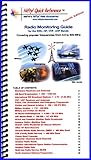
- A combined Shortwave and VHF / UHF scanning guide designed for the ham radio operator
- Condensed and practical guide to where the 'action' is found on the SWL, HF, VHF and UHF bands
- Ideal reference to Short Wave, Police, Fire, Aviation, Marine Radio and more
- Combines Shortwave Listening and VHF / UHF Scanning into one guide
- Laminated pages for durability and water resistance
Free-space path loss: a useful idealization
Free-space path loss describes signal spreading under an idealized set of assumptions: a perfect vacuum and no nearby objects. In that model, there is no medium resistance and nothing to reflect, refract, diffract, or absorb the radio wave. An isotropic radiator—a hypothetical antenna that radiates equally in every direction—is also an idealization, not a physically realizable antenna.
The model is useful for understanding and analyzing how distance-related spreading affects a radio link. It is not a field-range prediction by itself. Real environments introduce effects the ideal model excludes, including reflections, refraction, diffraction, absorption, and losses in actual equipment. A real link assessment must account for the environment and the characteristics of the antennas and system.
Noise, interference, and receiver sensitivity
A weaker received signal is not the only reason communication can fail. The receiver must distinguish the wanted signal from unwanted energy. Noise includes the thermal noise associated with receiver operation; interference comes from other signals or sources affecting reception.
Receiver sensitivity describes the minimum signal level at which a receiver can meet a specified communication requirement. It is not a standalone promise of range: the required level depends on whether the signal remains usable in the presence of noise and interference.
Free tools Windows power users keep installed
One-click scans. No signup required.
Best Value
Signal-to-noise ratio (SNR)
SNR compares the strength of a wanted signal with the noise accompanying it. A higher SNR generally makes it easier for a receiver to recover the transmitted information. In a practical link, interference can also impair reception, so assessing the signal against noise alone may not fully describe operating conditions.
Independent reader supportYour contribution helps us test, update, and keep practical guides available for everyone.How basic link analysis fits together
Link analysis asks whether the received signal will meet the receiver’s requirement under the assumed propagation conditions. It connects the signal launched into the link, antenna characteristics and system gains or losses, path loss, and the minimum signal level needed for reliable reception. The result must be considered alongside noise and interference, not treated as a distance figure in isolation.
- Define the service objective. Specify the required distance, area, or volume and the application’s capacity measure.
- Describe the propagation conditions. Decide whether an ideal free-space model is appropriate for the analysis, and identify environmental effects the model does not include.
- Account for antennas and system gains or losses. Use the characteristics of the actual link rather than assuming ideal radiators or lossless equipment.
- Set the receiver requirement. Identify the sensitivity needed for the intended communication and consider the required signal quality in the presence of noise and interference.
- Check coverage across the intended region. Determine whether the expected received signal remains adequate throughout the service area, rather than only at a convenient point.
A result based on ideal propagation assumptions should be read as an analytical baseline, not proof that a deployed link will work at the same distance. Environmental effects, equipment losses, and interference all influence actual reliability.
Further reading
This tutorial follows the introductory treatment in “The Radio Link—A Tutorial,” published by EE Times on October 5, 2011. The article is reprinted from Introduction to Wireless Systems by Bruce A. Black, Philip S. DiPiazza, Bruce A. Ferguson, David R. Voltmer, and Frederick C. Berry, with Pearson Publishing permission.
The Tool Desk
Outbyte Driver Updater FREEFix the driver behind crashes, sound loss and screen glitchesFind Drivers →Outbyte PC Repair FREERepair Windows errors before they cause bigger problemsFix Now →Quick Recap
Product prices and availability are accurate as of the date/time indicated and are subject to change. Any price and availability information displayed on Amazon at the time of purchase will apply.

