
iTechGuides is reader-supported. When you buy through links on our site, we may earn an affiliate commission. As an Amazon Associate I earn from qualifying purchases. Learn more
How long can HDMI cables be before signal loss? There is no universal maximum length: the reliable distance depends on bandwidth, resolution, refresh rate, cable construction, interference, and every device between the source and display. Use certified passive copper for short runs, active optical HDMI for many demanding long runs, and extenders for very long distances.
A passive HDMI cable carrying 1080p or 4K/60Hz may work reliably over a distance that fails when the same system is switched to 4K/120Hz, HDR, 10-bit color, or VRR. Distance is only one part of the signal-integrity equation.
Key takeaways
- The HDMI specification does not prescribe one universal maximum physical cable length.
- High Speed HDMI cables support up to 10.2 Gbps, Premium High Speed HDMI cables are certified for 18 Gbps, Ultra High Speed HDMI cables support up to 48 Gbps, and Ultra96 HDMI cables support up to 96 Gbps.
- HDMI problems usually appear as flicker, sparkles, audio interruptions, black screens, or lower negotiated settings—not as a gradually softer picture.
- Passive copper is the simplest choice for short runs, while active optical HDMI is usually more appropriate for long point-to-point 4K/120Hz or 8K connections.
- HDMI-over-Cat6/Cat6A or professional AV distribution is generally better than a very long direct HDMI cable for permanent, multi-room, or hundreds-of-feet installations.
What is the maximum HDMI cable length?
There is no single official maximum HDMI cable length. HDMI Licensing Administrator explains that maximum length depends on cable type and construction, rather than defining one distance that applies to every HDMI cable, source, display, resolution, or refresh rate.
Quick wins for a faster PC:
Clear out junk files and repair common Windows errorsFree Scan →Fix the driver behind crashes, sound loss and screen glitchesFind Drivers →The practical limit is the point at which the entire connection no longer has enough signal margin. That margin depends on:
Popular on Amazon
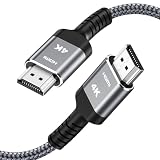
- HD HDMI Cable 30FT:4K*2K Ultra HD technology with resolution up to 3840 x 2160@60 Hz,support 4K,3D and multiple view video.Enjoy full HD crystal-clear TV sound quality while experiencing deep colors and high-resolution images
- High Speed 18Gbps Data Capacity: Highwings High Speed HDMI 2.0 Cable transmits the data onto the speed up to 18Gbps of bandwidth and can be compatible,Plug and play ,transmit audio,video and photos at lightning speed without having to wait for buffering
- Newest Technology HDMI 2.0 Cable:Highwing's 4K HDMI Cable meets the latest standard HDMI 2.0 Version,designed perfectly for all devices with HDMI 2.0 standard as well as being backwards compatible with previous HDMI 1.4,1.3,1.2
- Universal Compatibility: Support mirror and extended mode for different requirements.Compatible with PS3,PS4,HDTV,Blu-ray Player,Projector,4K TVs and displays from brands such as Samsung,Dell,LG,Panasonic.etc
- Life-Time Support: Our store promised you will get prompt response to 10 hours!You could purchase one with confidence because all costs covered in replacement process of this hdmi cable.Package Contents:1xPack (30FT )4K HDMI Nylon Braided Cable
- The bandwidth required by the video mode.
- Resolution, refresh rate, HDR, color depth, chroma format, and VRR.
- Passive copper, active copper, or active optical construction.
- Cable shielding, conductor quality, connector quality, and manufacturing consistency.
- Electrical interference and the installation environment.
- AVRs, soundbars, switches, splitters, wall plates, adapters, couplers, and other connection points.
- The electrical strength and compatibility of the source and display ports.
That is why claims such as “HDMI stops working at 15 feet” or “every passive HDMI 2.1 cable is limited to 5 meters” are too broad. A short, damaged, or poorly made cable can fail, while a well-designed longer cable may work in a less demanding setup.
How does HDMI signal loss happen?
HDMI carries high-speed electrical data, so a digital signal can still become unreliable over distance. A longer path increases attenuation and insertion loss, while connectors and poorly matched components can introduce reflections and impedance discontinuities.
Other common problems include:
- Attenuation: the signal becomes weaker as it travels through the cable.
- Insertion loss: energy is lost in the cable, connectors, couplers, and other components.
- Intersymbol interference: neighboring bits become harder for the receiver to distinguish.
- Jitter: timing becomes less precise.
- Crosstalk: signals interfere with nearby conductors.
- Electromagnetic interference: power wiring, motors, wireless equipment, and other electronics add noise.
- Impedance discontinuity: poor cable construction, connectors, or adapters create reflections that reduce signal quality.
HDMI normally has a digital cliff rather than a smooth analog decline. A connection may look perfect, then develop intermittent errors as its operating margin disappears.
The Tool Desk
Outbyte PC Repair FREEClear out junk files and repair common Windows errorsFree Scan →Outbyte Driver Updater FREEFix the driver behind crashes, sound loss and screen glitchesFind Drivers →Does a longer HDMI cable reduce picture quality?
A longer HDMI cable usually does not make a correctly received image gradually softer. A marginal HDMI link is more likely to produce sparkles, flicker, brief black screens, audio dropouts, loss of synchronization, or a complete “no signal” message.
A system can also remain apparently stable by negotiating a less demanding mode. For example, a marginal connection might work at a lower refresh rate, reduced color depth, or different chroma format. A cable that appears fine during a 4K/60Hz SDR test may fail when HDR, 120Hz, VRR, or a higher-quality color setting is enabled.
Which HDMI cable category should you buy?
The official cable category is generally more useful than a package that simply says “HDMI 2.0 cable” or “HDMI 2.1 cable.” The following bandwidth figures come from HDMI.org’s cable overview, reviewed August 16, 2026, and the HDMI specification materials linked below.
| Official cable designation | Bandwidth or capability | Typical use |
|---|---|---|
| High Speed HDMI Cable | Up to 10.2 Gbps | 1080p, 3D, Deep Color, and some 4K formats such as 4K/30Hz |
| Premium High Speed HDMI Cable | Certified for 18 Gbps | Many 4K/60Hz HDR systems, BT.2020, and expanded color formats |
| Ultra High Speed HDMI Cable | Up to 48 Gbps | HDMI 2.1-era applications such as 4K/120Hz and 8K/60Hz |
| Ultra96 HDMI Cable | Up to 96 Gbps | HDMI 2.2-era high-bandwidth applications |
HDMI.org describes Ultra High Speed HDMI Cable as the 48-Gbps category for bandwidth-intensive applications including uncompressed 4K/120Hz and 8K/60Hz. As of August 16, 2026, HDMI’s official materials identify Ultra96 HDMI Cable as the category associated with HDMI 2.2’s up-to-96-Gbps capability.
Free tools Windows power users keep installed
One-click scans. No signup required.
“8K,” “48Gbps,” “gaming HDMI,” and “HDMI 2.1” printed on packaging are not, by themselves, proof that a cable has passed the relevant certification test. For an Ultra High Speed cable, look for the applicable certification label and verification information. HDMI’s certification program tests each cable length of each model line for the Ultra High Speed designation; certification of one length does not automatically certify every other length sold by the brand. HDMI.org explains the Ultra High Speed certification requirements.
Is HDMI 2.1 the same as 48 Gbps?
No. HDMI 2.1 is a device and interface specification containing multiple features and optional capabilities; HDMI 2.1 branding does not guarantee that a device implements the full 48-Gbps data rate.
For a cable intended for 48-Gbps operation, look for the official Ultra High Speed HDMI Cable designation. Then check the source, display, AVR, switch, and other devices separately, because a certified cable cannot add capabilities that the connected hardware does not support.
Also popular on Amazon

- 4k HD Long HDMI Cable 15FT/4.5m: Innovative 4K HDMI Cable,built with gold-plated connectors to ensure high-speed and flawless signal transmission,4K*2K Ultra HD technology with resolution up to 3840 x 2160 @ 60 Hz for enjoying full HD crystal-clear TV sound quality
- High Speed 18Gbps Data Capacity: Highwings HDMI 2.0 Cable transmits the data onto the speed up to 18Gbps of bandwidth. Transmit audio,video and photos at lightning speed without having to wait for buffering.Plug and play without preinstalling drivers
- Newest Technology: Highwings HDMI 2.0 Cable meets the latest standard HDMI 2.0 Version,which has been tested and certified,Designed perfectly for all devices with HDMI 2.0 standard as well as being backwards compatible with previous HDMI 1.4 , 1.3 & 1.2
- High-quality Materials: We have improved our craft constantly and adopt a unique SR joint design at both ends to effectively prevent joint cracking,Can withstand more than 15,000 bends in strict laboratory test,easy-grip design make interfacing a breeze
- The ultimate perfectionist: Highwings every parts of the cable has been put through rigorous the performance tests in the laboratory. After we've combined every flawless part into a perfect 4K cable and it can be presented to you
How far can passive HDMI cables reliably run?
The following distances are practical planning ranges, not HDMI-certified maximums. Actual results vary with the required signal mode, cable model, source, display, connectors, and installation conditions.
Crashes, No Sound, or Screen Glitches?
Random freezes, missing sound and display glitches usually trace back to one bad driver. Find and replace yours safely.Free scan · under a minutePC Slower Than It Used to Be?
A free scan shows the junk files, broken settings and background clutter dragging Windows down - then fixes them in one click.Free scan · Windows 10 & 11| Run length | Practical starting point | Main caution |
|---|---|---|
| 0–6 feet 0–1.8 m |
Good passive copper; use Ultra High Speed for 4K/120Hz, HDR, or VRR | Even short cables can be defective or incompatible |
| 6–15 feet 1.8–4.6 m |
Certified passive cable; Premium High Speed for many 4K/60Hz systems and Ultra High Speed for 48-Gbps-class modes | Quality and required bandwidth matter more as length increases |
| 15–25 feet 4.6–7.6 m |
A certified passive cable may work; test the complete path before installation | 48-Gbps modes have less margin; avoid unnecessary couplers and wall plates |
| 25–50 feet 7.6–15.2 m |
Consider active copper or active optical HDMI, especially for 4K/120Hz or 8K | Retailer distance claims are not guarantees for every source, HDR mode, AVR, or refresh rate |
| More than 50 feet 15.2 m |
Plan an active optical, HDMI-over-Cat6/Cat6A, HDBaseT, fiber, or distribution solution | A direct passive cable becomes increasingly difficult to predict |
Runs under 6 feet
Short passive copper is normally the lowest-risk and simplest option for a streaming box, Blu-ray player, game console, AVR, soundbar, desktop PC, or nearby monitor. For 4K/120Hz, HDR, VRR, or another 48-Gbps-class mode, choose a certified Ultra High Speed HDMI Cable rather than relying on a generic “4K” label.
Runs from 6 to 15 feet
Good passive copper commonly works at this distance, but the required mode still matters. A certified Premium High Speed cable suits many 4K/60Hz systems, while a certified Ultra High Speed cable is the appropriate starting point for 4K/120Hz, 8K/60Hz, and VRR-capable systems.
Runs from 15 to 25 feet
This range is more system-dependent, especially at 48 Gbps. Test the exact source-to-display path before hiding the cable behind a wall or ceiling. Remove unnecessary couplers and keep a short, known-good cable available for diagnosis.
Runs from 25 to 50 feet
Active optical HDMI becomes the more prudent choice for demanding 4K/120Hz, HDR, VRR, or 8K connections. Passive copper can work in some setups, but a listed distance is a product capability—not a universal promise that every source, display, AVR, and signal format will work.
What’s actually slowing this PC down?
Pick the symptom - the matching free tool is one click away.
For example, current Monoprice listings include certified 48-Gbps active optical HDMI products in lengths of approximately 24, 49, 65, and 100 feet. Monoprice’s HDMI category shows the available product range; availability and pricing can change.
Runs longer than 50 feet
At more than 50 feet, treat the job as an installation design rather than simply buying a longer passive HDMI cable. Active optical HDMI can suit a point-to-point connection, while HDMI-over-Cat6/Cat6A, HDBaseT, fiber-based distribution, or HDMI-over-IP may be more appropriate where the cable path is permanent or multiple displays are involved.
Runs of hundreds of feet
A conventional direct HDMI cable is generally the wrong architecture for hundreds of feet. Use a purpose-built extender or distribution system and verify resolution, refresh rate, HDR, chroma, HDCP, ARC/eARC, CEC, EDID management, maximum Cat6/Cat6A or fiber distance, and local power requirements.
Why does 4K/120Hz fail when 4K/60Hz works?
4K/120Hz can require substantially more bandwidth and signal integrity than 4K/60Hz, so a marginal cable or intermediate device may pass 4K/60Hz but fail at 4K/120Hz. HDR, 10-bit or 12-bit color, RGB or 4:4:4 chroma, and VRR can increase the demands further.
Not every 4K/120Hz configuration uses the same bandwidth. The actual requirement varies with chroma subsampling, color depth, HDR format, display timing, compression or transport method, and the implementation of the source and display.
Also popular on Amazon

- Top Technology----8K@60HZ: This 8K Ultra High Speed HDMI Cable uses the most cutting-edge technology, is compatible with 8K@60HZ and 4K@120HZ, clearly displays every particle, and accurately processes every signal source.
- Upgrade Revolution: Highwings Ultra High Speed HDMI Cable supports 48Gbps (6GB/s) which can will no longer be stuck or dropped frames when watching video. It is also backward compatible with HDMI 2.0b/2.0a/1.4/1.3/1.2/1.1 versions.
- For Game Enthusiasts: This 8K Ultra High Speed HDMI Cable can achieve a super smooth picture of 4K@120HZ. Its latest game mode supports variable refresh rate, maximizes the value of the graphics card and CPU to obtain a smoother and more detailed picture.
- Reinforced high-quality materials: This 8K HDMI Cord uses Highwings' most popular classic style. The tail's anti-bending design has been upgraded to make it more durable. The military grade tensile nylon material also greatly extends its life.
- Clear Size Information: This HDMI cable has a total length of 14.76ft (450cm) and a middle cable length of 14.4ft (439cm). Please note that the cable is relatively short, making it ideal for devices that are placed close to each other, such as connecting a laptop to a nearby monitor or a game console to a TV in a compact space
| Signal example | Why the run may be easy or difficult | What to verify |
|---|---|---|
| 1080p/60Hz | Usually less demanding than modern 4K gaming modes | Basic High Speed capability and ordinary compatibility |
| 4K/60Hz SDR | Often manageable over short and moderate certified passive runs | Required color format and the 18-Gbps path |
| 4K/60Hz HDR | HDR may increase color-depth or format requirements | HDR format, color depth, chroma, AVR or switch pass-through |
| 4K/120Hz HDR with VRR | High bandwidth and tighter signal margin make long passive runs more difficult | Ultra High Speed certification, port capability, VRR, HDR, and complete-path testing |
| 8K/60Hz | High bandwidth; implementation and compression details matter | Ultra High Speed support, source/display capability, chroma, HDR, and distance |
| HDMI 2.2-era modes | May require the newer 96-Gbps cable category | Whether the actual devices need Ultra96 rather than merely offering newer branding |
Which HDMI connection type is best for a long run?
The best connection type depends on whether the run is short and replaceable, long and point-to-point, or permanent and part of a larger installation.
| Connection type | Best fit | Advantages | Trade-offs |
|---|---|---|---|
| Passive copper HDMI | Short consumer connections | Low cost, simple, usually bidirectional, no active electronics or separate power | Signal margin decreases as length and bandwidth rise |
| Active copper HDMI | Moderate distances | Can extend useful distance beyond ordinary passive copper | May be directional, electronically complex, and limited at the highest bandwidths |
| Active optical HDMI | Long point-to-point 4K/120Hz, HDR, VRR, or 8K runs | Lower attenuation over long distances and less susceptibility to electromagnetic interference along the fiber section | More expensive, often directional, may require USB power, and may have eARC, CEC, or compatibility limits |
| HDMI-over-Cat6/Cat6A or HDBaseT | Permanent structured-cabling installations | Replaceable network cable, easier routing, suitable for longer paths | Requires transmitter and receiver hardware; features depend on the exact extender |
| HDMI-over-IP | Large commercial or multi-display systems | Scalable centralized distribution | More network, HDCP, latency, compression, and configuration complexity |
When is passive copper the right choice?
Choose passive copper when the run is short, the required signal mode is known, there are few intermediate devices, and the cable remains accessible for replacement. Passive copper is inexpensive, simple, and normally does not need a separate power connection.
When should you choose active optical HDMI?
Choose active optical HDMI when a long point-to-point run must carry demanding formats and a fixed-length, directional cable is acceptable. Active optical cables can reduce long-distance transmission loss, but active optical HDMI cables still contain electronics in their connectors and are not automatically compatible with every eARC, CEC, HDCP, VRR, or low-power source arrangement.
Cable Matters lists certified active Ultra High Speed fiber HDMI cables for 48-Gbps-class applications, including 4K/120Hz and 8K. The manufacturer also offers longer variants, including an approximately 49.2-foot product. Check the exact model documentation for length, direction, power, and supported features rather than generalizing from the product family.
When is HDMI-over-Cat6/Cat6A better?
HDMI-over-Cat6/Cat6A is often preferable for a permanent installation where replaceable structured cabling matters. The extender pair—not the Cat6 or Cat6A cable alone—determines support for 4K/60Hz, 4K/120Hz, HDR, Dolby Vision, VRR, HDCP, eARC, and CEC.
A product described only as a “4K extender” may support 4K/60Hz but not 4K/120Hz, full 4:4:4 color, VRR, or eARC. Confirm every required feature in the exact transmitter and receiver documentation.
How can you tell whether an HDMI cable is too long?
A cable may be too long for the required mode when the connection becomes unstable or falls back to a lower mode, but the same symptoms can come from an AVR, switch, display port, source port, power problem, EDID negotiation, HDCP, or firmware issue.
- Intermittent white “sparkles” or pixel errors.
- Flickering or repeated brief black screens.
- Audio interruptions while video continues.
- Loss of HDR, VRR, high refresh rate, or color depth.
- The display reports “no signal” after changing inputs or modes.
- The connection works at 4K/60Hz but fails at 4K/120Hz.
- The connection works until HDR, Dolby Vision, or VRR is enabled.
- eARC or ARC audio cuts out even though an image remains visible.
These symptoms indicate an unstable end-to-end link, not proof that the cable alone is defective. A very short cable can fail because of a damaged connector, poor termination, contamination, or device incompatibility.
How do you troubleshoot a failing long HDMI run?
Follow the steps below in order. The goal is to identify whether the failure is caused by bandwidth, the cable, an intermediate device, a port, power, or handshake behavior.
- Record the exact target signal. Note the source, display or projector, AVR or soundbar, switch, splitter, capture device, cable length, cable type, resolution, refresh rate, HDR status, color depth, chroma or RGB setting, VRR status, and ARC/eARC requirement.
- Bypass intermediate equipment. Connect the source directly to the display with the shortest known-good cable. If the problem disappears, reconnect the long cable, AVR or soundbar, switch or splitter, wall plates and couplers, and adapters one at a time.
- Test a lower-bandwidth mode. Temporarily disable 120Hz, HDR, VRR, 10-bit or 12-bit color, RGB or 4:4:4 output, and demanding HDR formats one at a time. Stability at a lower setting suggests a bandwidth or signal-margin problem.
- Confirm active-cable direction. Many active optical HDMI cables label one connector “Source” and the other “Display,” “TV,” or “Sink.” Reversing a directional cable can cause total signal loss or instability.
- Remove unnecessary connection points. Eliminate HDMI couplers, wall plates, right-angle adapters, extension leads, unneeded switches, and low-quality splitters. Every added connection can reduce signal margin.
- Check power requirements. Some active cables draw power from the HDMI port, while others use USB or an external connection. A low-power streaming device, AVR, or switch may not provide enough power for the cable.
- Test each HDMI port. A display may have only one port supporting its newest bandwidth or gaming features. AVRs and switches can also limit particular inputs or outputs. Check the device manuals instead of assuming all HDMI ports are equivalent.
- Substitute a certified cable. Use the shortest cable that completes the installation. For 48-Gbps operation, use a certified Ultra High Speed HDMI Cable and verify the certification label or product verification information.
- Change the architecture if necessary. If a certified passive cable remains unreliable, try active optical HDMI, a full-featured HDMI-over-Cat6/Cat6A extender, a source located closer to the display, local AVR or switch placement, fiber, or professional AV distribution.
Can HDMI cables be joined together?
Yes, HDMI cables can be joined with couplers or other connection hardware, but every connector, wall plate, switch, splitter, and adapter adds another possible point of loss, reflection, or compatibility trouble.
Also popular on Amazon

- 【Crystal-Clear Visuals: Experience Unmatched 8K Clarity】 Elevate your home entertainment with our 8K HDMI cable 15ft . Supporting 48Gbps High Speed, indulge in seamless transitions between 8K@60Hz and 4K@120Hz resolutions for crystal-clear visuals. Experience the vibrancy of Dynamic HDR, immersive 3D visuals, and HDCP2.2 & 2.3 compliance for an unparalleled viewing experience
- 【Gaming Excellence: Elevate Your Gaming with Next-Level Performance】 Our enhanced 8K long HDMI cable amplifies gaming experiences. Featuring an advanced audio return channel (eARC), enjoy superior high-definition audio compared to standard 4K cables. Bid farewell to picture freezes and tears with Variable Refresh Rate (VRR) support, ensuring smoother gameplay. This 15 ft HDMI cable is your ultimate choice for exceptional gaming performance across all compatible devices
- 【Seamless Compatibility: Versatile Connections Across Devices】 Backward compatible from HDMI versions 2.1 to 1.1, our 8K HDMI 2.1 cable 15 ft seamlessly connects laptops, Blu-ray players, HDTVs, monitors, Series X/S, CX C9 B9, AMD, Nvidia RTX 3080/3090, and various HDMI output devices. Immerse yourself in the latest high-bitrate audio formats including DTS Master, DTS:X, Atoms, and enhanced Audio Return Channel (eARC) across various setups, from 4K/8K UHD TVs to projectors and A/V Receivers
- 【Durable Performance: Sleek & Durable Copper Build for Longevity】 Crafted with advanced copper wire technology, our HDMI 15ft cable ensures greater bandwidth and durability. Experience minimal signal attenuation, superior interference resistance, and increased carrying capacity compared to traditional wires. It's the ideal choice for pre-built HDMI 2.1 cables, ensuring long-term performance without future cable replacement costs during home upgrades
- 【Lifetime Support & Precision: Quality Assurance and Bidirectional Transmission】 At Highwings, quality and customer support are top priorities. Enjoy lifetime support with our 8K long HDMI cable 15 ft. Our customer service team is available within 13 hours to assist with any cable-related issues. Remember, our cables support bidirectional transmission and are designed for optimal performance, ensuring the perfect picture on your chosen display device
For a marginal long run, remove all couplers and wall plates first. Connect the source directly to the display, test the cable, and add components back one at a time. A single additional connection can be enough to push a high-bandwidth link past its reliable margin.
Do these 3 things before closing this tab:
1Repair Windows errors before they cause bigger problems2Fix the driver behind crashes, sound loss and screen glitches3Clear out junk files and repair common Windows errorsDo HDMI boosters solve long-distance problems?
No. An active repeater or booster can restore signal margin in some systems, but a booster must support the complete desired signal rather than merely advertising “4K.”
Potential booster problems include HDCP handshake failures, EDID incompatibility, CEC failures, HDR or VRR limitations, power problems, and another set of connectors that can fail. A repeater is worth considering only after checking its exact support for resolution, refresh rate, HDR, chroma, HDCP, VRR, ARC/eARC, and CEC.
What should you buy for a long HDMI run?
Buy for the required bandwidth and complete signal path, not for the longest distance printed on a package.
| Situation | Recommended starting point | Buying checks |
|---|---|---|
| Under 6 feet | Certified passive HDMI | Ultra High Speed for 4K/120Hz, HDR, or VRR; Premium High Speed for many 18-Gbps systems |
| 6–15 feet | Certified passive HDMI | Match the official category to the required signal and keep the cable no longer than necessary |
| 15–25 feet | Certified passive, active copper, or active optical HDMI | Test the complete path before installation and avoid unnecessary connection points |
| 25–50 feet | Usually active optical HDMI for demanding modes | Direction, power, exact length, certification, HDR, VRR, HDCP, eARC, and return policy |
| More than 50 feet | Active optical, HDMI-over-Cat6/Cat6A, HDBaseT, or fiber distribution | Distance, feature support, endpoint power, EDID, HDCP, and replaceability |
| In-wall, multi-room, or commercial | Structured cabling, extender, fiber, or professional distribution | Code-compliant cable rating, serviceability, pathways, control, and installation support |
For a short cable, certification, correct length, and a practical return policy matter more than a high retail price. Gold-plated connectors, oversized housings, decorative braiding, and “audiophile” language are not evidence that a cable supports higher bandwidth.
For an active optical cable, confirm the source and display ends, power method, exact product length, and support for eARC, CEC, HDCP, HDR, VRR, and the required refresh rate. Active optical HDMI cables are usually directional and cannot normally be field-terminated like network cable.
For an in-wall installation, distinguish physical length from the full electrical path, including patch connections. Check local building and fire-code requirements, including whether CL2, CL3, CMP, or an equivalent rating is required. A consumer HDMI cable that works on the floor should not automatically be installed inside a wall.
What are the most common HDMI cable myths?
“HDMI cables have a 15-foot limit.”
That is too simplistic. The HDMI specification does not define one universal maximum length, and practical performance varies by cable construction, bandwidth, source, display, and intermediate hardware.
“Digital cables either work or do not work.”
A marginal HDMI link can work only at a lower refresh rate, lose HDR, drop from 12-bit to 10-bit or 8-bit color, disable VRR, flicker intermittently, or fail only after a different mode is negotiated.
Recommended Free Tools
“HDMI 2.1 guarantees 48 Gbps.”
HDMI 2.1 branding does not guarantee full 48-Gbps device capability. The cable category to seek for 48-Gbps operation is Ultra High Speed HDMI Cable, and the connected devices must support the desired mode separately.
Also popular on Amazon

- UHD HDMI 2.1 Cable 25FT: Meets the newest standard HDMI 2.1 Version and charactrize by 3 times transmission speed more than Ultra HD 4K, less lag, stuck and flick. This HDMI cord is also backward compatible with HDMI 2.0b/2.0a/1.4/1.3/1.2/1.1 version
- Supports 8K Video and More: This hdmi to hdmi cable 25+ FT supports 3D, Ethernet, 8K@60Hz, 4K@120Hz, 2K, 1080P, 48Gbps bandwidth, 48 bit/px HDR color depth, TrueHD 7.1 and new features such as eARC, VRR, QFT, QMS, ALLM, DSC, and more
- Universal Compatiblility: The 8k Long hdmi cable 25 feet is compatible for all of HDMI devices, e.g., HDTV, Laptop, Monitor, ps-5, X-box, Projector, Entertainment/Sound/Video Conference System, Blu-ray players, and more. Fits for home and office, indoor and outdoor
- Durable Design: The SR Flexible Strength Design, 24K gold-plated ports and military-grade tensile nylon can ensure that this 8k hdmi cord withstand up to 25,000 flex times and accurately transmits signals, greatly extending use life
- Strict Quality Control: Our HDMI 2.1 cables 25 feet have been put through rigorous performance tests in the laboratory before delivery. One 25 foot 8K HDMI cable in the box
“Any cable marked 8K will work.”
“8K” is a marketing description unless the cable has an appropriate official designation, verified bandwidth, and a suitable end-to-end system. The label alone does not prove 8K/60Hz, HDR, 4:4:4, VRR, or other feature support.
“Fiber solves every long-distance problem.”
Active optical HDMI reduces transmission problems over many long runs, but active optical cables still contain electronics and can have direction, power, handshake, eARC, CEC, and device-compatibility limitations.
“The most expensive HDMI cable is always best.”
Price alone is not a reliable indicator of performance. A short, certified cable suited to the required bandwidth is usually a better choice than an expensive unverified cable.
The Tool Desk
Outbyte Driver Updater FREEFix the driver behind crashes, sound loss and screen glitchesFind Drivers →Outbyte PC Repair FREEClear out junk files and repair common Windows errorsFree Scan →Does HDMI cable length affect eARC?
Yes, HDMI cable length can affect eARC indirectly because eARC depends on the compatibility and reliability of the entire HDMI connection between the display, AVR, soundbar, or source chain.
A marginal cable may display video while causing audio dropouts, failed eARC negotiation, or audio-format switching. Test eARC separately rather than assuming that a visible picture proves every HDMI function is reliable. Verify eARC support for the exact active optical cable or extender model.
Frequently Asked Questions
Can a 10-foot HDMI cable handle 4K/120Hz?
A 10-foot HDMI cable can handle 4K/120Hz if the cable is appropriate for the required bandwidth and the complete source-to-display path is compatible. Use a certified Ultra High Speed HDMI Cable for 48-Gbps-class operation rather than relying only on a “4K” or “HDMI 2.1” label.
Is a 100-foot HDMI cable too long?
A 100-foot passive HDMI cable is not automatically impossible, but a direct passive copper run at that distance is difficult to predict, especially for 4K/120Hz or 8K. Active optical HDMI, HDMI-over-Cat6/Cat6A, HDBaseT, or a professional distribution system is usually a more prudent design.
Why does HDMI audio cut out while the picture keeps working?
HDMI audio can cut out while video continues because of eARC or ARC negotiation, CEC problems, AVR or soundbar compatibility, or a marginal cable. Test the audio path separately and bypass intermediate devices before replacing every component.
Do gold-plated HDMI connectors improve picture quality?
Gold-plated HDMI connectors are not general evidence of higher bandwidth or better picture quality. Certification, correct cable category, suitable length, connector quality, and complete-path compatibility are more important selection criteria.
The Bottom Line
The useful question is not “How many feet can HDMI reach?” but “How much bandwidth must the entire connection carry, and how much signal margin does the run have?” Use a certified passive cable for the shortest practical connection, a certified Ultra High Speed cable for 48-Gbps-class modes, active optical HDMI for many long point-to-point runs, and HDMI-over-Cat6/Cat6A or professional distribution when the distance or installation complexity demands it.

