
Quick wins for a faster PC:
Fix the driver behind crashes, sound loss and screen glitchesFind Drivers →Repair Windows errors before they cause bigger problemsFix Now →Scan for outdated or missing drivers - takes under a minuteDriver Scan →iTechGuides is reader-supported. When you buy through links on our site, we may earn an affiliate commission. As an Amazon Associate I earn from qualifying purchases. Learn more
The best streaming lights of 2026 depend on your setup: Elgato Key Light Neo is the simplest compact webcam light, NEEWER GL25B is the strongest value panel to investigate, and amaran 100d S with a softbox is the better choice for serious YouTube work. No single light is best for every desk, camera, or room.
This shortlist is based on manufacturer specifications, current US price signals checked on August 16, 2026, and a use-case comparison—not a completed hands-on lab test. Before publication, output, skin-tone rendering, flicker, fan noise, software reliability, and mount stability should be measured under controlled conditions. Prices and availability can change, and manufacturer lux figures are not directly comparable unless distance, diffuser, reflector, and power source match.
Key takeaways
- Elgato Key Light Neo is the most practical starting point for a laptop or webcam desk because it is compact, above 94% CRI, adjustable from 2,900K to 7,000K, and rated for up to 1,000 lumens only with a suitable 3A power source.
- NEEWER GL25B offers a larger diffused panel, claimed 2,300 lux at 0.5 m, 1,400 lumens, CRI 98+, fanless cooling, a remote, and computer control, with a US price signal of $99.99 when checked.
- amaran 100d S produces much more usable light than a small desk panel, but the 100W daylight fixture needs a stand and Bowens-mount softbox for a complete face-lighting setup.
- RGB is primarily an ambience feature: use neutral or tunable white light for the face and RGB behind or beside the subject unless colored facial lighting is an intentional creative effect.
- One light can work for a single webcam subject, while two lights usually improve shadow control; a two-person shot, green screen, or wide YouTube frame may need more coverage.
Which streaming light should you buy?
The right streaming light is determined more by camera distance, room size, mounting space, and desired softness than by the brightest headline specification.
Crashes, No Sound, or Screen Glitches?
Random freezes, missing sound and display glitches usually trace back to one bad driver. Find and replace yours safely.Free scan · under a minuteWindows Errors? Fix Them Before They Spread
Repair common Windows errors and clear accumulated junk for a smoother, more stable PC - no reinstall needed.Free scan · no reinstall| Reader or setup | Best light type | Why it fits | Main compromise |
|---|---|---|---|
| Laptop webcam or small desk | Monitor-mounted panel | Small, close to the camera, and easy to position | Limited output and directional control |
| Twitch gaming desk | Edge-lit panel with software control | Easy brightness and color changes while streaming | App or ecosystem dependence |
| TikTok or vertical phone video | Adjustable panel or ring light | Simple to reposition as framing changes | Ring lights can produce flatter-looking faces |
| YouTube talking head | COB light with softbox | More output, softness, and beam-shaping control | Requires a stand, modifier, and more space |
| Product demonstrations | Large panel or COB with modifier | Better coverage and shadow control | Higher footprint and cost |
| RGB-focused gaming room | White key light plus separate RGB accent | Preserves accurate face lighting while adding ambience | Requires more equipment |
| Travel or portable setup | USB-C or battery-capable light | Easy to move and power | Usually lower sustained output |
| Two-person or wide shot | Large panel or two lights | Provides more even coverage across faces | Needs more space and budget |
Is Elgato Key Light Neo the best small webcam light?
Elgato Key Light Neo is the best practical fit for many single-person webcam setups because its compact edge-lit design, monitor-friendly mount, adjustable white light, and optional software control solve the common problems of a small desk.
Popular on Amazon

- 【MULTIPLE COLOR TEMPERATURE & ADJUSTABLE BRIGHTNESS】There are 3 Color temperatures (2800K, 4800K & 6500K) which offer different lighting atmosphere; This Studio Light is equipped with 356 Led beads which offers a stable and ample output of 15W. Features a high CRI of 97+ for precise color rendering. Adjust the brightness in a range of 10 to 100% with button up and down on remote to meet different photography circumstances, offering extra lighting for your works.
- 【LIGHT PANEL & POWER CABLE】The 10” (25.5 cm) x 7.8” (19.8 cm) LED light panel with compact design allows you to carry around conveniently with durable storage bag. Thickened light shell works a diffusion, making the lighting more softer. Ideal USB port for powering the device with 5V, 2A DC wall charger(not include) or power bank. Comes with USB-C adapters that allows you to power the device with cell phone or laptop.
- 【HEIGHT ADJUSTABLE TRIPOD】The tripod of the video light adopts durable but lightweight aluminum with powder sprayed layer, looks chic and classic. The light stand can be raised up to 60”. Folded size 17", perfect to store and carry. Adjust the height flexibly with 3 screw knobs loosen and tighten. Attach and detach the light panel easily with the 1/4" threads on the top of the tripod. Loosen the screw on side to rotate the light panel angle in range of 180°, tighten it when get suitable angle.
- 【WIDE APPLICATION】Essential equipment for Photo Studio, Video Recording, Photography, Low Angle Close Shooting, Portrait, Live Stream, Vlogging taking, Youtube Podcast Applications. Light weight and durable design allow you to carry around conveniently and move easily.
- 【Package List & Customer Service】There will be 2 LED studio light panels with cable. adjustable tripod stand for each light panel, 1 user manual, 1 storage bag, 2 USB-C adapters. Whatever issues you meet during the usage or any defects arise, rest assured that we are here to assist you.
The US Elgato product page listed the white model with mount at $59.99 when checked on August 16, 2026. A black listing displayed $89.99, so confirm the color, bundle, and current price before buying. Elgato lists brightness of 400 lumens over USB-A at 4.5W, 700 lumens over USB-C at 7.5W, and up to 1,000 lumens at up to 12W when supplied by a 3A power source. The power qualification matters: a laptop port or low-power hub may not deliver maximum output.
Elgato Key Light Neo is rated above 94% CRI and offers a 2,900K–7,000K color range. The light weighs 246 g and measures 38 × 150 × 150 mm according to Elgato’s specifications. USB-C and Wi-Fi control are available, with Wi-Fi support for 2.4GHz and 5GHz networks, while Control Center is optional rather than mandatory.
Choose Key Light Neo for a laptop, monitor webcam, or compact streaming desk. Do not choose it as the default for a camera several feet away, a two-person shot, or a room that needs significant background illumination. A larger panel or COB fixture will provide more working headroom.
Is NEEWER GL25B the best value streaming panel?
NEEWER GL25B is the most promising value-oriented larger panel in this shortlist because it combines a diffused 25W panel, claimed high color rendering, a desktop stand, remote control, and computer control at a listed price of $99.99 when checked.
NEEWER lists 1,400 lumens and maximum illuminance of 2,300 lux at 0.5 m, along with CRI 98+ and adjustable color temperature from 2,900K to 7,000K. The figures are manufacturer claims and should not be treated as directly comparable with measurements taken at another distance or with another modifier.
The GL25B uses 176 LEDs behind a diffuser and fanless cooling. The package includes a desktop stand, ball-head adapter, power adapter, and 2.4G remote. Computer control uses a removable 2.4G USB transmitter and NEEWER Control Center; NEEWER says this connection does not require internet. That offline control approach may be more dependable during a livestream than a light that relies entirely on Wi-Fi, although pairing and reconnection still need testing.
NEEWER GL25B is a sensible alternative to a small monitor light when the subject sits farther from the camera or needs a broader soft source. Recheck stock and regional pricing because NEEWER’s product pages can show changing availability.
What is the best conventional light for YouTube?
The amaran 100d S is the better starting point for serious YouTube talking-head, product, and small-studio work when the buyer accepts the cost and space of a stand and softbox.
The 100d S is a 100W daylight point-source LED fixed at 5,600K. Amaran lists CRI 96+, TLCI 99+, TM-30 Rf 96, and TM-30 Rg 103. Those metrics describe color performance more completely than quoting CRI alone, although a camera sample remains important because camera profiles, white balance, exposure, and skin tone all affect the visible result.
Also popular on Amazon

- Soft & Uniform Desk Lamps for Office -Weilisi full-screen desk light provides enough uniform & diffused light, restores natural light, and No Shadow to enhance your subject's features, creating a workspace ideal for video conferences and detailed tasks
- Upgrade Flexible Height Design -Also as a desk lamps for home office, is designed with telescoping stand, an extendable pole length is 11.42in, this desk lighting makes your workspace or webcam setup optimal coverage
- 360° Rotating Key Light -Ring light for desk can rotate 360°, rotating any angles for light direction, desk lamp with clamp suitable for your work in different positions on the desktop as you need, as desktop light, laptop light, webcam light, computer light etc
- 180° Adjustable Light Head -Ring light for laptop with lighting head can 180° adjust angle, like top-down easy to use for video recording, live streaming, reading, baking etc. Let your application affect to better
- Stable & Space-Saving -UPGRADE Big metal C-clamp ring light with stand, can be adjusted to a maximum clamp width of 2.34 inches, has non-slip silicone base to prevent scratches on the desktop, and make your desk look cleaner and tidier
Amaran advertises 4,060 lux at 1 m without an accessory and 34,600 lux at 1 m with its Hyper Reflector. The Bowens mount accepts modifiers such as softboxes, grids, and reflectors. A softbox increases the apparent source size and generally creates softer, more flattering facial shadows than a bare point source.
The US-facing product page showed a price of $159, reduced from $199, when checked. The fixture does not include every part required for a complete desk or studio setup. Add a light stand, Bowens-mount softbox, and possibly a grid or sandbag when calculating the real cost. The 100d S uses active cooling, so fan noise must be measured at the microphone position before it is recommended for quiet livestreams.
The Tool Desk
Outbyte Driver Updater FREEScan for outdated or missing drivers - takes under a minuteDriver Scan →Outbyte PC Repair FREEClear out junk files and repair common Windows errorsFree Scan →amaran 100d S is a poor fit for a cramped laptop desk, battery-only workflow, or creator who wants a silent, cable-light setup. It is a better long-term option for camera upgrades, product shots, larger rooms, and two-person coverage.
Which streaming light is best for RGB gaming setups?
Razer Key Light Chroma is the strongest ecosystem-oriented choice for a creator who specifically wants RGB effects alongside adjustable white light, while Logitech G Litra Beam LX is the more unusual compact option because its two sides serve different purposes.
Razer Key Light Chroma offers white-light adjustment from 3,000K to 7,000K and control through Razer Synapse and the Razer Streaming mobile app. Razer’s ecosystem can be useful for gaming desks already using Synapse, but software reliability, operating-system compatibility, account requirements, offline operation, and physical-control fallback should be checked before relying on the light during a broadcast.
Logitech G Litra Beam LX places the white key light on one side and LIGHTSYNC RGB accent lighting on the other. The long, slim desk-light design makes the product versatile as a desk accessory, but the narrow geometry should be checked for even facial coverage at the intended camera distance. The Litra Beam LX is not a substitute for a large diffused studio source in a wide or two-person shot.
Do these 3 things before closing this tab:
1Scan for outdated or missing drivers - takes under a minute2Repair Windows errors before they cause bigger problems3Fix the driver behind crashes, sound loss and screen glitchesRGB is usually more useful behind the subject, on a wall, or as a rim/accent light than directly on the face. Colored key light can contaminate skin tones and green-screen edges. RGB remains worthwhile for gaming streams, music content, reaction videos, and branded backgrounds where the color is an intentional part of the look.
Is amaran Verge a good compact alternative?
amaran Verge is a useful compact panel alternative for creators who want soft edge-lit output and app control without moving to a full COB setup.
The standard Verge is a 26W edge-lit panel with a 2,700K–6,500K range and an advertised 3,160 lux at 0.5 m. The observed US price was $79. Amaran says the standard model can be controlled onboard or through the amaran app/Sidus Link.
Also popular on Amazon
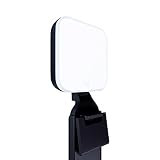
- Natural skin tones, radiant look: Logitech’s TrueSoft technology delivers balanced, full-spectrum LED light with cinematic color accuracy and optimal lighting for video conferencing or Zoom meetings
- Wide, flattering light: Litra Glow's frameless diffuser radiates wide, soft light that flatters the subject and eliminates harsh shadows in any setting, providing flawless webcam lighting
- Safe for all-day streaming: Whether gaming, podcasting or broadcasting, Litra Glow adjustable LED light has cleared even the strictest UL testing guidelines for all-day streaming*
- Freedom of light placement: Patent-pending, 3-way monitor mount with adjustable height, tilt, and rotation for precise light positioning on your desktop computer or laptop
- Fine-tune your on-camera look: Adjustable brightness and color temperature settings help you quickly achieve the video look you want, from warm candlelight to cool blue
The Verge Max Kit is a different class of product rather than merely a brighter version of the standard Verge. The Max is rated at 60W and an advertised 7,070 lux at 0.5 m, with a price observed at $259. Its larger, heavier form changes the mounting and desk-space requirements.
Free tools Windows power users keep installed
One-click scans. No signup required.
amaran Verge makes more sense for a small studio that values a soft modern panel and app control. Choose a COB with a softbox instead when you need beam shaping, substantially more output at distance, or a path toward a larger video setup.
What about Elgato Key Light, NEEWER GL1 Pro, and BenQ ScreenBar?
These products address different priorities, so they should not be placed in one undifferentiated ranking.
| Product | Useful specification or feature | Best fit | Important limitation |
|---|---|---|---|
| Elgato Key Light | Up to 2,800 lumens, up to 45W, 2,900K–7,000K, above 94% CRI | Larger Elgato desk or studio setups | Less compact; current model status, stock, and price should be rechecked in 2026 |
| NEEWER GL1 Pro | 2,900K–7,000K, 0–100% dimming, advertised 3,700 lux at 0.5 m | Users interested in a larger panel and Stream Deck-oriented control | Integration and software behavior require hands-on verification |
| BenQ ScreenBar | Designed primarily for desk illumination; BenQ cites 500 lux coverage | Reducing a dark desk or work area | Not a dedicated facial key light |
| BenQ ScreenBar Lite | Designed for laptop or desk illumination; BenQ lists CRI Ra above 88 and 500 lux coverage | Portable work-area lighting with modest face-lighting needs | Should not automatically be ranked against streaming key lights |
The full-sized Elgato Key Light remains relevant for buyers who want more output than Key Light Neo, but Elgato’s comparison information and model availability should be checked again at publication because the family is changing.
NEEWER GL1 Pro is listed with a desk stand for desks approximately 0.4–3 inches thick and approximately 13.8–23.6 inches of height adjustment. NEEWER’s collection page showed a $139.99 sale price against a $189.99 comparison price when checked. Treat the sale price as temporary, and test whether Stream Deck compatibility is native, plug-in based, or dependent on other software.
Recommended Free Tools
BenQ’s ScreenBar and ScreenBar Lite can make a desk less visually dark, but their primary design goal is work-surface illumination. A creator who needs flattering face light should buy a dedicated panel or COB fixture instead.
How should you choose between a panel and a COB light?
A panel is usually the better choice for a small desk and webcam, while a COB light with a softbox is usually the better choice for output, shaping, and future camera upgrades.
| Characteristic | Panel | COB plus softbox |
|---|---|---|
| Desk use | Usually straightforward with a monitor clip, clamp, or tabletop mount | Usually needs a stand and more floor or desk space |
| Softness | Often diffused and usable close to the face | Very soft when paired with a suitably large softbox |
| Output at distance | Usually limited as distance increases | More output headroom for cameras, rooms, and wide shots |
| Beam shaping | Limited on many compact models | Bowens modifiers, grids, reflectors, and other shaping options |
| Noise | Often fanless, but verify rather than assume | Active cooling is common and must be measured |
| Color flexibility | Many models offer tunable white light | Daylight-only models need gels or a different fixture to match warm rooms |
| Total cost | Mount and adapter may be included | Budget for fixture, stand, softbox, and possibly grid or sandbag |
Brightness alone does not determine image quality. Lumens describe total light output, while lux describes illumination on a surface at a particular distance. Beam angle, diffuser size, reflector, and power source all change the result. A small bright source can still create hard shadows; a larger diffused source can look softer at the same subject distance.
How bright should a streaming light be?
Start with the light close to the subject at low brightness, then move it farther away only when the coverage or background separation requires it. A face that is too bright or harsh should not be fixed automatically by lowering camera exposure, because lowering exposure can darken the room and increase the apparent contrast.
What’s actually slowing this PC down?
Pick the symptom - the matching free tool is one click away.
Also popular on Amazon

- 【Best Light Effect CRI 97+】This slim and lightweight LED light will brighten up your beauty in front of the pictures, webcam, makeup, selfies, video conferencing, vlogging, live streaming, video recording, zoom meetings, filming, studio podcast, on camera photo light, etc.. The high CRI of 97+ is equal to a professional photography lighting to create your favorite light effects to complement your skin glowing, natural even like a baby.
- 【3 Light Modes & 10 Brightness Levels】The selfie light has 3 Light Modes (White, Natural, Warm) from 2500K-6500K color temperature adjustable to meet all your needs, allowing you to be charming in any surroundings. Built-in 60 LED lighting beads with 10 levels brightness adjustable, compatible with phones, tablets, laptops, computers, tripods, and cameras. Works on TikTok, Facebook, YouTube, Twitter, Snapchat, FaceTime no matter indoor or outdoor, daytime or at night.
- 【Multi-Function Design】With 160° rotation adjustable LED light panel for precise light positioning on your mobile phone, desktop computer, laptop, or bedside, it is suitable for all scenarios that need fill light, such as mobile phone shooting, zoom lighting or reading lamp; An adapter embedded with ¼-inch thread of 180° rotatable head for cameras (hot shoe mount included), tripods, selfie sticks. Fill lighting effect is better than small selfie ring light.
- 【2200mAh Battery& 15 Hours Standby Time】The selfie light for iPhone Lasts about 15 hours of light at 10% brightness, Lasts 4 hours of light at 50% brightness, battery is fast rechargeable. Compatible with all phones, tablets, laptops, computers, tripods, and cameras. 24 Months Warranty, please feel free to contact us with any problems or issues, we will 100% try our best to satisfy you, ASAP within 24 hours.
- 【Compact Pocket Size】Portable phone light clip only weighs 95g, perfectly fits in your pocket or pouch (Dimension: 3.9*2.8*0.78in). This mobile phone fill light can be a perfect gift for friends, family, colleagues, lovers who like to take selfies or post a lot of videos, I believe they will like it very much. Package Contents: 1* LED Video Light, 1* Clip, 1* USB-C Cable, 1* 1/4’’ Nut Adapter, 1* 1/4’’ Hot Shoe Mount, 1* Storage Pouch, 1* User Manual.
Manufacturer figures illustrate why specifications need context. Elgato Key Light Neo’s 400, 700, and 1,000 lumen figures depend on USB-A, USB-C, and a 3A power source respectively. NEEWER GL25B’s 2,300 lux figure is specified at 0.5 m. Amaran 100d S figures are specified at 1 m and change dramatically depending on whether the Hyper Reflector is installed. These are not like-for-like brightness measurements.
For a webcam close to the subject, a compact panel can be sufficient. A camera positioned several feet away, a wide lens, two people, or a large room requires more output or multiple sources. The intended working distance is more useful than the lamp’s headline lumens.
How should you position one streaming light?
Place the light slightly above eye level and approximately 30–45 degrees to one side of the camera, then aim it down toward the face.
- Place the light close to the subject and reduce brightness before moving it farther away.
- Move the light off the camera axis to create gentle facial shape rather than flat frontal illumination.
- Raise the light slightly above eye level and angle it downward.
- Watch the forehead, cheeks, glasses, and shiny objects for glare.
- Use a white wall or foam board as fill if the shadow side becomes too dark.
- Match the light’s color temperature to the dominant room light, or turn off conflicting overhead bulbs.
- Rotate the phone and verify coverage in the full vertical frame before recording TikTok content.
Directly placing a small light beside or above the camera often creates harsh or flat results. A larger source placed closer to the subject generally produces more flattering shadows than a tiny source placed farther away.
ONE-LIGHT WEBCAM SETUP

       light

           30–45°
           [ face ] ---- camera
             slightly above eye level
Do you need one light or two?
One light is enough for many single-person streams when the source is large enough, placed off-axis, and positioned close to the face. Two lights are useful when you need to control contrast, cover two people, or separate face lighting from the background.
| Configuration | Purpose | Placement |
|---|---|---|
| One-light setup | Basic face illumination | Key light 30–45 degrees to one side and slightly above eye level |
| Key plus fill | Reduces shadows on the opposite side of the face | Second light near the camera axis at lower intensity |
| Key plus background light | Keeps the face controlled while brightening or coloring the set | Key on the subject; separate light aimed at wall or backdrop |
| Green-screen setup | Lights the face and screen evenly | Separate neutral key light for the subject and dedicated screen lights |
A background or hair light is not the same as a second facial key light. Green-screen work particularly requires separate background illumination; increasing the face light does not automatically make the screen even.
What should you test before calling a streaming light the best?
A credible “expert tested” ranking requires controlled measurements and camera samples. The supplied product evidence does not establish that these products have already undergone that complete comparative test, so claims below should remain recommendations based on specifications and intended use until testing is completed.
Test environment
- Use a standard 1080p webcam, a higher-quality webcam or mirrorless camera, and a phone in vertical orientation.
- Compare a dark room with a moderately lit room.
- Include subjects with different skin tones, glasses, facial hair, and reflective surfaces.
- Use a monitor, laptop, typical streamer microphone, neutral background, and green screen.
- Lock camera exposure and white balance so automatic camera changes do not decide the comparison.
Measurements to record
- Illuminance at 0.5 m, 1 m, and the intended working distance.
- Center brightness, edge falloff, and shadow hardness.
- Color-temperature accuracy at selected settings and CRI, TLCI, or TM-30 results where suitable equipment is available.
- Flicker at 24, 30, 60, and 120 fps where relevant, using different shutter speeds.
- Fan noise at the normal microphone position, surface temperature after 30–60 minutes, and power draw at minimum, medium, and maximum brightness.
- App-pairing time, reconnection behavior, firmware requirements, offline operation, and account requirements.
- Mount stability on thin and thick desks, different monitor thicknesses, and cable configurations.
- Glare with glasses and oily skin, plus whether maximum output is available through a laptop port, USB hub, dock, or only the supplied adapter.
A reasonable weighted score would assign 25% to face quality and skin-tone rendering, 20% to softness and usable coverage, 15% to brightness and consistency, 15% to mounting and desk ergonomics, 10% to controls and software reliability, 10% to noise, heat, and flicker, and 5% to value and total setup cost. Category winners remain more useful than one overall score because a $60 monitor light and a $159 COB fixture solve different problems.
What problems can occur during a stream?
| Problem | Likely fix |
|---|---|
| Glasses glare | Move the light higher, farther off-axis, or slightly above the camera; lower intensity if possible. |
| Overexposed forehead or nose | Move the light farther away, enlarge the source, lower brightness, or add diffusion. |
| Dark eye sockets | Raise the fill or move the key closer to the camera axis. |
| Dark background | Add a separate background light instead of making the face light excessively bright. |
| Mixed color casts | Turn off overhead bulbs or match the key light to the dominant room temperature. |
| USB dimming or disconnects | Use the specified adapter or a power source with adequate current; avoid an overloaded hub. |
| Fan noise | Move the fixture farther from the microphone, reduce output, add acoustic separation, or choose a fanless panel. |
| Flicker | Test the light at the selected frame rate and shutter speed; do not assume a marketing claim covers every camera setting. |
| Vertical-frame dark edges | Reposition or rotate the panel and check the complete phone frame before recording. |
| Green-screen spill | Keep the key neutral and separate RGB or colored background lighting from the subject. |
| Unstable monitor mount | Check monitor thickness, clamp pressure, webcam clearance, cable weight, and cable tension. |
| Wi-Fi or app failure | Test physical controls, 2.4G remotes, offline operation, and reconnection before going live. |
How much does a complete streaming-light setup cost?
Compare total usable setup cost rather than lamp-only price. A compact panel may include its mount and adapter, while a COB fixture may require several accessories.
Also popular on Amazon

- ❤LED video light is suitable to be used as a table lamp for Photo Studio Photography, Low-Angle Shotting, TikTok YouTube video recordings, Game Streaming, providing different lighting effects for special scenarios and studio product display recordings
- ❤The USB LED video light kit contains: (2)USB LED Panel Light with USB Cable, (2)Mini Tripods, (2)White Filter, (2)Yellow Filter, (2)Blue Filter, (2)Red Filter
- ❤Foldable Mini Tripod: The mini tripod is light and foldable, easy to carry and store; With a stable working height (10 cm), the mini tripod can be connected directly to the light panel to ensure extremely low position lighting. It can also be connected to the two-piece extension rod that is 25-34 cm high for tabletop lighting
- ❤Adjustable LED Light Panel Kit: The small LED panel light can be adjusted by 180 degrees to meet your different requirements for the suitable shooting angle; The brightness of the USB LED light can be adjusted from 10% to 100%; Four color filters (red, blue, yellow, white) bring different visual experiences.
- ❤Convenient USB Cable Interface: Keep the LED light powered by a USB wall charger (5V 2A) or a USB cable. You can connect it to your charging plug or USB socket for longer time use or connect it to your desktop PC, mobile power supply for temporaty use. The power adapter or wall charger is not included in the package.
| Setup | Price signal observed August 16, 2026 | Likely included or required | Best use |
|---|---|---|---|
| Elgato Key Light Neo | $59.99 for one white listing with mount; another black listing showed $89.99 | Compact light and mount; verify power source and bundle | Laptop and webcam desk |
| amaran Verge | $79 | Compact edge-lit panel; verify included mounting and power accessories | Small studio or portable creator setup |
| NEEWER GL25B | $99.99 | Panel, desktop stand, ball-head adapter, power adapter, and 2.4G remote listed | Value-oriented larger desk panel |
| NEEWER GL1 Pro | $139.99 sale signal versus $189.99 comparison price | Desk stand; verify Stream Deck and software behavior | Larger panel and control-focused desk |
| amaran 100d S | $159 sale signal versus $199 | Add stand, Bowens softbox, and possibly grid or sandbag | YouTube, product video, and camera upgrades |
| amaran Verge Max Kit | $259 | Larger, heavier panel; verify mounting and included accessories | Higher-output panel setup |
Prices are US observations, not guarantees. Recheck the official product page, color or bundle variation, stock, shipping, and accessory requirements before publication or purchase.
Which light should you skip?
Skip a compact monitor light when the camera is several feet away, the frame includes two people, or the light must cover a broad background. Skip a fan-cooled COB light when microphone noise, portability, or a tiny desk matters more than output. Skip an RGB premium when the only goal is accurate, soft facial illumination.
Do not buy a BenQ ScreenBar expecting a dedicated key light: BenQ positions ScreenBar products primarily for desk illumination. Do not buy a ring light solely because its circular reflection looks familiar; a ring light can be convenient for close vertical video, but a larger off-axis panel often gives the face more shape.
Do not assume CRI 95+ settles color quality. CRI does not fully describe skin-tone rendering, saturation, green/magenta bias, or the response of a particular camera. Use camera samples and, where available, TLCI or TM-30 data.
Bottom line for Twitch, TikTok, and YouTube
Buy Elgato Key Light Neo for the simplest compact webcam or laptop setup, investigate NEEWER GL25B when a larger fanless panel and included control accessories matter, and choose amaran 100d S with a softbox when YouTube work demands more output and shaping control. Use Razer Key Light Chroma or Logitech G Litra Beam LX for RGB-oriented desks, but treat RGB as ambience rather than a face-lighting advantage. For any serious purchase, compare the complete setup cost and verify brightness, color, noise, flicker, software, power, and mounting under your actual camera conditions.
Frequently Asked Questions
Are ring lights better than panel lights for streaming?
Ring lights are not automatically better than panel lights. Ring lights can provide convenient close-range illumination for vertical phone video, while a larger off-axis diffused panel usually gives more facial shape and avoids the flat look associated with direct front lighting.
Can I power a streaming light from my laptop?
You can power some compact streaming lights from a laptop, but maximum output may require a specific power source. Elgato Key Light Neo is listed at 400 lumens over USB-A, 700 lumens over USB-C, and up to 1,000 lumens with a 3A power supply, so a laptop port or hub may not provide full brightness.
Recommended Free Tools
Do I need two lights for Twitch or YouTube?
You do not always need two lights for a single-person stream. One sufficiently large light placed 30–45 degrees off-axis can work, while a second, weaker fill light reduces contrast or a separate background light brightens the set; two-person and green-screen setups commonly need additional coverage.
Is a softbox better than an Elgato-style panel?
A softbox can be better for YouTube and studio work because a COB light with a softbox offers more output and beam-shaping control. A panel is usually better for a small desk because it is simpler, more compact, and often easier to mount; the better choice depends on space, camera distance, and total system cost.
Is CRI 95 enough for a streaming light?
CRI 95 is useful but does not fully describe skin-tone rendering. TLCI, TM-30, color-temperature accuracy, green/magenta bias, camera white balance, and real footage all matter, so CRI should not be the only color-quality criterion.

