
Quick wins for a faster PC:
Repair Windows errors before they cause bigger problemsFix Now →Scan for outdated or missing drivers - takes under a minuteDriver Scan →iTechGuides is reader-supported. When you buy through links on our site, we may earn an affiliate commission. As an Amazon Associate I earn from qualifying purchases. Learn more
The best smart power strips in 2024 are the Kasa HS300 for most U.S. buyers, the Kasa KP303 for a budget Alexa or Google setup, the Meross MSS425FHK for broad platform compatibility, and the Eve Energy Strip for Apple Home users who value documented protection and privacy. The right choice depends on individually controlled outlets, energy monitoring, platform support, and region.
A smart power strip is not automatically a HomeKit device, an energy monitor, or a surge protector. The shortlist below separates those features and explains which claims are confirmed for the U.S. models available around the 2024 buying period.
Key takeaways
- The Kasa HS300 is the best overall 2024 pick because it combines six individually controlled AC outlets, three USB ports, energy monitoring, and Alexa and Google Assistant support.
- The Kasa KP303 is the budget choice for Alexa and Google users who need three independently controlled outlets but do not need energy monitoring or HomeKit.
- The Meross MSS425FHK supports Apple HomeKit, Alexa, Google Home, and SmartThings, but its four USB ports are controlled as one group rather than individually.
- The Eve Energy Strip has three individually controlled outlets, 120 V/15 A U.S. ratings, and manufacturer-documented surge, overcurrent, and overvoltage protection, but it is a premium Apple-focused option.
- The U.S. and Canadian Eve Energy Strip uses 2.4 GHz Wi-Fi, not Thread; Matter and Thread support on newer Eve products should not be attributed automatically to the strip.
Which smart power strip is best in 2024?
The Kasa Smart Wi-Fi Power Strip HS300 is the best overall smart power strip for most U.S. buyers in 2024. Six independently controlled AC outlets make the HS300 more flexible than three-outlet alternatives, while energy monitoring adds useful consumption data. The HS300 supports Alexa and Google Assistant, but buyers who require Apple Home or HomeKit should choose another model. Its confirmed product features are listed on the official Kasa HS300 product page.
The Kasa KP303 is the better inexpensive choice when three smart outlets are enough. The Meross MSS425FHK is the strongest broad-compatibility alternative because it supports Apple HomeKit, Alexa, Google Home, and SmartThings. The Eve Energy Strip is the premium Apple-oriented option for buyers who prioritize HomeKit, privacy positioning, and clearly stated electrical protection.
Popular on Amazon
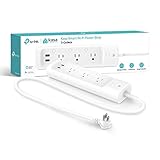
- 3 Smart Outlets + 2 USB Ports: Power up to five devices at once with three individually controlled smart outlets and two always-on USB ports for charging phones, tablets, and accessories.
- Voice Control with Alexa and Google Assistant: Works with Alexa and Google Assistant for hands-free control of connected devices using simple voice commands.
- Surge protection: ETL-certified surge protection shields sensitive electronics and appliances from sudden power surges.
- Control from anywhere: Use the intuitive Kasa smart app to remotely control connected devices through your mobile device. For best performance, keep firmware updatig by checking the Tapo or Kasa app.
- Set Schedules and Timers: Create custom schedules or timers to automatically turn each smart outlet on or off at specific times, helping you manage energy use and device operation efficiently.
Quick comparison
The most important comparison is the number of independently controllable outlets, not the number of physical sockets. A strip can have several receptacles while offering only one smart switch or grouping its USB ports together.
| Model | Best for | Individually controlled AC outlets | USB ports | Energy monitoring | HomeKit | Alexa/Google | Hub or bridge | Main drawback |
|---|---|---|---|---|---|---|---|---|
| Kasa HS300 | Most buyers, desks, media centers | 6 | 3 | Yes | No support established | Yes/Yes | Not established as required | No Apple Home integration |
| Kasa KP303 | Budget Alexa/Google setups | 3 | Not a defining feature | No | No | Yes/Yes | Not established as required | No energy data or HomeKit |
| Meross MSS425FHK | Broad platform compatibility | 4 | 4, group-controlled | Not established | Yes | Yes/Yes | HomeKit remote access requires an Apple home hub | USB ports cannot be controlled separately |
| Eve Energy Strip | Apple Home, privacy-focused buyers | 3 | No USB emphasis | Yes, detail depends on the software presentation | Yes | Siri/HomeKit; verify other platforms | HomePod or Apple TV for remote HomeKit control | Fewer outlets and a premium price position |
| Tapo P300 | Region-dependent non-U.S. alternative | 3 | Varies by product region | Not established | Yes | Yes/Yes | Check the regional version | Do not assume U.S. availability |
Exact 2024 prices are not established by the supplied research, so this guide uses relative price positioning rather than presenting later prices as historical 2024 prices. A Meross store price observed in August 2026 was not used as a 2024 price.
Why is the Kasa HS300 the best overall smart power strip?
The Kasa HS300 is the best overall smart power strip in 2024 when the priority is maximum per-outlet control and energy information in one Wi-Fi strip. The HS300 has six smart AC outlets, three USB ports, energy monitoring, and Alexa and Google Assistant control, according to the manufacturer’s HS300 specifications.
The Tool Desk
Outbyte Driver Updater FREEScan for outdated or missing drivers - takes under a minuteDriver Scan →Outbyte PC Repair FREEClear out junk files and repair common Windows errorsFree Scan →What the HS300 does well
- Six independent channels: Each AC outlet can be switched separately, which is useful for monitors, lamps, chargers, speakers, consoles, and networking equipment that should not all turn off together.
- Energy monitoring: The strip reports energy-use information, making it more useful than a basic remotely switched strip for identifying standby loads or comparing equipment usage.
- Three USB ports: The USB ports provide a convenient charging area, although the supplied research does not establish independent control or per-port energy measurement for those USB connections.
- Simple voice ecosystem: Alexa and Google Assistant support suits households that do not use Apple Home.
- 2.4 GHz Wi-Fi: Buyers should have a compatible 2.4 GHz network available during setup.
Who should buy the HS300?
Buy the HS300 for a home office, entertainment center, gaming desk, or charging station with several devices that need separate schedules. The HS300 is especially compelling when energy monitoring matters and six independently switched outlets are more useful than a smaller, cheaper strip.
Who should avoid the HS300?
Avoid the HS300 if Apple HomeKit is a non-negotiable requirement. The supplied official information establishes Alexa and Google Assistant support but does not establish HomeKit compatibility. Apple Home users should consider the Meross MSS425FHK or Eve Energy Strip instead.
Is the Kasa KP303 the best budget smart power strip?
The Kasa KP303 is the best budget smart power strip in this 2024 shortlist for users who need three independently controlled outlets and use Alexa or Google Assistant. The KP303 uses 2.4 GHz Wi-Fi and does not provide energy monitoring or HomeKit support, as documented by the official Kasa KP303 page and the TechRadar KP303 review.
The KP303 is a practical fit for three devices such as a desk lamp, monitor, and speaker, or a small entertainment setup. Schedules, timers, remote switching, and voice control provide the main value. The KP303 is not the right choice for buyers who want to measure electricity use, automate it through Apple Home, or control more than three AC devices independently.
Free tools Windows power users keep installed
One-click scans. No signup required.
The KP303’s lower feature count is not necessarily a weakness if the use case is simple. Paying more for energy monitoring or additional channels only makes sense when those features will actually be used.
Why choose the Meross MSS425FHK?
Choose the Meross MSS425FHK when broad smart-home compatibility matters more than energy monitoring. The Meross strip has four individually controlled AC outlets and four USB ports controlled as a group, and the manufacturer lists support for Apple HomeKit, Siri, Alexa, Google Home, and SmartThings.
The four USB ports are an important qualification. The MSS425FHK does not provide four independently smart USB channels: the USB ports operate together. The four AC outlets are the individually controllable portion of the product.
The MSS425FHK is rated for a maximum 15-amp device load. Meross also lists flame-retardant material and ETL and FCC certifications on its product page; those are manufacturer-provided product claims, not a substitute for independent electrical testing. The official Meross product information also states that remote HomeKit access requires a HomePod, Apple TV, or iPad acting as a home hub or bridge.
Do these 3 things before closing this tab:
1Clear out junk files and repair common Windows errors2Fix the driver behind crashes, sound loss and screen glitches3Repair Windows errors before they cause bigger problemsThe Meross app can provide remote control without the Apple home hub requirement described for remote HomeKit access. HomeKit compatibility and remote access are therefore separate questions: a strip can appear in a local Apple Home setup without guaranteeing control from outside the home unless the required hub is present.
Is the Eve Energy Strip worth its premium?
The Eve Energy Strip is worth considering for an Apple-focused household that values HomeKit integration, energy-use information, and clearly documented protection more than outlet count or low price. The Eve strip has three individually controllable outlets and is positioned by Eve around privacy and local-style operation without requiring an Eve cloud account for core operation; privacy positioning remains a manufacturer claim rather than an independent security audit.
For the U.S. and Canada, Eve specifies 120 V, 60 Hz, 15 A, and 1,800 W maximum electrical ratings. Eve also lists surge, overcurrent, and overvoltage protection, including a 30,000-amp surge-protection figure on its support and specifications page. Those protections should not be confused with battery backup, voltage regulation, or UPS functionality.
Also popular on Amazon

- 𝐏𝐨𝐰𝐞𝐫 𝐔𝐩 𝐭𝐨 𝟗 𝐃𝐞𝐯𝐢𝐜𝐞𝐬 𝐚𝐭 𝐎𝐧𝐜𝐞 - Connects and surge protects 6 individually controlled smart AC outlets and 3 always-on USB ports (5V 2.4A) for simultaneous, smart power across home or office setups.
- 𝐓𝐫𝐚𝐜𝐤 𝐄𝐧𝐞𝐫𝐠𝐲 𝐔𝐬𝐞 & 𝐂𝐮𝐭 𝐂𝐨𝐬𝐭𝐬 - Monitor energy consumption for each AC outlet with comprehensive insights, and save money by scheduling devices to turn off during inactive hours.
- 𝐒𝐥𝐢𝐦 𝐃𝐞𝐬𝐢𝐠𝐧 𝐟𝐨𝐫 𝐓𝐢𝐠𝐡𝐭 𝐒𝐩𝐚𝐜𝐞𝐬 - Features a flush-fitting plug for discreet placement behind furniture, including couches, and a 3-foot power cord for space saving placement.
- 𝐎𝐯𝐞𝐫𝐜𝐡𝐚𝐫𝐠𝐞 𝐏𝐫𝐞𝐯𝐞𝐧𝐭𝐢𝐨𝐧 - Automatically shuts off the outlet when your device/s are fully charged, preventing overcharging and extending battery life.
- 𝐌𝐚𝐭𝐭𝐞𝐫-𝐂𝐞𝐫𝐭𝐢𝐟𝐢𝐞𝐝 𝐟𝐨𝐫 𝐔𝐧𝐢𝐯𝐞𝐫𝐬𝐚𝐥 𝐂𝐨𝐦𝐩𝐚𝐭𝐢𝐛𝐢𝐥𝐢𝐭𝐲 - Matter-certified devices, regardless of brand, can work together and are can be controlled through most major smart home platforms like Alexa, Google Home, Apple HomeKit, and Samsung SmartThings.
The Eve Energy Strip requires a 2.4 GHz Wi-Fi network. Remote HomeKit control requires a HomePod or Apple TV home hub. Eve advertises energy-use information, but the supplied 2024 evidence does not justify claiming that the app provides a specific per-outlet measurement interface, so buyers should verify the current software behavior if outlet-by-outlet measurement is essential.
What’s actually slowing this PC down?
Pick the symptom - the matching free tool is one click away.
The Eve Energy Strip is a poor value for buyers who simply need six independently controlled outlets or a low-cost Alexa/Google strip. The Eve model makes more sense when Apple Home and its protection and privacy positioning justify paying for a smaller premium product.
Should U.S. buyers consider the Tapo P300?
U.S. buyers should treat the Tapo P300 as a regional alternative rather than a universal recommendation. The Tapo P300 offers three individually controllable outlets, HomeKit, Alexa, Siri, and Google Assistant support, plus 2.4 GHz Wi-Fi and Bluetooth-assisted setup according to the official Tapo P300 product page.
Availability, plug format, certification, electrical ratings, firmware, and platform behavior can vary by market. TP-Link regional documentation places the P300 in markets such as the United Kingdom and Australia rather than establishing it as a standard U.S. model. Confirm the exact regional model and a legitimate local retailer before buying; do not import a version whose voltage, plug, or certification does not match the intended installation.
What makes a power strip smart?
A smart power strip normally adds remote on/off control, schedules, timers, voice-assistant integration, and automation through a vendor app or smart-home platform. Better models switch AC outlets independently, while some models group USB ports or switch the entire strip together.
Before buying, count four separate things:
- Physical AC outlets: The number of sockets available for plugs.
- Independently switched AC outlets: The number of sockets that can be turned on or off separately.
- USB groups: Whether USB ports are individually controlled, group-controlled, or simply charging ports.
- Always-on connections: Any outlet that remains powered regardless of the smart switching state.
The HS300’s six independently controlled AC outlets make it more flexible than a strip that merely advertises six physical sockets. The Meross MSS425FHK demonstrates why the USB distinction matters: four AC outlets are independently controlled, but four USB ports are controlled together.
How should you compare smart-home compatibility?
Separate native platform support, voice control, vendor-app control, and remote-access requirements. Alexa compatibility does not imply Apple Home support, and HomeKit compatibility does not imply that remote control works without an Apple home hub.
| Model | Alexa | Google Home/Assistant | Apple Home/HomeKit | SmartThings | Important qualification |
|---|---|---|---|---|---|
| Kasa HS300 | Yes | Yes | Not established | Verify exact region/model | Best suited to Alexa or Google households |
| Kasa KP303 | Yes | Yes | No | Verify exact region/model | TechRadar identifies no HomeKit or energy monitoring |
| Meross MSS425FHK | Yes | Yes | Yes | Yes | Remote HomeKit access requires an Apple home hub |
| Eve Energy Strip | Siri/HomeKit | Verify exact 2024 support | Yes | Not its core positioning | Remote HomeKit access requires HomePod or Apple TV |
| Tapo P300 | Yes | Yes | Yes | Verify exact regional version | Availability is region-dependent |
Does energy monitoring measure each outlet?
Energy monitoring does not necessarily mean per-outlet measurement. A product may report combined strip consumption, individual outlet consumption, historical charts in a vendor app, or only limited summary data.
The Kasa HS300 officially advertises energy monitoring, and the KP303 does not. Eve advertises energy-use information for the Eve Energy Strip, but the supplied evidence does not establish whether the 2024 software presented combined or per-outlet data in every relevant view. The Meross MSS425FHK’s energy-monitoring behavior is not established by the supplied research, so it should not be selected on the assumption that it measures individual outlets.
For serious utility-bill analysis, a strip-level meter is also the wrong tool. A whole-home or circuit-level energy monitor is more appropriate when the goal is to understand an entire circuit or property rather than a handful of plugged-in devices.
What is the difference between Wi-Fi, Thread, and Matter?
Wi-Fi, Thread, and Matter describe different parts of a smart-home product’s connectivity and interoperability story. Wi-Fi and Thread are network transports, while Matter is an application-layer interoperability standard; Matter does not automatically mean Thread.
Most prominent smart power strips in this 2024 comparison are Wi-Fi products, commonly requiring 2.4 GHz Wi-Fi. A Matter-over-Wi-Fi device and a Matter-over-Thread device have different setup requirements. Thread products require a compatible Thread Border Router, while Matter products require a compatible Matter controller or ecosystem setup.
Do not label the Eve Energy Strip as a Thread product. Eve’s product-identification information identifies the U.S. and Canadian Eve Energy Strip as a 2.4 GHz Wi-Fi device and distinguishes it from newer Eve products such as the Eve Energy Outlet that use Thread and Matter.
What happens if the internet goes down?
Offline behavior is not fully verified for every model in this comparison, so buyers should not assume that a smart power strip will continue all automations without internet access. Local buttons may remain usable, local-network control may or may not work, schedules may depend on stored firmware or vendor cloud services, and remote control normally stops when the device cannot reach its service.
Also popular on Amazon

- EASY SETUP: Start usage in minutes by plugging in the smart extension cord and connecting via the Alexa app
- CONTROL ANYTIME, ANYWHERE: Manage your electronics from afar with the power strip with USB features; schedule appliances to turn on/off automatically or remotely to fit your lifestyle
- VERSATILE CONTROL OPTIONS: Use the multi outlet extension cord to control 6 outlets independently or group them for unified operation
- HUB-FREE SMART FUNCTIONALITY: Seamlessly integrate with Alexa using this smart power strip WiFi, create routines and schedules with ease using the Alexa app, no need for a hub. 6 Individually Controlled Outlets and 3 USB Ports
HomeKit or Matter branding alone does not prove that a particular strip is local-only. Check model-specific documentation or independent testing for local control, schedule persistence, recovery after router failure, and reset behavior. The supplied research does not establish those results for the HS300, KP303, MSS425FHK, Eve Energy Strip, or Tapo P300.
Independent reader supportYour contribution helps us test, update, and keep practical guides available for everyone.How do you set up a Wi-Fi smart power strip?
Most setup problems come from network and regional mismatches rather than from the outlet controls themselves. Use this checklist:
- Confirm that the strip’s plug, voltage, maximum load, and regional model match the installation.
- Install the manufacturer’s app and create the required account if the product requires one.
- Connect the phone to a compatible 2.4 GHz Wi-Fi network. Avoid captive-portal and enterprise networks during setup.
- Enable Bluetooth when the model uses Bluetooth-assisted discovery; the Tapo P300 explicitly lists Bluetooth for setup.
- Keep the phone near the strip, follow the app’s pairing flow, and wait for the device to appear before adding Alexa, Google Home, or Apple Home.
- Test each outlet separately. Name outlets by the connected device rather than leaving generic names such as “Outlet 1.”
- Test a schedule and remote command before connecting equipment that must not be interrupted.
If setup fails, verify the 2.4 GHz network, disable phone VPN or cellular fallback temporarily, confirm the regional model, move the strip closer to the router, and reset the strip only after checking the manufacturer’s reset procedure. Captive-portal and enterprise Wi-Fi networks are common poor fits for consumer smart strips.
Does surge protection make a smart strip safe for every appliance?
No. Surge protection, overload protection, overcurrent protection, and overvoltage protection are different claims, and a smart strip is not automatically suitable for every appliance. Check the connected load against the strip’s rating, avoid plugging one power strip into another, and do not use a smart strip for a high-power heating appliance unless the product is explicitly rated for that use.
Exercise extra caution with refrigerators, freezers, medical equipment, pumps, and other appliances where an accidental power cycle could cause damage or unsafe conditions. Remote shutoff is not electrical isolation, and surge protection is not battery backup.
The Eve Energy Strip provides the clearest documented protection claims in this shortlist: Eve lists surge, overcurrent, and overvoltage protection and a 30,000-amp surge-protection figure. Meross lists its MSS425FHK as a 15-amp product and describes flame-retardant material and ETL and FCC certifications. Manufacturer claims should be read alongside the product’s actual safety listing and electrical specifications.
When is a regular power strip plus smart plugs better?
A regular surge protector plus one or two individual smart plugs is better when only a few devices need automation, when outlet spacing is awkward, or when replacing one failed smart component matters more than having a tidy all-in-one strip. Individual smart plugs can also be preferable when energy monitoring is needed for only one device.
Recommended Free Tools
The trade-off is a less tidy installation, more occupied wall outlets, and potentially higher cost. A modular setup can nevertheless offer better placement, easier replacement, and more granular device-level monitoring than a smart strip whose meter reports only combined consumption.
Use a UPS instead of a smart strip for a computer, router, NAS, or networking system that must stay powered during an outage. Use a whole-home or circuit-level energy monitor when the goal is property-wide energy analysis.
Which smart power strip should each type of buyer choose?
| Reader need | Recommended choice | Why |
|---|---|---|
| Most U.S. buyers | Kasa HS300 | Six independently controlled outlets plus energy monitoring |
| Six-device home office or media center | Kasa HS300 | Every AC outlet can be managed separately |
| Alexa or Google on a budget | Kasa KP303 | Three smart outlets without paying for energy monitoring |
| Apple Home plus other platforms | Meross MSS425FHK | HomeKit, Alexa, Google Home, and SmartThings support |
| Apple-focused, protection-conscious buyer | Eve Energy Strip | Three outlets, HomeKit, energy information, and documented protection claims |
| Non-U.S. regional buyer | Tapo P300 | Three individually controlled outlets and broad platform support, subject to local availability |
| Only one or two devices need control | Individual smart plugs | More modular and potentially better for device-specific monitoring |
| Outage protection is essential | UPS | A smart power strip does not provide battery backup |
What should you check before buying?
- Confirm the number of independently controlled AC outlets, not just the physical outlet count.
- Check whether USB ports are individually controlled, group-controlled, or always powered.
- Verify whether energy monitoring is per outlet or combined across the strip.
- Match the strip to Alexa, Google Home, Apple Home, or SmartThings before purchase.
- Confirm whether remote access requires a HomeKit hub, Matter controller, or another bridge.
- Check 2.4 GHz Wi-Fi requirements and whether Bluetooth is needed during setup.
- Read the exact protection and load specifications instead of treating every “smart” strip as a surge protector.
- Confirm the regional model, plug format, voltage, certifications, firmware, and current availability.
- Do not use a smart strip as a UPS or as a whole-home energy monitor.
Frequently Asked Questions
What is the best smart power strip in 2024?
The Kasa HS300 is the best overall smart power strip in 2024 for most U.S. buyers because it has six independently controlled AC outlets, three USB ports, energy monitoring, and Alexa and Google Assistant support. The HS300 is not the right choice for buyers who require Apple HomeKit.
Which smart power strip works with Apple HomeKit?
The Meross MSS425FHK and Eve Energy Strip support Apple HomeKit in this comparison, while the Kasa KP303 does not and HomeKit support is not established for the Kasa HS300. Meross and Eve require a compatible Apple home hub for remote HomeKit access away from home.
Outdated Drivers Are Slowing You Down
One free scan finds every outdated or missing driver and matches the right update for your exact hardware.Free scan · exact hardware matchPC Slower Than It Used to Be?
A free scan shows the junk files, broken settings and background clutter dragging Windows down - then fixes them in one click.Free scan · Windows 10 & 11Do smart power strips measure energy use?
Some smart power strips measure energy use and some do not. The Kasa HS300 and Eve Energy Strip advertise energy information, while the Kasa KP303 does not; the supplied research does not establish per-outlet measurement for every model, so buyers should verify whether readings are combined or individual.
Is the Eve Energy Strip a Thread device?
The U.S. and Canadian Eve Energy Strip is a 2.4 GHz Wi-Fi product, not a Thread product. Newer Eve products may use Thread and Matter, but those technologies should not be attributed to the Eve Energy Strip automatically.
Can a smart power strip replace a UPS?
No. A smart power strip can provide remote switching, schedules, and sometimes surge protection or energy monitoring, but a UPS provides battery backup and may provide voltage regulation. Use a UPS for computers, routers, NAS devices, and other equipment that must remain powered during an outage.
The Bottom Line
For most U.S. homes, choose the Kasa HS300 for six independently controlled outlets and energy monitoring. Choose the Kasa KP303 when three outlets and a lower feature set are enough, the Meross MSS425FHK for broad Apple, Alexa, Google, and SmartThings compatibility, and the Eve Energy Strip for a premium Apple Home setup with clearly documented protection claims. Treat the Tapo P300 as region-dependent, and verify the exact model before buying.

