
What’s actually slowing this PC down?
Pick the symptom - the matching free tool is one click away.
iTechGuides is reader-supported. When you buy through links on our site, we may earn an affiliate commission. As an Amazon Associate I earn from qualifying purchases. Learn more
The best portable printer for most mobile document work is the HP OfficeJet 250 because it prints, scans, and copies letter-size pages from battery, AC, or USB power. The Canon PIXMA TR150 is better for print-only travel, while the Canon SELPHY QX20 and Fujifilm instax mini Link+ are photo printers—not substitutes for document printers.
“Portable printer” describes several very different products. A battery-powered inkjet for contracts, a pocket dye-sublimation printer for snapshots, an instant-film printer, and a monochrome thermal printer for field forms should not be judged by the same standard.
Key takeaways
- The HP OfficeJet 250 is the best overall mobile document printer because it combines printing, scanning, copying, Wi-Fi Direct, Bluetooth, battery operation, and a 10-sheet automatic document feeder.
- The Canon PIXMA TR150 is the better print-only choice for letter-size documents and occasional photos, but Canon describes its battery as optional.
- The Epson WorkForce WF-110 has a built-in rechargeable battery and Wi-Fi Direct, but its official price and Epson-cartridge requirement can make ownership expensive.
- The Canon SELPHY QX20 prints small smartphone photos using dye-sublimation and cannot print ordinary office documents.
- The Fujifilm instax mini Link+ creates physical instant-film prints through Bluetooth and the instax app, making it a creative photo device rather than a general printer.
Which portable printer should you buy?
The right choice depends first on what you need to print. Use this quick decision guide before comparing features:
| Your priority | Best starting point | Why | Not suitable for |
|---|---|---|---|
| Letter-size documents plus scanning and copying | HP OfficeJet 250 | Portable all-in-one with battery operation and an automatic document feeder | Pocket portability or low-cost high-volume printing |
| Letter-size documents without scanning | Canon PIXMA TR150 | Compact mobile inkjet with wireless printing and optional battery | Users who need a built-in scanner or copier |
| Professional print-only travel setup | Epson WorkForce WF-110 | Built-in rechargeable battery, Wi-Fi Direct, USB, and AC charging | Buyers seeking the lowest ink cost |
| Small color photos from a phone | Canon SELPHY QX20 | Compact dye-sublimation photo output | Reports, forms, envelopes, and letter-size pages |
| Physical instant-film photos | Fujifilm instax mini Link+ | Bluetooth smartphone workflow and instax mini film | Office documents and inexpensive bulk printing |
| Wide instant photographs | Fujifilm Instax Link WIDE | Uses the larger Instax WIDE format | Users who need the smallest possible printer |
The independent RTINGS portable-printer comparison also separates full-size mobile printers from pocket photo printers. That distinction is important: better-looking photos do not make a photo printer better for contracts, receipts, or forms.
Popular on Amazon

- 2x3" Portable Photo Printer: The upgraded PP01 photo printer uses advanced inkjet technology. This portable photo sticker printer produces vivid, full-color prints on premium sticky-backed photo paper that is smudge-proof, water-resistant, and tear-resistant. The Nelko mini photo printer is pocket-sized and weighs only 308 g, making it ultra-portable for school, travel, and field trips. Each ink cartridge prints up to 80 full-color 2x3 photos on sticky-backed paper
- Easy Printing via Bluetooth: The PP01 mini photo printer is compatible with iOS and Android phones via Bluetooth. Simply download the Nelko app from Google Play or the App Store. Load the 2x3 photo paper with the smooth side facing down. Install the ink cartridge, connect via Bluetooth, and print directly using the Nelko app. A USB charging cable is included; the adapter is not included
- High-Quality Photos: This mini photo sticker printer uses advanced inkjet technology for clear, vibrant prints. This portable photo printer produces 600 DPI high-resolution images with precise colors, capturing fine details and realistic tones. Each photo comes with adhesive backing, ideal for scrapbooks and preserving your memories with this sticker printer. Personalize every photo for holidays, birthdays, or daily events
- Powerful App: The Nelko 2x3" PP01 photo printer app lets you edit photos and offers a variety of frame designs, making it perfect for personalizing your photos for projects like scrapbooking or journaling. Download the Nelko app to create collages and customize photos with filters, graffiti, borders, stickers, text, AI image editing, and many other features. Edit photos on your phone, then send them to the Nelko app for instant printing in under 90 seconds
- Versatile Uses: This portable photo printer is ideal for travel journals, party favors, and family gatherings. Students use it for planners and photo printing. Crafters use it for DIY projects, custom labels, and scrapbooking. It's a practical photo sticker printer for bloggers, small businesses, and event photographers to create instant giveaways. Create holiday surprises and capture heartfelt moments with loved ones by printing photos on Nelko sticky-backed photo paper.
What does “portable printer” mean?
A portable printer is genuinely mobile when the printer can operate away from a wall outlet and can be carried with its necessary power supply and media. A small printer that requires AC power, a large printer that weighs several kilograms, or a compact home printer with no practical travel workflow may be compact without being truly portable.
| Category | Typical output | Battery situation | Best for | Main limitation |
|---|---|---|---|---|
| Mobile office inkjet | Letter/A4 documents and photos | Usually included or available as an option | Travelers, salespeople, field workers | Bulkier and often costly per page |
| Portable all-in-one | Documents, scans, and copies | Usually battery-capable | Signed forms, receipts, and client paperwork | Heavier and more mechanically complex |
| Pocket photo printer | Small smartphone photos | Usually rechargeable | Parties, journaling, scrapbooking | Cannot print normal documents |
| Instant-film printer | Instax-style physical photos | Rechargeable or battery-powered | Creative sharing and keepsakes | Small image size and film cost |
| Monochrome thermal printer | Receipts, labels, and black-and-white forms | Usually rechargeable | Delivery, logistics, and field service | No color and often proprietary media |
| Compact home printer | Letter/A4 printing | Often AC-only | Small apartments and occasional home use | Not practical for travel |
10 best portable and mobile printers by role
The following list is deliberately segmented. These ten products are not interchangeable, and the “best” label identifies the job each product is most suited to.
1. HP OfficeJet 250 — best overall mobile document printer
Best for: travelers and field workers who need to print, scan, and copy normal documents.
The Tool Desk
Outbyte Driver Updater FREEScan for outdated or missing drivers - takes under a minuteDriver Scan →Outbyte PC Repair FREERepair Windows errors before they cause bigger problemsFix Now →The HP OfficeJet 250 is the strongest all-purpose choice when portable printer means a battery-powered letter-size document printer. HP lists printing, scanning, and copying; Wi-Fi Direct and Bluetooth; a 10-sheet automatic document feeder; a 50-sheet input capacity; and AC, USB, and battery power options on its official OfficeJet 250 product page. HP lists ISO-rated speeds of up to 10 pages per minute in black and 7 pages per minute in color.
The scanner and copier are unusually valuable away from an office. A salesperson can copy a signed form, a technician can scan a receipt, and a consultant can print a revised document without finding a print shop. The automatic document feeder is useful for several pages, although a 10-sheet feeder is not intended for large batches.
Trade-offs: The OfficeJet 250 is portable for a car, laptop bag, or travel case—not pocket-sized. The design is older, the unit is heavier than a photo printer, and ink costs can be unattractive for frequent printing. Verify current stock and the exact battery and accessory bundle before buying because the official HP shopping page has not consistently exposed a dependable current retail price.
Buy it if: scanning and copying matter as much as printing. Skip it if: you only need occasional documents or expect pocket portability.
Free tools Windows power users keep installed
One-click scans. No signup required.
2. Canon PIXMA TR150 — best print-only letter-size mobile printer
Best for: people who need a compact printer for documents and occasional photos but do not need scanning or copying.
The Canon PIXMA TR150 prints documents and borderless photos up to 8.5 by 11 inches, supports mobile printing, and has an optional battery. Canon lists rated speeds of 9 image-per-minute black and 5.5 image-per-minute color on the PIXMA TR150 product page. Canon also identifies Canon PRINT, Apple AirPrint, and Mopria support.
The TR150 is simpler and easier to justify than an all-in-one when printing is the only requirement. The optional-battery detail is the key buying qualification: a base configuration without the battery is a compact printer, not a complete off-grid travel solution.
Trade-offs: There is no scanner or copier, the paper supply is small, and ink costs need to be checked using current PGI-35 black and CLI-36 color cartridge prices. Do not assume that a listed printer price includes the battery.
Buy it if: you want full-size pages in a compact print-only device. Skip it if: you regularly scan signed paperwork or need a printer that is mobile immediately out of the box.
Also popular on Amazon

- User-Friendly Portable Photo Printer for iPhone, Android & PC - Get beautiful and colourful memories with Liene 4x6 photo printer! After opening the entire package, you can find one cartridge + 20 sheets of photo paper (placed inside the machine packaging), as well as an additional box containing 80 sheets of photo paper (which includes two cartridges + 80 sheets of photo paper). Full package includes smartphone photo printer, Liene 4x6 photo printer papers (100 sheets), 3 colour cartridges, and fully sealed cassette to prevent dust. Minimalist and magnetic design for compact storage.
- Superior Quality 4x6 Photo Printer - Print photos like no other thanks to the thermal-dye sublimation tech adopted by the picture printer for iphone. The dyes deeply penetrate the paper for vibrant photo printing, and the laminated surface is resistant to water, scratches, fingerprints and fading. Clean the print head promptly if smudges are observed on printed photos during operation. Get Liene photo printers now for yourself and your loved ones, print your happy moments together and keep your love forever!
- Wi-Fi Photo Printer for Smartphone - The built-in hotspot of the photo printer makes it easy to print pictures from your phone, avoiding outside interference with a fast and stable connection. No other networks required! Simply connect your device to the independent instant photo printer 4x6 hotspot.
- Multiple Device Compatibility - Liene phone printer provides instant photo printing for up to 5 simultaneous connections. Share with family and friends or print from your different devices. No additional cables or Bluetooth required when printing photos with this picture printer. Note: Ensure the ink cartridge clicks into place before printing.
- Customize your Printing with the Liene App - Customize your photos with our specialized App! You can add a Square border, insert filters, enhance the contrast and brightness, check printing status, and more. You can even print your ID and Visa photos from home with this photo printer for iphone 4x6 prints.
3. Epson WorkForce WF-110 — best compact professional alternative
Best for: business users who want a lightweight mobile inkjet with a built-in battery.
The Epson WorkForce WF-110 includes a built-in rechargeable battery, Wi-Fi Direct, USB and AC charging, and support for an optional external battery. Epson presents the model as a wireless mobile printer for work, and the official WF-110 page displayed a $349.99 list price and $249.99 sale price in the research snapshot. Those prices are regional and temporary rather than evergreen buying guidance.
Epson identifies the WF-110 as using pigment ink. Pigment-based document ink can be advantageous for durable-looking text, but the claim should not be expanded into a promise of archival or waterproof output without testing the exact ink-and-paper combination.
Windows Errors? Fix Them Before They Spread
Repair common Windows errors and clear accumulated junk for a smoother, more stable PC - no reinstall needed.Free scan · no reinstallCrashes, No Sound, or Screen Glitches?
Random freezes, missing sound and display glitches usually trace back to one bad driver. Find and replace yours safely.Free scan · under a minuteTrade-offs: Epson states that the printer is designed for Epson cartridges rather than third-party ink. That restriction, the official price, and cartridge availability should be considered before calling the WF-110 a good value.
Buy it if: a built-in battery and business-oriented design matter. Skip it if: you want the lowest possible supply cost or an all-in-one.
4. Canon SELPHY QX20 — best compact phone photo printer
Best for: small, polished color photos from iOS and Android devices.
The Canon SELPHY QX20 is a dye-sublimation photo printer, not a mobile office printer. Canon says the QX20 uses the SELPHY Photo Layout app for its phone workflow, and independent QX20 testing confirms that the model cannot print ordinary office documents. Canon promotes the dye-sublimation process for smooth color gradations and long-lasting prints.
Quick wins for a faster PC:
Fix the driver behind crashes, sound loss and screen glitchesFind Drivers →Repair Windows errors before they cause bigger problemsFix Now →Photo media is effectively the QX20’s ink. The printer may be inexpensive compared with a document all-in-one, but every image requires a compatible ink-and-paper set. Calculate the cost per print from the actual pack price and sheet count before treating the printer as a bargain.
Buy it if: you want phone photos for albums, scrapbooks, or social events. Skip it if: you need letters, invoices, labels, or full-size photos.
5. Fujifilm instax mini Link+ — best instant-film smartphone printer
Best for: people who specifically want physical Instax mini film prints and creative effects.
The Fujifilm instax mini Link+ connects to a phone over Bluetooth through the instax mini Link app. Fujifilm announced U.S. availability for early February 2026 with an MSRP of $169.95 in its instax mini Link+ announcement. Fujifilm’s product page describes creative modes and printing up to 10 selected images in one operation.
Do these 3 things before closing this tab:
1Fix the driver behind crashes, sound loss and screen glitches2Clear out junk files and repair common Windows errors3Scan for outdated or missing drivers - takes under a minuteThe Link+ is for a tactile instant-film experience, not accurate office reproduction. Instax mini film is sold separately, so film availability and cost are central to ownership.
Also popular on Amazon
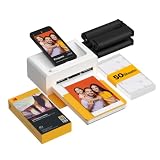
- Dock Photo Printer: The KODAK Dock Plus is a home photo printer that produces high-quality 4x6” prints directly from compatible smartphones. Featuring an integrated docking station, users can place their phone on the printer for better connection while simultaneously charging the device during printing.
- Genuine 4PASS dye sublimation printing: Each photo is produced in three color layers and finished with a clear protective lamination layer. In approximately 55 seconds, you receive a smooth, detailed print designed to resist fingerprints, water, and fading for long-lasting quality.
- Easy to Use: Print photos quickly without complicated setup or technical steps. Simply power on, connect wireless bluetooth, and start printing within seconds. The Dock Plus is built for straightforward operation, making it ideal for first time users and everyday photo printing.
- Home Printing Station: Designed for stable desktop use, this dock photo printer connects to a power outlet for consistent performance and larger 4x6” prints. Ideal for home printing, photo albums, framing, family events, and everyday picture printing.
- KODAK Photo Printer APP: Featuring integrated Bluetooth connectivity, this portable printer connects to compatible iOS and Android devices through the KODAK Photo Printer app. Edit, crop, and customize your photos before printing for creative results.
Buy it if: the physical film format and creative process are the point. Skip it if: you need inexpensive, repeatable documents or larger images.
6. Fujifilm instax mini Link 3 — best simple Instax mini workflow
Best for: straightforward smartphone-to-Instax mini printing.
The instax mini Link 3 belongs to Fujifilm’s smartphone-printer range and is designed around the instax mini app and film workflow. See Fujifilm’s official mini Link 3 page for current compatibility, included accessories, and regional availability.
The model is a better fit for a buyer who wants simple instant-photo printing rather than the broader creative workflow of the Link+. It remains a photo device: it is not a substitute for a letter-size printer, scanner, or copier.
7. Fujifilm Instax Link WIDE — best wide-format instant photos
Best for: larger physical instant photographs.
The Instax Link WIDE uses Fujifilm’s larger WIDE film format and is intended for smartphone photo printing. Fujifilm lists the product in its official Instax Link WIDE information. The larger output is more visible in albums and at events than Instax mini prints.
The trade-off is a larger media footprint and higher ongoing film commitment than mini-format printers. Check the current film price and availability in your country before choosing the WIDE format.
8. Canon SELPHY CP1500 — best home/travel photo compromise
Best for: users who want a more capable compact photo printer for occasional travel rather than a pocket device.
The Canon SELPHY CP1500 is better understood as a compact photo-printer compromise than as a pocket printer. Its suitability for travel depends on the exact battery and accessory configuration, so confirm whether the required battery or adapter is included in the package you are considering.
The CP1500 makes sense when photo quality and a broader home photo workflow matter more than minimum size. It does not replace a letter-size mobile inkjet and should not be selected for forms or business documents.
9. Brother PocketJet 773 or a current PocketJet equivalent — best specialized monochrome field printer
Best for: black-and-white field forms, receipts, and mobile service documentation.
Brother PocketJet models are specialized thermal printers rather than general-purpose color printers. A PocketJet can be appropriate when a field workflow needs compact monochrome output and does not require ink cartridges, but the exact model, driver support, paper format, and current media availability must be checked before purchase.
Recommended Free Tools
Thermal media is a major part of the decision. Confirm whether the required paper is readily available and calculate its cost per page. A PocketJet is not a good fit for color charts, photographs, or buyers who want ordinary office paper.
Also popular on Amazon

- Instant Photo Printing: The KODAK Mini 2 Retro is a portable photo printer designed to turn smartphone pictures into high quality prints in seconds. Whether capturing family moments, travel highlights, journaling pages, or creative projects, this mini printer lets you print real photos anytime, anywhere.
- Genuine 4PASS dye sublimation printing: Each photo is produced in three color layers and finished with a clear protective lamination layer. In approximately 55 seconds, you receive a smooth, detailed print designed to resist fingerprints, water, and fading for long-lasting quality.
- Easy to Use: Print photos quickly without complicated setup or technical steps. Simply power on, connect wireless bluetooth, and start printing within seconds. The Mini 2 Retro is built for straightforward operation, making it ideal for first time users and everyday photo printing.
- Print Anytime, Anywhere: Small enough to fit in your hand, bag, or even a pocket, the Mini 2 Retro is built for on-the-go printing. Ideal for parties, trips, school projects, scrapbooks, and spontaneous moments where you want real prints without waiting.
- KODAK Photo Printer APP: Featuring integrated Bluetooth connectivity, this portable printer connects to compatible iOS and Android devices through the KODAK Photo Printer app. Edit, crop, and customize your photos before printing for creative results.
10. Polaroid Hi-Print 2×3 or a comparable pocket dye-sublimation model — best pocket-photo alternative
Best for: small social-media-style photos in a pocket-friendly format.
The Polaroid Hi-Print 2×3 represents the pocket dye-sublimation category: small color prints from a smartphone with proprietary media. Exact current specifications, availability, and supply pricing should be verified on the model-specific official page before publication or purchase.
The core limitation is shared by other pocket photo printers: the output is too small for normal documents, and replacement media determines the long-term cost. Choose this category for snapshots, not for travel paperwork.
What should you check before buying?
Do you need documents or photos?
Choose a mobile inkjet when you need letter/A4 documents. Choose a pocket photo or instant-film printer when you need small photographs. The HP OfficeJet 250, Canon TR150, and Epson WF-110 belong to the document group; the Canon QX20 and Fujifilm Instax models belong to the photo group.
What is the largest paper size you need?
Check the largest required page before comparing printers. Pocket photo sizes are not alternatives to letter or A4 paper. The Canon TR150 supports documents and borderless photos up to 8.5 by 11 inches, but paper handling for envelopes, card stock, custom sizes, and borderless output varies by model.
Is the battery included?
Battery configuration can change the real purchase price and whether the printer works away from an outlet:
| Printer | Battery information from the dossier | What to verify |
|---|---|---|
| HP OfficeJet 250 | Designed for battery operation; also supports AC and USB power | Whether the exact retail bundle includes the battery and which charging modes work simultaneously |
| Canon PIXMA TR150 | Optional battery | Battery bundle price and availability |
| Epson WF-110 | Built-in rechargeable battery; optional external battery | Battery replacement terms and external-battery compatibility |
| Photo printers | Generally rechargeable or battery-powered | Runtime, charging method, and whether charging cable or adapter is included |
USB connectivity does not automatically mean USB-powered operation. Confirm whether USB is used for data, charging, or both.
Recommended Free Tools
How will your phone connect?
Wi-Fi on an existing network is different from Wi-Fi Direct, which connects the phone directly to the printer without a router. Bluetooth can simplify pairing, but a manufacturer app may still be required for setup, editing, or printing.
The HP OfficeJet 250 supports Bluetooth and Wi-Fi Direct. The Canon TR150 supports Canon PRINT, Apple AirPrint, and Mopria. The QX20 works exclusively through Canon’s SELPHY Photo Layout app, while the instax mini Link+ uses the instax mini Link app and Bluetooth. App support, permissions, file compatibility, and operating-system support should be checked before purchase because a wireless specification alone does not guarantee a frictionless phone workflow.
Can the printer scan and copy?
The HP OfficeJet 250 is the standout choice when scanning and copying are required because it includes both functions and a 10-sheet automatic document feeder. Scanning and copying are useful for signed forms, receipts, identification documents, and field reports, but the scanner and feeder add size, weight, power consumption, and mechanical complexity.
Independent reader supportYour contribution helps us test, update, and keep practical guides available for everyone.How much does a portable printer really cost?
The purchase price is only the beginning. Compare ink, film, thermal paper, batteries, adapters, carrying cases, and the cost of keeping compatible media available.
Quick wins for a faster PC:
Fix the driver behind crashes, sound loss and screen glitchesFind Drivers →Repair Windows errors before they cause bigger problemsFix Now →For an inkjet, use:
Cost per page = cartridge price ÷ rated page yield
Also popular on Amazon

- STEP UP YOUR PRINTING GAME. KODAK Step Printer Connects to Any iOS or Android Device [Via Bluetooth or NFC] Turn Your Selfies, Portraits, Social Media Posts Into Physical Photos.Package Includes : KODAK STEP Instant Mobile Photo Printer, Micro USB Charging Cable, Starter Pack of KODAK ZINK Photo Paper, Quick Start Guide, Limited Warranty
- AMAZING ZERO-INK TECHNOLOGY. ZINK 2” x 3” Sticky-Back Paper with Embedded Dye Crystals Delivers High-Quality, Durable, Affordable, Beautifully Detailed Prints That are Resistant to Moisture, Rips, Tears & Smudges.
- FULL EDITING SUITE VIA APP. Download the KODAK App to Create Collages & Customize Your Snaps with Stunning Filters, Interesting Borders, Cool Stickers, Funny Text & Other Personalized Flair.
- TAKE YOUR PROJECTS TO GO. Our Palm-Sized Printer Weighs Less Than a Pound, Sets Up Fast & Delivers Gorgeous Prints You Can Peel & Stick Everywhere.
- CUTE, COMPACT & COLORFUL. Step Printer is Designed for Photo-Loving Influencers & Crafters of All Ages & Skill Levels! Portable, Lightweight Device Features Built-In Lithium-Ion Rechargeable Battery [Prints 25 Photo on a Full Charge]
For a photo printer, use:
Cost per print = media-pack price ÷ number of included sheets
Use the exact cartridge model, yield standard, regional price, and document coverage in the calculation. Page yield changes with color coverage, print quality, document type, and cleaning cycles. Do not quote a universal cost per page without those inputs.
For photo printers, the paper or film frequently contains—or is bundled with—the consumable color material. A low-priced printer with expensive proprietary sheets can cost more over a year than a pricier printer with cheaper, readily available media. Also check whether the manufacturer requires a subscription or restricts third-party ink; the Epson WF-110, for example, is intended for Epson cartridges.
How portable is a printer in real life?
Portability includes the printer, battery, power adapter, paper or film, cartridges, and the surface needed to use the device. The HP OfficeJet 250 is portable for a car, office bag, or travel case, but it is not pocket portable. Pocket photo printers are easier to carry but cannot handle office pages.
Before traveling, check whether the paper tray folds shut, whether cartridges or film can be protected from heat and moisture, whether the printer needs a level surface, and whether the device can print while charging. Hotel rooms introduce network isolation and browser-authentication problems. Cars introduce heat, vibration, and power constraints. Do not leave any printer or consumable unattended in extreme vehicle temperatures unless the manufacturer explicitly permits that use.
How do you set up mobile printing?
- Charge the printer and install the current manufacturer app before leaving home.
- Give the app the permissions it needs, such as Bluetooth, local-network access, photo-library access, or location access where the operating system requests it.
- Use the printer’s Wi-Fi Direct mode when no router is available. Hotel Wi-Fi may isolate devices or require a browser sign-in that prevents printer discovery.
- Use Bluetooth pairing where the product and app support it, but remember that pairing alone may not complete printer setup.
- Use AirPrint or Mopria when supported by both the printer and the phone.
- Keep a USB cable as a fallback for models that support USB data connections.
- Test a simple PDF for document printers or a JPEG for photo printers before relying on the setup at an event or client visit.
Why can a phone see the printer but fail to print?
A phone can detect a printer and still fail to print because the manufacturer app is missing, the phone is on the wrong network, Wi-Fi Direct is not selected, Bluetooth permissions are blocked, the operating system is unsupported, or the file and paper size are incompatible.
- Confirm that the printer is awake and not in sleep mode.
- Install or update the manufacturer’s app.
- Check Bluetooth, local-network, photo-library, and location permissions where applicable.
- Connect directly to the printer’s Wi-Fi Direct network if no router is available.
- Remove and re-add the printer in the app.
- Test with a simple PDF or JPEG.
- Try AirPrint or Mopria if the printer and phone support those standards.
What print-quality trade-offs matter?
Judge portable-printer quality by the job: small black text, fine lines, color charts, photos, smudge resistance, water resistance, drying time, borderless output, and photo durability are separate questions.
The Tool Desk
Outbyte Driver Updater FREEFix the driver behind crashes, sound loss and screen glitchesFind Drivers →Outbyte PC Repair FREERepair Windows errors before they cause bigger problemsFix Now →Manufacturer specifications are not the same as independent measurements. HP’s ISO speed figures and Canon’s rated speeds describe specified test conditions; battery-mode speed may differ. Epson’s pigment-ink description does not by itself prove archival or waterproof performance. Canon’s dye-sublimation claims for the QX20 explain its photo strengths but do not make the QX20 suitable for office pages.
Printed photos can differ from the phone screen because the phone display is backlit and may use a vivid color mode. Screen brightness, color profile, crop settings, paper or film, printer processing, and ambient light all affect the result.
Which alternative is better for your situation?
| If you mainly need… | Consider… | Why |
|---|---|---|
| Black-and-white field forms | Brother PocketJet or a current equivalent | Specialized compact thermal workflow without conventional ink |
| Frequent home printing | An ink-tank home printer such as Epson EcoTank ET-2400 | Home-oriented printers can provide larger paper capacity and lower supply costs |
| Occasional home printing | A compact home printer or a print-service kiosk | A mobile printer may be poor value if portability is never used |
| Wide instant photographs | Fujifilm Instax Link WIDE | Uses the larger WIDE film format |
| Small instant photographs | Instax mini Link+ or mini Link 3 | Uses the smaller Instax mini format |
The Epson EcoTank ET-2400 illustrates the difference between compact and mobile: Epson describes the ET-2400 as a home all-in-one with a 250-sheet tray on its official product page. That capacity may suit home printing, but the AC-powered, home-oriented design is not a practical travel companion.
Portable-printer failure checklist
- No wall-free operation: check whether the battery is included, optional, or unavailable.
- Ink drying or clogged heads: infrequent users may prefer a thermal or photo printer, or a conventional home printer kept plugged in.
- Unavailable proprietary media: confirm that replacement ink, film, or thermal paper is sold through the manufacturer or multiple mainstream retailers.
- Misleading yield: compare the cartridge model, rated yield, coverage assumptions, cleaning cycles, and current price.
- Hotel or car problems: use Wi-Fi Direct where possible and account for network isolation, heat, vibration, and power limitations.
- Wrong paper: verify letter, A4, photo, envelope, card-stock, borderless, and custom-size support before buying.
Frequently Asked Questions
What is the best portable printer for normal documents?
The HP OfficeJet 250 is the best overall portable printer for normal documents because it prints, scans, and copies and supports battery, AC, USB, Wi-Fi Direct, and Bluetooth operation. The Canon PIXMA TR150 is a better fit if you only need printing and not scanning or copying.
Do these 3 things before closing this tab:
1Scan for outdated or missing drivers - takes under a minute2Repair Windows errors before they cause bigger problems3Fix the driver behind crashes, sound loss and screen glitchesCan a portable photo printer print documents?
Most portable photo printers cannot print ordinary documents. The Canon SELPHY QX20 and Fujifilm instax printers are designed for small photographs, while the HP OfficeJet 250, Canon PIXMA TR150, and Epson WF-110 are the document-oriented choices.
Is the Canon PIXMA TR150 battery included?
Canon describes the PIXMA TR150 battery as optional, so buyers must verify the exact bundle and budget for the battery if wall-free printing is required.
Are portable printers expensive to run?
Portable printers can be expensive to run because ink, proprietary photo media, instant film, or thermal paper may cost more than standard home-printer supplies. Calculate cartridge price divided by rated yield, or media-pack price divided by sheet count, using current local prices.
The Bottom Line
Choose the HP OfficeJet 250 for the most complete mobile document workflow, including scanning and copying. Choose the Canon PIXMA TR150 for print-only letter-size work, or the Epson WF-110 when its built-in battery and professional format justify its supply cost. Choose the Canon SELPHY QX20 for compact phone photos and the Fujifilm instax mini Link+ for instant-film prints. If you mainly print at home, a mobile printer is usually the wrong category.

