
Windows Errors? Fix Them Before They Spread
Repair common Windows errors and clear accumulated junk for a smoother, more stable PC - no reinstall needed.Free scan · no reinstallOutdated Drivers Are Slowing You Down
One free scan finds every outdated or missing driver and matches the right update for your exact hardware.Free scan · exact hardware matchBest overall: the ASUS ROG Swift OLED PG32UCDM Gen3, a 32-inch 4K QD-OLED monitor rated up to 240 Hz. It is the top pick in RTINGS’ US-oriented 32-inch monitor guide, updated September 1, 2026—not a universal choice. For text-focused work, consider the ASUS ProArt Display 6K PA32QCV; for a lower-cost OLED, consider the Samsung Odyssey OLED G73SH S32HG732S. Your priorities, room lighting, local availability, and OLED trade-offs can change which screen makes sense.
Best 32-inch monitors at a glance
| Monitor | Best for | Key strengths | Trade-offs |
|---|---|---|---|
| ASUS ROG Swift OLED PG32UCDM Gen3 | Gaming and mixed use | 32-inch 4K QD-OLED; up to 240 Hz; USB-C with up to 90 W power delivery; KVM | High-end price category; RTINGS reports worse picture quality than the Dell S3225QC in contrast ratio. [RTINGS] |
| Samsung Odyssey OLED G73SH S32HG732S | Lower-cost OLED alternative | RTINGS identifies it as a less expensive OLED option | Its WOLED panel has less vivid color than the ASUS QD-OLED pick, according to RTINGS. [RTINGS] |
| ASUS ProArt Display 6K PA32QCV | Sharp text and productivity | Sharper text, larger USB hub, and Thunderbolt support than the ASUS OLED pick, per RTINGS | RTINGS reports worse picture quality, particularly in HDR, and fewer gaming features. [RTINGS] |
| Dell U3225QE | Work connectivity | USB hub and Thunderbolt 4 support, according to RTINGS | RTINGS says its contrast ratio and picture quality are worse than the Dell S3225QC. Verify compatibility with your work devices. [RTINGS] |
| Dell S3225QS | Budget-oriented 4K work | RTINGS describes it as a budget-friendly work choice with sharper text than the Dell Alienware AW3225DM | RTINGS says it is not as bright as the AW3225DM. [RTINGS] |
| MSI MPG 322UR QD-OLED X24 | Gaming alternative | PC Gamer reports 32-inch 4K QD-OLED, 240 Hz, and a stated 0.03 ms response time; TechRadar also describes it as 4K and 240 Hz | Reviewers flag its price and OLED burn-in concerns; TechRadar says OLED brightness may disappoint buyers seeking a very bright display. [PC Gamer] [TechRadar] |
RTINGS’ shortlist reflects its view of the best 32-inch monitors available in the United States, drawing on reviews, visitor feedback, price, and availability. It was updated September 1, 2026. Prices and availability vary by retailer and region, so check current local listings and the exact model suffix before buying. [RTINGS]
Which 32-inch monitor should you choose?
For gaming and mixed use: ASUS ROG Swift OLED PG32UCDM Gen3
This is the strongest fit if you want a large 4K screen with fast motion, deep blacks, vivid color, and gaming-oriented responsiveness. RTINGS lists a 3840 × 2160 native resolution and maximum 240 Hz refresh rate, and reports low input lag and fast response. Its connections include HDMI 2.1, high-bandwidth DisplayPort, USB-C with up to 90 W power delivery, and a KVM switch. These features can simplify a desk shared between a gaming PC and another computer, but confirm that its ports match your devices. [RTINGS]
For OLED at a lower cost: Samsung Odyssey OLED G73SH S32HG732S
RTINGS presents this Samsung as a less expensive OLED alternative to the ASUS pick. Its WOLED image is less vivid in color than the ASUS QD-OLED, according to the same guide. Compare current prices rather than assuming the Samsung remains cheaper, and check its specific ports against your setup. [RTINGS]
#1 Best Overall

- ALL-EXPANSIVE VIEW: The three-sided borderless display brings a clean and modern aesthetic to any working environment; In a multi-monitor setup, the displays line up seamlessly for a virtually gapless view without distractions
- SYNCHRONIZED ACTION: AMD FreeSync keeps your monitor and graphics card refresh rate in sync to reduce image tearing; Watch movies and play games without any interruptions; Even fast scenes look seamless and smooth.
- SEAMLESS, SMOOTH VISUALS: The 75Hz refresh rate ensures every frame on screen moves smoothly for fluid scenes without lag; Whether finalizing a work presentation, watching a video or playing a game, content is projected without any ghosting effect
- MORE GAMING POWER: Optimized game settings instantly give you the edge; View games with vivid color and greater image contrast to spot enemies hiding in the dark; Game Mode adjusts any game to fill your screen with every detail in view
- SUPERIOR EYE CARE: Advanced eye comfort technology reduces eye strain for less strenuous extended computing; Flicker Free technology continuously removes tiring and irritating screen flicker, while Eye Saver Mode minimizes emitted blue light
For sharper text and desk productivity: ASUS ProArt Display 6K PA32QCV
If fine text and work connectivity matter more than high-refresh gaming, the ProArt is the more relevant alternative. RTINGS highlights its sharper text, larger USB hub, and Thunderbolt support. The trade-off is weaker picture quality—especially in HDR—and fewer gaming features than the ASUS OLED pick. [RTINGS]
For Thunderbolt 4 work connectivity: Dell U3225QE
RTINGS notes the Dell U3225QE’s included USB hub and Thunderbolt 4 support. It also reports that the U3225QE has worse contrast ratio and picture quality than the Dell S3225QC. If you are choosing between work monitors, consider how those image differences compare with the connections and hub features you actually need. [RTINGS]
Rank #2

- Versatile Full HD IPS Display: Elevate your home office or study space with this 32 Inch 1080p (1920 x 1080) LED monitor; enjoy an IPS panel that delivers consistent colors and wide viewing angles for clear visuals from any perspective
- Smooth Adaptive Sync Performance: Enjoy fluid visuals for casual gaming and multimedia with VESA Adaptive Sync technology; this feature enables a smooth 75Hz refresh rate to ensure consistent frame rates and reduced screen tearing for a seamless experience
- Enhanced Viewing Comfort: Minimize eye fatigue during long workdays or study sessions with integrated Flicker-Free technology and a Blue Light Filter; these eye care features provide a more comfortable viewing experience for students and professionals
- Tailored ViewMode Settings: Optimize screen performance with ViewSonic exclusive ViewMode presets; quickly switch between “Game,” “Movie,” “Web,” “Text,” and “Mono” modes to get the ideal gamma curve, contrast, and brightness for any task or application
- Flexible Connectivity: Seamlessly connect your laptops, PCs, and Macs with versatile input options; this monitor features HDMI and VGA inputs, providing the reliable compatibility needed for both modern hardware and legacy devices in any setup
For budget-conscious 4K office use: Dell S3225QS
RTINGS describes the Dell S3225QS as a budget-friendly work option and says its text is sharper than the Dell Alienware AW3225DM’s. The cited trade-off is lower brightness than the AW3225DM. Confirm the current price and whether its brightness suits your workspace. [RTINGS]
Another gaming option: MSI MPG 322UR QD-OLED X24
PC Gamer reports a 32-inch 4K QD-OLED panel, 240 Hz refresh rate, and a stated response time of 0.03 ms; TechRadar also describes it as a 32-inch 4K, 240 Hz display. Those are specifications reported by the publications, not a guarantee of a particular real-world result. Both PC Gamer and TechRadar raise price as a drawback, and the OLED concerns below apply. PC Gamer listed it at $1,099 / £849 in 2026; that time-sensitive page figure is not a guaranteed current offer. [PC Gamer] [TechRadar]
Recommended Free Tools
Rank #3

- Philips E-Line 32" (31. 5" viewable) LED monitor with Full HD 1920x1080
- 1ms response time, 100Hz refresh rate and Adaptive-Sync technology provides fluid, artifact-free gaming performance
- HDMI, DisplayPort, VGA, and audio out connectivity plus Wall mountable (VESA compatible)
- Peace of mind: Philips monitors come with 4-Year Advance Replacement in the United States, minimizing downtime
What to weigh before choosing a 32-inch monitor
Resolution and text clarity
Resolution affects how much detail a 32-inch screen can show, but the best work choice also depends on text rendering and how you use the screen. RTINGS specifically identifies sharper text as a benefit of the 6K ASUS ProArt and Dell S3225QS in their respective comparisons. If your day is mostly documents, code, or design, prioritize text clarity rather than choosing solely by refresh rate.
Refresh rate, response, and gaming
A higher refresh rate can make motion appear smoother when your computer can deliver enough frames to use it. The ASUS PG32UCDM Gen3 is rated up to 240 Hz, and RTINGS reports smooth motion, low input lag, and fast response. The MSI’s 0.03 ms figure is a stated response-time specification reported by PC Gamer, not a directly comparable guarantee of total display latency. Match the monitor to your graphics hardware and the games you play.
Rank #4
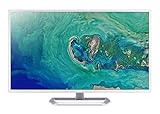
- 31. 5" Full HD (1920 x 1080) widescreen IPS display.Specific uses for product - Personal
- Refresh Rate: 60Hz
- Response time: 4ms
- Acer visioncare technologies
- Ports: 1 x HDMI 1. 4 & 1 x VGA (VGA cable included)
OLED, brightness, and static content
OLED is attractive for deep blacks and vivid image quality, and reviewers praise its motion performance. It also raises long-term burn-in concerns: PC Gamer flags this issue for the MSI MPG 322UR X24. If your work keeps static interface elements—such as taskbars, spreadsheets, or dashboards—on screen for long periods, weigh that usage pattern carefully. Review the exact model’s warranty terms and what they cover; a warranty should not be treated as a guarantee that burn-in cannot happen. OLED brightness may also disappoint if you specifically need a very bright screen, as TechRadar notes for its MSI discussion. [PC Gamer] [TechRadar]
Ports, USB-C power, KVM, and Thunderbolt
For a laptop-centered desk, USB-C power delivery can reduce cable clutter, but the wattage must be sufficient for your laptop. RTINGS lists up to 90 W USB-C power delivery and a KVM switch on the ASUS OLED pick. Its work alternatives differ: the ProArt has Thunderbolt support and a larger USB hub, while the Dell U3225QE has Thunderbolt 4 and a USB hub. Check whether a port supports the function you need—video, charging, data, or all three—and verify compatibility with your devices.
Best Value

- Vivid Color with VA and FHD Resolution - At 1920x1080 resolution, LG's curved Full HD monitor features vibrant color and clarity. Work through your projects with ease and efficiency.
- 100Hz Refresh Rate - The quick 100Hz refresh rate assures streaming and even casual game play displays smoothly with reduced stuttering and motion blur.
- Easy Viewing, Comfortable Reading - Watch your monitor for longer periods of time. Reader Mode provides optimal conditions for reading by reducing blue light.
- Easier User Interface - You can customize the workspace by splitting the display or adjusting basic monitor options with just a few mouse clicks.
- AMD FreeSync - Gamers can experience seamless, fluid movement in high resolution and fast-paced games.
Price, region, and exact model
These recommendations are based on US availability, and lineup, price, and stock can change. Similar names do not mean identical specifications: the ASUS ROG Swift OLED PG32UCDM Gen3 and ASUS ROG Strix OLED XG32UCWMG are separate monitors. RTINGS describes the Strix as having a dual mode that can boost refresh rate to 480 Hz; that specification does not belong to the Gen3 overall pick. Check the precise model name, local listing, connections, and warranty before ordering. [RTINGS]
Quick Recap
Product prices and availability are accurate as of the date/time indicated and are subject to change. Any price and availability information displayed on Amazon at the time of purchase will apply.

