
Free tools Windows power users keep installed
One-click scans. No signup required.
iTechGuides is reader-supported. When you buy through links on our site, we may earn an affiliate commission. As an Amazon Associate I earn from qualifying purchases. Learn more
Steam Families is no longer a beta feature: Valve made it available to all users on September 11, 2024. It brings game sharing and parental controls together, replacing the older Steam Family Sharing and Family View tools.
What Steam Families does
Valve introduced Steam Families in the Steam Beta Client on March 18, 2024, describing it as one place to manage which games family members can access and when they can play. The feature combines game sharing with controls for child accounts. Valve later announced its general availability in the September 11, 2024 launch announcement.
Each member uses their own Steam account. When someone plays a shared game, their progress and achievements belong to their account; the original owner retains ownership of the game.
How shared games and simultaneous play work
Joining a Steam Family gives members access to other members’ eligible games. A family can have more than one person playing the same title at the same time only when it has multiple copies of that game. One copy allows one person to play that title at a time.
#1 Best Overall
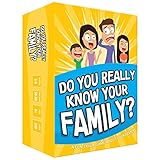
- Get ready for the best family game night as you laugh and learn new things about each other with this fun card game.
- See who really knows the family best as you answer fun questions about each other while sparking interesting conversations.
- Create hilarious family memories as you compete and perform silly challenges together.
- Super easy to learn and play - a perfect game for families with kids 8 and up, teens and adults.
Not every game can be shared. Developers control eligibility, and technical requirements can also prevent sharing. Valve’s FAQ gives games requiring a third-party key, account, or subscription as examples of possible exclusions. The family’s game library therefore depends on each title’s eligibility, not just on who owns it. See Valve’s Steam Families Beta FAQ for its explanation of eligibility and simultaneous play.
Parental controls for child accounts
Steam Families separates adult and child roles. Adults can manage a child’s access and requests; children cannot manage the family. Valve says these controls can be managed through Steam, including on mobile.
Rank #2

- GAME OF SWEET REVENGE: Enjoy classic Sorry! gameplay with this Sorry! board game for kids. It's an edge-of-your-seat race to home, so hurry up and get there first
- FIRST ONE HOME WINS: Who will be the first player to get all 3 of their pawns to the home space? But watch out! Players can get "sweet revenge" by sending each other's pawns back to the starting point
- SO MANY POSSIBILITIES: Slide, collide, and score to win the Sorry! game. This family game for kids and adults features so many possibilities depending on the card picked up and strategy chosen
- CLASSIC SORRY! GAMEPLAY: Remember playing the original Sorry! game as a kid? Bring back memories of playing the Sorry! game with family members and introduce it to a new generation
- FAMILY GAME NIGHT FAVORITE: A go-to game for family time or anytime indoor fun, the Sorry! game for kids is one of the best family games for game night
- Allow or restrict access to games.
- Restrict access to Steam areas such as the Store, Community, or Friends Chat.
- Set hourly or daily playtime limits and view reports.
- Approve or deny requests for extra playtime or access to features.
- Recover a child account.
A child can also ask an adult in the family to pay for items in the child’s shopping cart. Valve says an adult can approve and pay using a mobile device or email; approved games are added to the child’s account. These features are outlined in Valve’s launch announcement.
The Tool Desk
Outbyte Driver Updater FREEScan for outdated or missing drivers - takes under a minuteDriver Scan →Outbyte PC Repair FREEClear out junk files and repair common Windows errorsFree Scan →Family size and membership changes
Valve’s 2024 launch post says a creator can invite up to five other members. Its beta-era FAQ describes Steam Families as intended for up to six close family members. The same FAQ describes one-year waits after leaving a family before an adult can create or join another, and a one-year cooldown before a vacated slot can be filled. These are the rules Valve stated in 2024; consult the current Steam interface and support information for current enforcement or changes.
Quick Recap
Best Value

- INTRODUCING A DIGITAL DIE: More suspense, more surprises, more laughs! In this Jenga game, enjoy the classic Jenga gameplay fans love—or dare to play it with the digital die for added challenges
- 6 MORE WAYS TO PLAY: Roll the digital die for unpredictable challenges: play using thumbs only, race against the clock, and more! (To download the die onto a phone, scan the in-pack QR code or access the web app. No additional purchase needed)
- HILARIOUS CHALLENGES: Actions like “Team-Up” amp up the fun! A player who rolls it selects another player to act as their eyes. The other player can guide their arm, but can’t touch the tower—or topple it
- EXCITING GAME FOR PARTIES OR SOLO PLAY: The Jenga game for kids and adults is the wooden block balancing game livening up parties for generations. No friends around? No problem. Play solo to beat a personal best
- GENUINE WOOD BLOCKS: The Jenga party game includes 54 precision crafted wooden blocks. Pull out a block, place it on top, but don't let the tower fall in this original wood block game
Rank #4

- Fast-Paced Fun for All Ages: Engage in a lively game where players race to match cards with spoken words like "Taco," "Cat," "Goat," "Cheese," and "Pizza." Designed for 2–8 players aged 7 and up, each round lasts just 10–15 minutes, making it perfect for quick family card games or travel entertainment. Its simplicity and speed ensure everyone stays engaged and laughing.
- Simple Rules, Wild Gameplay: Players take turns playing cards while chanting the game's title in order. When a spoken word matches the card played, everyone races to slap the pile and the last one to do so takes the cards! Add in surprise action cards and it becomes a fast-paced, laugh-out-loud competition that's easy to learn but hard to stop playing.
- Card Games for Families and Social Events: Whether it's a holiday gathering, birthday party, or casual get-together, Taco Cat Goat Cheese Pizza is a go-to choice. Its easy-to-learn rules and engaging gameplay make it a hit among both kids and adults. It's also a top pick for stocking stuffers and Easter baskets, offering fun without the need for screens.
- Portable Entertainment for On-the-Go Fun: Compact and lightweight, this card game is travel-friendly, making it an excellent companion for road trips, vacations, or family outings. Its quick setup and short playtime ensure that you can enjoy a fun-filled game session anytime, anywhere.
- Boosts Cognitive Skills and Reflexes: Beyond entertainment, Taco Cat Goat Cheese Pizza helps develop important skills such as concentration, pattern recognition, and fine motor coordination. Players must stay alert and think quickly, making it both a fun and mentally stimulating activity for all ages.
Rank #3

- All New Game: It's the 2nd edition of the quick question “what am I?” Game. Includes 6 new bands- dino, narwhal, robot, flower, butterfly, & brain
- Simple To Play: Pick a headband, place a card in it and play to figure out what's shown on your card. Using yes/no questions, be the first to guess 3 cards correctly and you win
- Family Game Night: Hedbanz is a must-have in your collection of family games for kids and adults. It is for everyone ages 6 and up. For 2-6 players, bring along when you are in need of fun board games for family night
- Funny Random Stuff For Family Game Night: Throw the best party, birthday, game night & Friendsgiving with new party games, family board games & card games for teens & adults
- Spin Master Toys & Games: Looking for kids games, yard games & card games for grown ups, kids or teens? Shop everything from family game night, travel games, puzzles for adults & family games
How to decide whether Steam Families fits your household
- Check the games: Confirm that the titles you want to share are eligible; a family membership does not make every Steam game shareable.
- Count copies for shared play: If two people need to play the same title at once, the family needs two copies.
- Choose child limits: Decide which games and Steam areas a child may access, and whether time limits or adult approval for requests are appropriate.
- Consider membership carefully: Valve’s 2024 FAQ described cooldowns for changing families and refilling a vacant slot, so avoid treating membership changes as an immediate, unrestricted rotation.
Product prices and availability are accurate as of the date/time indicated and are subject to change. Any price and availability information displayed on Amazon at the time of purchase will apply.

