
iTechGuides is reader-supported. When you buy through links on our site, we may earn an affiliate commission. As an Amazon Associate I earn from qualifying purchases. Learn more
The EQ settings on your iPhone can improve Apple Music’s bass, vocals, or treble, but iPhone does not provide one fully manual, system-wide equalizer. In iOS 26, Apple Music offers preset EQ at Settings → Apps → Music → EQ, while Headphone Accommodations provides separate headphone personalization for supported media.
The best result usually comes from identifying the actual problem first. A weak bass response, buried vocal, inconsistent volume, harsh treble, poor ear-tip seal, and uneven hearing require different solutions. Apple’s built-in controls are useful, but no single preset is best for every headphone, recording, listener, or app.
Key takeaways
- In iOS 26, Apple Music EQ is located at Settings → Apps → Music → EQ and provides presets rather than a conventional multiband or parametric equalizer.
- Apple Music EQ is primarily an Apple Music playback control; Apple does not document it as a universal EQ for Spotify, YouTube, games, calls, and every other iPhone audio source.
- Headphone Accommodations at Settings → Accessibility → Audio & Visual → Headphone Accommodations can personalize media audio through an automated test or manual tone and amplification adjustments.
- Sound Check normalizes perceived loudness; Sound Check does not change bass, midrange, or treble balance.
- Lossless Audio changes encoding quality rather than tonal balance, and Apple says Bluetooth connections to AirPods and Beats are not lossless.
- For independent frequency-band control, use a compatible music player or headphone-maker app, but do not assume a third-party equalizer can process every other iPhone app.
What do the EQ settings on your iPhone actually change?
The EQ settings on your iPhone change the balance of low, middle, and high frequencies in supported audio; EQ is not simply a volume control. Equalization can make bass more prominent, bring vocals forward, or add apparent brightness, but the result depends on the recording, headphones, fit, volume, and other audio processing.
Crashes, No Sound, or Screen Glitches?
Random freezes, missing sound and display glitches usually trace back to one bad driver. Find and replace yours safely.Free scan · under a minutePC Slower Than It Used to Be?
A free scan shows the junk files, broken settings and background clutter dragging Windows down - then fixes them in one click.Free scan · Windows 10 & 11Bass covers low-frequency weight such as kick drums, bass guitar, sub-bass rumble, and general fullness. More bass can make music feel powerful, while excessive bass can mask vocals and make low mids sound muddy.
Popular on Amazon

- 2026 Bluetooth 5.4 Technology : The wireless earbuds use the bluetooth 5.4 chipset. There is a faster and more stable signal transmission and has successfully achieved low latency without interruption. With a range of up to 15 m, whether you are at home, in the office, or on the road, you don't have to worry about disconnection of the bluetooth earbuds. Automatic pairing & compatible with multiple devices.
- More Outstanding ENC Noise Reduction: Powered by dual 14.2 mm low-distortion composite dynamic drivers and a built-in high-resolution decoder, these wireless headphones deliver immersive, high-fidelity sound with AAC and SBC support.Advanced ENC call noise cancellation ensures crystal-clear voice quality, even in noisy environments—bringing you a truly elevated audio experience with the A90 noise-cancelling earbuds.
- LED Power Display & Easy Touch Control: The smart LED display keeps you informed of the remaining battery of both the charging case and wireless earphones, giving you full control over your listening time wherever you go. Simply tap the earbuds wireless bluetooth to control music playback, manage calls, or wake your voice assistant—hands-free convenience, no phone needed.
- 36 Hours Playtime & Faster Charging: Enjoy 6–8 hours of uninterrupted listening on one charge, with up to 36 hours of total battery life when used with the charging case. The Type-C fast charging design delivers safer, more efficient power, keeping your noise cancelling headphones ready whenever you need them.
- Ergonomic & IP7 Waterproof: Thanks to an ultra-light nano coating, these true wireless earbuds are IP7 waterproof and dustproof—perfect for workouts or outdoor adventures. The ergonomic in-ear design and soft silicone tips provide a secure, comfortable fit while keeping outside noise out, letting you immerse yourself fully in your music.
Midrange contains much of the intelligibility of vocals, speech, guitars, piano, and many other instruments. If a podcast voice or lead vocal seems buried, the problem may involve the midrange, headphone tuning, the mix, or your hearing rather than a simple need for more volume.
Treble contains high-frequency detail such as cymbals, consonants, string attack, and brightness. More treble can reveal detail, but too much can create sibilance, hiss, sharp consonants, and listening fatigue.
Audio engineers may also describe sub-bass, upper bass, low mids, upper mids, presence, and air. Those terms help explain what you hear, but Apple’s current iPhone Music EQ menu does not expose those bands as individual sliders.
EQ is separate from volume, Sound Check, Dolby Atmos or Spatial Audio, Lossless Audio, noise cancellation, and Headphone Accommodations. Each feature addresses a different part of the listening chain.
Where is the built-in iPhone EQ?
On iOS 26, open Settings → Apps → Music → EQ, then select a preset or choose Off. Apple documents the current Music EQ and Sound Check locations in the iOS 26 iPhone User Guide.
- Open Settings.
- Tap Apps.
- Tap Music.
- Tap EQ.
- Choose a preset, or choose Off to bypass the Music EQ.
Older iPhone guides may say Settings → Music. The current iOS 26 layout places many app-specific settings under Settings → Apps. If Music is not visible as a top-level Settings item, use the Apps section.
The current Apple control is preset-oriented. Not seeing a ten-band graphic equalizer or manual sliders is expected. Apple’s documentation confirms selectable equalization settings but does not publish a current technical frequency-response chart or exact decibel changes for each preset. The descriptions below therefore explain likely listening tendencies, not guaranteed frequency adjustments.
What’s actually slowing this PC down?
Pick the symptom - the matching free tool is one click away.
Which iPhone EQ preset should you try?
Choose a preset according to the problem you are trying to solve, then compare the preset with Off at the same volume. A preset that sounds exciting for thirty seconds may become tiring over a longer listening session.
| Listening goal | Sensible starting point | Listen for | Potential problem |
|---|---|---|---|
| More bass weight | Bass Booster or a similar bass-focused preset | More body from kick drums and bass guitar | Muddy low mids, masked vocals, or distortion |
| Clearer vocals | Vocal Booster or a similar vocal-focused preset | Lead vocals and speech moving forward | Thinness or sharper consonants |
| More brightness and detail | Treble Booster or another brighter preset | Cymbal detail and guitar attack becoming easier to hear | Sibilance, hiss, and listening fatigue |
| A fuller, less aggressive sound | A warmer or softer preset, where available | Harsh recordings becoming easier to tolerate | Duller detail or reduced clarity |
| Quieter listening with more audible soft sounds | Late Night, where available | Quieter elements becoming easier to hear | Less natural dynamics and a temptation to raise volume |
| Neutral reference | EQ Off | The headphones’ native tuning without Music EQ | The sound may initially feel less dramatic |
Apple does not provide a current official chart that proves exactly how many decibels each iPhone preset adds or removes at a particular frequency. Headphone frequency response, ear-tip seal, codec, listening volume, mastering, and the specific song can change the audible result.
How should you test an iPhone EQ preset?
Use a controlled comparison instead of selecting the preset that sounds loudest. Loudness can make a setting seem more detailed or more powerful even when the tonal balance is less accurate.
Also popular on Amazon
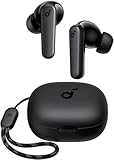
- Powerful Bass: soundcore P20i true wireless earbuds have oversized 10mm drivers that deliver powerful sound with boosted bass so you can lose yourself in your favorite songs.
- Personalized Listening Experience: Use the soundcore app to customize the controls and choose from 22 EQ presets. With "Find My Earbuds", a lost earbud can emit noise to help you locate it.
- Long Playtime, Fast Charging: Get 10 hours of battery life on a single charge with a case that extends it to 30 hours. If P20i true wireless earbuds are low on power, a quick 10-minute charge will give you 2 hours of playtime.
- Portable On-the-Go Design: soundcore P20i true wireless earbuds and the charging case are compact and lightweight with a lanyard attached. It's small enough to slip in your pocket, or clip on your bag or keys–so you never worry about space.
- AI-Enhanced Clear Calls: 2 built-in mics and an AI algorithm work together to pick up your voice so that you never have to shout over the phone.
- Choose two or three familiar tracks: one with clear vocals, one with prominent bass, and one with cymbals or a dense mix.
- Set a comfortable volume and leave the volume unchanged while switching between the preset and Off.
- Listen for clarity and balance, not just extra loudness.
- Keep the preset enabled across several tracks and genres.
- Reject a setting if it sounds impressive briefly but becomes tiring after twenty minutes.
- Change one processing feature at a time so you know which setting caused the improvement or problem.
If a bass-focused preset sounds distorted or congested, lower the volume and try a less aggressive setting. EQ boosts can use available headroom and make already-loud recordings sound strained. Do not compensate for an unpleasant EQ with more volume; use the iPhone’s volume controls and hearing-safety features instead.
What is the difference between Apple Music EQ and Headphone Accommodations?
Apple Music EQ is a quick preset control for Apple Music, while Headphone Accommodations is a headphone-personalization feature that can apply to documented media categories and can use an audio test or manual adjustments.
| Control | Where to find it | Main purpose | Manual frequency sliders? | Scope to expect |
|---|---|---|---|---|
| Music EQ | Settings → Apps → Music → EQ | Preset-based tonal changes for the Music playback environment | No conventional multiband control | Do not assume it processes every app or route |
| Headphone Accommodations | Settings → Accessibility → Audio & Visual → Headphone Accommodations | Personalized headphone tone, amplification, and balance | Manual tone and amplification adjustments are available | Apple documents Media and Phone-related scopes separately |
| Background Sounds EQ | Background Sounds settings | Adjusts frequencies in Apple’s ambient Background Sounds | Applies to Background Sounds | Not a general music equalizer |
Apple documents the Music EQ in the iPhone User Guide and Headphone Accommodations in its headphone audio accessibility guide. Apple documents the separate Background Sounds Equalizer in its Background Sounds instructions. These are three different controls, not three names for one system-wide equalizer.
How do you set up Headphone Accommodations?
Use Custom Audio Setup when you want headphone-specific personalization or when speech and vocals remain difficult to understand after checking fit and basic EQ. Apple recommends running the setup in a quiet environment and resetting Music EQ and left-right balance first.
Run the automated Custom Audio Setup
- Connect the headphones you intend to use.
- Open Settings → Apps → Music → EQ and select Off.
- Open Settings → Accessibility → Audio & Visual.
- Tap Headphone Accommodations and turn the feature on.
- Tap Custom Audio Setup.
- Follow the listening-comparison prompts in a quiet environment.
- Tap Use Custom Settings when the setup is complete.
Before starting, check left-right balance under Settings → Accessibility → Audio & Visual and return the balance to the center. Apple’s Headphone Accommodations guidance specifically recommends turning off Music EQ and centering balance before Custom Audio Setup so the test is not layered on top of another tonal configuration.
Make manual adjustments
From the Headphone Accommodations screen, use the available controls to adjust tone and amplification, then select Play Sample to compare the result. Supported AirPods can also expose certain transparency-mode controls. The exact options depend on the connected headphones and the feature support documented by Apple.
Headphone Accommodations is an accessibility and personalization tool, not a substitute for a clinical hearing evaluation. If one ear consistently sounds quieter, speech remains difficult to understand, or you need unusually high volume, check the headphones, earwax, and fit, and seek professional advice when appropriate.
Do not treat Headphone Accommodations and a strong Music EQ preset as a “more is better” combination. Stacking aggressive bass, treble, or amplification changes can produce an exaggerated and fatiguing result. Start with one approach, test it, and add another feature only if a clearly identified problem remains.
Is there a system-wide EQ on iPhone?
Apple does not expose or document one general-purpose, user-controlled parametric EQ that processes every iPhone app and output route. Apple documents Music EQ as a Music setting and separately documents Headphone Accommodations with a Media scope, so changing Settings → Apps → Music → EQ should not be advertised as a guaranteed way to alter Spotify, YouTube, games, calls, or every video app.
This is a scope limitation, not a reason to dismiss the built-in tools. Headphone Accommodations may be the more relevant control when the goal is headphone personalization across the media types Apple supports. App-specific equalizers can work inside their own playback environment, but third-party apps generally cannot be assumed to intercept audio from every other iPhone app.
Also popular on Amazon

- Hi-Fi Audio & Crystal-Clear Calls - Equipped with a 13.2mm dynamic driver, the T18 delivers an enhanced listening experience with strong bass, balanced mids, and crisp highs. Every beat and detail is faithfully reproduced, giving you the feel of a live performance. Advanced microphone technology ensures your voice comes through clearly, making calls smooth and natural even in noisy environments.
- Long-Lasting 48H Playtime with Power Display - Enjoy uninterrupted entertainment with up to 9 hours of playback per charge, and a total of 48 hours when paired with the charging case. The dual LED digital display provides real-time updates on both the case and earbuds’ power status, so you’ll always know when it’s time to recharge. Perfect for commuting, long trips, or all-day use.
- Bluetooth 5.3 & Instant Pairing - Featuring the latest Bluetooth 5.3 chip, the T18 earbuds offer faster, more reliable connections with ultra-low latency as low as 0.05s. Once removed from the charging case, they automatically reconnect to your last paired device. With a 33ft wireless range, you can enjoy stable, drop-free audio streaming on multiple devices without interruptions.
- Ergonomic & Lightweight Comfort - Designed after extensive testing, these earbuds fit naturally in the ear for secure, all-day comfort. Each earbud weighs only 0.13oz, reducing ear fatigue while ensuring they stay in place during movement. Three sizes of soft silicone tips are included, so you can find the perfect fit for maximum comfort and noise isolation.
- Sensitive Touch Control & IPX7 Waterproof Protection - The upgraded T18 chip ensures accurate, responsive touch controls for effortless management of music, calls, and voice assistants. Built with an IPX7 waterproof rating, these earbuds are resistant to sweat and rain, making them reliable companions for workouts, outdoor runs, and daily use. With fast USB-C charging support, powering up is quick and convenient whenever you need it.
If a downloaded equalizer claims to be system-wide, check whether the app actually plays the music itself, imports local files, integrates with a particular service, or requires a supported connection. DRM, service integration, and Apple’s audio-routing rules can limit what an app can process.
Which setting should you use for your specific listening problem?
| Problem | Best first action | What to check next |
|---|---|---|
| Vocals are buried | Check fit and try a vocal-focused Music EQ preset | Run Headphone Accommodations if the issue is consistent across headphones or speech content |
| Bass is too weak | Improve the ear-tip seal, then try a moderate bass-focused preset | Check whether bass improves at a lower volume; avoid boosting until distortion appears |
| Bass is too boomy | Turn EQ Off or move away from a bass-focused preset | Try a better-fitting or better-tuned headphone rather than adding more processing |
| Treble is sharp | Turn off a bright preset and compare with EQ Off | Disable other sound effects one at a time and consider a warmer headphone tuning |
| Music sounds dull | Compare EQ Off with a mild brighter preset at matched volume | Test another track; some recordings are intentionally darker or less detailed |
| One ear sounds louder | Check the headphones, fit, and left-right balance | Use Headphone Accommodations or seek professional advice if the imbalance persists |
| Track volume changes are distracting | Try Sound Check | Remember that Sound Check changes perceived loudness, not tonal balance |
| Music sounds different between apps | Check each app’s own audio settings | Do not assume Apple Music EQ applies to the other app |
What does Sound Check do?
Sound Check normalizes the perceived volume of audio so that songs are less likely to jump sharply from one track to another. Sound Check is not a bass, treble, vocal, or clarity control. Apple lists Sound Check separately from EQ in the current iPhone Music settings guide.
On iOS 26, the path is Settings → Apps → Music → Sound Check. Sound Check can make listening more consistent, although some songs may feel less dynamic or less exciting after normalization. Sound Check will not repair a bright headphone, muddy mix, poor ear-tip seal, or bad recording.
The Tool Desk
Outbyte Driver Updater FREEScan for outdated or missing drivers - takes under a minuteDriver Scan →Outbyte PC Repair FREEClear out junk files and repair common Windows errorsFree Scan →How are EQ, Dolby Atmos, Spatial Audio, and Lossless Audio different?
EQ changes tonal balance, Sound Check changes perceived loudness, Dolby Atmos or Spatial Audio changes the presentation, and Lossless Audio changes the encoding quality. These controls should be tested separately rather than enabled together and judged as one package.
| Feature | Main purpose | Changes tone? | Changes loudness? | Changes spatial presentation? |
|---|---|---|---|---|
| Music EQ | Tonal preset | Yes | It can change perceived loudness | No, by itself |
| Sound Check | Volume normalization | No intended tonal change | Yes | No |
| Headphone Accommodations | Headphone personalization | Yes | Amplification can change level | No, by itself |
| Dolby Atmos or Spatial Audio | Immersive presentation | It may alter tonal perception | Not its primary purpose | Yes |
| Lossless Audio | Encoding quality | No intended tonal change | No | No |
How should you test Dolby Atmos or Spatial Audio?
Compare the same track in four controlled states: EQ Off with stereo playback, an EQ preset with stereo playback, Dolby Atmos or Spatial Audio enabled, and the same immersive mode with the EQ choice that you prefer. Dolby Atmos availability and behavior depend on the content and playback device; Apple provides device and content context in its Apple Music Dolby Atmos information.
Dolby Atmos is not automatically better. An immersive mix can change the apparent position of vocals, bass, and detail, and different songs may benefit differently. Decide based on the presentation you prefer for the particular track and headphones.
Does Lossless Audio improve an EQ problem?
No. Lossless Audio changes encoding quality, not frequency balance, headphone tuning, fit, or the quality of a recording. Apple documents Apple Music Lossless at up to 24-bit/48 kHz and Hi-Res Lossless at up to 24-bit/192 kHz in its iPhone Lossless Audio guide.
Do these 3 things before closing this tab:
1Scan for outdated or missing drivers - takes under a minute2Repair Windows errors before they cause bigger problems3Fix the driver behind crashes, sound loss and screen glitchesThe Lossless Audio path is Settings → Apps → Music → Audio Quality → Lossless Audio. Apple says Bluetooth connections to AirPods and Beats are not lossless, and playback above 48 kHz on iPhone requires an external DAC. Lossless also uses more data and storage, and audible improvement over a good lossy stream depends on the complete listening setup. A listener using Bluetooth should not buy a wired setup solely because AirPods Bluetooth playback is expected to become lossless.
Independent reader supportYour contribution helps us test, update, and keep practical guides available for everyone.Why does the best EQ depend on your headphones?
The same preset can sound balanced on one headphone and excessive on another because every headphone has its own tuning. Ear-tip seal affects bass substantially, while headphone fit, driver design, recording quality, codec, volume, and personal hearing also affect the result.
Check the physical setup before applying aggressive EQ. Reseat earbuds, try the correct ear-tip size, clean the headphone openings according to the manufacturer’s instructions, and compare another pair of headphones. A poor seal or poorly matched headphone can make extreme bass or treble boosts seem necessary.
Also popular on Amazon
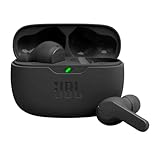
- JBL Deep Bass Sound: Get the most from your mixes with high-quality audio from secure, reliable earbuds with 8mm drivers featuring JBL Deep Bass Sound.
- Comfortable fit: The ergonomic, stick-closed design of the JBL Vibe Beam fits so comfortably you may forget you're wearing them. The closed design excludes external sounds, enhancing the bass performance.
- Up to 32 (8h + 24h) total hours of battery life with speed charging: With 8 hours of battery life in the earbuds and 24 in the case, the JBL Vibe Beam provide all-day audio. And when you need more power, you can speed charge an extra two hours in just 10 minutes.
- Stay aware of your surrounding: Go anywhere and hear everything with Smart Ambient technology. When you need to pause for a quick chat, TalkThru lets you instantly hear yourself and those around you without taking out your earbuds. Or use Ambient Aware to keep the music playing while remaining aware of your surroundings.
- Hands-free calls with VoiceAware: When you're making hands-free stereo calls on the go, VoiceAware lets you balance how much of your own voice you hear while talking with others.
Headphone-specific correction may be more effective than a genre preset when the same tonal problem appears across many songs. When the problem is personal hearing balance or speech intelligibility, start with Headphone Accommodations rather than repeatedly increasing treble or volume.
Recommended Free Tools
What should you do when Apple’s built-in EQ is not enough?
When you need a custom ten-band or sixteen-band EQ, the practical options are a compatible music player, a headphone manufacturer’s app, or external wired audio hardware. Each option has a different scope, and none should be assumed to process all iPhone audio.
- Headphone manufacturer app: Use the official app when your headphone model supports model-specific EQ or sound personalization. This can be preferable to a standalone music player because the tuning is associated with the headphones, although availability varies by brand, model, firmware, and connection.
- Compatible music player: A player with its own EQ can provide band-by-band control for local or supported content. The player normally needs to play the content itself.
- Standalone EQ player: Apps such as Boom or Equalizer+ advertise custom EQ and supported-service integrations, but their App Store descriptions should be checked for current compatibility, access limitations, and subscription terms. Treat vendor claims about improved sound as claims, not independent measurements.
- Wired DAC or headphone amplifier: External hardware is relevant for wired listening, higher-resolution playback, or output-power requirements. It is a poor first purchase for someone who simply needs clearer vocals or less bass.
- Different headphones: Replacing an ill-fitting or badly matched headphone can be more effective than applying extreme corrective EQ.
Apple’s built-in controls should be the first step for most listeners because they are already available and help identify the actual problem. Pay for an app or accessory only after confirming that a preset, personalization feature, fit adjustment, or different headphone does not solve the problem.
Why might an iPhone EQ setting appear to do nothing?
An iPhone EQ setting may appear ineffective when the setting is being tested outside Apple Music, another app has its own audio processing, the headphones use a different connection route, or Headphone Accommodations is disabled for the intended media scope.
- Confirm that the test is taking place in the Apple Music playback environment when testing Settings → Apps → Music → EQ.
- Check the app’s own audio settings if the sound comes from Spotify, YouTube, a podcast app, a game, or another service.
- Confirm that the intended headphones or speaker are connected.
- Check whether Headphone Accommodations is enabled for Media when media personalization is the goal.
- Turn off other processing features temporarily and test one change at a time.
- Compare a familiar song with EQ Off at the same volume.
If a preset sounds bad, possible causes include an already bass-heavy or treble-heavy headphone, a poor ear-tip seal, an aggressively mastered track, active Dolby Atmos or spatial processing, simultaneous Headphone Accommodations, or a volume mismatch. Reset the chain and retest rather than adding more effects.
Quick wins for a faster PC:
Repair Windows errors before they cause bigger problemsFix Now →Fix the driver behind crashes, sound loss and screen glitchesFind Drivers →What is the safest final iPhone audio setup?
A conservative setup preserves flexibility and avoids using loudness to hide a tonal problem.
- Start with Music EQ Off.
- Check headphone fit, ear-tip seal, cleanliness, and left-right balance.
- Run Headphone Accommodations → Custom Audio Setup if headphone personalization or speech intelligibility is the main goal.
- Add a mild Music EQ preset only if a consistent problem remains in Apple Music.
- Evaluate Sound Check separately as a loudness-normalization choice, not as an EQ.
- Compare Dolby Atmos or Spatial Audio separately from tonal changes.
- Enable Lossless Audio only when its data, storage, connection, and hardware trade-offs make sense; do not expect Lossless Audio to fix frequency balance.
- Keep listening volume comfortable and reject any setting that causes fatigue or encourages unsafe volume.
The professional approach is not maximum bass, maximum treble, or maximum processing. The professional approach is a repeatable, volume-matched comparison that solves one problem without creating another.
Frequently Asked Questions
Does iPhone have a custom EQ with individual frequency sliders?
The built-in Apple Music EQ on iOS 26 is preset-based and does not provide a conventional user-facing multiband or parametric equalizer. Individual frequency-band control requires a compatible music player, headphone-maker app, or external audio setup, and the control may apply only within that playback environment.
Does iPhone Music EQ work with Spotify or YouTube?
Apple documents Music EQ as a setting for the Music playback environment and does not document it as a universal EQ for Spotify, YouTube, games, calls, and every other iPhone audio source. Check the individual app or headphone app for separate audio controls.
Free tools Windows power users keep installed
One-click scans. No signup required.
Should I use Music EQ and Headphone Accommodations together?
Usually, start with one control rather than stacking aggressive settings. Apple recommends turning Music EQ off and centering left-right balance before running Headphone Accommodations Custom Audio Setup, after which you can test any additional preset cautiously.
Does Lossless Audio make music sound better on AirPods?
Apple says Bluetooth connections to AirPods and Beats are not lossless, so enabling Lossless Audio does not make AirPods Bluetooth playback lossless. Lossless Audio changes encoding quality rather than correcting bass, treble, headphone tuning, or fit.
The Bottom Line
Bottom line: For Apple Music, start at Settings → Apps → Music → EQ and compare a modest preset with EQ Off at the same volume. For headphone-specific personalization, use Settings → Accessibility → Audio & Visual → Headphone Accommodations. Sound Check, Dolby Atmos, and Lossless Audio solve different problems, and none turns iPhone into a universal manual EQ.

