
Quick wins for a faster PC:
Repair Windows errors before they cause bigger problemsFix Now →Fix the driver behind crashes, sound loss and screen glitchesFind Drivers →Clear out junk files and repair common Windows errorsFree Scan →iTechGuides is reader-supported. When you buy through links on our site, we may earn an affiliate commission. As an Amazon Associate I earn from qualifying purchases. Learn more
To rescue your water-damaged screen, turn the phone off, disconnect every power source, do not charge or repeatedly test it, and dry the exterior with the charging port facing down. Skip rice and hot air. A damaged screen may indicate moisture in the display, connector, battery, or logic board, so inspection matters after serious exposure.
Move quickly, but do not confuse speed with repeated testing. The safest first response is to stop electricity from flowing through a wet phone, remove accessible moisture without pushing liquid farther inside, and arrange diagnosis when the phone was submerged, exposed to a contaminated liquid, or developed screen, heat, battery, or charging symptoms.
Key takeaways
- Turn off a wet phone, disconnect cables and accessories, and do not charge it by cable or wirelessly until it is fully dry and, after significant exposure, inspected.
- Rice, hair dryers, ovens, aggressive shaking, and objects pushed into the charging port do not safely repair internal liquid damage.
- A black, flickering, discolored, or touch-unresponsive screen can result from a failed display, wet connector, damaged display circuit, battery, or logic board.
- Salt water, pool water, soda, coffee, juice, detergent, and other contaminated liquids require a lower threshold for professional inspection because residues can accelerate corrosion.
- There is no universal safe 24-, 48-, or 72-hour drying countdown; a phone can appear normal while corrosion continues internally.
What should you do first with a water-damaged screen?
Follow this sequence immediately. Stop at any point if the phone is hot, swollen, smoking, bubbling, melting, or producing a chemical smell.
- Remove the phone from the liquid only if doing so is safe. If the phone is connected to mains power and the surrounding water may be energized, do not reach into it. Disconnect power at the breaker if necessary.
- Disconnect external power. Unplug the charger and remove accessories. Do not touch a live charger in water.
- Turn the phone off. If the phone is already off, leave it off. Do not wake it to see whether the screen still works.
- Remove the case, SIM tray, SIM card, and microSD card if present. Do not attempt to remove a sealed battery unless you are qualified and have the correct model-specific procedure.
- Point the charging port downward. Gently tilt or tap the phone to help liquid escape. Do not shake it aggressively.
- Wipe the outside. Use a soft, lint-free cloth. Do not push tissue, cotton swabs, pins, paper clips, or other objects into the port.
- Use gentle room-temperature airflow. Place the phone in a dry, ventilated location. A fan is safer than heat, but airflow does not guarantee recovery.
- Arrange inspection when the exposure was serious. Prompt service is especially important after submersion, contaminated-liquid exposure, visible screen damage, heat, battery symptoms, or internal camera fogging.
iFixit’s electronics water-damage guidance also emphasizes disconnecting power, avoiding rice, and treating heat and battery symptoms as safety issues. Apple’s guidance says to unplug cables and avoid charging an iPhone until the device is completely dry.
Popular on Amazon

- Excellent Moisture Absorption: Our silica gel packets has transparent silica gel beads inside, decassant packs has high moisture absorption, which can effectively absorb the humidity in the air, keep the items in a dry state, and prevent the moisture from damaging the items
- Well Packaged: The silica packets is sealed on both sides with quality cotton paper for strong protection.Dry packs moisture absorbing packs have stable chemical properties, will not have chemical reactions with other substances, can be widely used in daily life
- Meet Your Needs: In very humid conditions, it is recommended to use more silica gel packs for better results, and the ample portion of 100 packs of 2 grams dry packets can satisfy your long-term usage
- Rechargeable & Reusable: Silicone packets contains clear silica gel beads that will not change color when saturated. Silica gel beads will be thawed in microwave for 9-12 minutes or baked in 200-250F oven for 0.5-2 hours to reactivate, depending on the condition of the silica gel beads
- Wide Applications: Anti humidity packs is widely used to protect a variety of enclosed storage spaces including safes, toolboxes, weapons cases, closets, etc. Packaging desiccant can effectively prevent electronic products, jewelry, cameras, clothes, books, iron tools, precision instruments, wood, pianos, collectibles
What should you avoid after a phone gets wet?
| Action | Why it is a problem | Safer alternative |
|---|---|---|
| Turning the phone on repeatedly | Power can flow through moisture and worsen a short or corrosion. | Shut it down once and leave it off. |
| Charging by cable or wireless pad | Both methods supply power; wireless charging can also generate heat. | Wait until the phone is fully dry and significant exposure has been assessed. |
| Putting the phone in rice | Rice does not remove internal contaminants and particles can enter ports. | Use dry ventilation and professional cleaning when needed. |
| Using a hair dryer, oven, radiator, or heat gun | Heat can damage the display, battery, adhesives, seals, and other components; forced air can drive liquid deeper. | Use gentle, room-temperature airflow. |
| Blowing strong compressed air into openings | High-pressure air can push liquid farther into the phone. | Prefer passive drying or carefully controlled, gentle airflow. |
| Shaking the phone hard | Liquid can move into areas that were not yet contaminated. | Hold the port downward and tilt gently. |
| Spraying alcohol or cleaner into an assembled phone | Liquid may reach the display, camera, battery, or other sensitive parts. | Leave board cleaning to an experienced repairer unless the phone is safely disassembled. |
| Buying a screen before diagnosis | A screen replacement cannot repair a failed connector, power circuit, battery, or logic board. | Obtain a liquid-damage diagnosis first. |
Apple specifically warns against charging a wet iPhone, and iFixit’s liquid-damage guidance rejects rice and similar desiccants as a complete treatment. The point is not that rice guarantees damage; the point is that rice does not clean residue or confirm that the inside is dry.
Why can a wet screen be black, flickering, or partly responsive?
A water-damaged screen is a symptom, not a diagnosis. Liquid may be trapped in the display assembly, contaminating the display connector, damaging a board circuit, or affecting the battery and power-management system.
| What you observe | Possible source | What the symptom does not prove |
|---|---|---|
| The phone rings, vibrates, receives notifications, or connects to another device, but the screen is black. | Failed display panel, backlight or display power circuit, wet connector, flex cable, or board damage. | That replacing the screen alone will fix the phone. |
| Fogging, dark patches, pale patches, discoloration, or lines. | Moisture inside the display, damaged panel layers, connector contamination, or board damage. | That the moisture is only on the outer glass. |
| Touch produces ghost taps or works only in some areas. | Wet or damaged digitizer, display assembly, connector, or logic-board circuit. | That the operating system is the cause. |
| The display works intermittently or improves as the phone dries. | Residual moisture or early corrosion affecting the panel, connector, or board. | That the phone is safely repaired. |
| No display, sound, vibration, charging response, or computer detection. | Battery, power-management, board, or severe internal damage. | That the display is the only failed part. |
| The phone becomes hot, smells chemical, swells, smokes, bubbles, or shows melting. | Potential battery or power-system damage. | That further testing is safe. |
iFixit’s iPhone liquid-damage repair guide notes that significant internal display damage generally requires display replacement and warns against treating display or camera modules like circuit boards. A display replacement is therefore a repair option only after the underlying fault is understood.
Can the screen recover by itself?
Sometimes temporary flickering, discoloration, or touch problems improve as residual moisture evaporates, but apparent recovery does not prove that the phone is safe. Liquid trapped under shields, connectors, or display layers may remain after the exterior feels dry, and dissolved residue can continue causing corrosion.
Do not use a fixed countdown such as 24 or 48 hours as a guarantee. iFixit says air drying for several days may help when a user is not confident disassembling a device, while also explaining that disassembly and cleaning are better ways to prevent corrosion. The correct waiting period depends on the exposure, phone construction, liquid, and internal condition.
Samsung recommends inspection even when a Galaxy phone appears to work normally after water exposure because internal corrosion or damage may not be immediately visible. A phone that turns on is a phone that has power—not necessarily a phone that has recovered.
What is the difference between fresh water and contaminated liquid?
Clean fresh water is concerning, but salt water, pool water, soda, coffee, juice, alcohol, detergent, and other liquids are more dangerous because they can leave conductive, sugary, salty, acidic, alkaline, or corrosive residue.
What’s actually slowing this PC down?
Pick the symptom - the matching free tool is one click away.
Also popular on Amazon

- Fast, Efficient Drying System: Nine Lives Wet Phone Fix is the fastest, most efficient drying system available for your phone and other electronics.
- Advanced Drying Technology: Utilizing molecular sieve technology to quickly dry water deep inside the device better than other methods such as rice, silica gel, and clay desiccants.
- Absorbs Water Permanently: Water is absorbed permanently. Nine Lives can extract a full teaspoon of water in under 2 hours! Other desiccants can release water under certain situations or leave dust particles inside your device.
- Perfect For Cellphones & Electronics: Fits any device 10.5 x 6.5 x 3 inches including cell phones like iPhone, Blackberry, HTC, LG, Nokia, Samsung, Motorola, and many more. Perfect for GPS devices, MP3 Players, Toys and Games, e-Readers, headphones, and cameras.
| Liquid or exposure | Risk | Recommended response |
|---|---|---|
| Small splash of clean fresh water | May remain limited to the exterior or port, but seals and prior damage matter. | Power down, drain, wipe, ventilate, and monitor without charging. |
| Submersion or water entering openings | Higher chance of moisture under the display, in connectors, or on the logic board. | Keep powered off and arrange prompt inspection. |
| Salt water or seawater | Salt residue is conductive and corrosive. | Disconnect power and seek professional service promptly. |
| Pool water | Chlorinated water can leave damaging residue. | Disconnect power and seek model-appropriate professional guidance. |
| Soda, coffee, juice, or detergent | Sugars and chemicals can remain after water evaporates. | Do not rely on drying alone; arrange cleaning and inspection. |
| Alcohol or solvent exposure | The liquid may affect adhesives, coatings, plastics, and electronics. | Power down and obtain specialist advice rather than adding more solvent. |
Some repair guidance recommends rinsing certain contaminated devices with fresh water after power has been disconnected, followed by drying. That is advanced, model-sensitive advice—not permission to casually run a sealed modern phone under a tap or submerge it. Do not rinse a phone connected to mains power. When the phone is valuable, submerged, malfunctioning, or fitted with a non-removable battery, professional service is safer. Samsung’s charging-port liquid guidance should be checked for the exact Galaxy model.
How should you dry a water-damaged phone?
Dry the exterior and charging port with gravity, time, and gentle ventilation; do not try to force internal liquid out with heat or pressure.
- Remove the case and accessible cards or trays.
- Hold the phone with the charging port facing downward.
- Gently tilt or tap the phone so external liquid can drain.
- Wipe the housing with a soft, lint-free cloth.
- Place the phone in a dry area with room-temperature airflow.
- Leave the phone powered off and disconnected from chargers, computers, and accessories.
iFixit’s detailed drainage procedure recommends holding the phone upright and gently tilting it to drain liquid through the bottom. Do not insert anything into the port, and do not assume that a dry-looking port means the display or board is dry.
Silica gel may assist ambient drying in some situations, but no desiccant removes dissolved contaminants from connectors or reverses corrosion. A sealed container can also hide a battery or heat problem, so ventilation and safety are more important than a “drying box” promise.
Should you open a water-damaged phone?
Most owners should keep a wet phone off and seek inspection rather than opening it immediately. Opening a phone can permit battery disconnection and board cleaning, but the procedure is model-specific and can create new damage.
DIY opening may be reasonable only when all of these are true:
- You are technically competent and have a model-specific repair guide.
- You have the correct tools, lighting, protective equipment, and replacement adhesive.
- The battery is not hot, swollen, smoking, punctured, or otherwise unsafe.
- You accept that opening the phone can damage cables, seals, brackets, screens, or the phone itself.
- Data recovery is not being entrusted to an experiment.
Opening a phone can tear display or battery flex cables, puncture a lithium battery, break water-resistant adhesive, lose small screws or shields, complicate warranty or insurance claims, and make future water resistance uncertain. Foldable phones deserve extra caution because their display layers, hinges, and repair costs are more complex; use manufacturer or specialist service unless you have a specific, reliable repair procedure.
Also popular on Amazon
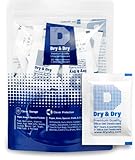
- [Packet Specification] (Packet dimension: 2 inch x 2.7 inch); 5 gram desiccant packets can cover approximately 600 cubic inch volume containers; We recommend placing more packets than recommended for extra protection
- [How To Use] Place your items and silica gel packets in a tightly sealed container to protect your items from moisture damage; Use silica gel packs to protect Foods, Medications, Vitamins, Seeds, Nuts, Snacks, Cookies, Spices, Pet Foods, 3D Filaments, Guns, Ammos, Canister, Collectables, Jewelry, Documents, Camera Lens, Clothes, Cosmetics, Books, Bags, Decorations, Wet phones, Cameras, Watches, Electronics, Shoes, and Many Other Valuables
- [Food Grade] Our Packet Material was Tested under Strict Regulation for Food Specifications
- [Ultimate Moisture Absorption and Reactivation] Packet material is high quality coated paper for Ultimate Moisture Absorption and Heat Resistance for Reuse (Place in the Oven for 0.5 to 2 hours at 200 to 250F or Microwave for About 7 to 12 Minutes at Defrost Mode)
- [Special Thickness] Silica gel packs are stored in a Resealable Bag for Easy Storage and Use (Newly designed air tight sealing and sturdy bag for moisture control); Packet Material is Specially made in South Korea
For advanced board repair, high-concentration isopropyl alcohol—generally 90% or higher—may be appropriate for cleaning a disconnected circuit board in a well-ventilated area with gloves, eye protection, and no ignition sources. Do not pour or spray alcohol into an assembled phone, do not use acetone, ketone, or naphtha solvents, and do not submerge the display or camera module in alcohol.
What should you do if the screen stays black?
First determine whether the phone is still operating without repeatedly powering it on. Ringing, vibration, notifications, computer detection, or a response from another device can indicate that the phone is running even though the display path has failed.
- Phone rings or vibrates: Ask a repair specialist to diagnose the display, connector, flex cable, and display power circuit before approving a screen replacement.
- Screen shows lines, green or purple tint, flicker, or patches: Treat the issue as possible panel, connector, or board damage. Stop using the phone if touch input becomes erratic.
- Touch fails but an image remains: The digitizer or display assembly may be damaged, although connector and board faults remain possible.
- No signs of life: The fault may involve the battery, power-management circuitry, logic board, or display. A screen-only repair is especially unlikely to be a reliable diagnosis.
- Camera lenses fog internally: Assume liquid entered the device and seek inspection rather than waiting for the camera to clear.
- Liquid-detection warning appears: Do not override the warning merely to charge. Keep the connector dry and wait for the warning to clear, without inserting objects into the port.
How can you preserve data without making the damage worse?
When photos, messages, authentication codes, or work files matter, controlled data recovery is more important than proving that the phone can turn on. Repeated power-on attempts and charging can reduce the chance of recovery.
- If the phone is still on and demonstrably dry, use its normal cloud-backup tools to back up essential photos and files.
- Transfer important data only when doing so does not require charging, repeated restarts, or prolonged operation of a damaged phone.
- If the screen is unusable but the phone appears to run, ask a repair specialist about temporary display access, external input, direct data transfer, or board-level recovery.
- Tell the repairer before service begins that data preservation is essential.
- Do not authorize an exchange, factory reset, or board replacement until you know whether the data will remain accessible.
A manufacturer replacement route may restore a working phone but may not preserve the original device’s data. An independent specialist with board-level liquid-damage and data-recovery experience may be more appropriate when the files are irreplaceable.
When should you seek professional repair immediately?
Seek prompt professional inspection after submersion, contaminated-liquid exposure, or any sign that liquid reached the phone’s interior. Do not wait for a screen to fail completely when the data or device value is high.
Free tools Windows power users keep installed
One-click scans. No signup required.
- The phone was submerged or liquid entered through a port, speaker, seam, camera, hinge, or cracked glass.
- The screen is black, flickering, discolored, lined, fogged, or intermittently responsive.
- The phone is hot, swollen, smoking, bubbling, melting, or producing an unusual chemical smell.
- The device repeatedly restarts, refuses to charge, or displays a liquid-detection alert.
- The camera fogs internally.
- The phone had previously been opened, repaired, dropped, bent, or cracked.
- The phone is a foldable, a recent flagship, or contains essential data.
Tell the shop whether the liquid was fresh water, salt water, pool water, a sugary drink, detergent, alcohol, or another chemical. Ask whether the shop performs liquid-damage cleaning and board-level diagnosis, not merely screen replacement.
Which repair option is best: manufacturer, specialist, DIY, or replacement?
The best route depends on phone value, coverage, data importance, the extent of damage, and whether the repairer can diagnose board-level faults.
Also popular on Amazon

- COMPACT DESIGN: Super compact and minimal design, perfect for those looking for practicality and style
- EASY TO CARRY: Easily collapsible and portable, ideal for those who are always on the move
- COMPLETE KIT: Includes nebulizer, microfiber cloth, dirt removal tip, hard brush and sponge for internal cleaning of the charging case
- SMARTPHONE SPECIFICATION: Screen cleaner designed specifically for smartphones
- CELLY, ENTIRELY ITALIAN DESIGN AND STYLE: With over 20 years of experience, Celly manufactures and distributes innovative and high-quality accessories for smartphones, tablets, PCs, cameras and action cameras
| Option | Best fit | Advantages | Important limitations |
|---|---|---|---|
| Manufacturer service | Recent phones, active protection plans, high-value models, or owners who want model-specific processes. | Official diagnostics, compatible parts, and access to manufacturer coverage records. | Standard warranties commonly exclude accidental liquid damage; the manufacturer may replace the device rather than preserve data or repair a board. |
| Authorized repair network | Owners who want approved parts and a local or faster route. | May combine manufacturer-approved parts and processes with local service. | Availability, parts, claim approval, sealing, and data handling vary. |
| Independent board-level specialist | Corrosion, no-power faults, valuable data, older phones, or cases where component repair is preferable. | May clean boards, repair individual circuits, and preserve data instead of exchanging the phone. | Quality varies; long-term reliability and water resistance may not be guaranteed. |
| DIY repair | Experienced repairers with a model-specific guide and non-critical device. | Potentially lower parts cost and direct access to the battery and board. | High risk of damaging the battery, cables, display, seals, or connectors; not suitable for swollen or hot batteries. |
| Replacement | Older or low-value phones, severe board and battery damage, or estimates near replacement cost. | Fastest path to dependable daily use when data is backed up. | Does not automatically recover local data and may discard a repairable device. |
Before authorizing work, ask: “Do you diagnose liquid damage or only replace screens?” Also ask whether the shop performs board-level repair, preserves data, charges a diagnostic fee, uses genuine, refurbished, or aftermarket parts, offers a repair warranty, and pressure-tests or reseals the phone. A repairer should not imply that factory water resistance has been restored unless the repairer explicitly explains the sealing and testing performed.
Independent reader supportYour contribution helps us test, update, and keep practical guides available for everyone.How much should you spend on a water-damaged screen?
There is no honest universal price for liquid-damage repair. Cost depends on the phone model, region, taxes, parts availability, damage classification, and whether the provider repairs the original device or replaces it after diagnosis.
Recommended Free Tools
Use an official estimate route before relying on a generic screen price. Google’s Pixel repair-cost guidance directs owners to the Google Store repair flow for an estimate. Apple and Samsung likewise route owners through their repair and protection systems, but liquid damage may be treated differently from ordinary screen damage.
Coverage figures are plan- and region-specific. For example, the AppleCare+ U.S. fee information lists a $29 service fee for screen or back-glass damage, while other accidental-damage claims may have a different fee. The $29 figure is not an out-of-warranty liquid-damage repair price. Google Preferred Care materials display a $29 screen-only repair example for eligible Pixel Fold coverage, but the exact model, plan, and claim must be verified before relying on it.
As a parts comparison rather than a liquid-damage diagnosis, iFixit’s March 2026 screen-repair overview reports an average near $81 for iPhone 11 and older Screen Fix Kits. That figure is an average for specified kits, not a promise that a wet iPhone needs only a screen or that the kit will repair board damage.
Repair is more attractive when the phone is recent, expensive, undamaged around the frame, covered for accidental damage, or holding irreplaceable data. Replacement is more attractive when the phone is older, the battery and board are both affected, the frame is bent or cracked, or the estimate approaches the cost of a dependable replacement.
Do these 3 things before closing this tab:
1Repair Windows errors before they cause bigger problems2Scan for outdated or missing drivers - takes under a minute3Clear out junk files and repair common Windows errorsAre water-resistant phones safe after immersion?
No consumer phone should be treated as waterproof. An IP rating describes controlled laboratory testing for a particular product and condition; IP68 is not one universal depth-and-duration guarantee.
Also popular on Amazon

- PERMANENT PROTECTION FOR WET DEVICES: Rescue phones, earbuds, and hearing aids instantly! redux hearing aid dryer's heat-free drying system uses "Electronic Rice" beads to safely absorb moisture, no risky rice or hairdryers. Reusable for years; just reactivate with the included sleeve. Your go-to solution for water accidents
- REACTIVATE & REUSE! NEVER REPLACE: When beads are full, regenerate them in the USB reactivation sleeve. Powered by a long-lasting CR2032 battery for cordless drying anywhere. This hearing aid dryer and dehumidifier is a one-time purchase for protection. Perfect for travel, pools, beaches, and everyday peace of mind
- HEAT-FREE & SMART DRYING: Avoid water damage repair costs. Our hearing aid cleaner uses smart humidity sensors and a heatless process to gently pull moisture out, ensuring your sensitive electronics are safe. The LED indicators show the exact status: drying, complete, or need for reactivation
- COMPACT & TRAVEL-READY: Designed for adventure. This portable hearing aid dryer box fits effortlessly in your backpack, beach bag, or glove compartment, making it the perfect companion for boating, pool days, hiking, or any situation where water and tech might meet
- PROVEN EFFECTIVENESS: With an 84% success rate for devices powered off immediately after getting wet, our hearing aid dehumidifier is 3X more effective than traditional drying methods. Works with all phones (including iPhone & Android), AirPods, hearing aids, and other small electronics
Water resistance can decline through age, drops, frame deformation, cracked glass, heat, wear, previous screen or battery repair, disassembly, pressure, movement, soap, salt, or chemicals. Apple says water resistance is not permanent and that liquid damage is not covered by its standard one-year limited warranty. Google similarly warns that Pixel water resistance can diminish through normal wear, repair, disassembly, or damage.
Liquid-contact indicators provide evidence, not a complete diagnosis. Apple says an iPhone’s Liquid Contact Indicator is normally white or silver and turns fully red after contact with water or a water-containing liquid; the exact location varies by model. Samsung devices may contain a Liquid Damage Indicator whose location and access method vary by model. A triggered indicator does not measure the amount of damage, and an unchanged indicator does not prove that no liquid entered through another route.
For model-specific information, use Apple’s iPhone water-resistance and liquid-damage guidance, Google’s Pixel water-damage guidance, or Samsung’s support page for the exact Galaxy model.
Windows Errors? Fix Them Before They Spread
Repair common Windows errors and clear accumulated junk for a smoother, more stable PC - no reinstall needed.Free scan · no reinstallOutdated Drivers Are Slowing You Down
One free scan finds every outdated or missing driver and matches the right update for your exact hardware.Free scan · exact hardware matchWhat is the final checklist for rescuing a wet phone today?
- Protect yourself from energized water and stop handling a hot, swollen, smoking, bubbling, melting, or chemical-smelling phone.
- Disconnect the charger and every accessory.
- Turn the phone off; if it is already off, do not turn it on.
- Remove the case, SIM card, SIM tray, microSD card, and external accessories.
- Point the charging port down, tilt gently, and wipe the exterior.
- Use a dry, ventilated location and room-temperature airflow.
- Do not use rice, heat, strong compressed air, metal objects, or repeated tests.
- Treat salt water, pool water, drinks, detergent, and other contaminants as reasons for prompt inspection.
- Tell the repairer if data preservation is essential before approving replacement, reset, or exchange.
- Get a diagnosis before purchasing a screen, because the failed component may be the connector, battery, power circuit, or logic board.
Frequently Asked Questions
Should I turn on a phone that was already off when it got wet?
No. Leave a wet phone powered off. Turning it on or repeatedly testing it can apply power while moisture remains inside and worsen short-circuit or corrosion damage.
Can a water-damaged screen work again after drying?
Yes, temporary screen symptoms can improve as residual moisture evaporates, but recovery does not prove the phone is repaired. Corrosion or residue can cause failure days later, so serious exposure still warrants inspection.
Does a liquid indicator prove how badly a phone is damaged?
No. A triggered liquid-contact indicator confirms exposure but does not measure the amount of damage. An untriggered indicator also does not prove that no liquid entered through another route.
Will a manufacturer repair preserve the data on a water-damaged phone?
Not necessarily. A manufacturer may replace the device or board, which can make local data inaccessible. Tell the repair provider that data preservation is essential before authorizing an exchange, factory reset, or board replacement.
The Bottom Line
Turn off the phone, disconnect power, avoid charging, skip rice and heat, and let the exterior drain with the port facing down. A screen that remains black, flickers, or behaves strangely may have a damaged display—or a wet connector, battery, power circuit, or logic board. Diagnose the phone before buying a screen, and prioritize professional board-level service when the exposure was contaminated, the phone is valuable, or the data cannot be replaced.

