
Recommended Free Tools
iTechGuides is reader-supported. When you buy through links on our site, we may earn an affiliate commission. As an Amazon Associate I earn from qualifying purchases. Learn more
Installing your own surveillance camera system is practical, but the best design depends on coverage, recording, security, and privacy—not camera count or resolution alone. PoE cameras with an NVR usually offer the most dependable continuous recording; Wi-Fi, battery, cloud, and hybrid systems trade simpler installation for connectivity, subscription, maintenance, or storage compromises.
A camera can deter some opportunistic behavior and document deliveries, visitors, damage, and property incidents. A camera does not physically stop an intruder, guarantee identification, or automatically summon police. Locks, lighting, alarms, smoke detectors, and professional monitoring may still be necessary.
Key takeaways
- PoE Ethernet cameras with an NVR are generally the strongest choice for reliable whole-property coverage and continuous local recording.
- Wi-Fi cameras still need dependable power, while battery and solar cameras can miss events because they sleep between triggers or run out of power.
- Four cameras recording continuously at 4 Mbps require approximately 172.8 GB per day, or about 5.2 TB for 30 days before overhead.
- Cloud recording simplifies remote access but can add recurring fees; local recording avoids many subscription costs but makes you responsible for storage, security, updates, and backups.
- Camera placement must distinguish detection from identification: a wide view may show that someone is present without producing useful facial detail.
- Secure every system with unique credentials, current software, two-factor authentication where available, encrypted remote access, and limited user permissions.
What should a DIY surveillance camera system accomplish?
A useful DIY surveillance camera system should reliably capture the events that matter, preserve playable footage, send alerts you can act on, protect private areas, and remain available during realistic network or power interruptions. Buying the highest-resolution cameras without planning those requirements often produces an expensive system with blind spots or unusable night footage.
Video surveillance, video doorbells, alarms, and professional monitoring are different products. A video doorbell is usually optimized for a doorway and visitor interaction. An alarm detects events and may sound a siren or send notifications. Professional monitoring is a separate service with its own eligibility, procedures, and costs. Owning cameras alone does not create a guaranteed police or emergency response.
Popular on Amazon

- AI Motion Detection 2.0 – Driving AI to the next level, human&vehicle detection and flexible detection area are more accurate than before. For quicker locating in crucial moments, human&vehicle smart searching in recordings offers you great help.
- Tried-and-True Safe Guard – This one-stop security solution can work with TVI, AHD, CVI, CVBS & IP cameras, the kit includes 1080P cams. The 8CH 3K lite DVR can hook up with 1080P@30fps or 3K/5MP@20fps cams. Therefore, you can also DIY it with other cameras in your home.
- Reliable 24/7 Continuous Recording – With a pre-installed 1TB HDD(Support up to 10TB HDD), providing 24/7 surveillance recording for you. Upgraded H.265+ saves more storage space and uses less bandwidth, recording videos longer and smoother viewing.
- Remote Access Anytime, Anywhere – Stay connected through the ANNKE Vision app. View live footage, play back recordings remotely, and check in on your property anytime, anywhere for convenient home security and greater peace of mind.
- Clear Night Vision and IP67 Weatherproof Protection – Built-in IR LEDs provide black-and-white night vision up to 100ft. With an IP67-rated design, these wired security cameras are built to withstand rain, dust, and changing weather conditions for reliable outdoor surveillance.
Where should surveillance cameras go?
Start with a coverage map, not a shopping cart. For each proposed camera, write down the event it should capture, the distance at which a person or vehicle must be identifiable, the nighttime lighting, the recording mode, and any privacy concern.
| Area | Purpose | Useful view | Typical recording priority | Important concern |
|---|---|---|---|---|
| Front door or porch | Visitors and packages | Medium or narrow view of the approach | Event or continuous | Sidewalk and neighbor privacy |
| Driveway | Vehicles and people | Wide overview plus a tighter detail view when needed | Continuous preferred for important approaches | Headlights and license-plate expectations |
| Side gate | Entry detection | Narrow corridor view | Event or continuous | Neighbor boundary and foliage |
| Rear entrance | Door and approach protection | View of the approach rather than only the door | Event or continuous | Backlighting and blind corners |
| Garage or equipment room | Vehicle, tool, or network-equipment protection | Entryway or equipment-focused view | Continuous or event | Indoor privacy and recorder security |
| Backyard or high-value outdoor area | General awareness | Wide view with a separate detail camera if necessary | Event or continuous | Neighboring yards and public areas |
How do detection, recognition, and identification differ?
Detection means the system shows that something is present. Observation lets you follow general activity. Recognition may allow a familiar person to be recognized. Identification means the footage may distinguish an unfamiliar person with useful confidence.
A wide-angle camera is often excellent for detection but weak for identification. A doorway, gate, or vehicle approach may need a narrower camera aimed at the actual path. A wide overview camera paired with a tighter identification camera can be more useful than two identical wide-angle cameras.
Quick wins for a faster PC:
Clear out junk files and repair common Windows errorsFree Scan →Fix the driver behind crashes, sound loss and screen glitchesFind Drivers →Repair Windows errors before they cause bigger problemsFix Now →How high should cameras be mounted?
Do not mount every camera as high as possible under the roofline. Excessive height can create a top-down view that shows a person’s hat or scalp instead of useful facial detail. Reolink’s guidance for a particular battery-camera family suggests approximately 2–3 meters of mounting height and roughly 2–10 meters of recognition distance; those figures are product- and scene-dependent guidance, not a universal surveillance standard. See the manufacturer’s placement guidance.
Provide modest overlap at entrances, gate-to-yard transitions, driveway approaches, and places where a person could walk behind a vehicle, wall, tree, or fence. Do not aim every camera at the same broad scene. Before drilling, check the view from both straight-on and side approaches.
How should privacy affect camera placement?
Point cameras away from bedrooms, bathrooms, neighboring homes and private yards, windows that reveal private interiors, and public areas beyond what is reasonably necessary. Google’s privacy guidance for home cameras specifically cautions against recording neighbors’ private property and places with a heightened expectation of privacy, including bedrooms and bathrooms.
Privacy masks can hide portions of a view where supported, but a software mask is not the same as physically pointing the camera away. Account compromise, misconfiguration, or exported original footage may still create risk depending on the product.
Which camera architecture should you choose?
The architecture decision determines reliability, installation effort, maintenance, outage behavior, and long-term cost. Choose the system that fits the most important locations rather than forcing every camera to use one connection type.
| Architecture | Best for | Advantages | Trade-offs | Outage and maintenance notes |
|---|---|---|---|---|
| PoE cameras plus NVR | Whole-property coverage and continuous recording | Stable connection, one cable for data and power, no battery charging, less Wi-Fi dependence | Requires cable routing, weather sealing, compatible equipment, and more installation work | Local recording may continue without internet; secure the NVR and use backup power |
| Wi-Fi plug-in cameras | Finished homes, apartments, rentals, and relocatable installations | Fast setup and no Ethernet run to the camera | Still needs an outlet; walls, interference, congestion, and distance can cause dropouts | A live camera can remain powered while unable to upload; test the final location |
| Battery or solar cameras | Gates, sheds, and locations without practical power or Ethernet | Minimal wiring and flexible placement | Charging, sleep/wake behavior, event misses, weather effects, and seasonal solar limits | Busy roads, trees, and sidewalks can drain batteries through excessive events |
| Cloud-first system | Simple remote access and vendor-managed features | Easy setup, off-site recordings, app features, and sometimes managed updates or AI detection | Recurring fees, upload dependence, account risk, vendor availability, and retention limits | Verify what remains available if the plan ends or internet fails |
| Local or hybrid system | Continuous recording, privacy, retention control, or lower recurring cost | Physical control and potentially internet-independent recording | Owner manages drives, updates, remote access, theft protection, and backups | Local recording is not automatically backed up, private, or secure |
When is PoE with an NVR the best choice?
PoE, or Power over Ethernet, is usually the best choice when dependable whole-property coverage and continuous recording matter most. An Ethernet cable carries data and power from a PoE switch or PoE-capable NVR to each camera, reducing dependence on Wi-Fi and eliminating camera battery charging.
UniFi Protect’s official setup documentation describes compatible consoles, cameras, PoE networking, on-premises video storage, remote management, and no licensing fee for the Protect software itself. Hardware, console, storage, compatibility, and availability still need to be checked for the particular system.
PoE requires careful cable routing. Use the cable type specified by the equipment, avoid running Ethernet immediately alongside high-voltage wiring for long distances, protect exterior cable from ultraviolet light, water, rodents, and impact, and leave service loops near cameras and the network cabinet. Label both ends and test every cable before closing walls or ceilings.
The Tool Desk
Outbyte PC Repair FREEClear out junk files and repair common Windows errorsFree Scan →Outbyte Driver Updater FREEScan for outdated or missing drivers - takes under a minuteDriver Scan →Also popular on Amazon
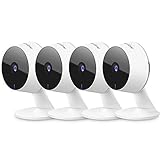
- Stay Connected Anywhere: This wired Wi-Fi Camera access 24/7 live streams via LaView app on mobile or web browser; supports up to 9 simultaneous live feeds; stay in touch with your home at all times
- 1080P HD & Night Vision: Capture clear 2.1MP live views; equipped with advanced IR night vision for up to 33 ft coverage; compatible with 2.4GHz WiFI network(5GHz not supported); ensures quality monitoring even in darkness
- Motion Detection & Clear Two-way audio: Instant motion detection with smart alerts; this indoor home security camera supports clear two-way audio with noise cancellation; stay informed and communicate with family anytime
- Fit for most scenes & Sharing: The camera can be installed anywhere such as the living room & kitchen & office; space-efficient design; share access with up to 20 people; monitor multiple cameras from a single account
- 30 days free-trial US Cloud Storage & Micro-SD Storage: 30-day US cloud storage trial; The cloud storage bases on the AWS server in the US to encrypt your data and avoid the risk of losing video clips; microSD slot up to 128GB; store recordings securely
Do not assume a cable connector is weatherproof because the camera housing is rated for outdoor use. Use suitable glands, junction boxes, conduit, and weather-sealing methods. Standard copper Ethernet designs are commonly planned around a 100-meter channel, but cable quality, patching, PoE budget, temperature, and equipment specifications can change the practical limit.
How should you calculate PoE power?
Check each camera’s wattage, required PoE standard, and peak consumption against the total budget of the NVR or switch. Infrared illumination, heaters, pan-and-tilt motors, and floodlights can increase demand. An Axis datasheet example lists IEEE 802.3af/802.3at support and maximum consumption of 12.95 W, illustrating why the camera’s actual power requirement—not merely the presence of an RJ45 connector—must be checked. Review the camera datasheet example and the specifications for your own hardware.
When are Wi-Fi cameras appropriate?
Wi-Fi plug-in cameras are appropriate when cable installation is the main barrier and the mounting location has reliable wireless coverage and nearby power. A fast internet plan does not compensate for weak Wi-Fi inside a home. Thick walls, metal, distance, and congestion can interrupt the camera even when other devices appear to work.
Reolink recommends keeping certain applicable Wi-Fi camera families away from wireless devices, including a one-meter separation suggestion. Treat that distance as manufacturer-specific advice, not a universal wireless rule. Temporarily place the camera at the intended location, check live video, trigger motion repeatedly, and review playback before drilling.
What’s actually slowing this PC down?
Pick the symptom - the matching free tool is one click away.
When should you use battery or solar cameras?
Battery and solar cameras are sensible for detached sheds, gates without power, rentals that restrict permanent wiring, or locations where trenching and attic access are impractical. Battery life varies with motion frequency, temperature, signal strength, resolution, live-view use, and recording mode.
Many battery cameras sleep between events and cannot provide continuous recording. A camera facing a busy road, swaying trees, or a public sidewalk may generate enough events to create a surveillance gap through rapid battery depletion. Solar output changes with season, shade, snow, orientation, and panel cleanliness. Evaluate the manufacturer’s operating conditions instead of relying on a generic battery-life promise.
Should you choose cloud, local, or hybrid recording?
Cloud recording is usually simpler to access remotely, while local recording offers greater physical control and can continue through an internet outage. Hybrid recording combines local continuous footage with cloud backup for selected events, but “recorded locally” and “backed up off-site” are different properties.
| Storage model | What you gain | What you manage or risk | Good fit |
|---|---|---|---|
| Cloud | Simple remote access, off-site copies, vendor apps, and possible AI or sharing tools | Recurring fees, account security, upload bandwidth, vendor availability, and retention policies | Readers who prioritize convenience |
| Local NVR, hub, or card | Lower recurring cost, physical control, and possible recording during internet loss | Drive health, physical theft, updates, remote access, and backup | Continuous recording and local-control priorities |
| Hybrid | Local continuous recording plus off-site copies of important events | Two systems, possible fees, account security, and more configuration | High-value areas where redundancy matters |
Cloud pricing and features change by country, device, taxes, promotions, retention period, and plan. Arlo currently advertises Secure plans starting at $7.99 per month and describes cloud features including 60 days of video and event history, personalized alerts, activity zones, and optional emergency response; verify device eligibility, region, taxes, and current pricing on the official Arlo plan page.
PC Slower Than It Used to Be?
A free scan shows the junk files, broken settings and background clutter dragging Windows down - then fixes them in one click.Free scan · Windows 10 & 11Crashes, No Sound, or Screen Glitches?
Random freezes, missing sound and display glitches usually trace back to one bad driver. Find and replace yours safely.Free scan · under a minuteRing’s U.S. plan page lists Ring Solo at $4.99 per month, Ring Multi at $9.99 per month, Ring Pro at $19.99 per month, and Virtual Security Guard at $99 per month. Those price signals were observed on August 16, 2026; Ring says features and device coverage vary by plan, so confirm current details on the Ring plans page before purchase.
Eufy promotes LocalSecure with expandable storage up to 16 TB and a no-monthly-fee position. Verify which cameras, storage devices, AI features, encryption functions, and remote-access features apply to the specific configuration on the Eufy LocalSecure product page. “No subscription” commonly refers to basic local recording, not necessarily every advanced feature, backup, warranty, or service.
How much storage and bandwidth will you need?
A rough planning estimate is:
Storage per day in decimal gigabytes ≈ bitrate in Mbps × 10.8.
Also popular on Amazon

- No Subscription Required with aosuBase: All recordings will be encrypted and stored in aosuBase without subscription or hidden cost. 32GB of local storage provides up to 4 months of video loop recording. Even if the cameras are damaged or lost, the data remains safe.aosuBase also provides instant notifications and stable live streaming.
- New Experience From AOSU: 1. Cross-Camera Tracking* Automatically relate videos of same period events for easy reviews. 2. Watch live streams in 4 areas at the same time on one screen to implement a wireless security camera system. 3. Control the working status of multiple outdoor security cameras with one click, not just turning them on or off.
- Solar Powered, Once Install and Works Forever: Built-in solar panel keeps the battery charged, 3 hours of sunlight daily keeps it running, even on rainy and cloud days. Install in any location just drill 3 holes, 5 minutes.
- 360° Coverage & Auto Motion Tracking: Pan & Tilt outdoor camera wireless provides all-around security. No blind spots. Activities within the target area will be automatically tracked and recorded by the camera.
- 2K Resolution, Day and Night Clarity: Capture every event that occurs around your home in 3MP resolution. More than just daytime, 4 LED lights increase the light source by 100% compared to 2 LED lights, allowing more to be seen for excellent color night vision.
| Bitrate per camera | Approximate storage per day | Approximate storage for 30 days |
|---|---|---|
| 2 Mbps | 21.6 GB | 648 GB |
| 4 Mbps | 43.2 GB | 1.296 TB |
| 8 Mbps | 86.4 GB | 2.592 TB |
For four cameras recording continuously at 4 Mbps, the estimate is approximately 172.8 GB per day and 5.2 TB for 30 days. The estimate excludes overhead, audio, metadata, reserved space, and changes caused by variable bitrate. Axis explains in its storage guidance that scene-dependent bitrate reduction can lower requirements when scenes are relatively static.
Actual storage depends on resolution, frame rate, codec, scene movement, audio, motion-only recording, camera settings, and vendor retention rules. Ask whether the system overwrites the oldest footage, allows important clips to be locked, exports playable files, embeds the correct time zone, and continues local recording when internet service stops.
Consider four separate bandwidth paths: camera-to-NVR traffic, camera-to-cloud upload traffic, remote-view download traffic, and Wi-Fi airtime. Cloud cameras can consume substantial upload capacity, while Wi-Fi cameras can fail because of local interference even when the broadband connection is fast.
What equipment does a DIY system require?
Choose the equipment according to the architecture rather than buying every item on a generic list.
- Cameras, mounts, anchors, and appropriate mounting hardware.
- An NVR, DVR, hub, or compatible local-storage device.
- A surveillance-rated hard drive where applicable.
- A PoE switch or PoE-capable NVR for PoE cameras.
- Ethernet and patch cables, labels, spare connectors, and a cable tester.
- Weatherproof junction boxes, cable glands, conduit, and exterior cable protection.
- A router and, where necessary, access points or mesh nodes.
- A UPS for the modem, router, NVR, PoE switch, and other essential equipment.
- A drill, suitable bits, stud finder, level, and a ladder rated for the task.
- A locked, concealed, or otherwise protected location for the recorder and network equipment.
Do not choose a generic PoE switch or hard drive without checking port count, network speed, total PoE wattage, NVR compatibility, workload rating, capacity, operating temperature, warranty, and physical fit.
When should you hire a professional?
Use a licensed electrician for new line-voltage outlets, service-panel work, or electrical work near hazards. Seek qualified networking help for complex VLAN and firewall designs. Seek roofing or building-envelope help when a cable penetration requires a reliable roof or exterior-wall weather-sealing plan. Do not work near energized wiring, substitute low-voltage camera cable for line-voltage work, drill without locating utilities, or use a ladder where it cannot be safely positioned.
How do you install the system step by step?
1. Define the security objectives
For every area, record the purpose, required view, night conditions, recording mode, and privacy boundary. This prevents a broad “cover everything” plan from overlooking the specific camera needed for a face, package, vehicle, or gate.
2. Select the architecture
- Choose PoE and an NVR when reliability, continuous recording, and whole-property coverage are priorities.
- Choose Wi-Fi plug-in when cable routing is impractical but reliable power and wireless coverage are available.
- Choose battery or solar only when power or Ethernet is genuinely impractical.
- Choose cloud when simple remote access and vendor-managed features outweigh recurring cost and local control.
- Choose local or hybrid when retention, outage resilience, privacy, or subscription avoidance matters most.
3. Test every location before drilling
- Temporarily position the camera.
- Confirm the field of view and approach paths.
- Test faces at the expected distance during day and night.
- Trigger motion from multiple directions.
- Check glare, headlights, infrared reflection, rain, foliage, and insects.
- Confirm the Wi-Fi signal or Ethernet link.
- Verify that footage appears in playback.
- Check the timestamp, time zone, and daylight-saving behavior.
- Confirm notifications arrive as expected.
4. Run cable or install power
For PoE, measure the full route including vertical drops and service loops, avoid sharp bends and pinch points, label both ends, protect exterior runs, seal penetrations, and confirm power and network link after connection. Secure cable independently so its weight is not carried by the camera connector.
For Wi-Fi, verify the final wireless signal, use an appropriate protected power source, keep adapters and connectors dry, and avoid metal or dense materials that weaken the signal. Outdoor camera weather ratings do not automatically protect an indoor power adapter or an exposed cable connection.
Free tools Windows power users keep installed
One-click scans. No signup required.
5. Mount and aim the cameras
Use suitable anchors for the mounting surface. Aim slightly downward where useful to reduce sky and glare, keep the approach path visible, and avoid direct sunrise, sunset, and bright-light views. Tighten joints only after the final day and night tests, then use a weatherproof enclosure or junction box where the design requires one.
6. Add devices, update software, and set time
Use the manufacturer’s current app or NVR setup process. Menu names vary by model and software version. Reolink maintains separate setup documentation for PoE, Wi-Fi, NVRs, alerts, motion, and privacy masks.
Also popular on Amazon

- 【Local & Remote Control】 The home security camera system support local view & control, no need WiFi, true play & plug. For remote control, support dual-band WiFi 2.4GHz/5GHz connectivity. WiFi pro technology offers 100ft installation distance, suitable for indoor/outdoor use.
- 【Corded Powered, 24/7 Recording】 Hiseeu security camera system, 24/7 wired power of cameras and NVR support 24/7 recording, no dropouts or battery hassles. 3 recording modes (24/7 recording, motion-triggered recording, or customized recording ), total flexibility.
- 【1TB Storage, No Monthly Fee】 Security camera system pre-installed in 1TB hard drive, massive local storage (No subscription fee!) offering over 45 days of continuous 24-hour recording. H.265+ bandwidth optimization Delivers 50% bandwidth reduction compared to H.264 while maintaining 4K/8MP resolution, enabling stable transmission even in low-bandwidth environments.
- 【Expand to 10CH & IP66 Waterproof 】 The NVR security camera system is coming with 4pcs 5MP cameras+1pc 4K NVR with 10" Monitor, it supported to expand to 10CH, scalability to secure large homes or businesses. Operates flawlessly in heavy snow, high winds, and sub-zero temperatures
- 【Motion Sensor/AI Human Detection】 Motion detection of the wireless wifi security camera system give you 24/7 uninterrupted protection. Smartly distinguishes people from false alarms (like pets or shadows), sending alerts only for real threats by AI human detection
After adoption, change default credentials, install firmware and app updates, enable two-factor authentication, remove unused accounts, set the correct time zone, and create separate administrator and viewer roles. Disable unnecessary audio, cloud sharing, and remote access.
7. Configure recording and alerts
Continuous recording provides a more complete timeline but uses more storage. Motion recording saves storage but may miss events when detection is delayed, a subject enters outside a detection zone, or a battery camera is asleep. Battery cameras commonly favor event-based operation.
Do these 3 things before closing this tab:
1Scan for outdated or missing drivers - takes under a minute2Repair Windows errors before they cause bigger problems3Fix the driver behind crashes, sound loss and screen glitchesConfigure camera-specific motion zones, person and vehicle detection where available, sensitivity, minimum object size or detection distance when supported, cooldown periods, schedules, pre-event buffers, post-event recording, and notification schedules. Start conservatively: excessive alerts create notification fatigue and make important alerts easier to ignore.
8. Secure remote access
Prefer the manufacturer’s secure remote-access method or a properly configured VPN over exposing camera ports directly to the public internet. The Federal Trade Commission’s camera-security guidance recommends unique passwords, software updates, encryption, two-factor authentication where available, secure router settings, separate camera networking when practical, and limited remote-viewing permissions.
Avoid default passwords, shared administrator accounts, unencrypted HTTP access, unnecessary UPnP exposure, public livestream links, and routine port forwarding as beginner advice. Give household members, contractors, or house sitters viewer access rather than the full administrator account.
9. Add power and network resilience
A UPS can keep the modem, router, NVR, and PoE switch operating during a short power interruption. A UPS does not guarantee operation during a long outage, stop cable cutting, or replace an alarm system. Test the runtime under the actual equipment load.
Place the NVR and network equipment in a locked or concealed location. For important areas, consider event backup to the cloud or another off-site location. Maintain local recording if internet service fails, and consider cellular backup only if the selected system supports it and the cost is justified.
How should you secure the cameras and network?
The minimum security baseline is a unique administrator password, two-factor authentication, current firmware and mobile software, WPA2 or WPA3 Wi-Fi encryption, an enabled router firewall, no unused accounts, limited viewer permissions, encrypted remote connections, and regular review of account activity.
The FTC recommends WPA3 or WPA2, router updates, unique passwords, MFA, encryption, restricted remote viewing, and consideration of a separate camera network. NIST identifies weak protection of camera data in storage and transit as a home-security-camera vulnerability and emphasizes secure configuration, documentation, and vulnerability-related support in its consumer IoT cybersecurity guidance.
Technically capable users can place cameras on a dedicated VLAN and permit only the traffic needed for recording and administration. Keep the NVR or management console reachable from the administrator device, prevent cameras from reaching unrelated personal devices where practical, and document the design before changing firewall rules. Less technical users should use a router’s camera or IoT network feature if it provides genuine isolation; a guest network is not automatically isolated on every router.
Free tools Windows power users keep installed
One-click scans. No signup required.
What privacy and legal issues matter?
Video and audio have different legal risks. Federal law and state law differ, and state consent laws can be stricter. The federal statute defines “intercept” in part to include the aural acquisition of wire, oral, or electronic communications; review the statutory definitions and the Department of Justice electronic-surveillance guidance for context.
Also popular on Amazon

- 【2K Resolution & Color Night Vision】This 2K Ultra HD security camera is designed for indoors and outdoors. You can choose to install indoor and outdoor cameras for home security in the kitchen, living room, bedroom, baby room, yard, garage, etc. You can not only capture high-definition surveillance footage through the security camera outdoor during the day, but also see colorful images at night. The outdoor camera provides comprehensive and multi period services for your home security.
- 【Two-way Talk & Motion Detection】The outdoor security camera is equipped with a noise-canceling microphone and speaker. You can have a remote talk with family, pet or unexpected visitor on the wifi camera side through the phone app. The house cameras with audio and video will bring you an unexpected user experience. Once the motion is detected, the indoor camera will send you a notification via the phone app. If strangers break into home, the built-in siren will help you deter the intruders.
- 【IP65 Waterproof & Easy to install】The outdoor cameras for home security, which have an IP65 waterproof design, so in any weather, there is no need to worry about the outdoor cameras being damaged. The security camera outdoor with dust and water resistance that can be easily installed on walls, shelves, trees, roofs, and other places you want, helping you to keep an eye on your home security anytime and anywhere.
- 【24/7 SD Card Storage & Optional Cloud】 The wifi outdoor camera features in-app 10s alert video clips or pictures. It also supports TF card (up to 128GB, not included) or cloud storage (with a 30-day trial). Both storage ways allow for 24/7 continuous recording, ensuring that you can play back your videos whenever you want. This indoor camera also has advanced encryption technology to protect your privacy, so even if the home security cameras are stolen, no one can access your recorded videos.
- 【Work with Alexa Assistance】The cameras for home security, which can also work with Alexa assistant. If you have third parties at home, you can connect the wifi camera with them, use your simple voice command to view the indoor security camera live stream on Echo Show or other Alexa devices with a screen. Easily get your home security footage up on a larger TV display.
This is not legal advice. Disable audio unless audio is genuinely needed, check state law before recording conversations, consider visible notice where appropriate, and obtain consent from household members, guests, tenants, domestic workers, and contractors when required. Do not secretly record private conversations or assume that an outdoor microphone is legally harmless.
Renters should check lease terms and building rules before drilling or installing exterior fixtures. Roommates and guests should understand who controls the account and recordings. Cameras should not point into shared hallways, neighboring units, bedrooms, bathrooms, or private spaces without a lawful and clearly understood reason.
How should you share surveillance footage?
Export only the relevant time period, remove unnecessary audio, and blur unrelated people, children, license plates, or private interiors where appropriate. Preserve the original file separately if the recording may become evidence. Document the date, time zone, camera name, and export method, and consider privacy and legal consequences before posting footage publicly.
How do you test and maintain the finished system?
A live image proves only that the camera is currently responding. A complete system must also record, retain, notify, export, display accurate time, and recover from common failures.
- Test daylight, darkness, rain, condensation, glare, headlights, and infrared reflection.
- Walk toward each camera from every relevant approach direction.
- Test partially obscured subjects wearing a hood or hat and carrying a package.
- Verify person, vehicle, animal, and package alerts where those features are enabled.
- Play back and export a clip from every camera.
- Disconnect internet service and confirm whether local recording continues.
- Interrupt power and test the UPS, reboot behavior, and alert recovery.
- Test storage retention, overwrite behavior, and protection of important clips.
- Test administrator and viewer permissions.
- Inspect outdoor seals, cable protection, lens cleanliness, mounts, and battery levels.
Review coverage after landscaping, lighting, fence, driveway, or furniture changes. Update firmware and apps on a documented schedule, review account logins and shared users, clean lenses, check storage health, and replace or recharge batteries before they create silent gaps.
How do you troubleshoot common failures?
| Symptom | Checks and recovery steps |
|---|---|
| Camera appears offline | Check power or PoE link, cable and connector, switch or NVR port, Wi-Fi signal, DHCP address, firmware status, router, VLAN or firewall rules, and only then consider a factory reset. |
| Live view works but recordings are missing | Check the schedule, motion zones, sensitivity, storage health, overwrite settings, camera-to-NVR permissions, time zone, battery sleep behavior, and cloud-plan status. |
| Notifications are excessive | Reduce detection zones and sensitivity, exclude roads and moving foliage, adjust animal or vehicle detection, set schedules, and remove duplicate notifications. |
| Night video is unusable | Check infrared reflection, glass, dirty lenses, floodlight overexposure, headlights, camera angle, available light, and exposure or WDR settings before buying a higher-resolution camera. |
| Wi-Fi camera drops out | Temporarily relocate it to confirm signal weakness, move or add an access point, use wired backhaul, reduce stream quality, try a less congested channel, use plug-in power, or replace the critical location with PoE. |
| NVR is stolen | Conceal or lock the recorder, keep critical exports off-site, use cloud or camera-side event backup where appropriate, and enable tamper alerts if supported. |
| Internet outage prevents viewing | Determine whether local recording continues, whether remote access and alerts stop, whether alerts queue, whether time synchronization continues, and whether cellular backup is available. |
Which commercial system fits which DIY homeowner?
There is no universal winner. Match the product category to the installation constraints and ownership priorities.
| Reader priority | Potential fit | Why | Check before buying |
|---|---|---|---|
| Easiest installation and polished cloud app | Arlo or Ring | Consumer-focused Wi-Fi, battery, doorbell, and cloud ecosystems | Power, Wi-Fi, plan requirements, retention, and device coverage |
| Local PoE control | UniFi Protect or a suitable Reolink PoE/NVR configuration | Wired connectivity and local recording | Console or NVR compatibility, storage, PoE budget, and installation effort |
| Minimize recurring recording fees | Eufy LocalSecure, Reolink local/NVR, or UniFi Protect | Local-storage emphasis | Which AI, remote-access, backup, and support features require additional equipment or fees |
| Difficult cable routes across mixed locations | Hybrid wired, Wi-Fi, and battery design | PoE protects critical areas while flexible cameras cover secondary locations | Battery maintenance, Wi-Fi strength, consistent app or export behavior, and outage handling |
For technically capable homeowners, UniFi Protect offers a network-and-camera ecosystem with PoE and local storage. For a broader DIY mix of PoE, Wi-Fi, battery, and NVR products, Reolink provides separate setup documentation and model-specific options. Arlo and Ring can reduce installation work for cloud-focused users, while Eufy LocalSecure is aimed at buyers prioritizing local storage. Verify current product prices, compatibility, plan terms, and feature eligibility on the specific official product page.
What should you compare before purchasing?
- Upfront hardware cost and the three-year and five-year ownership cost.
- Number of cameras supported and the expansion path.
- Wired, Wi-Fi, battery, solar, or mixed installation requirements.
- Continuous-recording support and usable event buffers.
- Local, cloud, or hybrid storage and retention duration.
- Subscription requirements for recording, AI, backup, cellular service, or monitoring.
- Night performance, lens angle, low-light sensor quality, WDR, frame rate, and compression.
- Export format, timestamps, playback, and protection of important clips.
- Privacy masks, audio controls, account permissions, MFA, and encryption.
- ONVIF, RTSP, third-party camera support, APIs, VLAN support, and smart-home compatibility.
- Weather, impact, temperature, cable, connector, and warranty limitations for each model.
- Battery maintenance, outage behavior, and professional-monitoring availability.
Frequently Asked Questions
Can I install a surveillance camera system myself?
Yes, a homeowner can install a capable surveillance camera system independently when the work involves ordinary mounting, low-voltage cabling, and device configuration. Hire a licensed electrician for new line-voltage outlets, service-panel work, or electrical hazards, and use qualified help for difficult roof penetrations or complex network isolation.
Are wireless security cameras completely wireless?
No. Wi-Fi plug-in cameras still need power, and battery or solar cameras still require charging or suitable sunlight. Wireless cameras also depend on reliable Wi-Fi and may lose uploads, alerts, or recording when connectivity fails.
Is local camera storage safer than cloud storage?
Local camera storage provides physical control and may continue recording during an internet outage, but it is not automatically safer or private. The recorder can be stolen, damaged, attacked, or left unpatched, and local footage is not an off-site backup unless you create one.
How much storage do four security cameras need?
Four cameras recording continuously at 4 Mbps require approximately 172.8 GB per day and about 5.2 TB for 30 days before overhead. Actual storage varies with resolution, frame rate, codec, scene movement, audio, variable bitrate, motion recording, and vendor retention rules.
Can my outdoor camera record audio?
An outdoor camera’s microphone may create additional legal risk, and federal and state rules differ. Disable audio unless it is necessary, check the law in your state, provide notice or obtain consent when required, and consult an attorney for unusual circumstances.
The Bottom Line
The best DIY surveillance camera system is the simplest architecture that reliably covers the right approach paths, produces usable night and identification footage, preserves the retention period you need, and remains secure when the internet or power fails. For most whole-property installations, PoE cameras with a protected NVR are the reliability-first choice. Use Wi-Fi, battery, solar, cloud, or hybrid components where their installation advantages justify the connectivity, maintenance, subscription, or privacy trade-offs.

