
iTechGuides is reader-supported. When you buy through links on our site, we may earn an affiliate commission. As an Amazon Associate I earn from qualifying purchases. Learn more
Yes, you can usually add Bluetooth to a non-Bluetooth receiver without modifying the stereo. Connect a Bluetooth audio receiver to an unused AUX, CD, TAPE, or other line-level input with an RCA cable, power the adapter separately, pair your phone, and select the matching input on the vintage receiver.
The external adapter becomes the Bluetooth component. The old receiver continues doing what it already does: selecting the source, amplifying the signal, and driving the speakers.
Phone / tablet / computer
        ↓ Bluetooth
Bluetooth audio receiver
        ↓ RCA, 3.5 mm, or optical cable
Vintage receiver AUX / CD / TAPE / LINE input
        ↓
Amplifier and speakers
Audioengine describes this same arrangement for adding wireless streaming to an existing stereo system. The main compatibility question is not whether the receiver has Bluetooth; it is whether the receiver has a suitable audio input and whether the Bluetooth adapter has a power source.
Key takeaways
- A Bluetooth receiver is the correct device for sending music from a phone into an older stereo; a Bluetooth transmitter sends audio in the opposite direction.
- AUX, CD, TAPE IN, TUNER, VIDEO, and other ordinary left/right RCA inputs are generally suitable line-level inputs.
- PHONO, speaker terminals, and TAPE OUT are not normal connections for a phone-to-stereo Bluetooth receiver.
- The external adapter needs its own USB or wall power because a vintage receiver usually does not power it through the RCA cable.
- Bluetooth version numbers do not guarantee better sound; codec support, the source device, the adapter, and the adapter’s digital-to-analog hardware also matter.
- An external adapter adds a wireless input but does not repair or upgrade the receiver, amplifier, speakers, phono stage, or room acoustics.
What is the difference between a Bluetooth receiver and a transmitter?
A Bluetooth receiver accepts audio wirelessly from a phone, tablet, or computer and sends that audio to the stereo through a wired output. A Bluetooth transmitter does the reverse: it takes audio from the stereo and sends it to Bluetooth headphones or speakers.
Popular on Amazon
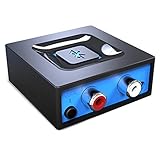
- Listen music wireless: Connect with computer speakers, home stereo systems or other speaker systems via the 3.5 mm or RCA cable, then pair with the Bluetooth audio devices such as smartphones or tablet for streaming music.
- Easy setup and automatic reconnect: There is a big bluetooth symbol button in bluetooth receiver middle. Pair your bluetooth device to this adapter with a single button press. Click once means Bluetooth Connect/Disconnect. Hold the botton 3 second mean ON/OFF. It can reconnect automatically with the previously paired device.
- Wireless range: Indoors(without obstacles) connect rang up 30-40 ft (10-12 m).
- Works with most device: Bluetooth enabled device including smartphones, tablets, computers, laptops upon and any powered PC speakers, home stereo systems and A/V receivers.
- NOTE: This adapter doesn't have built-in battery, power by AC to DC power adapter or USB cable. This product is a bluetooth receiver ONLY, not a bluetooth transmitter. Only to give Bluetooth capabilities to an existing stereo / powered speaker / PA. If you have any problems, please contact us at any time by Amazon Order, and we will speed up the process to resolve the issue.
For the most common goal—playing phone music through vintage receiver speakers—buy a Bluetooth audio receiver, or set a two-way device to RX or Receiver mode.
| Device type | Signal direction | Use case |
|---|---|---|
| Bluetooth receiver (RX) | Phone → adapter → stereo | Play phone, tablet, or computer audio through wired speakers |
| Bluetooth transmitter (TX) | Stereo → adapter → headphones or speakers | Listen to the receiver through wireless headphones |
| Bluetooth transceiver | Both directions | Stream phone audio now and transmit stereo audio later |
Bluetooth’s A2DP audio system defines source and sink roles. In this setup, the phone is the source and the external adapter is the sink; the vintage receiver remains a wired amplifier. The Bluetooth SIG A2DP documentation describes those audio-role relationships.
Which input on the receiver should you use?
Use an unused line-level input, normally a pair of red and white RCA sockets labeled AUX, CD, TAPE IN, TUNER, VIDEO, or AV. The label matters less than the input direction and electrical level.
| Receiver connection | Suitable for phone-to-stereo Bluetooth? | Why |
|---|---|---|
| AUX In | Yes | Standard line-level input |
| CD In | Yes | Standard line-level input |
| Tape In or Play | Usually yes | Line-level playback input |
| Tuner In | Usually yes | Line-level input on many receivers |
| Video or AV In | Usually yes | Often provides ordinary analog line inputs |
| Phono In | Usually no | Designed for a much lower turntable-cartridge signal and RIAA equalization |
| Tape Out or Record Out | No | Audio output; useful for sending receiver audio to a transmitter |
| Speaker terminals | No | Amplified speaker-level output, not a normal line input |
| Optical In | Yes, if the adapter has optical output | Digital connection between the adapter and receiver |
Why should you avoid the PHONO input?
Do not normally connect a Bluetooth receiver to PHONO. A phono input expects the tiny signal from a turntable cartridge and applies equalization intended to correct the way records are cut. A Bluetooth adapter supplies a much stronger line-level signal, so the result is commonly distorted, excessively loud, or tonally incorrect.
Can you connect a Bluetooth receiver to speaker terminals?
No. Speaker terminals carry the amplifier’s already-amplified output, while a normal Bluetooth receiver supplies a low-level audio signal. Connecting the two directly can damage the adapter and possibly the receiver.
If the stereo has only speaker terminals, consider a speaker-level-to-line-level converter rated for the receiver’s output, a Bluetooth adapter specifically designed for speaker-level input, an available preamp or record output, professional internal modification, or replacement with a modern amplifier. Those options are more complicated and less reversible than using AUX or CD input.
What cables and power supply do you need?
The cable depends on the adapter’s output and the receiver’s input. RCA and 3.5-mm connections are analog; optical is digital.
Do these 3 things before closing this tab:
1Fix the driver behind crashes, sound loss and screen glitches2Clear out junk files and repair common Windows errors3Scan for outdated or missing drivers - takes under a minute| Adapter output | Receiver input | Required connection |
|---|---|---|
| Stereo RCA out | Red and white RCA line input | Stereo RCA cable |
| 3.5-mm stereo out | Red and white RCA line input | 3.5-mm-to-RCA stereo cable |
| Optical out | Optical in | TOSLINK optical cable |
Connect red to the receiver’s right channel and white, or black, to the left channel. A 3.5-mm plug must be fully inserted; a partially inserted plug can produce weak, thin, or one-channel sound.
Also popular on Amazon

- SEAMLESS WIRELESS MUSIC STREAMING: Whether you want to upgrade your home stereo as a Bluetooth receiver for home stereo, breathe new life into an old system using it as a Bluetooth adapter for old receiver, or add Bluetooth to your stereo receiver, this device is the key to a modern, wire-free listening setup.
- MULTIFUNCTIONAL CONNECTIVITY: This Bluetooth adaptor for old stereo is a connectivity powerhouse. With support for RCA and 3.5mm jacks, it's compatible with 99% of speakers. From classic AV receivers to your car or home stereo, a Bluetooth audio receiver fits right in. Plus, its TF card music playback support gives you extra ways to enjoy your tunes.
- FAST NFC QUICK CONNECT: Our Bluetooth to RCA adapter features a built-in NFC chip. Just bring your NFC-enabled smartphone or tablet close, and you're instantly connected. No more tedious manual pairing. It's the quickest way to start streaming your favorite music.
- PREMIUM CRYSTAL CLEAR SOUND: Experience audio like never before. Our aux to Bluetooth adapter ensures crystal-clear sound. The 3D music playback mode creates a rich, surround-sound experience. Whether it's soft ballads or high-octane tracks, you get distortion-free sound, even at full volume.
- EFFORTLESS AUTOMATIC PAIRING: Once you've set it up, the Bluetooth RCA receiver pairs automatically every time you power it on. No more struggling with wires or complex connections. Just turn it on and let the music play.
The RCA cable does not power the adapter. Use the supplied wall adapter, a suitable USB power adapter, or a safe USB port with adequate power. Vintage receivers frequently have no convenient USB port, so plan for a separate power connection behind the equipment.
Optical output can be useful when both devices support it. For example, Audioengine’s B1 Next Gen specifications list both RCA analog and optical output. Optical may bypass the adapter’s analog output stage and allow the receiver or another downstream device to perform digital-to-analog conversion, although the audible result depends on the equipment.
How do you install Bluetooth on a vintage receiver?
- Inspect the rear panel. Find an unused AUX, CD, TAPE IN, TUNER, VIDEO, AV, or other line-level input. Do not choose PHONO, TAPE OUT, RECORD OUT, or speaker terminals for the basic installation.
- Choose the correct adapter mode. Set a transceiver to RX or Receiver mode. A transmitter-only device will not accept music from your phone.
- Connect the audio cable. Plug the adapter’s RCA or 3.5-mm output into the selected stereo line input. Use optical only when both devices have compatible optical connections.
- Power the adapter. Connect the USB cable or supplied power adapter. Place the adapter where its controls and status light remain accessible.
- Select the same input on the receiver. Turn on the stereo and select AUX, CD, TAPE, or whichever input is physically connected.
- Pair the phone. Put the adapter into pairing mode, open the phone’s Bluetooth settings, select the adapter’s name, and wait for the connected confirmation.
- Start playback carefully. Begin with the receiver volume low and the phone volume moderate. Start music and raise the receiver volume gradually.
Many adapters reconnect automatically to the last paired device. A previously connected phone, tablet, or computer may therefore capture the connection before a second user can pair. If pairing seems impossible, turn off nearby Bluetooth devices or remove the adapter from their saved-device lists temporarily. Audioengine states that its B1 needs no special drivers and supports A2DP Bluetooth devices such as most smartphones, tablets, and laptops; individual products can still differ in pairing behavior.
What’s actually slowing this PC down?
Pick the symptom - the matching free tool is one click away.
Which Bluetooth adapter should you buy?
Choose the simplest device that matches the job. A receiver-only adapter is usually the best fit for phone-to-stereo streaming; a transceiver is worthwhile only when you need both receiving and transmitting or want additional digital functions.
| Need | Best-fit category | What to look for |
|---|---|---|
| Basic phone-to-receiver streaming | Bluetooth receiver | A2DP reception, RCA or 3.5-mm output, stable power, simple pairing |
| Frequent listening with a more capable stereo | Premium Bluetooth receiver | Reliable reconnection, better DAC implementation, optical output, suitable codecs, good antenna design |
| Phone streaming plus wireless headphones | Bluetooth transceiver | Clearly labeled RX and TX modes, compatible inputs and outputs, independent mode controls |
| Television or gaming audio | Low-latency transmitter or transceiver | Low-latency support at both ends, suitable optical or analog input |
| Multi-room or app-based streaming | Wi-Fi network streamer | Network connectivity and the specific AirPlay, Chromecast, Spotify Connect, or multi-room platform you use |
| Maximum reliability and synchronization | Wired connection | 3.5-mm-to-RCA cable, USB DAC, or another direct audio connection |
When is a premium Bluetooth receiver worthwhile?
A premium receiver can make sense when the adapter will be used every day, the system has revealing speakers, optical output is useful, reconnection reliability matters, or you want broader codec support and stronger construction. Audioengine’s B1 Next Gen product page positions the device as a receiver for existing music systems rather than a replacement amplifier.
Audioengine lists Bluetooth 5.3, aptX Adaptive, aptX HD, aptX, AAC, and SBC support, along with RCA and optical output, USB power, and a manufacturer-claimed typical range of up to 100 feet/30 meters in its technical specifications. The range is not a guarantee: walls, metal racks, interference, antenna placement, and the phone’s own Bluetooth hardware can reduce it. The retrieved official pages do not consistently expose a current US retail price, so verify live pricing before purchase.
When does a Bluetooth transceiver make more sense?
Choose a transceiver when phone-to-stereo streaming is only one part of the plan. FiiO’s BTA30 Pro, for example, supports Bluetooth receiving, Bluetooth transmitting, DAC functions, RCA analog output, optical and coaxial connections, and several Bluetooth codecs. The extra flexibility also brings more controls and configuration than a basic receiver, so it is unnecessary if you only want one simple wireless input.
The older FiiO BTA30 is another RX/TX option with RCA output and optical/coaxial connections, according to its official product page. Compare the current specifications and availability rather than assuming that a model in the same family has identical features. Product prices and stock can change.
Also popular on Amazon

- 【Enjoy Wireless Streaming Music】This car Bluetooth adapter can be connected to non-Bluetooth car audio systems, home stereos, speakers, wired headphones via the 3.5mm AUX adapter; And equipped with a Bluetooth 5.3 chip for stable connection / fast transmission / wide signal range. Just pair it with your phone and start listening to your favorite music!
- 【Intelligent Noise Reduction Tech】Our Bluetooth audio receiver adopts the latest CVC8.0 Noise Cancellation and Digital Signal Processor (DSP) technologies, which can eliminate echo and block out intrusive background noise (such as wind, traffic, or crowds), providing you with crystal-clear calling sounds.
- 【Up to 16 Hours of Battery Life】The working time of this aux Bluetooth adapter is up to 16 hours when making calls or playing music. And it takes only 2.5 hours to fully charge the device by using a Type-C fast charging cable (Included in the package). In addition, this Bluetooth music adapter can be used while charging, which is very convenient.
- 【Hands-free Calling & Navigation】A built-in microphone and one “MFB” button to answer / redial / hang up / reject calls, help you make hands-free calls. And the Bluetooth audio adapter supports broadcasting voice notification from existed navigation App. You don’t have to look down the phone on the move. Make sure you drive safely!
- 【Dual Connection】The portable Bluetooth stereo adapter can be paired with 2 devices at the same time. You can enjoy your music and never worry about missing any calls. Once paired, the car receiver will automatically reconnect to your last paired Bluetooth devices, as long as they are within the wireless range.
Should you use a Wi-Fi streamer instead?
A Wi-Fi network streamer may be better than Bluetooth when you want multi-room playback, AirPlay, Chromecast, Spotify Connect, or playback that is less dependent on the phone’s Bluetooth connection. Wi-Fi equipment generally requires a network setup and can cost more, but it may offer a better whole-home experience. A wired RCA connection remains the simplest choice when the source device is nearby and video synchronization is important.
Do Bluetooth codecs and Bluetooth versions affect sound?
Yes, but codec compatibility is more important than the Bluetooth version printed on the box. Bluetooth audio is compressed before transmission, and the phone and adapter negotiate a codec that both support. A receiver advertising aptX HD, aptX Adaptive, or LDAC cannot force a phone that lacks that codec to use it.
| Codec | General role | Important qualification |
|---|---|---|
| SBC | Broadly compatible baseline Bluetooth audio codec | Usually available, but not a guarantee of identical sound across devices |
| AAC | Commonly useful with Apple devices and some other sources | Actual use depends on the source and adapter |
| aptX and aptX HD | Optional Qualcomm codec families | Both the source and receiver must support the relevant codec |
| aptX Adaptive | Adaptive quality and latency behavior | Requires compatible implementation at both ends |
| LDAC | Higher-bitrate option on selected devices | Availability varies by phone, operating system, and adapter |
The source device, operating system, music service, selected codec, adapter’s DAC, receiver, speakers, and listening environment all affect the result. A premium codec does not automatically create audible improvement, and Bluetooth version 5.x alone does not promise better sound, lossless playback, CD-quality playback, lower latency, or longer range.
Recommended Free Tools
FiiO’s BTA30 Pro parameters list codec support for its receiving and transmitting functions, while Audioengine’s B1 specifications list a different supported-codec set. Those product lists demonstrate why codec claims must be checked for the specific adapter and source combination.
What problems can occur after installation?
No sound
- Confirm that the adapter has power.
- Confirm that the phone shows the adapter as connected for media audio.
- Select the receiver input used by the cable.
- Check that the RCA plugs are fully inserted and connected left-to-left and right-to-right.
- Make sure the phone is not sending audio to another Bluetooth device.
- Disable the receiver’s tape-monitor, mute, or monitor function if it is engaged.
- Confirm that a transceiver is in RX mode rather than TX mode.
- Verify that the music application is actually playing audio.
Then disconnect and reconnect Bluetooth, power-cycle the adapter, and test another phone or audio application if available.
Why is the sound loud, distorted, or thin?
Distortion most often indicates a wrong input or excessive output level. Move the adapter from PHONO to AUX, CD, or another line input; never connect it to speaker terminals. Check for a partially inserted 3.5-mm plug, a faulty RCA cable, or an adapter with an adjustable output set too high. Start again with the phone at moderate volume and the receiver volume low.
How do you fix hum or buzzing?
Try a different USB power supply, a shorter RCA cable, another wall outlet, and greater distance between the adapter and the receiver’s transformer, Wi-Fi router, and other power supplies. If optical output is available, test it to determine whether the analog connection or power arrangement is contributing to the noise.
Quick wins for a faster PC:
Fix the driver behind crashes, sound loss and screen glitchesFind Drivers →Repair Windows errors before they cause bigger problemsFix Now →Scan for outdated or missing drivers - takes under a minuteDriver Scan →A properly designed ground-loop isolator may reduce confirmed ground-loop hum, but an isolator can slightly affect frequency response or channel separation. Use one after checking cables, power, placement, and the receiver itself rather than treating it as the first solution.
Also popular on Amazon

- High sound quality LDAC decoding: The Bluetooth audio adapter features the LDAC audio codec, audio sampling rates up to 24bit/96KHz, delivering uncompromised high-definition sound quality; the audio receiver also obtained Hi-Res Audio Gold Label professional sound quality certification. Whether listening to classical or pop, experience audio at its best. (LDAC requires devices to support, some older devices may not be compatible.)
- Latest Bluetooth 6.0 Chip Technology: Equipped with the latest Bluetooth 6.0 chip, this bluetooth audio receiver provides a more stable and lower latency wireless audio transmission, and reduces the possibility of signal interruption and power consumption.(Bluetooth version mainly affects connection stability and range, not sound quality )
- Dual Pairing: This bluetooth receiver for home stereo supports connecting two phones simultaneously, letting you share musical experiences with close lovers or friends. However, when one device plays music, the other device needs to be paused first
- Long Battery Life: The bluetooth stereo adapter provides up to 15 hours of uninterrupted playback time for long-time use; it supports USB C charging and can be fully charged in 2 hours, and can be used while charging
- AUX 3.5mm/RCA audio receiver : There are 3.5mm or RCA output port for home old stereo speakers/wired headphones and more to connect mobile phones, computers, tablets to play music via Bluetooth. Turning ordinary audio equipment into Bluetooth devices and enjoying the music feast. (If the volume is too low, enable “Volume Sync” in your Bluetooth device settings.)
How do you fix pairing failures?
Delete the adapter from the phone’s saved Bluetooth devices, reset the adapter according to its manufacturer’s instructions, switch off nearby devices that may reconnect automatically, and pair with the phone close to the adapter. If another phone is already connected, disconnect that phone first.
Why do Bluetooth audio dropouts happen?
Dropouts can result from distance, walls, metal equipment racks, Wi-Fi congestion, noisy USB power, poor antenna placement, multiple active connections, or a marginal codec link. Move the adapter into a more open position, test another power supply, reduce the distance, and disconnect unused Bluetooth devices. A manufacturer’s range claim should be treated as typical rather than guaranteed; Audioengine’s listed up-to-100-foot/30-meter range for the B1 Next Gen is environment-dependent.
How do you reduce video lip-sync delay?
Bluetooth audio can introduce latency, and low-latency operation requires matching support from both the transmitter and receiver. A phone paired to an adapter that supports a low-latency codec does not automatically eliminate delay if the phone does not support that same system.
For music, normal Bluetooth delay is rarely important. For television, gaming, musical instruments, or live monitoring, use a wired connection, a manufacturer-matched low-latency system, or a purpose-built 2.4-GHz wireless system. Avantree’s latency guidance also cautions that aptX Adaptive, aptX Low Latency, and Auracast features depend on compatible technology at the other end.
Independent reader supportYour contribution helps us test, update, and keep practical guides available for everyone.How do turntables and AV receivers change the setup?
Can a Bluetooth adapter work with a turntable?
Yes, but the correct adapter and connection depend on the direction of the audio. To send turntable audio to Bluetooth headphones or speakers, the turntable must first provide a line-level signal through a built-in phono preamp or an external phono preamp; that line-level output can then feed a Bluetooth transmitter.
To send phone audio through a receiver that also has a turntable, connect the Bluetooth receiver to AUX, CD, or another line input and leave the turntable connected to PHONO. A Bluetooth receiver does not replace a phono preamp.
Can you add Bluetooth to an AV receiver?
Yes, an AV receiver can accept phone audio through an unused analog line input. Select the corresponding input on the front panel or remote. To send AV receiver audio to Bluetooth headphones, connect a Bluetooth transmitter to a suitable output such as TAPE OUT, RECORD OUT, PRE OUT, Zone 2 line output, or a headphone output supported by the transmitter.
The Tool Desk
Outbyte Driver Updater FREEFix the driver behind crashes, sound loss and screen glitchesFind Drivers →Outbyte PC Repair FREERepair Windows errors before they cause bigger problemsFix Now →Avantree’s guide to older stereo and AV receivers emphasizes identifying the receiver’s output when the goal is transmitting receiver audio to wireless headphones. That is a different signal direction from receiving phone audio into the receiver.
Also popular on Amazon

- 【Upgrade Your Old Stereo with Wireless Music Streaming】Bring Bluetooth to your existing home stereo, amplifier, or powered speakers. Stream music wirelessly from your phone, tablet, or laptop and enjoy modern convenience without replacing your favorite audio equipment. Note: B06+ is a Bluetooth Receiver Only, Not a Transmitter.
- 【aptX HD & aptX Adaptive & 3D Surround】As a Bluetooth adapter for stereo receiver, it features Bluetooth 5.3 chip to ensure high-fidelity Bluetooth audio signal for music streaming to powered speakers and home stereo systems that don't have built-in wireless capability. It also supports aptX HD and aptX Adaptive. And the 3D audio can be switched on or off by pressing the "3D" button on the Bluetooth audio receiver. The green LED will be on when switched to 3D audio.
- 【Easy Setup, Easy to Use】Easy plug, pair and play. This updated 1Mii B06 Plus Bluetooth receiver for home stereo comes with a USB power adapter. Plug into computer speakers, home stereo systems or other speaker systems via the 3.5 mm or RCA cable, then pair with Bluetooth audio devices such as smartphones or tablets. After that, you can enjoy wireless music streaming.
- 【98FT Long Range】With Class 1 Bluetooth technology, the 1Mii Bluetooth audio receiver can achieve a range of up to 98ft (30m) line-of-sight in open air and up to 50-70ft (15-20m) indoors(without obstacles).
- 【Power on and Reconnect Automatically】When plugged into a power outlet, the 1Mii Bluetooth receiver can power on automatically and reconnect with the previously paired device.
Does adding Bluetooth upgrade the old receiver?
No. Bluetooth adds a convenient wireless source, but it does not improve the receiver’s amplifier, power output, speakers, phono stage, noise floor, reliability, room acoustics, or age-related components.
Bluetooth can also expose problems that were already present. Scratchy volume controls, speaker imbalance, hum, intermittent channels, weak power supplies, or failing capacitors may become more noticeable when a new, clean source is connected. Diagnose the receiver separately before blaming the Bluetooth adapter.
Is adding Bluetooth worth it?
For a working vintage receiver with an unused line-level input, an external Bluetooth receiver is usually the cheapest, safest, and most reversible modernization. The installation requires no internal modification and lets the existing amplifier and speakers remain part of the system.
PC Slower Than It Used to Be?
A free scan shows the junk files, broken settings and background clutter dragging Windows down - then fixes them in one click.Free scan · Windows 10 & 11Outdated Drivers Are Slowing You Down
One free scan finds every outdated or missing driver and matches the right update for your exact hardware.Free scan · exact hardware matchChoose a basic receiver when you only need phone-to-stereo streaming. Choose a premium receiver when optical output, DAC quality, codec support, range, or daily reliability justify the additional cost. Choose a transceiver when you also need to transmit receiver audio to wireless headphones. Choose wired or Wi-Fi streaming when synchronization, multi-room playback, or phone-independent playback matters more than Bluetooth convenience.
Internal modification or receiver replacement makes more sense when the receiver has no usable line input, is unreliable, needs HDMI or room correction, or cannot provide the modern connectivity you actually need. Avoid presenting discontinued products as current choices: for example, Avantree’s TC417 product page marks that model as discontinued, so availability and replacement models must be checked before purchase.
Frequently Asked Questions
Can you add Bluetooth to a receiver that does not have Bluetooth?
Yes. Connect an external Bluetooth receiver to an unused AUX, CD, TAPE IN, or other line-level input, power the adapter separately, and pair the phone with the adapter. The vintage receiver itself does not need built-in Bluetooth.
Can you plug a Bluetooth receiver into PHONO?
You generally should not connect a Bluetooth receiver to PHONO. PHONO expects a much lower turntable-cartridge signal and applies RIAA equalization, so a normal Bluetooth receiver will usually sound distorted or excessively loud through that input.
Free tools Windows power users keep installed
One-click scans. No signup required.
Do you need a Bluetooth receiver or transmitter for an old stereo?
You need a Bluetooth receiver to play phone audio through the old stereo. You need a Bluetooth transmitter to send audio from the old stereo to wireless headphones or speakers. A transceiver supports both directions.
Can a Bluetooth receiver connect directly to speaker terminals?
No. Speaker terminals carry amplified speaker-level output, while a normal Bluetooth receiver provides a low-level line signal. Use a suitable converter or adapter designed for speaker-level input instead.
Will adding Bluetooth make a vintage receiver sound better?
No. Bluetooth adds a wireless source but does not upgrade the receiver’s amplifier, speakers, phono stage, power output, reliability, or room acoustics. A clean adapter may make existing receiver or speaker faults more noticeable.
The Bottom Line
Bottom line: The practical answer to “Can you add Bluetooth to a non-Bluetooth receiver?” is yes, provided the receiver has a usable line-level input. Buy a Bluetooth receiver—not a transmitter—connect it to AUX, CD, or TAPE IN, supply separate power, pair the phone, and select the matching input. Avoid PHONO, TAPE OUT, and speaker terminals unless you are using specialized equipment.
What’s actually slowing this PC down?
Pick the symptom - the matching free tool is one click away.

