Zenrecap
Zenrecap: A free browser recorder with AI transcripts, summaries, chapters, and hosted sharing. Ranked #22 of 39 in AI Screen Recorders by our editors (6.7/10); pricing: Free plan; best for individuals seeking a simple free browser recorder.
At a glance
- Editor score6.7 / 10
- PricingFree plan
- Best forIndividuals seeking a simple free browser recorder
- Free planYes
- Paid fromFree
- AI transcriptionYes
- Facts checked25 Sep 2026
Where it wins
- Captures screens, browser tabs, windows, or selected regions
- Adds searchable transcripts, captions, summaries, and chapter markers
- Shares recordings through hosted links
Where it doesn't
- Available through the web app and Chrome extension, not broader desktop platforms
- Recording management requires an account, though recording can start without one
- Email is the stated support channel
Our verdict on Zenrecap
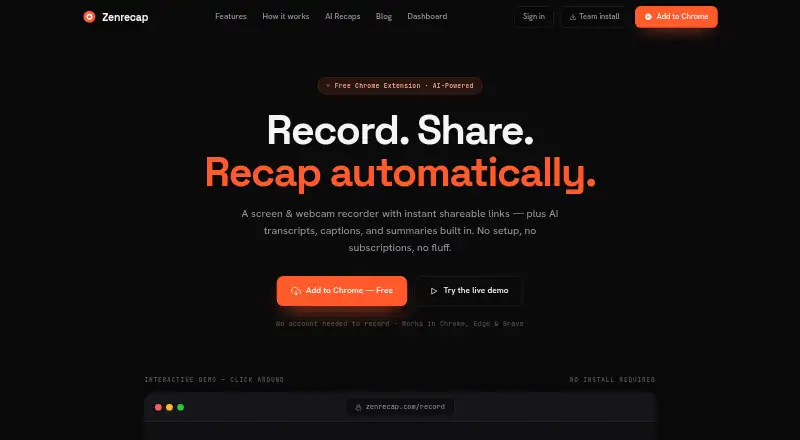
For quick asynchronous walkthroughs, demos, bug reports, team updates, or customer support, Zenrecap records a screen and webcam through its web app or Chrome extension. It can capture a full screen, browser tab, window, or selected region, alongside camera, microphone, and system audio. Recording can start without an account; an account is used to save and manage recordings. That makes it a fit for individuals who want a straightforward browser-based recorder, rather than a tool centered on desktop applications or a wider platform ecosystem.
The standout value is what happens after capture: Zenrecap generates searchable transcripts, captions, AI summaries, and chapter markers after upload. During recording, users can pause and resume, draw on screen, and highlight the cursor. Recordings are shared through hosted links, while a dashboard supports renaming and deleting them. This covers a practical record-to-share workflow for people who need a viewer to scan or navigate a recording without watching every moment. Those seeking integrations with other tools should compare alternatives, since no integrations are specified here.
Zenrecap is presented as free, with no subscriptions, and no paid tiers are described. The trade-off is scope: access is through the browser and Chrome extension, which may not suit people who need native desktop recording coverage. Email is the stated support channel. Choose Zenrecap if a free browser recorder with AI-generated viewing aids and hosted sharing matches your workflow; look elsewhere if broader platform coverage or integrations are central to the buying decision.
Your product? Our editors can test Zenrecap in depth and publish a review, labelled as paid · from $149/mo →
Zenrecap pricing
Zenrecap fact sheet
| Free plan | Yes |
|---|---|
| Paid from | Free |
| AI transcription | Yes |
| AI summaries | Yes |
| Documentation output | Not verified |
| Speaker identification | Not verified |
| Recording limit | Not verified |
| Platform support | Browser |
| Export formats | Not verified |
| Deployment | Cloud, Browser extension |
| Platforms | Web, Chrome extension |
| Support | |
| Built for | Solo, Small business, Mid-market (editorial estimate) |
| Pricing | Free plan |
| Website | zenrecap.com |
| Facts checked | 25 Sep 2026 |
Alternatives to Zenrecap
- LoomA polished screen recorder with broad integrations, AI options, and a higher paid entry point.9.2
- ZightA broad AI capture and administration tool with a useful free tier.9.0
- ScreenPalA feature-rich freemium recorder with 4K capture, AI tools, and broad device coverage.8.8



See all Zenrecap alternatives →
Used Zenrecap? Be the first to review it
The editor score above is our own research. What this page doesn't have yet is a reader's view — what you used Zenrecap for, what worked and what didn't. No stars are seeded and no review is paid for; an editor reads every one before it appears.
Write a reviewTwo minutes · verified accounts only · read by an editor before it appears
Featured on iTechGuides

Zenrecap is listed in our AI Screen Recorders directory. Add the badge to your site — it links back to this page.
<a href="https://www.itechguides.com/products/zenrecap/"><img src="https://www.itechguides.com/best/badge/zenrecap.svg" alt="Featured on iTechGuides" width="230" height="46"></a>
Reviewed by iTechGuides Editors · Editorial team · Updated Oct 2026
Advertiser disclosure: iTechGuides is reader-supported. Vendors can pay for top positions in our rankings and for a place on other products' pages, and we may earn a commission when you click some links. Bought places stand at the number bought; this page and our disclosure say so. Paying vendors may get a fuller, more detailed review from our editors, and that review can change their score. How we rank.
Last updated · How we research and update