
Loom
Loom: A broad screen recorder for teams that communicate through polished async video. Ranked #3 of 131 in Screen Recording Software by our editors (9.0/10); pricing: Free plan · 14-day trial; best for teams needing polished async video workflows.
At a glance
- Editor score9.0 / 10
- PricingFree plan · 14-day trial
- Best forTeams needing polished async video workflows
- Free planYes
- Paid from$18/user/mo
- Webcam recordingYes
- Founded2015 · San Francisco, California
- Facts checked20 Sep 2026
Where it wins
- Records screen, webcam, microphone, and system audio
- Works across web, desktop, mobile, and Chrome
- Adds sharing, editing, analytics, captions, and AI workflows
Where it doesn't
- Starter limits each person to 25 videos
- Starter recordings are limited to 5 minutes
- Advanced controls and AI require paid plans
Our verdict on Loom
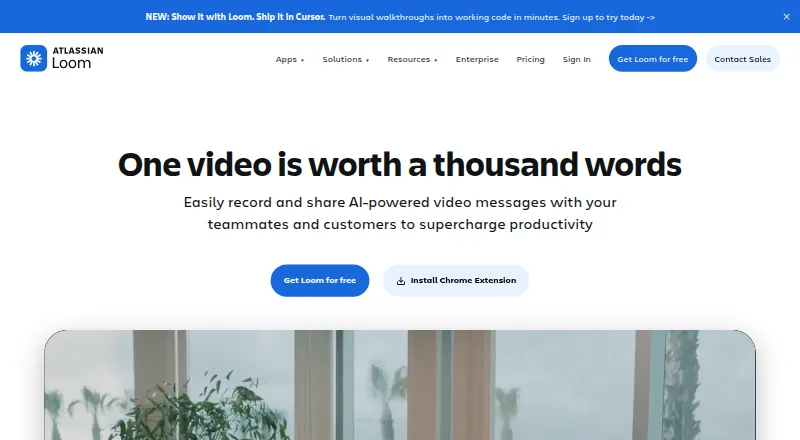
Loom is a video messaging and screen recording tool for individuals and teams that need to explain work asynchronously. It records a screen, webcam, or both, with microphone and system audio capture. Recordings become shareable links or embeds, while comments, emoji reactions, transcripts, closed captions, folders, tags, search, privacy controls, and viewer insights support communication after recording. Its coverage across web, Windows, macOS, iOS, Android, and Chrome makes it suitable for distributed teams with varied workflows.
The freemium structure gives teams a way to start without a subscription. Starter costs $0 per user per month and includes up to 25 videos per person, five-minute screen recordings, up to 720p quality, screen and webcam recording, and system audio. Business costs $18 per user per month and adds unlimited videos, unlimited recording time, up to 4K quality, basic waveform editing, and removal of Loom branding. Business + AI costs $24 per user per month and adds AI workflows, automatic titles and summaries, chapters, and filler-word and silence removal. Enterprise uses custom pricing and adds SSO, SCIM, advanced video privacy controls, Salesforce integration, and a 99.95% uptime SLA.
Loom fits teams that want recording, editing, sharing, organization, and engagement insights in one workflow. Its integrations include Slack, Jira, Confluence, GitHub, Gmail, Notion, Intercom, Zendesk, Dropbox, GitLab, Salesforce, Zoom, and others, supporting collaboration, support, development, and sales use cases. The trade-off is that the free tier is constrained by video count, duration, and quality, while AI, unlimited recording, branding controls, and enterprise administration sit behind paid plans. Choose Loom for broad async video communication; choose a narrower recorder if you only need basic capture without libraries, analytics, integrations, or AI.
Your product? Our editors can test Loom in depth and publish a review, labelled as paid · from $149/mo →
Loom pricing
Loom fact sheet
| Free plan | Yes |
|---|---|
| Paid from | $18/user/mo |
| Webcam recording | Yes |
| System audio | Yes |
| Microphone recording | Yes |
| Max recording length | Not verified |
| Maximum video quality | 4k |
| Supported platforms | web, windows, macos, ios, android, chrome_extension |
| Free trial | 14 days |
| Deployment | Cloud, Desktop, Mobile, Browser extension |
| Platforms | Web, Windows, macOS, iOS, Android, Chrome extension |
| Compliance & security | SOC 2, GDPR, SSO/SAML |
| Support | Docs |
| Built for | Solo, Small business, Mid-market, Enterprise (editorial estimate) |
| Integrations | 14 integrations: Slack, Jira, Jira Service Management, Confluence, GitHub, Gmail … |
| Pricing | Free plan · 14-day trial (source) |
| Website | loom.com |
| Facts checked | 20 Sep 2026 |
Loom integrations
Loom lists 14 integrations on its own site.
- Slack
- Jira
- Jira Service Management
- Confluence
- GitHub
- Gmail
- Upwork
- FigJam
- Notion
- Intercom
- Zendesk
- Dropbox
- GitLab
- Salesforce
Alternatives to Loom
- CamtasiaA deep desktop toolkit for training videos, tutorials, and structured learning content.9.3
- ScreenPalA feature-rich choice for budget-conscious creators who need more than basic recording.9.1
- Wondershare DemoCreatorA broad creator toolkit with separate-track capture, AI editing, and strong game-recording support.8.8



Loom vs the competition
- Loom vs Camtasia
- Loom vs ScreenPal
- Loom vs Wondershare DemoCreator
- Loom vs ScreenFlow
- Loom vs OBS Studio
- Loom vs Screencastify



Compare Loom with any tool side by side →
Also Ranked In
Loom is ranked in 8 of our directories; the 6 strongest besides Screen Recording Software.
Used Loom? Be the first to review it
The editor score above is our own research. What this page doesn't have yet is a reader's view — what you used Loom for, what worked and what didn't. No stars are seeded and no review is paid for; an editor reads every one before it appears.
Write a reviewTwo minutes · verified accounts only · read by an editor before it appears
Featured on iTechGuides

Loom is listed in our Screen Recording Software directory. Add the badge to your site — it links back to this page.
<a href="https://www.itechguides.com/products/loom/"><img src="https://www.itechguides.com/best/badge/loom.svg" alt="Featured on iTechGuides" width="230" height="46"></a>
Reviewed by iTechGuides Editors · Editorial team · Updated Oct 2026
Advertiser disclosure: iTechGuides is reader-supported. Vendors can pay for top positions in our rankings and for a place on other products' pages, and we may earn a commission when you click some links. Bought places stand at the number bought; this page and our disclosure say so. Paying vendors may get a fuller, more detailed review from our editors, and that review can change their score. How we rank.
Last updated · How we research and update