
wmole
wmole: A free open-source Windows toolkit for cleanup, uninstall analysis, and system maintenance. Ranked #32 of 35 in Software Uninstaller Tools by our editors (5.1/10); pricing: Free plan; best for users wanting cleanup and system analysis tools.
At a glance
- Editor score5.1 / 10
- PricingFree plan
- Best forUsers wanting cleanup and system analysis tools
- Free planYes
- Paid fromFree
- Leftover scanYes
- Facts checked16 Sep 2026
Where it wins
- Scans filesystem and Windows Registry leftovers after uninstalling software
- Cleans developer artifacts such as node_modules, virtual environments, build, and dist
- Provides protected paths, whitelists, operation logs, and JSON reports
Where it doesn't
- Supports Windows 10 and 11 on 64-bit systems only
- Uses a command-line and terminal user-interface workflow
- Users needing forced or batch uninstall should compare alternatives
Our verdict on wmole
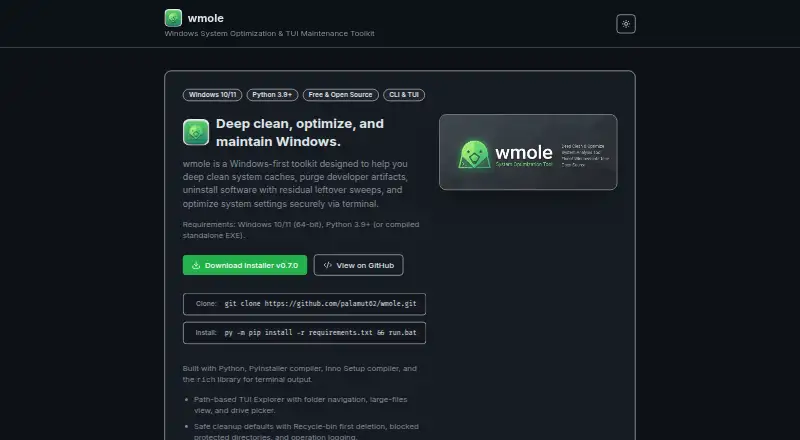
wmole is a free, open-source Windows command-line and terminal user-interface toolkit for local maintenance. It combines software uninstall workflows with filesystem and Windows Registry leftover scanning, while also covering cache cleanup, developer-workspace maintenance, installer-file discovery, system optimization, and live hardware and system telemetry. It is aimed at Windows users and developers who want cleanup and analysis tools, and it can run through Python or as a compiled standalone executable on Windows 10 and 11 64-bit systems.
The available plan is free and open source. It includes the full set of listed capabilities rather than separating core cleanup from paid upgrades: filesystem navigation with drive selection and large-file views; Recycle Bin deletion; protected-path blocking; whitelists; operation logs; developer-artifact purging; leftover scanning; old installer-file discovery; and selected DNS/Winsock, Storage Sense, and Windows Update operations. The same offering also includes live CPU, memory, disk, network, uptime, power, and sensor telemetry, plus JSON output for analysis, uninstall reports, optimization, and status commands. No paid tier is part of the product’s stated pricing model.
wmole is most suitable for users comfortable with command-line or terminal-based tools. Its platform scope is limited to Windows, specifically Windows 10 and 11 on 64-bit systems, so it is not a fit for macOS or Linux environments. The toolkit emphasizes cleanup, system analysis, developer-artifact removal, and leftover scanning; users who specifically require forced or batch uninstall workflows should compare alternatives before choosing it. Users seeking a focused local maintenance toolkit with safety controls and machine-readable reports will find its feature coverage more relevant than those looking for a conventional desktop-only uninstaller.
Your product? Our editors can test wmole in depth and publish a review, labelled as paid · from $149/mo →
wmole pricing
wmole fact sheet
| Free plan | Yes |
|---|---|
| Paid from | Free |
| Leftover scan | Yes |
| Forced uninstall | Not verified |
| Batch uninstall | Not verified |
| Install monitoring | Not verified |
| Platform support | Windows 10 |
| Portable version | Not verified |
| Pricing | Free plan |
| Website | wmole.vercel.app |
| Facts checked | 16 Sep 2026 |
Alternatives to wmole
- Revo UninstallerA mature Windows cleanup utility with strong removal controls and a capable free edition.9.3
- IObit UninstallerA broad Windows cleanup tool with useful free coverage and optional Pro controls.9.1
- O&O AppBusterA free, portable choice for managing built-in Windows apps with safeguards.8.7

Used wmole? Be the first to review it
The editor score above is our own research. What this page doesn't have yet is a reader's view — what you used wmole for, what worked and what didn't. No stars are seeded and no review is paid for; an editor reads every one before it appears.
Write a reviewTwo minutes · verified accounts only · read by an editor before it appears
Featured on iTechGuides

wmole is listed in our Software Uninstaller Tools directory. Add the badge to your site — it links back to this page.
<a href="https://www.itechguides.com/products/wmole/"><img src="https://www.itechguides.com/best/badge/wmole.svg" alt="Featured on iTechGuides" width="230" height="46"></a>
Reviewed by iTechGuides Editors · Editorial team · Updated Sep 2026
Advertiser disclosure: iTechGuides is reader-supported. Vendors can pay for top positions in our rankings and for a place on other products' pages, and we may earn a commission when you click some links. Bought places stand at the number bought; this page and our disclosure say so. Paying vendors may get a fuller, more detailed review from our editors, and that review can change their score. How we rank.
Last updated · How we research and update