wkhtmltopdf
wkhtmltopdf: A focused, free toolset for automating HTML-to-PDF and image conversion. Ranked #27 of 69 in File Conversion Software by our editors (6.6/10); pricing: Free plan; best for HTML-to-PDF automation.
At a glance
- Editor score6.6 / 10
- PricingFree plan
- Best forHTML-to-PDF automation
- Free planYes
- Paid fromFree
- Batch conversionYes
- Facts checked22 Sep 2026
Where it wins
- Free open-source licensing with Windows, macOS, and Linux support
- Headless conversion with detailed layout, link, form, and JavaScript controls
- C bindings support integration into locally hosted applications
Where it doesn't
- Narrowly focused on web document rendering rather than broad file conversion
- Outdated Qt/WebKit stack requires caution with untrusted HTML
- Command-line workflow may not suit teams seeking a visual desktop interface
Our verdict on wkhtmltopdf
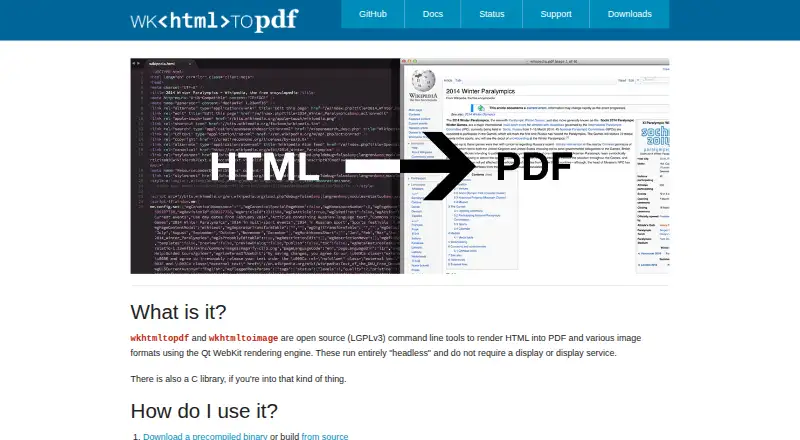
wkhtmltopdf is an open-source, LGPLv3 command-line tool for developers and technical teams that need to render HTML documents into PDF files or images on their own infrastructure. It supports Windows, macOS, Linux, and API-oriented integration, with C bindings for embedding PDF and image conversion into applications. The project is focused rather than broad: its core use case is converting web documents into output files, including HTML-to-PDF, HTML-to-image, and SVG conversion.
Its main strength is control over document rendering. Headless execution avoids a display service, while options cover headers, footers, margins, page sizes, orientation, tables of contents, external and local links, JavaScript, and image loading. HTML forms can be converted to PDF forms, which adds value for document workflows built from existing web templates. Batch conversion and API access are included in the category specifications, making the tool suitable for repeatable generation jobs and application-level workflows. The free open-source model also removes a paid tier decision for teams that can manage deployment themselves.
The trade-off is its narrow scope and aging rendering foundation. The project identifies version 0.12.6, released June 11, 2020, as the current stable series, and its status page warns that the Qt/WebKit stack is outdated. It also recommends caution with untrusted HTML, an important consideration for systems accepting external content. Choose wkhtmltopdf when command-line automation, local deployment, HTML layout controls, and application bindings matter most. Teams seeking broader file conversion coverage, a current rendering stack, or a visual desktop workflow should consider an alternative.
Your product? Our editors can test wkhtmltopdf in depth and publish a review, labelled as paid · from $149/mo →
wkhtmltopdf pricing
wkhtmltopdf fact sheet
| Free plan | Yes |
|---|---|
| Paid from | Free |
| Max file size | Not verified |
| Batch conversion | Yes |
| Cloud conversion | Not verified |
| API access | Yes |
| OCR conversion | Not verified |
| Deployment | Desktop |
| Deployment | Desktop, Self-hosted |
| Platforms | Windows, macOS, Linux |
| Support | Community, Tickets, Docs |
| Built for | Small business, Mid-market, Enterprise (editorial estimate) |
| Pricing | Free plan |
| Website | wkhtmltopdf.org |
| Facts checked | 22 Sep 2026 |
Alternatives to wkhtmltopdf
- PandocA broad, programmable converter for technical documents, markup, and publishing workflows.9.3
- ConvertioA broad converter for documents, media, batch jobs, OCR, and automated workflows.9.1
- Zamzar APIA broad, asynchronous conversion API with flexible imports, exports, and extraction workflows.9.0



See all wkhtmltopdf alternatives →
Used wkhtmltopdf? Be the first to review it
The editor score above is our own research. What this page doesn't have yet is a reader's view — what you used wkhtmltopdf for, what worked and what didn't. No stars are seeded and no review is paid for; an editor reads every one before it appears.
Write a reviewTwo minutes · verified accounts only · read by an editor before it appears
Featured on iTechGuides

wkhtmltopdf is listed in our File Conversion Software directory. Add the badge to your site — it links back to this page.
<a href="https://www.itechguides.com/products/wkhtmltopdf/"><img src="https://www.itechguides.com/best/badge/wkhtmltopdf.svg" alt="Featured on iTechGuides" width="230" height="46"></a>
Reviewed by iTechGuides Editors · Editorial team · Updated Oct 2026
Advertiser disclosure: iTechGuides is reader-supported. Vendors can pay for top positions in our rankings and for a place on other products' pages, and we may earn a commission when you click some links. Bought places stand at the number bought; this page and our disclosure say so. Paying vendors may get a fuller, more detailed review from our editors, and that review can change their score. How we rank.
Last updated · How we research and update