winproc-tui
winproc-tui: A focused terminal monitor for recording, comparing, and inspecting Windows processes. Ranked #19 of 26 in Process Monitoring Software by our editors (7.5/10); pricing: Open source; best for windows investigations with recording and comparisons.
At a glance
- Editor score7.5 / 10
- PricingOpen source
- Best forWindows investigations with recording and comparisons
- Paid fromFree
- Remote monitoringNo
- Facts checked21 Sep 2026
Where it wins
- Live system and per-process metrics with time-series graphs
- A/B comparison of exact samples and named tracking profiles
- JSON Lines recording plus detailed process inspection
Where it doesn't
- Supports Windows 11 x64 only
- Local monitoring; remote monitoring is not supported
- No alerting capability is listed
Our verdict on winproc-tui
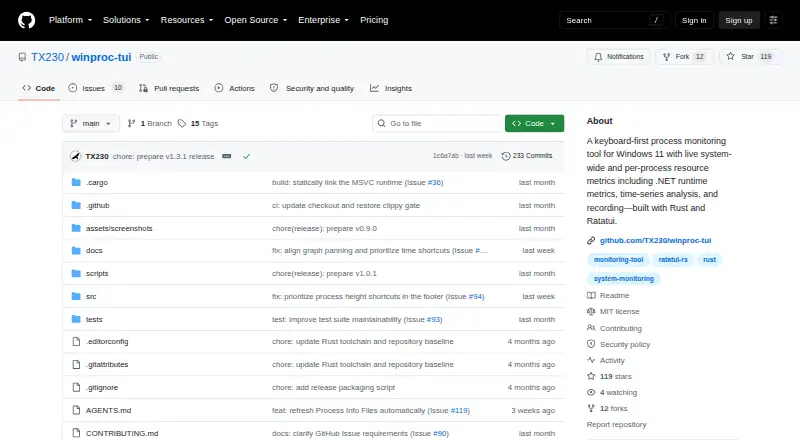
winproc-tui is an open-source, local process monitor for Windows 11 that runs in a terminal. It is aimed at developers and technical investigators who need focused visibility into system and process behavior rather than broad, cross-platform system inspection. The interface covers system-wide and per-process resource metrics, including memory, handles, GPU memory, I/O, and .NET runtime data. A process tree supports filtering and subtree collapse, while process actions include termination controls.
Its strongest area is investigation depth. Users can select metrics for time-series graphs, compare exact samples with A/B markers, and create named tracking lists and investigation profiles. Process inspection extends to metrics, files, DLLs, and environment variables, giving a single workflow for moving from a high-level process view to detailed examination. The published feature set also includes live history of about two hours for tracked processes and system metrics, which suits short development or testing investigations more than long-term operational monitoring.
Recording adds a practical review path: sessions can be saved as JSON Lines and inspected later. That makes winproc-tui a good fit for Windows-only debugging, performance checks, and repeatable comparisons where terminal control and process detail matter. Its scope is narrower for teams needing Linux or macOS coverage, remote monitoring, or an alerting workflow. Choose it for local Windows 11 investigations centered on process behavior and recorded evidence; consider a broader monitoring product when distributed coverage or automated notification is essential.
Your product? Our editors can test winproc-tui in depth and publish a review, labelled as paid · from $149/mo →
winproc-tui pricing
winproc-tui fact sheet
| Free plan | Not verified |
|---|---|
| Paid from | Free |
| Supported platforms | Windows 11 x64 |
| Remote monitoring | No |
| Service monitoring | Not verified |
| Process alerting | Not verified |
| History retention | Not verified |
| Process controls | Yes |
| Activity logs | Yes |
| Deployment | Desktop |
| Platforms | Windows |
| Support | Community, Docs |
| Built for | Solo, Small business (editorial estimate) |
| Pricing | Open source |
| Website | github.com |
| Facts checked | 21 Sep 2026 |
Alternatives to winproc-tui
- GlancesA broad, free monitoring toolkit for cross-platform and self-hosted infrastructure.9.4
- PM2A capable Node.js process manager with deeper monitoring in paid tiers.9.2
- MonitA focused self-hosted monitor for service health, system checks, and automatic recovery.9.1



See all winproc-tui alternatives →
Used winproc-tui? Be the first to review it
The editor score above is our own research. What this page doesn't have yet is a reader's view — what you used winproc-tui for, what worked and what didn't. No stars are seeded and no review is paid for; an editor reads every one before it appears.
Write a reviewTwo minutes · verified accounts only · read by an editor before it appears
Featured on iTechGuides

winproc-tui is listed in our Process Monitoring Software directory. Add the badge to your site — it links back to this page.
<a href="https://www.itechguides.com/products/winproc-tui/"><img src="https://www.itechguides.com/best/badge/winproc-tui.svg" alt="Featured on iTechGuides" width="230" height="46"></a>
Reviewed by iTechGuides Editors · Editorial team · Updated Oct 2026
Advertiser disclosure: iTechGuides is reader-supported. Vendors can pay for top positions in our rankings and for a place on other products' pages, and we may earn a commission when you click some links. Bought places stand at the number bought; this page and our disclosure say so. Paying vendors may get a fuller, more detailed review from our editors, and that review can change their score. How we rank.
Last updated · How we research and update