Winget-AutoUpdate
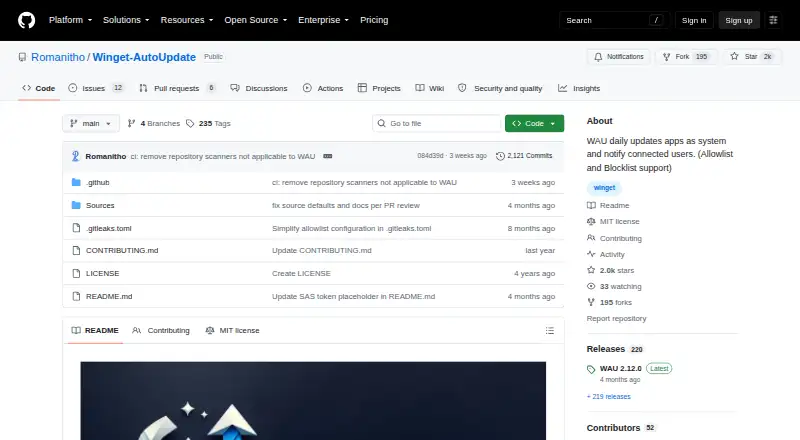
Winget-AutoUpdate: A free, open-source choice for scheduled, silent WinGet updates on Windows. Ranked #6 of 29 in Software Update Tools by our editors (8.5/10); pricing: Open source; best for managed WinGet automation.
At a glance
- Editor score8.5 / 10
- PricingOpen source
- Best forManaged WinGet automation
- Paid fromFree
- Operating systemsWindows-only
- Facts checked20 Sep 2026
Where it wins
- Schedules silent bulk updates with selectable user notifications
- Controls coverage with application allowlists and blocklists
- Supports Intune, SCCM, Group Policy, logs, and PowerShell scripts
Where it doesn't
- Windows-only, with no portable version
- Depends on Microsoft WinGet for application updates
- Requires administrative configuration for managed deployments
Our verdict on Winget-AutoUpdate
Winget-AutoUpdate is an open-source Windows utility for automating installed application updates through Microsoft WinGet. It is aimed at home administrators and organizations managing Windows devices that need scheduled, silent updates without manually opening each application. Updates can run in system or user context, while allowlists and blocklists help define which applications the tool manages. Notifications can be configured at selectable levels, giving administrators control over how much update activity users see.
The product is free and open source rather than divided into paid plans, so its capabilities are centered on configuration and deployment rather than subscription tiers. It supports scheduled scans, bulk updates, installer-specific arguments and overrides, logging with log rotation, and custom PowerShell modification scripts. For managed environments, deployment options include Microsoft Intune, Microsoft SCCM, and Group Policy. That combination makes it a practical fit for administrators who already manage Windows policies or endpoint deployments through Microsoft's ecosystem.
Its main trade-off is scope: Winget-AutoUpdate is Windows-only, has no portable version, and depends on WinGet for the application update workflow. Organizations looking for cross-platform update management or a tool independent of WinGet should consider another option. It is also more suitable for administrators comfortable with deployment policies, schedules, logs, installer overrides, and scripts than for users seeking a broad graphical software-management suite. Choose it when controlled WinGet automation is the priority; look elsewhere when operating-system coverage or a different package-management foundation matters more.
Your product? Our editors can test Winget-AutoUpdate in depth and publish a review, labelled as paid · from $149/mo →
Winget-AutoUpdate pricing
Winget-AutoUpdate fact sheet
| Free plan | Not verified |
|---|---|
| Paid from | Free |
| Operating systems | Windows-only |
| Silent installation | Yes |
| Bulk app updates | Yes |
| Custom app support | Not verified |
| Portable version | No |
| Scheduled scans | Yes |
| Update rollback | Not verified |
| Deployment | Self-hosted |
| Platforms | Windows |
| Support | Community, Docs |
| Built for | Solo, Small business, Mid-market, Enterprise (editorial estimate) |
| Integrations | 4 integrations: Microsoft WinGet, Microsoft Intune, Microsoft SCCM, Group Policy |
| Pricing | Open source |
| Website | github.com |
| Facts checked | 20 Sep 2026 |
Winget-AutoUpdate integrations
Winget-AutoUpdate lists 4 integrations on its own site.
- Microsoft WinGet
- Microsoft Intune
- Microsoft SCCM
- Group Policy
Alternatives to Winget-AutoUpdate
- UniGetUIA free, broad package-management interface for bulk updates, automation, and backups.9.4
- Patch My PCA Microsoft-integrated patching platform with a free option and paid enterprise reporting.9.2
- Ninite ProA focused Windows patching tool with bulk actions, policies, reporting, and RMM integrations.9.0


See all Winget-AutoUpdate alternatives →
Winget-AutoUpdate vs the competition
- Winget-AutoUpdate vs UniGetUI
- Winget-AutoUpdate vs Patch My PC
- Winget-AutoUpdate vs Ninite Pro
- Winget-AutoUpdate vs WinGet
- Winget-AutoUpdate vs Topgrade
- Winget-AutoUpdate vs UCheck


Compare Winget-AutoUpdate with any tool side by side →
Used Winget-AutoUpdate? Be the first to review it
The editor score above is our own research. What this page doesn't have yet is a reader's view — what you used Winget-AutoUpdate for, what worked and what didn't. No stars are seeded and no review is paid for; an editor reads every one before it appears.
Write a reviewTwo minutes · verified accounts only · read by an editor before it appears
Featured on iTechGuides

Winget-AutoUpdate is listed in our Software Update Tools directory. Add the badge to your site — it links back to this page.
<a href="https://www.itechguides.com/products/winget-autoupdate/"><img src="https://www.itechguides.com/best/badge/winget-autoupdate.svg" alt="Featured on iTechGuides" width="230" height="46"></a>
Reviewed by iTechGuides Editors · Editorial team · Updated Oct 2026
Advertiser disclosure: iTechGuides is reader-supported. Vendors can pay for top positions in our rankings and for a place on other products' pages, and we may earn a commission when you click some links. Bought places stand at the number bought; this page and our disclosure say so. Paying vendors may get a fuller, more detailed review from our editors, and that review can change their score. How we rank.
Last updated · How we research and update