Win11Debloat
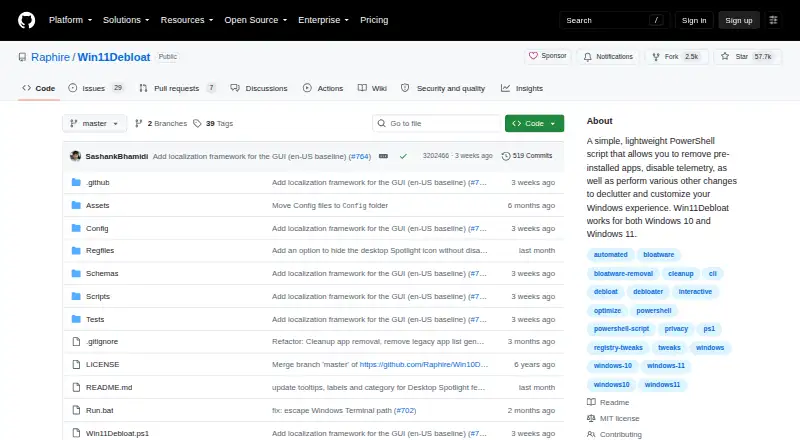
Win11Debloat: A focused, open-source tool for removing bloat and customizing Windows settings. Ranked #47 of 97 in PC Optimization Software by our editors (4.8/10); pricing: Free plan; best for automated Windows debloating and privacy tweaks.
At a glance
- Editor score4.8 / 10
- PricingFree plan
- Best forAutomated Windows debloating and privacy tweaks
- Free planYes
- Paid fromFree
- Facts checked22 Sep 2026
Where it wins
- Removes selected Microsoft, OEM, and third-party preinstalled apps
- Combines GUI and command-line operation with scheduled automation
- Creates restore points and transfers configurations across systems
Where it doesn't
- Works only with Windows 10 and Windows 11
- Requires comfort with a PowerShell-based tool
- Focuses on debloating rather than broad PC optimization
Our verdict on Win11Debloat
Win11Debloat is a free, open-source PowerShell script for individual users, power users, and administrators managing Windows 10 and Windows 11 installations. It removes selected preinstalled Microsoft, OEM, and third-party applications, while also providing controls for telemetry, diagnostic data, targeted ads, suggested content, and selected Windows AI features such as Copilot and Recall. The project also supports interface changes across the Start menu, taskbar, search, File Explorer, and appearance settings.
Its strongest fit is for repeatable Windows customization rather than general-purpose PC maintenance. Users can operate Win11Debloat through a graphical interface or command-line parameters, automate runs with PowerShell and Windows Task Scheduler, and export or import configurations across systems. Support for multiple Windows users and Sysprep mode extends its usefulness for administrators handling more than one installation. Windows Update, storage, networking, and privacy-related system tweaks add breadth, but the product remains centered on removing unwanted software and changing Windows defaults.
Win11Debloat also puts control around potentially wide-ranging changes. Optional system restore-point creation provides a recovery step before applying modifications, and configuration transfer can make a preferred setup repeatable. Its open-source model and free availability suit users who want a script-based approach without a paid tier. Choose it when Windows debloating, privacy controls, interface customization, or scheduled maintenance are the priority. Choose an alternative if you want a conventional installed application or a broader PC optimization suite covering areas beyond Windows configuration and debloating.
Your product? Our editors can test Win11Debloat in depth and publish a review, labelled as paid · from $149/mo →
Win11Debloat pricing
Win11Debloat fact sheet
| Free plan | Yes |
|---|---|
| Paid from | Free |
| Junk cleanup | Not verified |
| Startup manager | Not verified |
| Driver updates | Not verified |
| Scheduled maintenance | Yes |
| Windows support | Windows 10 and 11 |
| Device limit | Not verified |
| Restore-point tools | Yes |
| Deployment | Desktop |
| Platforms | Windows |
| Support | Community, Docs |
| Built for | Solo, Small business, Enterprise (editorial estimate) |
| Pricing | Free plan |
| Website | github.com |
| Facts checked | 22 Sep 2026 |
Alternatives to Win11Debloat
- Microsoft PC ManagerA broad free toolkit for routine Windows cleanup, health checks, and maintenance.9.4
- CCleanerA mature PC cleaner with broad maintenance tools and a useful free plan.9.3
- Advanced SystemCareA broad Windows optimizer with a capable free plan and one-device scope.9.2


See all Win11Debloat alternatives →
Used Win11Debloat? Be the first to review it
The editor score above is our own research. What this page doesn't have yet is a reader's view — what you used Win11Debloat for, what worked and what didn't. No stars are seeded and no review is paid for; an editor reads every one before it appears.
Write a reviewTwo minutes · verified accounts only · read by an editor before it appears
Featured on iTechGuides

Win11Debloat is listed in our PC Optimization Software directory. Add the badge to your site — it links back to this page.
<a href="https://www.itechguides.com/products/win11debloat/"><img src="https://www.itechguides.com/best/badge/win11debloat.svg" alt="Featured on iTechGuides" width="230" height="46"></a>
Reviewed by iTechGuides Editors · Editorial team · Updated Oct 2026
Advertiser disclosure: iTechGuides is reader-supported. Vendors can pay for top positions in our rankings and for a place on other products' pages, and we may earn a commission when you click some links. Bought places stand at the number bought; this page and our disclosure say so. Paying vendors may get a fuller, more detailed review from our editors, and that review can change their score. How we rank.
Last updated · How we research and update