WiFiAnalyzer
WiFiAnalyzer: A focused, privacy-conscious Android scanner for channel and access-point analysis. Ranked #15 of 29 in Wi-Fi Analyzer Software by our editors (7.5/10); pricing: Free plan; best for free open-source Android scanning.
At a glance
- Editor score7.5 / 10
- PricingFree plan
- Best forFree open-source Android scanning
- Free planYes
- Paid fromFree
- Facts checked20 Sep 2026
Where it wins
- Free, open-source app with no ads or personal information collection
- Channel ratings, signal graphs, filters, exports, and vendor lookup
- Supports 2.4, 5, and 6 GHz bands where supported
Where it doesn't
- Android-only, with no iOS, Windows, macOS, or web platform
- Band and channel-width detection depends on device support
- Focused on Wi-Fi analysis rather than broader spectrum workflows
Our verdict on WiFiAnalyzer
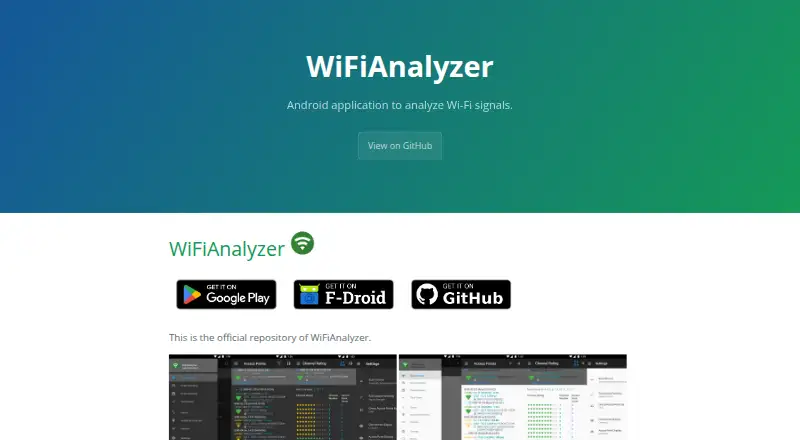
WiFiAnalyzer is a free, open-source Android application from VREM Software Development for examining nearby Wi-Fi access points, channel usage, signal strength, and wireless bands. It suits people troubleshooting or optimizing a local Wi-Fi network who want direct visibility into surrounding networks without personal information collection or internet access for analysis. Its focus is practical local scanning rather than a cross-platform management system.
The app brings together several useful views for channel decisions. It graphs channel signal strength, tracks access-point signal strength over time, and rates Wi-Fi channels based on surrounding networks. Filters can narrow results by band, signal strength, security, or SSID, while access-point distance estimates and OUI-based vendor lookup add context. WiFiAnalyzer supports 2.4 GHz, 5 GHz, and 6 GHz networks, plus HT/VHT channel widths from 40 to 320 MHz where device hardware and software support them.
For reporting or follow-up, the app can export access-point details. That makes it a good fit for a technically minded Android user who needs a free scanner with historical signal views and channel guidance. The trade-off is scope: WiFiAnalyzer is Android-only, and its capabilities depend on what the device supports for bands and channel widths. It is better suited to quick local diagnosis and optimization than to teams needing a multi-platform workflow or deeper site-survey coverage. Choose it for focused, open-source Wi-Fi visibility; consider another tool when broader platform support or more extensive survey work is central.
Your product? Our editors can test WiFiAnalyzer in depth and publish a review, labelled as paid · from $149/mo →
WiFiAnalyzer pricing
All 1 WiFiAnalyzer plans and prices →
WiFiAnalyzer fact sheet
| Free plan | Yes |
|---|---|
| Paid from | Free |
| Site survey tools | Not verified |
| Spectrum analysis | Not verified |
| Channel recommendations | Yes |
| Supported platforms | android |
| Report export | Yes |
| Historical analysis | Yes |
| Deployment | Mobile |
| Platforms | Android |
| Support | Community, Docs |
| Built for | Solo, Small business (editorial estimate) |
| Pricing | Free plan (source) |
| Website | vremsoftwaredevelopment.github.io |
| Facts checked | 20 Sep 2026 |
Alternatives to WiFiAnalyzer
- NetSpotA cross-platform analyzer for inspection, surveys, planning, and Wi-Fi troubleshooting.9.4
- WiFi ScannerA deep Wi-Fi analysis suite for teams that need surveys, diagnostics, and exports.9.2
- TamoGraph Site SurveyA mature survey suite for teams that need measurement, modeling, and reporting.9.0



See all WiFiAnalyzer alternatives →
Used WiFiAnalyzer? Be the first to review it
The editor score above is our own research. What this page doesn't have yet is a reader's view — what you used WiFiAnalyzer for, what worked and what didn't. No stars are seeded and no review is paid for; an editor reads every one before it appears.
Write a reviewTwo minutes · verified accounts only · read by an editor before it appears
Featured on iTechGuides

WiFiAnalyzer is listed in our Wi-Fi Analyzer Software directory. Add the badge to your site — it links back to this page.
<a href="https://www.itechguides.com/products/wifianalyzer/"><img src="https://www.itechguides.com/best/badge/wifianalyzer.svg" alt="Featured on iTechGuides" width="230" height="46"></a>
Reviewed by iTechGuides Editors · Editorial team · Updated Oct 2026
Advertiser disclosure: iTechGuides is reader-supported. Vendors can pay for top positions in our rankings and for a place on other products' pages, and we may earn a commission when you click some links. Bought places stand at the number bought; this page and our disclosure say so. Paying vendors may get a fuller, more detailed review from our editors, and that review can change their score. How we rank.
Last updated · How we research and update