
WebCopier
WebCopier: A focused Windows tool for offline copies of mostly static websites, not full restoration. Ranked #31 of 32 in Website Backup Services by our editors (6.0/10); pricing: Free plan; best for offline copies of mostly static websites.
At a glance
- Editor score6.0 / 10
- PricingFree plan
- Best forOffline copies of mostly static websites
- Free planYes
- Paid from$290/yr
- Facts checked21 Sep 2026
Where it wins
- Captures JavaScript-rendered pages and related assets in a real browser.
- Supports internal-link and sitemap discovery for multi-page captures.
- Offers local offline browsing, a preview server, and capture reports.
Where it doesn't
- Windows-only desktop software.
- Does not back up databases or server-side applications.
- Does not provide website restoration or hosted backup storage.
Our verdict on WebCopier
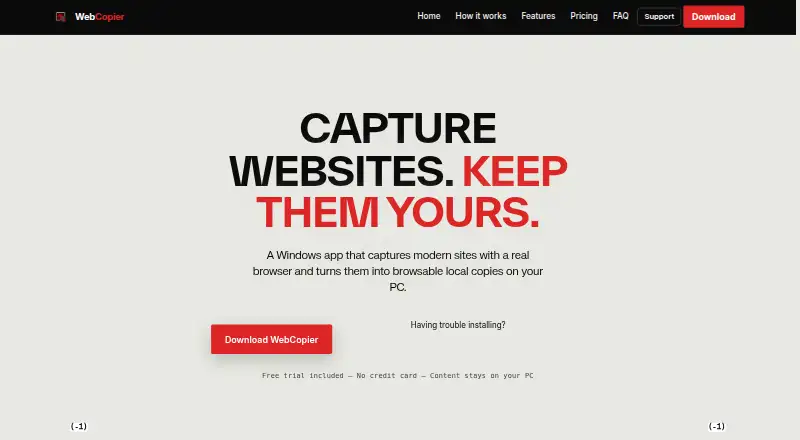
WebCopier is a Windows 10/11 desktop application for capturing public website frontends and saving them as local projects. It is aimed at developers, designers, agencies, QA teams, researchers, and website owners who need offline copies of mostly static websites. The capture process can include browser-rendered pages, HTML, CSS, images, fonts, client scripts, and pages discovered through internal links or sitemaps. Saved projects can be browsed offline in WebCopier, Chrome, or Edge.
Pricing is split between one-time plans and recurring options. The Free Trial costs $0 and includes one complete web page clone, offline media and styles, and the Windows desktop app. Starter costs $10 one time for two complete website clones and permanent offline browsing on PC. Pack costs $29 one time for six full multi-page clones, offline assets, CSS and scripts, and a local preview server. Pro costs $39 per month for 15 complete sites per month, a priority clone queue, engine updates, and commercial client usage. Business costs $129 per month for 50 full sites per month with deep crawling, parallel asset crawling, and priority support. Annual plans include Yearly Pro at $290 per year and Yearly Business at $990 per year.
Its strongest fit is browser-based frontend capture rather than conventional website backup. Projects remain stored locally on the user's PC, and a post-capture report identifies saved and unsaved content. The preview server and offline browsing options are useful for reviewing captured sites without an internet connection. However, WebCopier does not extract server-side applications, databases, or administration systems, and it does not provide restoration or hosted backup storage. Choose it for local copies of public frontends; choose another product when database protection, centralized backup storage, or full website recovery is required.
Your product? Our editors can test WebCopier in depth and publish a review, labelled as paid · from $149/mo →
WebCopier pricing
All 7 WebCopier plans and prices →
WebCopier fact sheet
| Free plan | Yes |
|---|---|
| Paid from | $290/yr |
| Backup frequency | Not verified |
| Retention period | Not verified |
| Database backup | No |
| One-click restore | Not verified |
| Backup scope | Files |
| Staging restore | Not verified |
| Storage model | Self_hosted |
| Deployment | Desktop |
| Platforms | Windows |
| Support | Live chat |
| Built for | Solo, Small business, Mid-market (editorial estimate) |
| Pricing | Free plan (source) |
| Website | webcopier.tools |
| Facts checked | 21 Sep 2026 |
Alternatives to WebCopier
- BackupSheepA free, open-source option for multi-server website and database backup control.9.4
- BackuplyA flexible backup suite for hosting servers and WordPress site owners.9.2
- YedekalmaBroad backup coverage with strong control over storage and encryption.9.0



See all WebCopier alternatives →
Used WebCopier? Be the first to review it
The editor score above is our own research. What this page doesn't have yet is a reader's view — what you used WebCopier for, what worked and what didn't. No stars are seeded and no review is paid for; an editor reads every one before it appears.
Write a reviewTwo minutes · verified accounts only · read by an editor before it appears
Featured on iTechGuides

WebCopier is listed in our Website Backup Services directory. Add the badge to your site — it links back to this page.
<a href="https://www.itechguides.com/products/webcopier/"><img src="https://www.itechguides.com/best/badge/webcopier.svg" alt="Featured on iTechGuides" width="230" height="46"></a>
Reviewed by iTechGuides Editors · Editorial team · Updated Oct 2026
Advertiser disclosure: iTechGuides is reader-supported. Vendors can pay for top positions in our rankings and for a place on other products' pages, and we may earn a commission when you click some links. Bought places stand at the number bought; this page and our disclosure say so. Paying vendors may get a fuller, more detailed review from our editors, and that review can change their score. How we rank.
Last updated · How we research and update