webcamXP
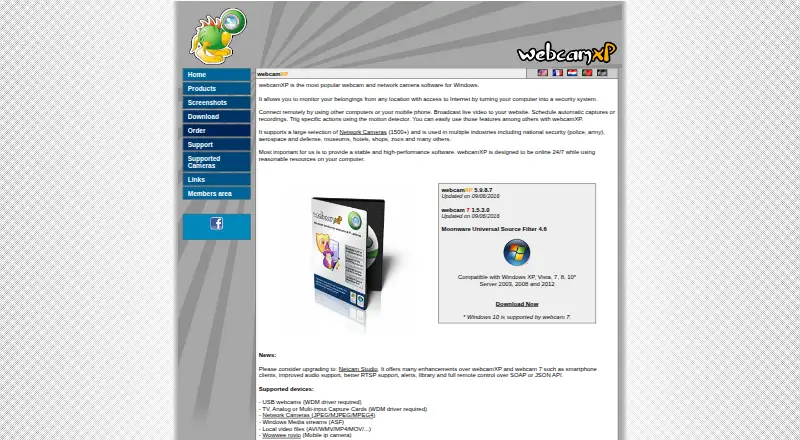
webcamXP: A focused Windows tool for multi-source monitoring, recording, streaming and alerts. Ranked #19 of 41 in Webcam Software by our editors (6.4/10); pricing: Free plan · 21-day trial; best for windows webcam monitoring and recording.
At a glance
- Editor score6.4 / 10
- PricingFree plan · 21-day trial
- Best forWindows webcam monitoring and recording
- Free planYes
- Paid from$49 one-time
- Facts checked22 Sep 2026
Where it wins
- Supports webcams, capture cards, network cameras and local video files
- Motion, audio, scheduling, alerts, PTZ controls and continuous DVR recording
- Offers streaming, uploads, overlays and access controls for remote viewing
Where it doesn't
- Windows-only support limits cross-platform deployment
- Interactive webcam effects are less central than monitoring and streaming
- PRO is needed for unlimited sources and continuous DVR recording
Our verdict on webcamXP
webcamXP is Windows software for monitoring, streaming and recording video from USB webcams, capture cards, network cameras and local video files. It suits home security setups and organizations such as hotels, shops, museums and zoos that need remote viewing, scheduled captures, alerts or access controls. The product also supports PTZ control for compatible devices, overlays, user accounts, password protection and operation as a Windows service. Its focus is practical camera management rather than interactive webcam effects.
The published plans show a free tier with up to two video sources, HTTP and Windows Media streaming, FTP/FTPS and HTTP/HTTPS uploads, plus motion and audio detection. The Private plan costs $49 one time and raises the limit to four video sources, while adding username and password or IP filtering and watermark customization. PRO costs $99 one time and adds unlimited sources, continuous DVR recording and web activity logging. A PRO Trial plan provides a trial version of webcamXP PRO, and the product also offers a 21-day free trial. The paid structure is straightforward for buyers who prefer one-time pricing, with the main decision being source capacity and recording depth.
Its strongest fit is a Windows environment that needs broad camera input support, configurable alerts, multiple publishing options and scheduled or continuous recording. HTTP, Windows Media, Flash and JavaScript streaming options, along with FTP/FTPS and HTTP/HTTPS uploading, give it several ways to distribute camera feeds. The overlay editor supports text, images, animated GIFs and alpha blending, while PowerHome is the listed integration. Choose webcamXP for monitoring, streaming and recording workflows; choose an alternative if cross-platform access, modern platform support or a primary focus on live webcam effects matters more.
Your product? Our editors can test webcamXP in depth and publish a review, labelled as paid · from $149/mo →
webcamXP pricing
All 4 webcamXP plans and prices →
webcamXP fact sheet
| Free plan | Yes |
|---|---|
| Paid from | $49 one-time |
| Virtual camera | Not verified |
| Background tools | Not verified |
| Video effects | Yes |
| Camera controls | Yes |
| Webcam recording | Yes |
| Supported platforms | windows |
| Free trial | 21 days |
| Deployment | Desktop |
| Platforms | Windows |
| Support | Email, Community, Docs |
| Built for | Solo, Small business, Mid-market, Enterprise (editorial estimate) |
| Integrations | 1 integrations: PowerHome |
| Pricing | Free plan · 21-day trial (source) |
| Website | webcamxp.com |
| Facts checked | 22 Sep 2026 |
webcamXP integrations
webcamXP lists 1 integrations on its own site.
- PowerHome
Alternatives to webcamXP
- NVIDIA BroadcastA free Windows tool for RTX users who want AI audio cleanup and webcam effects.9.2
- SplitCam MultistreamA free encoder for scene-based production, virtual cameras, audio mixing and multistreaming.8.8
- ManyCamA flexible webcam studio for layered scenes, streaming, audio routing, and video calls.8.5



See all webcamXP alternatives →
Used webcamXP? Be the first to review it
The editor score above is our own research. What this page doesn't have yet is a reader's view — what you used webcamXP for, what worked and what didn't. No stars are seeded and no review is paid for; an editor reads every one before it appears.
Write a reviewTwo minutes · verified accounts only · read by an editor before it appears
Featured on iTechGuides

webcamXP is listed in our Webcam Software directory. Add the badge to your site — it links back to this page.
<a href="https://www.itechguides.com/products/webcamxp/"><img src="https://www.itechguides.com/best/badge/webcamxp.svg" alt="Featured on iTechGuides" width="230" height="46"></a>
Reviewed by iTechGuides Editors · Editorial team · Updated Sep 2026
Advertiser disclosure: iTechGuides is reader-supported. Vendors can pay for top positions in our rankings and for a place on other products' pages, and we may earn a commission when you click some links. Bought places stand at the number bought; this page and our disclosure say so. Paying vendors may get a fuller, more detailed review from our editors, and that review can change their score. How we rank.
Last updated · How we research and update