WatchOCR
WatchOCR: A focused self-hosted choice for turning scanned folders into searchable PDFs. Ranked #25 of 40 in OCR Software by our editors (6.2/10); pricing: Free plan; best for automated searchable-PDF folders.
At a glance
- Editor score6.2 / 10
- PricingFree plan
- Best forAutomated searchable-PDF folders
- Free planYes
- Paid fromFree
- Facts checked22 Sep 2026
Where it wins
- Converts image-only PDFs and TIFFs into searchable PDFs
- Automates watched-folder processing and barcode-based routing
- Supports web administration and network-share workflows
Where it doesn't
- Focused on searchable-PDF workflows rather than broad OCR use cases
- Requires self-hosting on web or Linux environments
- v0.8 is identified as an early beta with 2010 copyright notices
Our verdict on WatchOCR
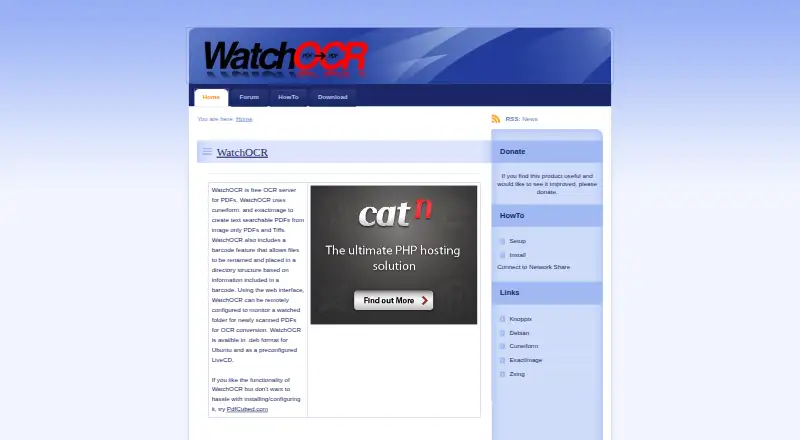
WatchOCR is a free, open-source, self-hosted OCR server for organizations that need to turn image-only PDFs and TIFFs into searchable PDFs. It supports two main working patterns: watched folders can process newly scanned documents, while individual files can be uploaded through a web interface. Remote administration, network-share workflows, and Ubuntu .deb packages make it suited to teams organizing document processing across multiple workstations. A preconfigured LiveCD is also available for deployment.
Its strongest fit is automated document routing rather than broad OCR functionality. Barcode-based file renaming and directory placement can help direct scanned files into structured locations, while watched folders reduce the need for manual uploads. The web interface provides both file submission and administration, and the network-share workflow extends the process beyond a single workstation. These features make WatchOCR a practical match for searchable-PDF folders, especially where the workflow is already centered on PDFs, TIFFs, shared directories, and barcode handling.
WatchOCR is less suitable for buyers seeking a wide-ranging OCR platform or a polished, actively evolving commercial service. The software is distributed under the GNU General Public License, but WatchOCR v0.8 is identified as an early beta and the site carries 2010 copyright notices. That release context matters when evaluating operational fit and maintenance expectations. Choose WatchOCR when free, open-source deployment and folder-based automation are the priority; choose a broader OCR option when you need a wider feature scope or a more current product lifecycle.
Your product? Our editors can test WatchOCR in depth and publish a review, labelled as paid · from $149/mo →
WatchOCR pricing
WatchOCR fact sheet
| Free plan | Yes |
|---|---|
| Paid from | Free |
| Searchable PDF | Yes |
| Word export | Not verified |
| Handwriting OCR | Not verified |
| Supported languages | Not verified |
| Monthly page limit | Not verified |
| Primary platform | Both |
| Supported inputs | Both |
| Deployment | Self-hosted, Browser extension |
| Platforms | Web, Linux |
| Support | Email, Community, Docs |
| Built for | Small business, Mid-market (editorial estimate) |
| Pricing | Free plan |
| Website | watchocr.com |
| Facts checked | 22 Sep 2026 |
Alternatives to WatchOCR
- PaddleOCRA developer-focused OCR toolkit with multilingual, handwriting, and document parsing workflows.9.3
- Tesseract OCRA mature, developer-focused OCR engine with broad outputs and self-hosting flexibility.9.1
- ABBYY FineReader PDFA broad desktop PDF suite for OCR, editing, conversion, forms, and document control.9.0

See all WatchOCR alternatives →
Used WatchOCR? Be the first to review it
The editor score above is our own research. What this page doesn't have yet is a reader's view — what you used WatchOCR for, what worked and what didn't. No stars are seeded and no review is paid for; an editor reads every one before it appears.
Write a reviewTwo minutes · verified accounts only · read by an editor before it appears
Featured on iTechGuides

WatchOCR is listed in our OCR Software directory. Add the badge to your site — it links back to this page.
<a href="https://www.itechguides.com/products/watchocr/"><img src="https://www.itechguides.com/best/badge/watchocr.svg" alt="Featured on iTechGuides" width="230" height="46"></a>
Reviewed by iTechGuides Editors · Editorial team · Updated Oct 2026
Advertiser disclosure: iTechGuides is reader-supported. Vendors can pay for top positions in our rankings and for a place on other products' pages, and we may earn a commission when you click some links. Bought places stand at the number bought; this page and our disclosure say so. Paying vendors may get a fuller, more detailed review from our editors, and that review can change their score. How we rank.
Last updated · How we research and update