Watchlight
Watchlight: A capable free desktop visual QA tool for Windows teams, with automation features in Pro. Ranked #23 of 26 in Visual Regression Testing Software by our editors (6.9/10); pricing: Free plan; best for windows teams wanting desktop visual QA.
At a glance
- Editor score6.9 / 10
- PricingFree plan
- Best forWindows teams wanting desktop visual QA
- Free planYes
- Facts checked20 Sep 2026
Where it wins
- Free plan includes unlimited projects, scenes, and all diff modes
- Supports delay- or stdout-triggered screenshot capture
- CLI, CI/CD, and MCP workflows support automated review
Where it doesn't
- Verified platform coverage is limited to Windows
- The product is currently in beta
- CLI, MCP, and CI/CD features are planned for Pro after launch
Our verdict on Watchlight
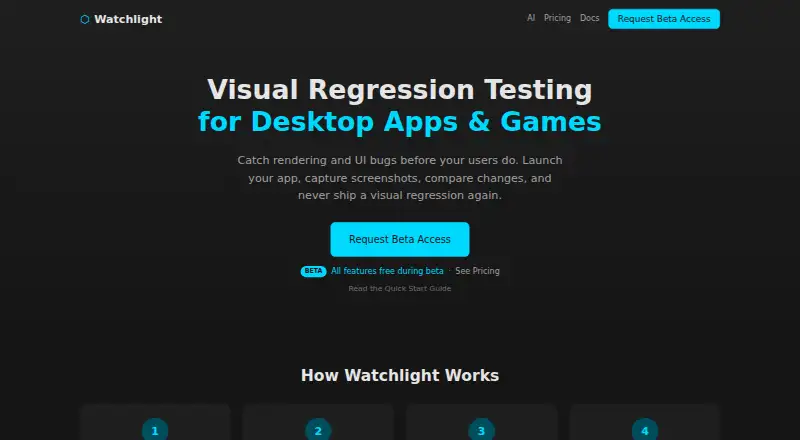
Watchlight is a local visual regression testing tool for Windows desktop applications and games. It launches compiled executables, captures screenshots at configurable moments, and compares current snapshots with baselines using adjustable visual-diff thresholds. Projects organize reusable scenes and snapshot metadata, while the desktop GUI supports local testing and visual analysis. It is aimed at teams that need repeatable visual checks for desktop interfaces or game scenes rather than browser-focused testing.
Its strongest area is the combination of capture control and review depth. Screenshots can be triggered by a delay or a stdout pattern, and results can be viewed side by side, as differences, with an overlay, or through highlight mode. Scene baseline management, snapshot handling, configurable thresholds, and approval flows give teams control over how visual changes are examined and accepted. The Free plan includes the full GUI, unlimited projects and scenes, all diff and analysis modes, configurable thresholds, and snapshot management, making it suitable for local visual QA during the beta period.
Watchlight also extends into automated workflows through headless CLI execution, text or JSON output, strict pass/fail behavior for CI/CD, and an MCP server for AI-assisted execution and triage. Integrations include GitHub Actions, GitLab, Jenkins, VS Code, Cursor, and Claude Code. The main boundary is platform coverage: verified support is Windows, so teams working across other desktop platforms should look elsewhere. CLI, MCP, and CI/CD capabilities are described as free during beta and planned for Pro after launch, so teams choosing Watchlight should distinguish between its current beta offering and its planned paid structure. It fits Windows teams wanting desktop visual QA; it is less suitable for cross-platform coverage or teams seeking a settled post-beta pricing model.
Your product? Our editors can test Watchlight in depth and publish a review, labelled as paid · from $149/mo →
Watchlight pricing
All 2 Watchlight plans and prices →
Watchlight fact sheet
| Free plan | Yes |
|---|---|
| Paid from | Not verified |
| Visual diff modes | Pixel |
| Cross-browser capture | Not verified |
| CI/CD integrations | Yes |
| Approval workflow | Yes |
| Project limit | Not verified |
| Browser count | Not verified |
| Deployment | Desktop |
| Platforms | Windows |
| Support | Docs |
| Built for | Solo, Small business, Mid-market (editorial estimate) |
| Integrations | 6 integrations: GitHub Actions, GitLab, Jenkins, VS Code, Cursor, Claude Code |
| Pricing | Free plan (source) |
| Website | getwatchlight.com |
| Facts checked | 20 Sep 2026 |
Watchlight integrations
Watchlight lists 6 integrations on its own site.
- GitHub Actions
- GitLab
- Jenkins
- VS Code
- Cursor
- Claude Code
Alternatives to Watchlight
- PercyA mature choice for cross-browser visual reviews, CI/CD, and scheduled URL monitoring.9.4
- ChromaticA strong Storybook workflow with CI checks, review tools, and four-browser testing on paid plans.9.2
- Applitools EyesA broad visual testing suite for teams that need AI-assisted analysis and enterprise controls.8.9



See all Watchlight alternatives →
Used Watchlight? Be the first to review it
The editor score above is our own research. What this page doesn't have yet is a reader's view — what you used Watchlight for, what worked and what didn't. No stars are seeded and no review is paid for; an editor reads every one before it appears.
Write a reviewTwo minutes · verified accounts only · read by an editor before it appears
Featured on iTechGuides

Watchlight is listed in our Visual Regression Testing Software directory. Add the badge to your site — it links back to this page.
<a href="https://www.itechguides.com/products/watchlight/"><img src="https://www.itechguides.com/best/badge/watchlight.svg" alt="Featured on iTechGuides" width="230" height="46"></a>
Reviewed by iTechGuides Editors · Editorial team · Updated Oct 2026
Advertiser disclosure: iTechGuides is reader-supported. Vendors can pay for top positions in our rankings and for a place on other products' pages, and we may earn a commission when you click some links. Bought places stand at the number bought; this page and our disclosure say so. Paying vendors may get a fuller, more detailed review from our editors, and that review can change their score. How we rank.
Last updated · How we research and update