w3m
w3m: A focused terminal browser for Linux workflows, not a general-purpose graphical alternative. Ranked #124 of 145 in Web Browsers by our editors (3.0/10); pricing: Open source; best for linux users who need text-mode terminal browsing.
At a glance
- Editor score3.0 / 10
- PricingOpen source
- Best forLinux users who need text-mode terminal browsing
- Paid fromFree
- Facts checked19 Sep 2026
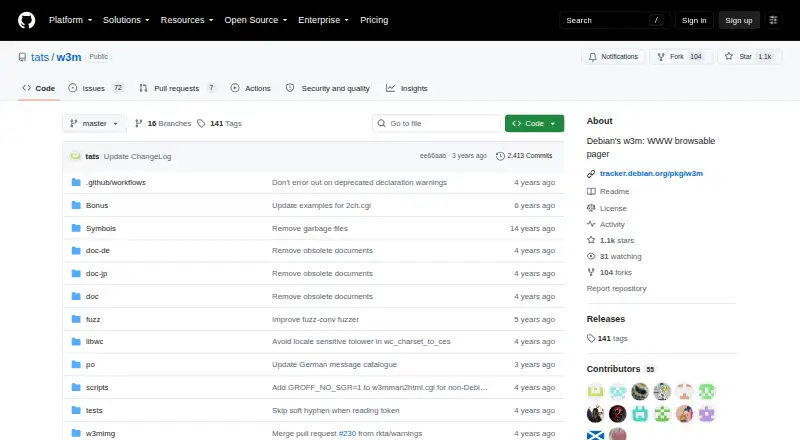
Where it wins
- Browses local documents and HTTP or HTTPS pages in a terminal.
- Supports forms, frames, cookies, tabs, bookmarks, and history.
- Can dump rendered pages, source, or responses to standard output.
Where it doesn't
- Text-only interface is a poor fit for graphical browsing.
- Mouse navigation depends on being compiled with mouse support.
- SSL support requires a build with OpenSSL.
Our verdict on w3m
w3m brings web browsing to a terminal emulator, combining a text-mode browser with pager functions. It is suited to Linux users who need to read web pages or local documents from a terminal, including remote sessions and scripting workflows. Rather than aiming to replace a graphical browser, it focuses on displaying text and providing keyboard-oriented navigation, with mouse navigation available when compiled with mouse support.
Its feature set covers more than page viewing: w3m supports HTTP and HTTPS, hyperlinks, HTML frames and forms, cookie storage with acceptance controls, tabs, bookmarks, and browsing history. Search and downloads are also included. A distinctive capability is output to standard output: w3m can dump rendered pages, page source, or responses, which makes it useful in terminal-based workflows where the result needs to be read or passed along outside a graphical interface. SSL support is a build-time capability requiring OpenSSL, so that depends on how the software is built.
w3m is open source and listed for Linux, making it a fit for people who prioritize terminal access and text rendering over a visual browsing experience. Its narrow focus is also its main limitation: it is not a substitute for a browser centered on graphical page presentation, and mouse support is conditional. Choose it for text-mode browsing, local document reading, or rendered output in terminal workflows; choose another browser if your work depends on a graphical interface or features such as extensions, synchronization, ad blocking, or tracking protection.
Your product? Our editors can test w3m in depth and publish a review, labelled as paid · from $149/mo →
w3m pricing
w3m fact sheet
| Free plan | Not verified |
|---|---|
| Paid from | Free |
| Supported platforms | Desktop |
| Browser engine | Not verified |
| Built-in ad blocking | Not verified |
| Tracking protection | Not verified |
| Extension support | Not verified |
| Cross-device sync | Not verified |
| Open source | Yes |
| Deployment | Desktop |
| Platforms | Linux |
| Pricing | Open source |
| Website | github.com |
| Facts checked | 19 Sep 2026 |
Alternatives to w3m
- Google ChromeA complete free browser with broad platform coverage, sync, extensions, and built-in security.9.3
- Microsoft EdgeA free, cross-platform browser suited to Microsoft users who want broad compatibility.9.2
- Mozilla FirefoxA mature, privacy-focused browser for everyday browsing across desktop and mobile.9.1


Also Ranked In
w3m is ranked in 2 of our directories.
Used w3m? Be the first to review it
The editor score above is our own research. What this page doesn't have yet is a reader's view — what you used w3m for, what worked and what didn't. No stars are seeded and no review is paid for; an editor reads every one before it appears.
Write a reviewTwo minutes · verified accounts only · read by an editor before it appears
Featured on iTechGuides

w3m is listed in our Web Browsers directory. Add the badge to your site — it links back to this page.
<a href="https://www.itechguides.com/products/w3m/"><img src="https://www.itechguides.com/best/badge/w3m.svg" alt="Featured on iTechGuides" width="230" height="46"></a>
Reviewed by iTechGuides Editors · Editorial team · Updated Oct 2026
Advertiser disclosure: iTechGuides is reader-supported. Vendors can pay for top positions in our rankings and for a place on other products' pages, and we may earn a commission when you click some links. Bought places stand at the number bought; this page and our disclosure say so. Paying vendors may get a fuller, more detailed review from our editors, and that review can change their score. How we rank.
Last updated · How we research and update