Vocuna
Vocuna: A focused web dubbing studio for short videos with voice cloning and lip sync. Ranked #23 of 26 in AI Dubbing Software by our editors (6.9/10); pricing: Paid; best for short videos needing simple multilingual dubbing.
At a glance
- Editor score6.9 / 10
- PricingPaid
- Best forShort videos needing simple multilingual dubbing
- Free planNo
- Paid from$25/mo
- Output languages3 languages
- Facts checked20 Sep 2026
Where it wins
- Project-specific voice cloning for each dubbing project
- Exports dubbed video, standalone audio, and subtitles
- Supports lip sync and dubbing in 16 languages
Where it doesn't
- Paid plans start at $25 per month
- Finished videos are limited to 10 minutes
- Optimized for one main speaker, not multi-speaker projects
Our verdict on Vocuna
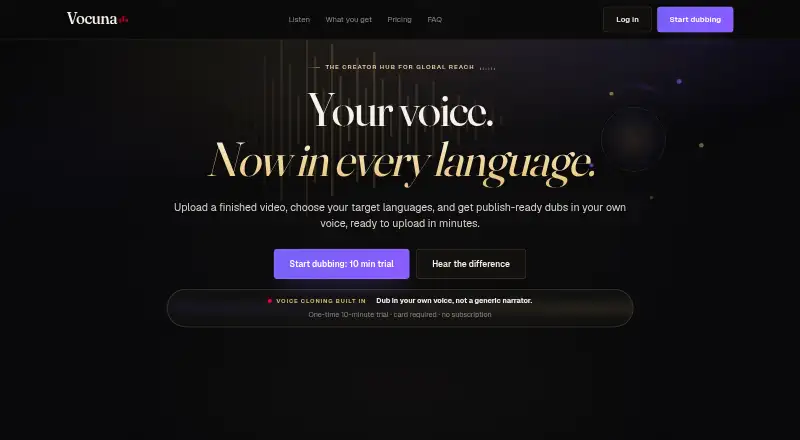
Vocuna is a web-based AI dubbing studio for YouTube creators and other publishers who want to localize finished videos. Users upload a completed video, choose target languages, and receive dubbed video, standalone audio, and translated subtitle files. Its project-specific voice clone is suited to narration, commentary, explainers, podcasts, educational videos, and similar formats centered on one main speaker. The service also supports lip sync, source timing preservation, soundtrack preservation, and adding languages to an existing project.
Pricing is structured across three paid monthly plans. Creator costs $25 per month and includes a project-specific voice clone, video, audio, and subtitle exports, plus standard processing. Pro costs $49 per month and adds a faster processing lane and priority email support. Premium costs $99 per month and adds priority processing and a dedicated account manager. All three plans include the core export formats and project-specific voice cloning, while paid access includes 16 supported languages. There is no free plan, and the available trial is a one-time 10-minute trial rather than a time-based free-trial period.
Vocuna’s strongest fit is a creator working with short, single-speaker videos who wants a straightforward path from finished upload to multilingual outputs. Its web-only delivery keeps the workflow focused, while subtitle, audio, and video exports support different publishing needs. The main constraint is scope: source-duration and per-video language limits vary by plan, and the verified maximum duration is 10 minutes. Multi-speaker handling is described as being on the roadmap, so teams producing dialogue-heavy content should consider a tool designed for broader speaker support instead. Choose Vocuna for focused creator localization; look elsewhere for longer or multi-speaker productions.
Your product? Our editors can test Vocuna in depth and publish a review, labelled as paid · from $149/mo →
Vocuna pricing
All 3 Vocuna plans and prices →
Vocuna fact sheet
| Free plan | No |
|---|---|
| Paid from | $25/mo |
| Output languages | 3 languages |
| Lip synchronization | Yes |
| Speaker matching | Not verified |
| Voice cloning | Yes |
| Maximum clip duration | 10 minutes |
| API access | Not verified |
| Money-back guarantee | 7 days |
| Deployment | Cloud |
| Platforms | Web |
| Support | |
| Built for | Solo, Small business (editorial estimate) |
| Pricing | Paid (source) |
| Website | vocuna.com |
| Facts checked | 20 Sep 2026 |
Alternatives to Vocuna
- pyVideoTransA broad, free workflow for teams that want local control over AI video dubbing.9.4
- DubverseAffordable collaborative dubbing with voice cloning, lip sync, subtitles, and API access.9.2
- VidbyA web-based dubbing suite with 70 languages, voice cloning, lip sync and review options.9.1


Used Vocuna? Be the first to review it
The editor score above is our own research. What this page doesn't have yet is a reader's view — what you used Vocuna for, what worked and what didn't. No stars are seeded and no review is paid for; an editor reads every one before it appears.
Write a reviewTwo minutes · verified accounts only · read by an editor before it appears
Featured on iTechGuides

Vocuna is listed in our AI Dubbing Software directory. Add the badge to your site — it links back to this page.
<a href="https://www.itechguides.com/products/vocuna/"><img src="https://www.itechguides.com/best/badge/vocuna.svg" alt="Featured on iTechGuides" width="230" height="46"></a>
Reviewed by iTechGuides Editors · Editorial team · Updated Oct 2026
Advertiser disclosure: iTechGuides is reader-supported. Vendors can pay for top positions in our rankings and for a place on other products' pages, and we may earn a commission when you click some links. Bought places stand at the number bought; this page and our disclosure say so. Paying vendors may get a fuller, more detailed review from our editors, and that review can change their score. How we rank.
Last updated · How we research and update