
Vmake AI Video Enhancer
Vmake AI Video Enhancer: A broad browser-based enhancer with useful automation and limited platform coverage. Ranked #14 of 32 in AI Video Upscalers by our editors (7.4/10); pricing: Free plan; best for creators and teams needing API-enabled 8K enhancement.
At a glance
- Editor score7.4 / 10
- PricingFree plan
- Best forCreators and teams needing API-enabled 8K enhancement
- Free planYes
- Max output resolution8k
- Facts checked20 Sep 2026
Where it wins
- Supports AI upscaling to 2K, 4K, and 8K
- Includes interpolation, batch processing, and frame reconstruction
- Offers portrait, product, low-light, gaming, and anime modes
Where it doesn't
- Free access includes limited features, limited models, and a watermark
- Plus exports up to 1080p; higher resolutions require Pro
- Platform coverage centers on web and API access
Our verdict on Vmake AI Video Enhancer
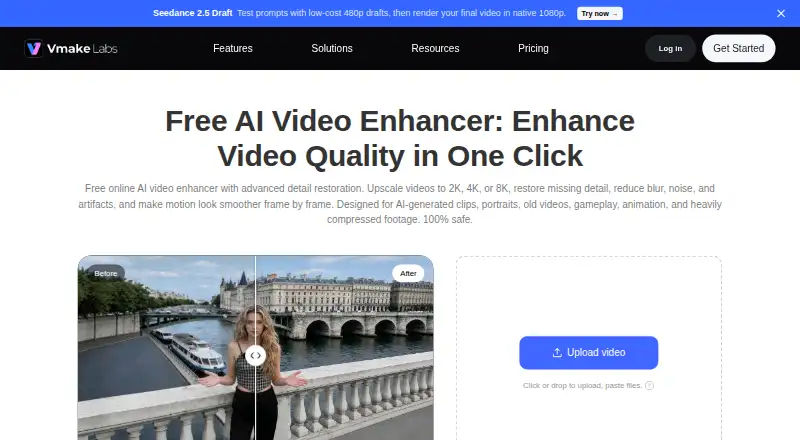
Vmake AI Video Enhancer is a browser-based tool for improving low-quality footage through AI upscaling, detail reconstruction, artifact suppression, and frame interpolation. It is aimed at creators, small businesses, marketers, and teams producing social, product, promotional, gameplay, animation, or AI-generated video. The service also supports older footage, portrait restoration, low-light enhancement, video format conversion, and batch processing. API-based enhancement makes it relevant to workflows that need video quality processing beyond a browser interface.
Its standout feature is the breadth of enhancement modes and output options. The product supports Portrait, Product, Low-light, Gaming, Anime, Fast, Detail, and Cinematic modes, alongside frame-by-frame reconstruction and smoother-motion interpolation. The enhancer page advertises output up to 8K, while the upscaler upload workflow lists 1080p, 2K, and 4K. Supported formats include MP4, MOV, M4V, 3GP, and AVI. Batch enhancement can help with multiple videos, and the API provides an integration path for software-led processing. Platform coverage is focused on web and API rather than a broad desktop ecosystem.
The published plans show a freemium structure. Free provides limited feature access, limited AI models, and watermarked output. Plus includes 1,000 credits per month, core tools up to 10 times daily, video upscaling, exports up to 1080p, and commercial use. Pro raises the allowance to 4,500 credits per month, core tools up to 50 times daily, and exports up to 2K and 4K, with commercial use included. Vmake is a strong fit for teams that value varied enhancement modes, batch work, and API access. Users needing a desktop-first product or consistently defined output tiers beyond the listed workflows should consider alternatives.
Your product? Our editors can test Vmake AI Video Enhancer in depth and publish a review, labelled as paid · from $99/mo →
Vmake AI Video Enhancer pricing
All 3 Vmake AI Video Enhancer plans and prices →
Vmake AI Video Enhancer fact sheet
| Free plan | Yes |
|---|---|
| Paid from | Not verified |
| Max output resolution | 8k |
| Enhancement modes | Portrait, Product, Low-light, Gaming, Anime, Fast, Detail, Cinematic |
| Frame interpolation | Yes |
| Batch processing | Yes |
| Supported video formats | MP4, MOV, M4V, 3GP, AVI |
| Desktop app | Not verified |
| API access | Yes |
| Deployment | Cloud, Mobile |
| Platforms | Web |
| Support | Email, Live chat |
| Built for | Solo, Small business, Mid-market (editorial estimate) |
| Pricing | Free plan (source) |
| Website | vmake.ai |
| Facts checked | 20 Sep 2026 |
Alternatives to Vmake AI Video Enhancer
- Topaz VideoA professional desktop editor for AI upscaling, restoration, motion work, and batch processing.9.4
- PixopA professional video upscaler with 8K output, restoration, conversion, and archive processing.9.1
- AVCLabs Video Enhancer AIA feature-rich desktop tool for restoring and enlarging video up to 8K.8.9


See all Vmake AI Video Enhancer alternatives →
Used Vmake AI Video Enhancer? Be the first to review it
The editor score above is our own research. What this page doesn't have yet is a reader's view — what you used Vmake AI Video Enhancer for, what worked and what didn't. No stars are seeded and no review is paid for; an editor reads every one before it appears.
Write a reviewTwo minutes · verified accounts only · read by an editor before it appears
Featured on iTechGuides

Vmake AI Video Enhancer is listed in our AI Video Upscalers directory. Add the badge to your site — it links back to this page.
<a href="https://www.itechguides.com/products/vmake-ai-video-enhancer/"><img src="https://www.itechguides.com/best/badge/vmake-ai-video-enhancer.svg" alt="Featured on iTechGuides" width="230" height="46"></a>
Guides on AI video upscalers
- Open Source AI Video Upscalers: Which One Works Best?Aug 2026
- Vidscale.pro Review: Is This Free AI Video Upscaler Still Available in 2026?Aug 2026
- How to Choose an AI Video Upscaler for Your Footage and HardwareOct 2026
Reviewed by iTechGuides Editors · Editorial team · Updated Oct 2026
Advertiser disclosure: iTechGuides is reader-supported. Vendors can pay for top positions in our rankings and for a place on other products' pages, and we may earn a commission when you click some links. Bought places stand at the number bought; this page and our disclosure say so. Paying vendors may get a fuller, more detailed review from our editors, and that review can change their score. How we rank.
Last updated · How we research and update