
VM Backup
VM Backup: A flexible VM backup platform with a capable free edition and broad recovery options. Ranked #16 of 150 in Backup Software by our editors (7.5/10); pricing: Free plan · 30-day trial; best for hyper-V, VMware, and Proxmox VM backup.
At a glance
- Editor score7.5 / 10
- PricingFree plan · 30-day trial
- Best forHyper-V, VMware, and Proxmox VM backup
- Free planYes
- Server backupYes
- Facts checked23 Sep 2026
Where it wins
- Free Edition covers two VMs per host forever
- Supports Hyper-V, VMware and Proxmox with cross-platform restore
- Adds replication, immutable storage and instant boot from backup
Where it doesn't
- Windows is the only listed platform
- The Free Edition is limited to two VMs per host
- Advanced licensing choices may require plan comparison
Our verdict on VM Backup
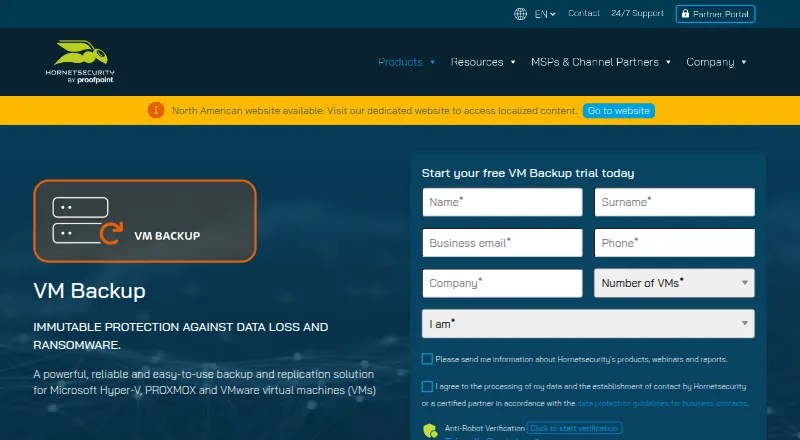
VM Backup, formerly Altaro VM Backup, is backup and replication software for organizations running virtual machines on Microsoft Hyper-V, VMware or Proxmox. It combines local and offsite backup repositories with centralized management through a cloud console. Recovery options include granular file and folder restore, clone recovery, cross-platform restore between VMware and Hyper-V, and instant boot from backup. A free edition for two VMs per host makes it a practical starting point for smaller virtualized environments.
The product’s protection features extend beyond scheduled VM copies. Continuous Data Protection supports backup intervals as low as five minutes, while WAN-optimized VM replication supports offsite continuity. Immutable cloud storage is designed for ransomware protection, and augmented inline deduplication can help manage backup data. Offsite repositories can use Microsoft Azure, Amazon S3, Wasabi or Backblaze B2, giving teams several cloud storage paths alongside local repositories. These capabilities make VM Backup a fit for organizations that need more than basic backup jobs and want recovery options across common virtualization platforms.
Licensing spans several operating models. The Free Edition is free for two VMs per host forever. Standard offers perpetual, per-host licensing, while Unlimited offers perpetual licensing with unlimited sockets and VMs per host. Unlimited Plus provides monthly, per-VM billing and includes support, updates and version upgrades. The product also offers a 30-day trial. Choose VM Backup if your environment centers on Hyper-V, VMware or Proxmox and you value replication, cloud storage and varied restore modes. Organizations seeking software for platforms beyond Windows, or protection outside a virtual-machine-focused scope, should consider alternatives with a broader platform fit.
Your product? Our editors can test VM Backup in depth and publish a review, labelled as paid · from $149/mo →
VM Backup pricing
VM Backup fact sheet
| Free plan | Yes |
|---|---|
| Paid from | Not verified |
| Computer backup | No |
| Mobile backup | No |
| Server backup | Yes |
| Backup scope | Mixed |
| Restore modes | Mixed |
| Ransomware protection | Yes |
| Supported platforms | Windows hosts; Hyper-V, VMware, and Proxmox virtualized environments |
| Free trial | 30 days |
| Deployment | Self-hosted |
| Platforms | Windows |
| Built for | Small business, Mid-market, Enterprise (editorial estimate) |
| Integrations | 5 integrations: Microsoft Azure, Backblaze B2, Amazon S3, Impossible Cloud Storage, Wasabi |
| Pricing | Free plan · 30-day trial (source) |
| Website | hornetsecurity.com |
| Facts checked | 23 Sep 2026 |
VM Backup integrations
VM Backup lists 5 integrations on its own site.
- Microsoft Azure
- Backblaze B2
- Amazon S3
- Impossible Cloud Storage
- Wasabi
Alternatives to VM Backup
- Veeam Backup & ReplicationA wide-ranging backup platform for enterprise virtual and hybrid environments.9.4
- Rubrik Security CloudA cyber-recovery platform built around immutable backup, threat investigation, and clean-state recovery.9.2
- NAKIVO Backup & ReplicationA broad VM backup platform with recovery, replication, and disaster-recovery workflows.8.8

See all VM Backup alternatives →
Used VM Backup? Be the first to review it
The editor score above is our own research. What this page doesn't have yet is a reader's view — what you used VM Backup for, what worked and what didn't. No stars are seeded and no review is paid for; an editor reads every one before it appears.
Write a reviewTwo minutes · verified accounts only · read by an editor before it appears
Featured on iTechGuides

VM Backup is listed in our Backup Software directory. Add the badge to your site — it links back to this page.
<a href="https://www.itechguides.com/products/vm-backup/"><img src="https://www.itechguides.com/best/badge/vm-backup.svg" alt="Featured on iTechGuides" width="230" height="46"></a>
Reviewed by iTechGuides Editors · Editorial team · Updated Oct 2026
Advertiser disclosure: iTechGuides is reader-supported. Vendors can pay for top positions in our rankings and for a place on other products' pages, and we may earn a commission when you click some links. Bought places stand at the number bought; this page and our disclosure say so. Paying vendors may get a fuller, more detailed review from our editors, and that review can change their score. How we rank.
Last updated · How we research and update