Visor Boot Manager
Visor Boot Manager: A feature-rich, open-source boot menu for modern UEFI multiboot systems. Ranked #18 of 29 in Boot Manager Software by our editors (7.1/10); pricing: Free plan; best for feature-rich modern Linux boot menus.
At a glance
- Editor score7.1 / 10
- PricingFree plan
- Best forFeature-rich modern Linux boot menus
- Free planYes
- Paid fromFree
- Operating systemsMultiplatform
- Facts checked21 Sep 2026
Where it wins
- Graphical themes, animations, mouse, and touch support
- Automatic detection plus EFI chainloading for Windows and other executables
- Snapshots, Secure Boot verification, repair, and recovery tools
Where it doesn't
- Requires UEFI and does not support legacy BIOS
- Focused on boot management rather than broader system administration
- No paid tier or commercial plan structure
Our verdict on Visor Boot Manager
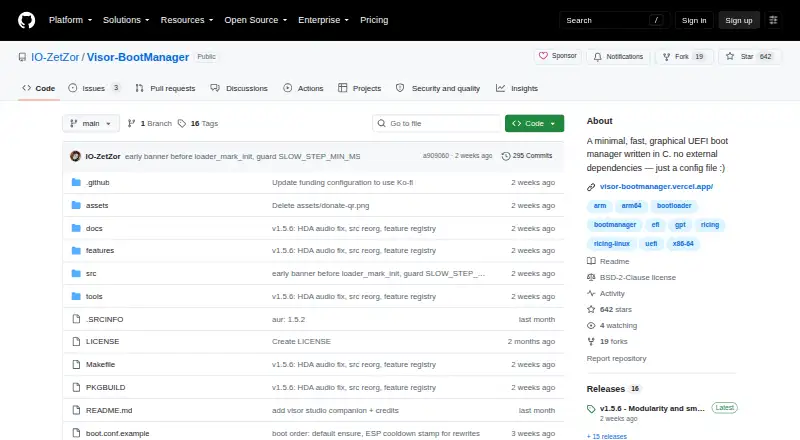
Visor Boot Manager is a small, open-source graphical UEFI boot manager written in C for Linux and Windows boot entries. It suits users running x86_64 or AArch64 UEFI systems who want a customizable multiboot menu instead of a text-only interface. Visor can boot Linux EFI-stub kernels and Unified Kernel Images, chainload Windows Boot Manager and other EFI executables, and install to an EFI System Partition. Its graphical menu supports themes, animations, mouse input, and touch input.
Its feature depth is the main reason to consider it. Automatic detection covers Windows, UKIs, kernels, and distribution loaders, while Linux kernel command lines can be derived from UKI metadata, fstab, or GPT. Live USB hotplug detection updates the menu as devices change. For Linux storage workflows, Visor can browse Btrfs snapshots and OSTree deployments, and it supports encrypted kernel and initrd containers with LUKS key handoff. Secure Boot verification works through shim and firmware validation.
Visor also reaches beyond menu customization into boot maintenance. Self-healing boot entries, GPT corruption repair, a recovery console, boot logs, and one-boot kernel command-line editing give it a useful recovery-oriented scope. It is free, open source, and BSD-2-Clause licensed, with multiboot support, boot-entry editing, and boot repair included. Choose it if you need a modern, feature-rich Linux-focused boot menu on UEFI hardware. Choose another tool if the system relies on legacy BIOS or if boot management is only a small part of a broader platform requirement.
Your product? Our editors can test Visor Boot Manager in depth and publish a review, labelled as paid · from $149/mo →
Visor Boot Manager pricing
Visor Boot Manager fact sheet
| Free plan | Yes |
|---|---|
| Paid from | Free |
| Operating systems | Multiplatform |
| UEFI support | Yes |
| BIOS support | No |
| Multiboot support | Yes |
| Boot-entry editing | Yes |
| Boot repair | Yes |
| Boot-menu customization | Yes |
| Deployment | Self-hosted |
| Platforms | Linux, Windows |
| Support | Docs |
| Built for | Solo, Small business (editorial estimate) |
| Pricing | Free plan |
| Website | github.com |
| Facts checked | 21 Sep 2026 |
Alternatives to Visor Boot Manager
- EasyUEFIA focused Windows utility for UEFI boot management and EFI-partition repair.8.9
- Clover BootloaderA free, highly configurable boot manager for multiboot systems.8.8
- EasyBCDA capable Windows boot manager for editing entries, repairing BCD, and creating multiboot setups.8.3

See all Visor Boot Manager alternatives →
Used Visor Boot Manager? Be the first to review it
The editor score above is our own research. What this page doesn't have yet is a reader's view — what you used Visor Boot Manager for, what worked and what didn't. No stars are seeded and no review is paid for; an editor reads every one before it appears.
Write a reviewTwo minutes · verified accounts only · read by an editor before it appears
Featured on iTechGuides

Visor Boot Manager is listed in our Boot Manager Software directory. Add the badge to your site — it links back to this page.
<a href="https://www.itechguides.com/products/visor-boot-manager/"><img src="https://www.itechguides.com/best/badge/visor-boot-manager.svg" alt="Featured on iTechGuides" width="230" height="46"></a>
Reviewed by iTechGuides Editors · Editorial team · Updated Oct 2026
Advertiser disclosure: iTechGuides is reader-supported. Vendors can pay for top positions in our rankings and for a place on other products' pages, and we may earn a commission when you click some links. Bought places stand at the number bought; this page and our disclosure say so. Paying vendors may get a fuller, more detailed review from our editors, and that review can change their score. How we rank.
Last updated · How we research and update