Vim
Vim: A mature, free, open-source editor for users who prefer modal workflows. Ranked #6 of 82 in Text Editors by our editors (8.9/10); pricing: Free plan; best for vim users wanting a mature free editor.
At a glance
- Editor score8.9 / 10
- PricingFree plan
- Best forVim users wanting a mature free editor
- Free planYes
- Paid fromFree
- Founded1991
- Facts checked22 Sep 2026
Where it wins
- Free and open source across Windows, macOS, and Linux
- Macros, blockwise editing, windows, and buffers support precise workflows
- Plugins, scripting, syntax highlighting, and filetype tools extend its scope
Where it doesn't
- Modal editing can be less suitable for users who prefer conventional editors
- Multi-cursor editing is not a built-in feature
- Terminal and GUI options may appeal to different workflows unevenly
Our verdict on Vim
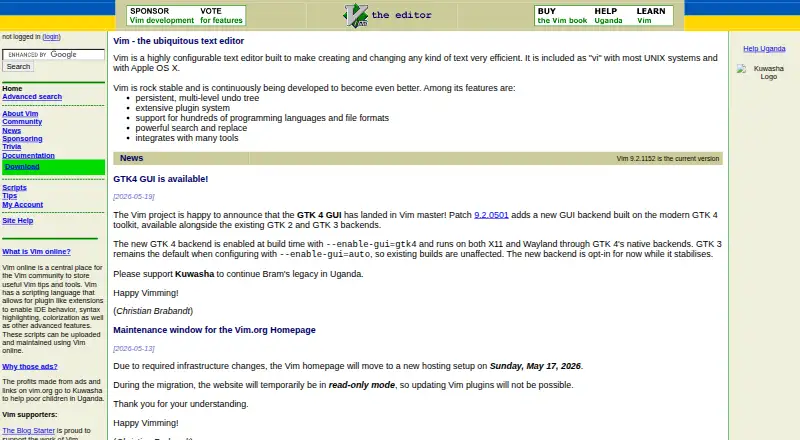
Vim is a highly configurable, modal text editor for creating and changing text. It suits programmers and other users working with source code, configuration files, email, and general text. The editor runs in terminals and also offers graphical interfaces on Windows, macOS, and Linux. Its free, open-source model and 1991 founding year make it a long-established choice for users who want a mature editor without a paid tier.
Editing depth is the main reason to choose Vim. Syntax highlighting uses bundled rulesets, while filetype detection and filetype plugins adapt editing support to different text types. Blockwise rectangular selection handles column-oriented changes, and recorded macros can replay repeated edits. Multiple windows and buffers help organize several files or views. Scripting and plugins extend the editor beyond its core behavior, giving technically inclined users room to shape the workflow. Vi compatibility mode also supports users who want to retain a classic editing model.
Vim is strongest for people comfortable with modal editing and deliberate keyboard-driven work. Its terminal and graphical interfaces provide flexibility across supported systems, but the product remains focused on text editing rather than a broad, conventional desktop editing experience. Multi-cursor editing is not built in, which may matter to users whose workflow depends on simultaneous selections. Choose Vim for configurable editing, macros, column operations, plugins, and buffers across three major desktop platforms. Choose an alternative if built-in multi-cursor editing or a more conventional interaction model is a priority.
Your product? Our editors can test Vim in depth and publish a review, labelled as paid · from $149/mo →
Vim pricing
Vim fact sheet
| Free plan | Yes |
|---|---|
| Paid from | Free |
| Supported platforms | Windows, macOS, Linux |
| Multi-cursor editing | Not verified |
| Macro recording | Yes |
| Column editing | Yes |
| Large-file handling | Not verified |
| Extension support | Yes |
| Deployment | Desktop |
| Platforms | Windows, macOS, Linux |
| Support | Community, Docs |
| Built for | Solo, Small business, Mid-market, Enterprise (editorial estimate) |
| Pricing | Free plan |
| Website | vim.org |
| Facts checked | 22 Sep 2026 |
Alternatives to Vim
- Visual Studio CodeA free, open-source editor with broad development features across desktop and web.9.4
- NeovimA free, open-source editor for keyboard-driven workflows and deep customization.9.3
- GNU EmacsA mature, highly customizable editor for users who value breadth and control.9.2


Vim vs the competition



Compare Vim with any tool side by side →
Also Ranked In
Vim is ranked in 4 of our directories.
Used Vim? Be the first to review it
The editor score above is our own research. What this page doesn't have yet is a reader's view — what you used Vim for, what worked and what didn't. No stars are seeded and no review is paid for; an editor reads every one before it appears.
Write a reviewTwo minutes · verified accounts only · read by an editor before it appears
Featured on iTechGuides

Vim is listed in our Text Editors directory. Add the badge to your site — it links back to this page.
<a href="https://www.itechguides.com/products/vim/"><img src="https://www.itechguides.com/best/badge/vim.svg" alt="Featured on iTechGuides" width="230" height="46"></a>
Reviewed by iTechGuides Editors · Editorial team · Updated Oct 2026
Advertiser disclosure: iTechGuides is reader-supported. Vendors can pay for top positions in our rankings and for a place on other products' pages, and we may earn a commission when you click some links. Bought places stand at the number bought; this page and our disclosure say so. Paying vendors may get a fuller, more detailed review from our editors, and that review can change their score. How we rank.
Last updated · How we research and update