VidBlasterX
VidBlasterX: A modular Windows production suite for switching, streaming, replay and broadcast workflows. Ranked #24 of 70 in Live Streaming Encoders by our editors (7.0/10); pricing: Paid; best for windows modular broadcast operators.
At a glance
- Editor score7.0 / 10
- PricingPaid
- Best forWindows modular broadcast operators
- Free planNo
- Facts checked20 Sep 2026
Where it wins
- Combines switching, recording, replay, multiview and audio mixing
- Supports IP video, NDI, graphics, chroma keying and scripting
- Broadcast 4K provides UHD/4K output with a floating licence
Where it doesn't
- Runs natively on 64-bit Windows rather than multiple desktop platforms
- The trial adds a watermark and is not a free plan
- Advanced production features are spread across paid editions
Our verdict on VidBlasterX
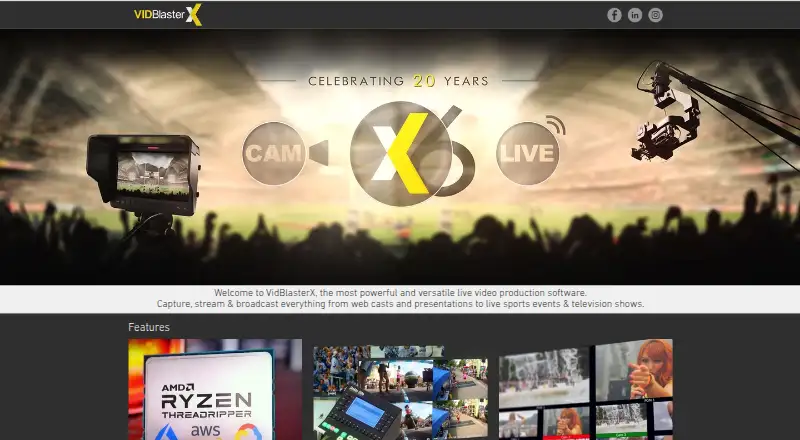
VidBlasterX is modular live video production software for webcasts, presentations, sports productions and television broadcasts. It brings switching, routing, recording, streaming, replay, multiview, audio mixing, overlays, effects, IP video, NDI support and scripting into a desktop workflow. The product is aimed at operators who need to build a production system from configurable modules, from single-camera work through multi-camera broadcasts, rather than use a narrowly focused streaming tool.
Its standout strength is breadth within the production interface. Operators can combine video switching and routing with multi-camera replay and slow motion, labelled multiview output with tallies, configurable audio inputs and outputs, lower thirds, chroma keying, video effects, IP encoding and decoding, macros and scripting. Facebook, YouTube and NDI are listed integrations. VidBlasterX can also operate in cloud virtual-machine environments, while its native desktop support is 64-bit Windows. That combination suits productions that need more than a basic camera-to-platform stream, especially when replay, graphics, audio routing or external control are part of the workflow.
The editions scale by module capacity and output requirements. Studio supports up to 25 modules per profile and Full HD output, with a desktop licence and community support. Broadcast raises capacity to up to 100 modules and adds community and email support, a JLCooper I/O module and advanced audio channel mapping. Broadcast 4K supports 100+ modules, UHD/4K output and a floating licence, while retaining the additional support and audio capabilities. The product should appeal to Windows-based operators building modular broadcast workflows; teams needing a different desktop operating system should look elsewhere. An indefinite trial is available, but it adds a watermark.
Your product? Our editors can test VidBlasterX in depth and publish a review, labelled as paid · from $149/mo →
VidBlasterX pricing
All 3 VidBlasterX plans and prices →
VidBlasterX fact sheet
| Free plan | No |
|---|---|
| Paid from | Not verified |
| Encoder type | Not verified |
| Output protocols | Not verified |
| Maximum resolution | Not verified |
| Simultaneous outputs | Not verified |
| Local recording | Not verified |
| Remote guest sources | Not verified |
| Deployment | Cloud, Desktop |
| Platforms | Windows |
| Support | Email, Community, Docs |
| Built for | Small business, Mid-market, Enterprise (editorial estimate) |
| Integrations | 3 integrations: Facebook, YouTube, NDI |
| Pricing | Paid (source) |
| Website | vidblaster.com |
| Facts checked | 20 Sep 2026 |
VidBlasterX integrations
VidBlasterX lists 3 integrations on its own site.
- YouTube
- NDI
Alternatives to VidBlasterX
- AWS Elemental MediaLiveA capable cloud encoder for complex AWS-based broadcast workflows.9.4
- Bitmovin Live EncoderA broad live-encoding stack for platforms, broadcasters, and streaming service providers.9.3
- Google Cloud Live Stream APIA cloud API for multi-rendition live delivery, recording, captions, and distribution.9.2


See all VidBlasterX alternatives →
Also Ranked In
VidBlasterX is ranked in 4 of our directories.
Used VidBlasterX? Be the first to review it
The editor score above is our own research. What this page doesn't have yet is a reader's view — what you used VidBlasterX for, what worked and what didn't. No stars are seeded and no review is paid for; an editor reads every one before it appears.
Write a reviewTwo minutes · verified accounts only · read by an editor before it appears
Featured on iTechGuides

VidBlasterX is listed in our Live Streaming Encoders directory. Add the badge to your site — it links back to this page.
<a href="https://www.itechguides.com/products/vidblasterx/"><img src="https://www.itechguides.com/best/badge/vidblasterx.svg" alt="Featured on iTechGuides" width="230" height="46"></a>
Reviewed by iTechGuides Editors · Editorial team · Updated Oct 2026
Advertiser disclosure: iTechGuides is reader-supported. Vendors can pay for top positions in our rankings and for a place on other products' pages, and we may earn a commission when you click some links. Bought places stand at the number bought; this page and our disclosure say so. Paying vendors may get a fuller, more detailed review from our editors, and that review can change their score. How we rank.
Last updated · How we research and update