
VerseVIEW
VerseVIEW: A broad, free church presentation toolkit for multilingual services and livestreams. Ranked #10 of 35 in Church Presentation Software by our editors (6.9/10); pricing: Free plan; best for multilingual churches using free browser tools.
At a glance
- Editor score6.9 / 10
- PricingFree plan
- Best forMultilingual churches using free browser tools
- Free planYes
- Paid fromNone
- Lyrics displayYes
- Facts checked20 Sep 2026
Where it wins
- Free plan includes Bible and song presentation with no ads
- Supports multiple languages, side-by-side display, and multi-screen output
- Works across web, desktop, mobile, OBS, and vMix
Where it doesn't
- Remote control requires a phone, tablet, or laptop on the same network
- Lower-third output centers on OBS, vMix, and similar livestreaming tools
- Mobile apps are companion Bible and Songbook apps rather than the desktop app
Our verdict on VerseVIEW
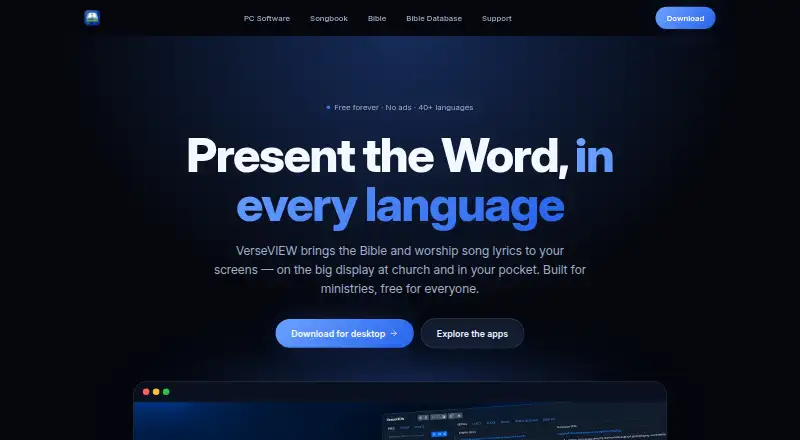
VerseVIEW is free presentation software for churches, ministries, and personal devotion. It presents Bible verses and worship song lyrics in multiple languages, with side-by-side language display for multilingual services. The software also supports themes, video backgrounds, videos, images, Bible and song search, multi-screen output, and remote control. Churches can access it through web browsers, Windows, macOS, Linux, iOS, and Android, giving it a broad platform footprint for congregations with mixed devices.
The published plan structure is straightforward: the Free plan includes Bible and song presentation, no ads, and no account requirement. That makes VerseVIEW a practical fit for churches seeking core presentation functions without a subscription workflow. Its feature set extends beyond lyrics and Scripture: presentations can include media, customizable themes, and video backgrounds, while a phone, tablet, or laptop can provide remote control when connected to the same network. Churches should consider whether that local-network requirement suits their service setup and operating practices.
VerseVIEW is particularly suited to multilingual worship and livestream production. Side-by-side languages support bilingual presentation, while lower-third output connects with OBS, vMix, and similar livestreaming tools. Multi-screen output adds flexibility for presentation layouts, although the product’s strongest focus remains Bible, song, media, and livestream content rather than a broader church-management system. Choose VerseVIEW if free access, multilingual display, browser availability, and cross-platform support are priorities. Churches seeking mobile control outside the local network or a mobile app that mirrors the full desktop presentation experience should consider a different fit.
VerseVIEW pricing
All 1 VerseVIEW plans and prices →
VerseVIEW fact sheet
| Free plan | Yes |
|---|---|
| Paid from | None |
| Lyrics display | Yes |
| Scripture display | Yes |
| Stage display | Not verified |
| Multi-screen output | Yes |
| Media playback | Yes |
| Supported platforms | Windows, macOS, Linux, iOS, Android, web browsers |
| Output screen limit | Not verified |
| Deployment | Desktop, Mobile |
| Platforms | Web, Windows, macOS, Linux, iOS, Android |
| Built for | Solo, Small business (editorial estimate) |
| Integrations | 2 integrations: OBS, vMix |
| Pricing | Free plan (source) |
| Website | verseview.com |
| Facts checked | 20 Sep 2026 |
VerseVIEW integrations
VerseVIEW lists 2 integrations on its own site.
- OBS
- vMix
Alternatives to VerseVIEW
- Church PresenterA free, open-source choice for churches needing broad presentation and broadcast coverage.9.0
- FreeShowA broad, free church presentation tool for lyrics, Scripture, media, and live outputs.9.0
- EasyWorshipA paid church presentation suite with broad production outputs and mobile control.8.2


See all VerseVIEW alternatives →
Used VerseVIEW? Be the first to review it
The editor score above is our own research. What this page doesn't have yet is a reader's view — what you used VerseVIEW for, what worked and what didn't. No stars are seeded and no review is paid for; an editor reads every one before it appears.
Write a reviewTwo minutes · verified accounts only · read by an editor before it appears
Featured on iTechGuides

VerseVIEW is listed in our Church Presentation Software directory. Add the badge to your site — it links back to this page.
<a href="https://www.itechguides.com/products/verseview/"><img src="https://www.itechguides.com/best/badge/verseview.svg" alt="Featured on iTechGuides" width="230" height="46"></a>
Reviewed by iTechGuides Editors · Editorial team · Updated Sep 2026
Advertiser disclosure: iTechGuides is reader-supported. We may earn a commission when you click some links. How we rank.
Last updated · How we research and update