Vanilla
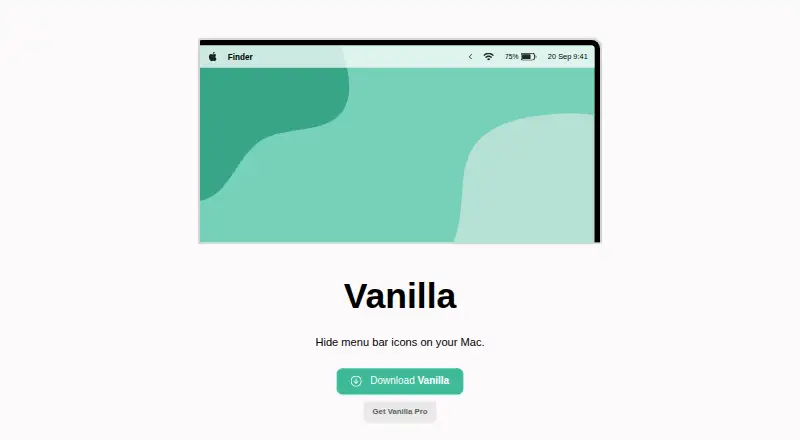
Vanilla: A low-cost macOS utility for hiding, removing, and controlling menu bar icons. Ranked #9 of 25 in Menu Bar Customization Software by our editors (7.8/10); pricing: Free plan; best for users wanting a proven low-cost option.
At a glance
- Editor score7.8 / 10
- PricingFree plan
- Best forUsers wanting a proven low-cost option
- Free planYes
- Paid from$10 one-time
- Hide menu itemsYes
- Founded2017
- Facts checked20 Sep 2026
Where it wins
- Free plan covers selected menu bar icon hiding
- $10 one-time Pro adds shortcuts and automatic hiding
- Supports multiple displays and MacBooks with notches
Where it doesn't
- Available only for macOS
- Advanced controls require the Pro purchase
- Its scope centers on menu bar visibility rather than broader customization
Our verdict on Vanilla
Vanilla is a macOS menu bar utility for individual Mac users who want a less crowded desktop and more control over which icons remain visible. The free version hides selected menu bar icons, while Vanilla Pro expands that control with complete icon removal, keyboard shortcuts, automatic hiding, and startup at login. Support for light and dark menu bars, multiple monitors, and MacBooks with display notches makes it suitable for a range of Mac desktop setups.
Pricing is straightforward. The free plan provides selected icon hiding at no cost. Vanilla Pro costs $10 USD as a one-time purchase and adds completely removing icons from the visible menu bar, toggling icons with a custom keyboard shortcut, automatically hiding icons after a configurable interval, and starting automatically when logging in. The automatic hiding feature includes a five-second interval, and the Pro tier is positioned as a single upgrade rather than a recurring subscription.
Vanilla's main strength is focused control over menu bar visibility without extending into a broader desktop customization system. Users who mainly want to hide clutter, reveal icons on demand, or keep menu bars usable across multiple displays should find the feature set well aligned with that goal. It is less suited to anyone looking for a wider set of menu bar organization or customization functions beyond hiding, removing, grouping, and shortcut-based access. Choose Vanilla for a simple, low-cost macOS utility; consider another tool if you need a broader customization scope or support beyond macOS.
Your product? Our editors can test Vanilla in depth and publish a review, labelled as paid · from $149/mo →
Vanilla pricing
All 1 Vanilla plans and prices →
Vanilla fact sheet
| Free plan | Yes |
|---|---|
| Paid from | $10 one-time |
| Hide menu items | Yes |
| Rearrange items | Not verified |
| Group menu items | Yes |
| Custom menu items | Not verified |
| Keyboard shortcuts | Yes |
| Multiple displays | Yes |
| Notch support | Yes |
| Money-back guarantee | 30 days |
| Deployment | Desktop |
| Platforms | macOS |
| Support | Email, Docs |
| Built for | Solo, Small business (editorial estimate) |
| Pricing | Free plan (source) |
| Website | matthewpalmer.net |
| Facts checked | 20 Sep 2026 |
Alternatives to Vanilla
- ThawA free, highly configurable way to organize, hide, and search macOS menu bar items.9.4
- BartenderA broad Mac menu bar toolkit for users who need profiles, triggers, widgets, and layouts.9.2
- SaneBarA capable free option for organizing crowded Mac menu bars.8.9


See all Vanilla alternatives →
Used Vanilla? Be the first to review it
The editor score above is our own research. What this page doesn't have yet is a reader's view — what you used Vanilla for, what worked and what didn't. No stars are seeded and no review is paid for; an editor reads every one before it appears.
Write a reviewTwo minutes · verified accounts only · read by an editor before it appears
Featured on iTechGuides

Vanilla is listed in our Menu Bar Customization Software directory. Add the badge to your site — it links back to this page.
<a href="https://www.itechguides.com/products/vanilla/"><img src="https://www.itechguides.com/best/badge/vanilla.svg" alt="Featured on iTechGuides" width="230" height="46"></a>
Reviewed by iTechGuides Editors · Editorial team · Updated Oct 2026
Advertiser disclosure: iTechGuides is reader-supported. Vendors can pay for top positions in our rankings and for a place on other products' pages, and we may earn a commission when you click some links. Bought places stand at the number bought; this page and our disclosure say so. Paying vendors may get a fuller, more detailed review from our editors, and that review can change their score. How we rank.
Last updated · How we research and update