
UtilityCove Minecraft Pixel Art Generator
UtilityCove Minecraft Pixel Art Generator: A free browser tool for simple private Minecraft block plans. Ranked #19 of 22 in Minecraft Pixel Art Generators by our editors (7.0/10); pricing: Free plan; best for simple private block plans.
At a glance
- Editor score7.0 / 10
- PricingFree plan
- Best forSimple private block plans
- Free planYes
- Paid fromFree
- Facts checked20 Sep 2026
Where it wins
- Local browser processing keeps image conversion on the device
- Grid previews, dithering, and shopping lists support planning
- PNG plans and CSV material lists provide practical exports
Where it doesn't
- Uses a fixed palette rather than palette customization
- Exports are limited to PNG plans and CSV shopping lists
- No verified 3D preview or schematic/litematic export
Our verdict on UtilityCove Minecraft Pixel Art Generator
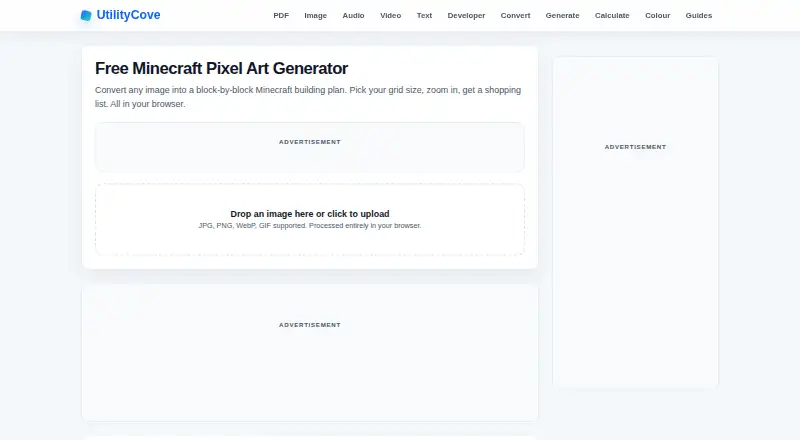
UtilityCove Minecraft Pixel Art Generator is a free web tool for turning images into block-by-block Minecraft building plans. It accepts JPG, PNG, WebP, and GIF files, then converts them into a selectable grid layout. Users can choose preset or custom dimensions, inspect the result in a zoomable block-grid preview, and review the materials required. Custom dimensions support up to 256 pixels, making the tool a fit for players who want a straightforward visual plan before gathering blocks or building manually.
The planning workflow is its strongest area. Floyd-Steinberg dithering can help translate image detail into a block-based layout, while the block shopping list provides quantities for material planning. PNG download supports sharing or referencing the rendered plan, and CSV download gives the shopping list a practical format for sorting or tracking. Because processing occurs locally in the browser, the tool is suited to users who prefer image conversion to happen on their device rather than through a server-based workflow.
Its focus is narrow and accessible: image upload, grid planning, material quantities, and two-dimensional exports. The published feature set uses a fixed palette, so users looking for detailed palette control will have less flexibility. The output is also centered on PNG and CSV files; it does not provide a formal schematic or litematic export, and the workflow does not include a 3D preview. Choose UtilityCove for private, simple block plans and shopping lists. Choose another tool if direct construction-file export, edition-specific compatibility, or 3D planning is central to your build process.
UtilityCove Minecraft Pixel Art Generator pricing
UtilityCove Minecraft Pixel Art Generator fact sheet
| Free plan | Yes |
|---|---|
| Paid from | Free |
| Input type | Both |
| Minecraft editions | Not verified |
| Output type | Not verified |
| Palette control | Fixed |
| Maximum resolution | Not verified |
| 3D build preview | Not verified |
| Export formats | PNG, CSV |
| Deployment | Cloud |
| Platforms | Web |
| Built for | Solo, Small business (editorial estimate) |
| Pricing | Free plan |
| Website | utilitycove.org |
| Facts checked | 20 Sep 2026 |
Alternatives to UtilityCove Minecraft Pixel Art Generator
- Minecraft Pixel Art GeneratorA free browser tool that combines AI layouts, editing, guides, calculations, and exports.9.4
- MinecraftArtA free web converter with editing, 3D previews, and WorldEdit-friendly exports.9.3
- MC Build Tools Pixel Art GeneratorA free browser generator with deep editing and export support for Java and Bedrock.9.1



See all UtilityCove Minecraft Pixel Art Generator alternatives →
Used UtilityCove Minecraft Pixel Art Generator? Be the first to review it
The editor score above is our own research. What this page doesn't have yet is a reader's view — what you used UtilityCove Minecraft Pixel Art Generator for, what worked and what didn't. No stars are seeded and no review is paid for; an editor reads every one before it appears.
Write a reviewTwo minutes · verified accounts only · read by an editor before it appears
Featured on iTechGuides

UtilityCove Minecraft Pixel Art Generator is listed in our Minecraft Pixel Art Generators directory. Add the badge to your site — it links back to this page.
<a href="https://www.itechguides.com/products/utilitycove-minecraft-pixel-art-generator/"><img src="https://www.itechguides.com/best/badge/utilitycove-minecraft-pixel-art-generator.svg" alt="Featured on iTechGuides" width="230" height="46"></a>
Reviewed by iTechGuides Editors · Editorial team · Updated Oct 2026
Advertiser disclosure: iTechGuides is reader-supported. Vendors can pay for top positions in our rankings and for a place on other products' pages, and we may earn a commission when you click some links. Bought places stand at the number bought; this page and our disclosure say so. Paying vendors may get a fuller, more detailed review from our editors, and that review can change their score. How we rank.
Last updated · How we research and update