
UptimeUp
UptimeUp: A capable free monitoring option with API checks and multiple alert channels. Ranked #21 of 55 in Website Monitoring Software by our editors (7.3/10); pricing: Free plan; best for free monitoring with strong API checks.
At a glance
- Editor score7.3 / 10
- PricingFree plan
- Best forFree monitoring with strong API checks
- Free planYes
- Check typesHttp
- Facts checked20 Sep 2026
Where it wins
- Free plan includes HTTP/HTTPS, SSL, domain expiry, and status pages
- API checks cover status codes, bodies, headers, and JSON schemas
- Supports email, webhooks, Telegram, Slack, SMS, and Microsoft Teams
Where it doesn't
- Free plan is limited to 5 monitors and 5-minute checks
- API access is reserved for Pro and Business plans
- The service is available on the web platform only
Our verdict on UptimeUp
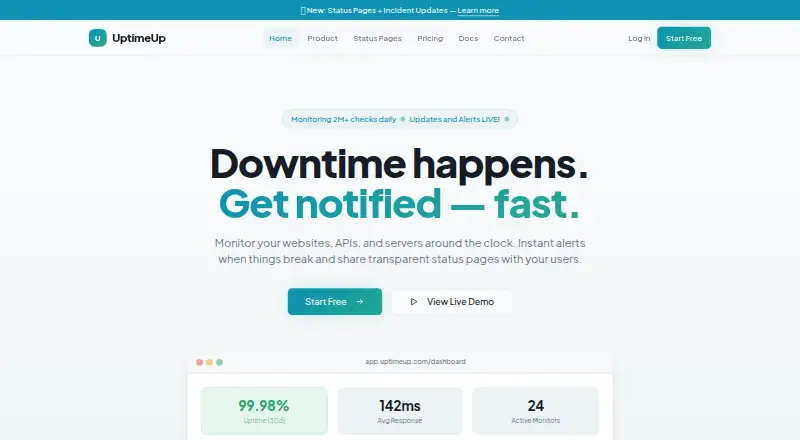
UptimeUp is a web-based monitoring service for websites, APIs, servers, certificates, domains, keywords, and DNS records. It is aimed at solo builders, agencies, SaaS companies, e-commerce businesses, and teams managing production systems. Monitoring options include HTTP/HTTPS, ping, TCP port, and service-level checks, alongside response-time charts, uptime history, SLA-style reporting, branded status pages, incident posts, and scheduled maintenance windows.
The Free plan costs $0 per month and includes 5 monitors, 5-minute checks, 1 status page, email alerts, 7-day data retention, and 1 team member. Solo adds 10 monitors, 2 status pages, email and webhook alerts, and 30-day retention. Pro raises capacity to 50 monitors, adds 3-minute checks, 5 status pages, Telegram alerts, 90-day retention, and API access. Business provides 100 monitors, 1-minute checks, 10 status pages, all alert channels, 1-year retention, and API access. Teams includes 200 monitors, 20 status pages, all channels plus SMS and Slack, 1-year retention, and 3 team members.
UptimeUp’s strongest distinction is the breadth of checks available within a free monitoring offering. API checks can evaluate status codes, response bodies, headers, and JSON schemas, while SSL certificate, domain expiry, keyword, and DNS monitoring extend coverage beyond basic uptime. Status pages can be public or private, and maintenance windows help separate planned work from incidents. It suits users who want broad monitoring and status-page functionality without an initial subscription. Teams that require API access must choose Pro or Business, while organizations seeking a non-web platform should consider a different fit.
Your product? Our editors can test UptimeUp in depth and publish a review, labelled as paid · from $149/mo →
UptimeUp pricing
All 5 UptimeUp plans and prices →
UptimeUp fact sheet
| Free plan | Yes |
|---|---|
| Paid from | Not verified |
| Check types | Http |
| SSL monitoring | Yes |
| Latency monitoring | Yes |
| Page health checks | Yes |
| Status page | Yes |
| Maintenance windows | Yes |
| API access | Yes |
| Deployment | Cloud |
| Platforms | Web |
| Integrations | 6 integrations: Email, Webhooks, Telegram, Slack, SMS, Microsoft Teams |
| Pricing | Free plan (source) |
| Website | uptimeup.com |
| Facts checked | 20 Sep 2026 |
UptimeUp integrations
UptimeUp lists 6 integrations on its own site.
- Webhooks
- Telegram
- Slack
- SMS
- Microsoft Teams
Alternatives to UptimeUp
- SolidPingBroad website and infrastructure monitoring with self-hosting, hosted plans, and on-call workflows.9.3
- HostTrackerA broad monitoring platform with low-cost entry pricing and extensive infrastructure coverage.9.2
- UptimiaA broad monitoring suite with distributed checks, automation and a free starting point.9.1



See all UptimeUp alternatives →
Used UptimeUp? Be the first to review it
The editor score above is our own research. What this page doesn't have yet is a reader's view — what you used UptimeUp for, what worked and what didn't. No stars are seeded and no review is paid for; an editor reads every one before it appears.
Write a reviewTwo minutes · verified accounts only · read by an editor before it appears
Featured on iTechGuides

UptimeUp is listed in our Website Monitoring Software directory. Add the badge to your site — it links back to this page.
<a href="https://www.itechguides.com/products/uptimeup/"><img src="https://www.itechguides.com/best/badge/uptimeup.svg" alt="Featured on iTechGuides" width="230" height="46"></a>
Reviewed by iTechGuides Editors · Editorial team · Updated Oct 2026
Advertiser disclosure: iTechGuides is reader-supported. Vendors can pay for top positions in our rankings and for a place on other products' pages, and we may earn a commission when you click some links. Bought places stand at the number bought; this page and our disclosure say so. Paying vendors may get a fuller, more detailed review from our editors, and that review can change their score. How we rank.
Last updated · How we research and update