
UptimeRobot
UptimeRobot: A broad uptime-monitoring toolkit with a 50-monitor free plan and faster paid checks. Ranked #6 of 48 in Uptime Monitoring Software by our editors (8.9/10); pricing: Free plan; best for teams seeking affordable, general-purpose uptime monitoring.
At a glance
- Editor score8.9 / 10
- PricingFree plan
- Best forTeams seeking affordable, general-purpose uptime monitoring
- Free planYes
- Paid from$12/mo
- Check interval1 minute
- Facts checked19 Sep 2026
Where it wins
- Free plan includes 50 monitors and multiple monitor types.
- Checks can cover HTTP, APIs, DNS, SSL, keywords, ports, and ping.
- Status pages, incident management, and numerous alert channels are available.
Where it doesn't
- Free checks run at five-minute intervals.
- Solo has 10 monitors, fewer than the Free plan's 50.
- Faster intervals, team seats, and integrations require higher paid tiers.
Our verdict on UptimeRobot
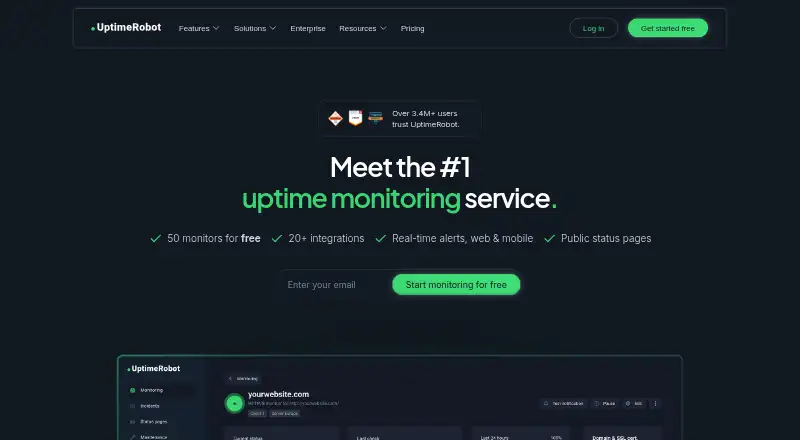
UptimeRobot monitors websites, APIs, servers, network endpoints, ports, DNS records, SSL certificates, domains, and scheduled jobs. It suits individuals and teams that want a single service for availability checks, notifications, incident handling, and status pages. Monitoring is available through web, iOS, Android, and API platforms, with checks configurable across notification channels such as email, SMS, voice calls, mobile push, chat tools, and webhooks.
The plan structure trades monitoring speed and team capacity against cost. Free provides 50 monitors with five-minute checks and basic status pages. Solo is $12 per month on annual billing and includes 10 monitors, 60-second checks, three status pages, and a custom domain. That monitor limit is lower than Free's, so Solo is chiefly relevant to buyers who value faster checks and its status-page options over raw capacity. Team costs $39 per month on annual billing for 100 monitors, 30-second checks, three seats, and webhook, Zapier, and PagerDuty support. Scale is $79 per month on annual billing, with 15-second checks, five seats, and 200 or 500 monitors. Enterprise has custom intervals and options including SSO, audit logs, and SLA.
Coverage extends beyond a simple HTTP availability check: keyword monitoring can verify page content, while SSL and domain-expiration checks, DNS monitoring, multi-location checks, maintenance windows, and incident management address related operational needs. Integrations include Slack, Microsoft Teams, Telegram, Discord, Google Chat, Mattermost, PagerDuty, Splunk On-Call, Zapier, and webhooks. Buyers needing extensive monitor capacity at the lowest cost should compare Free carefully with Solo; teams that need faster checks, collaboration, or enterprise options have clearer reasons to move up the plans. Those seeking a focused service without broader monitoring and status-page features may find this scope unnecessary.
Your product? Our editors can test UptimeRobot in depth and publish a review, labelled as paid · from $149/mo →
UptimeRobot pricing
All 5 UptimeRobot plans and prices →
UptimeRobot fact sheet
| Free plan | Yes |
|---|---|
| Paid from | $12/mo |
| Monitor limit | 10 monitors |
| Check interval | 1 minute |
| Monitoring locations | 4 locations |
| SSL expiry alerts | Yes |
| Keyword monitoring | Yes |
| Server monitoring | Yes |
| Alert channels | Email, SMS, voice call, email-to-SMS, mobile app push, Slack, Microsoft Teams, Telegram, Discord, Google Chat, Mattermost, PagerDuty, Splunk On-Call, Pushbullet, Pushover, Zapier, webhooks |
| Deployment | Cloud, Mobile |
| Platforms | Web, iOS, Android |
| Integrations | 12 integrations: Slack, Microsoft Teams, Telegram, Discord, Google Chat, Mattermost … |
| Pricing | Free plan (source) |
| Website | uptimerobot.com |
| Facts checked | 19 Sep 2026 |
UptimeRobot integrations
UptimeRobot lists 12 integrations on its own site.
- Slack
- Microsoft Teams
- Telegram
- Discord
- Google Chat
- Mattermost
- PagerDuty
- Splunk On-Call
- Pushbullet
- Pushover
- Zapier
- Webhooks
Alternatives to UptimeRobot
- SolidPingBroad protocol coverage, status pages, and on-call tools, with hosted plans from €5 per month.9.4
- HyperpingBroad hosted checks and response workflows, with paid plans starting at $24 per month billed annually.9.3
- UptimiaBroad monitoring coverage with selectable global checkpoints and plans for different check volumes.9.2



See all UptimeRobot alternatives →
UptimeRobot vs the competition
- UptimeRobot vs SolidPing
- UptimeRobot vs Hyperping
- UptimeRobot vs Uptimia
- UptimeRobot vs Checkmate
- UptimeRobot vs Kuvasz Uptime
- UptimeRobot vs StatusCake



Compare UptimeRobot with any tool side by side →
Also Ranked In
UptimeRobot is ranked in 6 of our directories.
Used UptimeRobot? Be the first to review it
The editor score above is our own research. What this page doesn't have yet is a reader's view — what you used UptimeRobot for, what worked and what didn't. No stars are seeded and no review is paid for; an editor reads every one before it appears.
Write a reviewTwo minutes · verified accounts only · read by an editor before it appears
Featured on iTechGuides

UptimeRobot is listed in our Uptime Monitoring Software directory. Add the badge to your site — it links back to this page.
<a href="https://www.itechguides.com/products/uptimerobot/"><img src="https://www.itechguides.com/best/badge/uptimerobot.svg" alt="Featured on iTechGuides" width="230" height="46"></a>
Reviewed by iTechGuides Editors · Editorial team · Updated Oct 2026
Advertiser disclosure: iTechGuides is reader-supported. Vendors can pay for top positions in our rankings and for a place on other products' pages, and we may earn a commission when you click some links. Bought places stand at the number bought; this page and our disclosure say so. Paying vendors may get a fuller, more detailed review from our editors, and that review can change their score. How we rank.
Last updated · How we research and update