
UptimeKeeper
UptimeKeeper: A low-cost monitoring platform with broad checks, status pages, and API access. Ranked #18 of 55 in Website Monitoring Software by our editors (7.6/10); pricing: Free plan; best for straightforward low-cost website monitoring.
At a glance
- Editor score7.6 / 10
- PricingFree plan
- Best forStraightforward low-cost website monitoring
- Free planYes
- Paid from$7/mo
- Facts checked20 Sep 2026
Where it wins
- Free monitoring covers HTTP/S, DNS, SSL, keywords, and page titles
- Status pages, maintenance pauses, and API management support incident workflows
- Paid plans scale from 10 to 150 monitors and users from 1 to 15
Where it doesn't
- The ecosystem focuses on email and SMS rather than third-party integrations
- SMS credits are capped by plan, from 10 to 100 per month
- Higher monitor, alert, and status-page limits require paid tiers
Our verdict on UptimeKeeper
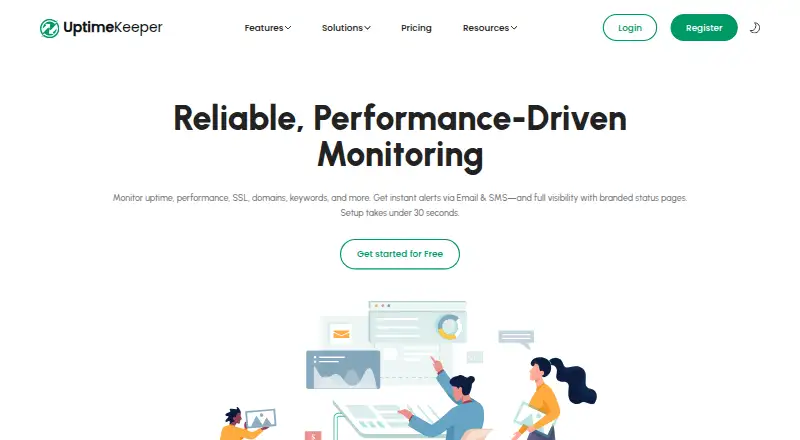
UptimeKeeper is a web-based monitoring platform for developers, IT teams, SaaS providers, businesses, and agencies. It checks websites, APIs, domains, ports, DNS, SSL certificates, keywords, and page performance. Monitoring includes uptime, response time, TTFB, DNS changes, SSL status, page titles, and keyword conditions, with email and SMS alerts. Customizable public or private status pages, maintenance pauses, incident history, and API access extend it beyond basic availability checks. It fits teams that want a straightforward way to watch multiple web properties and communicate service status.
Pricing is structured around a free plan and three monthly paid tiers. The Free plan includes essential monitoring features, including HTTP/S, DNS, SSL, keyword, page-title, response-time, status-page, and API capabilities. Individual costs $7 per month for 1 user, 10 monitors, 10 alerts, 10 status pages, and 10 SMS credits per month. Professional costs $15 per month for 5 users, 50 monitors, 50 alerts, 50 status pages, and 20 SMS credits per month. Enterprise costs $30 per month for 15 users, 150 monitors, 150 alerts, 150 status pages, and 100 SMS credits per month. The tier structure is easy to compare for teams whose needs grow predictably.
Its strongest fit is breadth within core website monitoring: teams can combine uptime, DNS, SSL, content, latency, and status-page workflows in one web and API-accessible service. API-based monitor and status-page management can also suit programmatic operations. The tradeoff is a focused ecosystem centered on email and SMS alerts, without broader third-party integrations. Choose UptimeKeeper when low monthly cost, multiple check types, and status pages matter more than an extensive integration network. Teams requiring deeper external workflow connections should consider an alternative built around a wider integration ecosystem.
Your product? Our editors can test UptimeKeeper in depth and publish a review, labelled as paid · from $149/mo →
UptimeKeeper pricing
All 4 UptimeKeeper plans and prices →
UptimeKeeper fact sheet
| Free plan | Yes |
|---|---|
| Paid from | $7/mo |
| Check types | Not verified |
| SSL monitoring | Yes |
| Latency monitoring | Yes |
| Page health checks | Yes |
| Status page | Yes |
| Maintenance windows | Yes |
| API access | Yes |
| Deployment | Cloud |
| Platforms | Web |
| Pricing | Free plan (source) |
| Website | uptimekeeper.com |
| Facts checked | 20 Sep 2026 |
Alternatives to UptimeKeeper
- SolidPingBroad website and infrastructure monitoring with self-hosting, hosted plans, and on-call workflows.9.3
- HostTrackerA broad monitoring platform with low-cost entry pricing and extensive infrastructure coverage.9.2
- UptimiaA broad monitoring suite with distributed checks, automation and a free starting point.9.1



See all UptimeKeeper alternatives →
Used UptimeKeeper? Be the first to review it
The editor score above is our own research. What this page doesn't have yet is a reader's view — what you used UptimeKeeper for, what worked and what didn't. No stars are seeded and no review is paid for; an editor reads every one before it appears.
Write a reviewTwo minutes · verified accounts only · read by an editor before it appears
Featured on iTechGuides

UptimeKeeper is listed in our Website Monitoring Software directory. Add the badge to your site — it links back to this page.
<a href="https://www.itechguides.com/products/uptimekeeper/"><img src="https://www.itechguides.com/best/badge/uptimekeeper.svg" alt="Featured on iTechGuides" width="230" height="46"></a>
Reviewed by iTechGuides Editors · Editorial team · Updated Oct 2026
Advertiser disclosure: iTechGuides is reader-supported. Vendors can pay for top positions in our rankings and for a place on other products' pages, and we may earn a commission when you click some links. Bought places stand at the number bought; this page and our disclosure say so. Paying vendors may get a fuller, more detailed review from our editors, and that review can change their score. How we rank.
Last updated · How we research and update