Uptime Kuma
Uptime Kuma: Open-source monitoring with flexible checks, status pages, and 20-second intervals. Ranked #17 of 48 in Uptime Monitoring Software by our editors (7.8/10); pricing: Free plan; best for self-hosters wanting fast, flexible monitoring.
At a glance
- Editor score7.8 / 10
- PricingFree plan
- Best forSelf-hosters wanting fast, flexible monitoring
- Free planYes
- Paid fromFree
- Facts checked19 Sep 2026
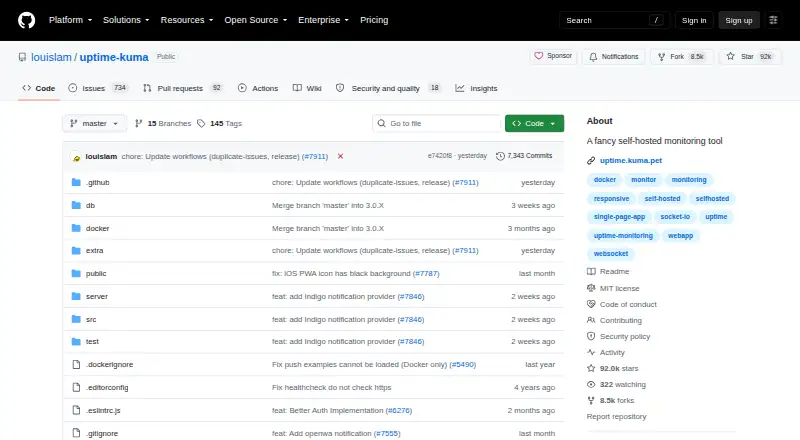
Where it wins
- Checks HTTP(S), TCP, DNS, Docker, and other monitor types
- 20-second intervals, response-time charts, and certificate alerts
- Status pages, proxy support, and Prometheus metrics
Where it doesn't
- Requires self-hosting rather than a managed service
- Installation requires Docker or a supported operating system
- Monitoring intervals may not fit every team's needs
Our verdict on Uptime Kuma
Uptime Kuma is an open-source, self-hosted tool for monitoring websites, network services, and infrastructure. Its broad check types—including HTTP(S), TCP, keyword, JSON query, WebSocket, Ping, DNS, Push, and Docker—make it suited to teams that want one monitor for varied services. A web interface, status pages, response-time charts, and certificate information support day-to-day oversight. It is a fit for self-hosters who can operate the software themselves; teams seeking a managed monitoring service should look elsewhere.
Checks can run at intervals as short as 20 seconds, and HTTPS monitors can trigger certificate-expiry notifications. Status pages can use custom-domain mapping, while monitor labels and a Prometheus metrics endpoint support monitoring workflows that use Prometheus. Proxy support and two-factor authentication are also available. This range is useful for operators who want both external service checks and visibility into monitoring results, though the listed features do not make it a general-purpose observability suite.
Uptime Kuma can be installed with Docker or directly on supported Linux distributions and Windows systems, so choosing it entails responsibility for hosting and maintaining the installation. Notifications can go to Telegram, Discord, Gotify, Slack, Pushover, SMTP email, or Apprise. The product is free and open source, with no paid tier to compare. Pick it if self-hosting, flexible monitor types, and status pages matter more than managed operations; choose another option if you need a vendor-hosted service or want to avoid installation and upkeep.
Your product? Our editors can test Uptime Kuma in depth and publish a review, labelled as paid · from $149/mo →
Uptime Kuma pricing
Uptime Kuma fact sheet
| Free plan | Yes |
|---|---|
| Paid from | Free |
| Monitor limit | Not verified |
| Check interval | Not verified |
| Monitoring locations | Not verified |
| SSL expiry alerts | Yes |
| Keyword monitoring | Yes |
| Server monitoring | Yes |
| Alert channels | Telegram, Discord, Gotify, Slack, Pushover, Email (SMTP), Apprise |
| Deployment | Cloud, Desktop, Self-hosted |
| Platforms | Web, Windows, Linux |
| Integrations | 8 integrations: Telegram, Discord, Gotify, Slack, Pushover, Email (SMTP) … |
| Pricing | Free plan |
| Website | github.com |
| Facts checked | 19 Sep 2026 |
Uptime Kuma integrations
Uptime Kuma lists 8 integrations on its own site.
- Telegram
- Discord
- Gotify
- Slack
- Pushover
- Email (SMTP)
- Apprise
- Prometheus
Alternatives to Uptime Kuma
- SolidPingBroad protocol coverage, status pages, and on-call tools, with hosted plans from €5 per month.9.4
- HyperpingBroad hosted checks and response workflows, with paid plans starting at $24 per month billed annually.9.3
- UptimiaBroad monitoring coverage with selectable global checkpoints and plans for different check volumes.9.2



See all Uptime Kuma alternatives →
Also Ranked In
Uptime Kuma is ranked in 4 of our directories.
Used Uptime Kuma? Be the first to review it
The editor score above is our own research. What this page doesn't have yet is a reader's view — what you used Uptime Kuma for, what worked and what didn't. No stars are seeded and no review is paid for; an editor reads every one before it appears.
Write a reviewTwo minutes · verified accounts only · read by an editor before it appears
Featured on iTechGuides

Uptime Kuma is listed in our Uptime Monitoring Software directory. Add the badge to your site — it links back to this page.
<a href="https://www.itechguides.com/products/uptime-kuma/"><img src="https://www.itechguides.com/best/badge/uptime-kuma.svg" alt="Featured on iTechGuides" width="230" height="46"></a>
Reviewed by iTechGuides Editors · Editorial team · Updated Oct 2026
Advertiser disclosure: iTechGuides is reader-supported. Vendors can pay for top positions in our rankings and for a place on other products' pages, and we may earn a commission when you click some links. Bought places stand at the number bought; this page and our disclosure say so. Paying vendors may get a fuller, more detailed review from our editors, and that review can change their score. How we rank.
Last updated · How we research and update